
Best Text to Video AI for TikTok in 2026: Top Tools
Finding the best text to video ai for tiktok in 2026 requires looking directly at the native integration within ByteDance’s ecosystem. As of April 2026, the industry leader is Seedance 2.0, which has been fully integrated into the TikTok Symphony Creative Studio to allow creators to generate high-fidelity, viral-ready video content directly from text prompts. This evolution in AI video generation focuses on hyper-realistic character consistency and vertical-first formatting, making it the premier choice for creators looking to scale their production without professional equipment.
The best text to video AI for TikTok is Seedance 2.0, a ByteDance-developed tool integrated into TikTok Symphony. It allows users to transform text prompts into high-definition, 9:16 vertical videos with advanced character consistency. Other top contenders in 2026 include OpenAI’s Sora and Meta’s Vibes, which offer cinematic-quality generative video for social media marketing.
- ✓ Seedance 2.0 is now the native standard for TikTok creators, integrated via the Symphony Creative Studio.
- ✓ OpenAI Sora and Meta Vibes provide high-end competition with sophisticated physics engines.
- ✓ Character consistency and 4K vertical rendering are the "must-have" features for 2026 AI video tools.
- ✓ Automated script-to-video workflows have reduced TikTok production time by up to 90% for top influencers.
How to Use Text to Video AI for TikTok Success
In 2026, the barrier to entry for high-quality video production has virtually disappeared. Creators no longer need expensive cameras or editing software to produce content that goes viral. By leveraging a text to video ai for tiktok, you can move from a concept to a finished 60-second clip in under five minutes. The process has become highly intuitive, focusing more on the "director's intent" through prompting rather than technical manual labor.
According to Metricool, ByteDance’s rollout of Seedance has specifically targeted the "attention economy," ensuring that AI-generated clips maintain the fast-paced, high-energy aesthetic that TikTok users crave. The integration within Symphony allows for real-time trend analysis, meaning the AI can suggest visual hooks based on what is currently trending globally.
- Access the Tool: Open the TikTok Symphony Creative Studio or your preferred third-party AI video generator like Seedance 2.0 or Sora.
- Input Your Script: Paste your TikTok script into the prompt box. For best results, include specific details about lighting (e.g., "neon cinematic lighting") and camera movement (e.g., "dynamic zoom").
- Select Aspect Ratio: Ensure the output is set to 9:16 (vertical) to fit the TikTok mobile interface perfectly.
- Refine Character Consistency: Use the "Character Seed" feature to ensure your digital avatar looks the same across multiple scenes.
- Generate and Export: Render the video, add AI-generated voiceovers or trending music, and upload directly to your TikTok draft folder.
The Rise of Seedance 2.0: The Native TikTok Powerhouse
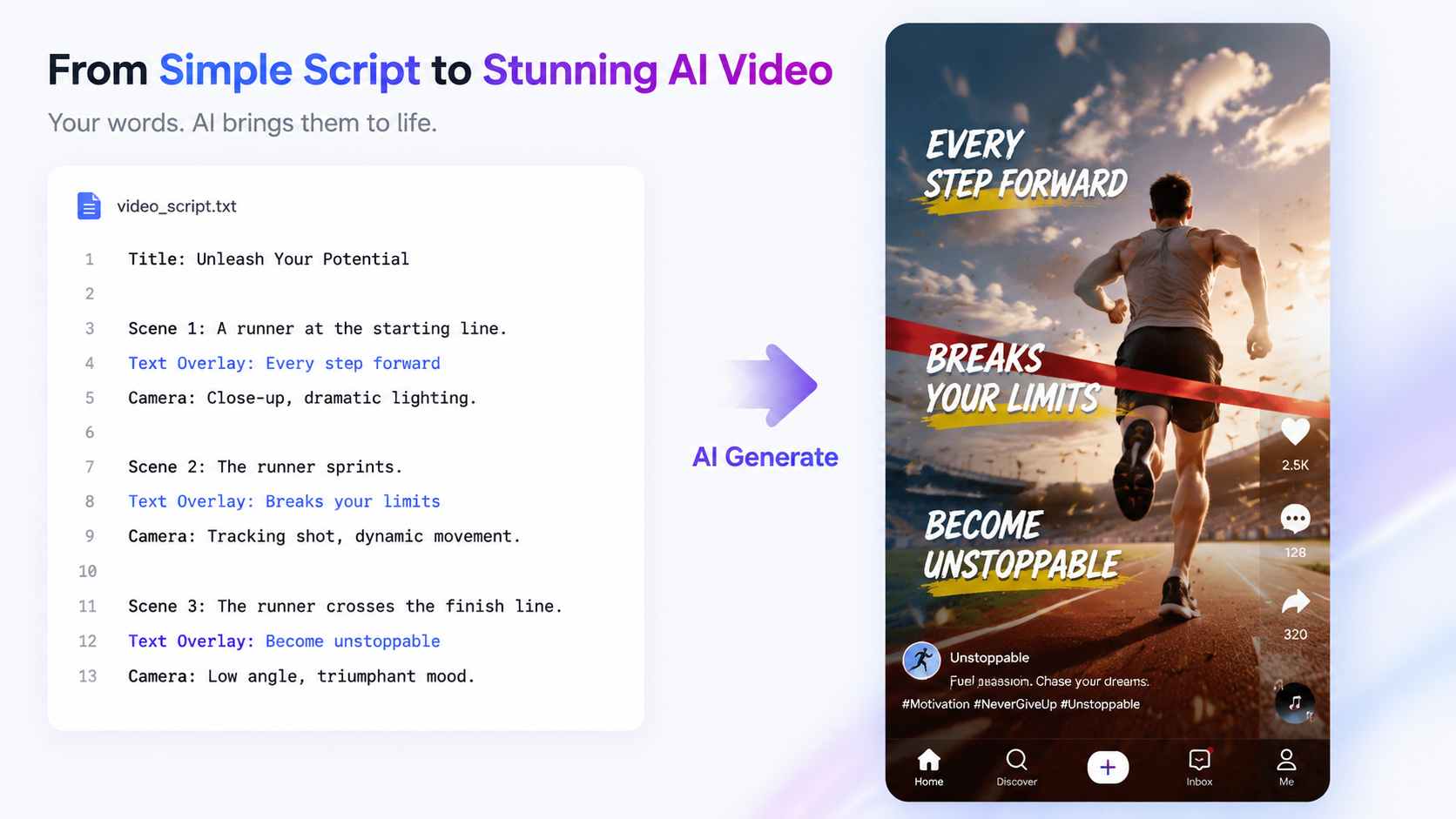
Released globally in March 2026, Seedance 2.0 has fundamentally changed how advertisers and creators interact with the platform. Unlike previous versions, Seedance 2.0 utilizes a "Diffusion Transformer" architecture that understands complex human physics and environmental interactions. This allows for the creation of "insane AI videos" featuring realistic movements that were previously impossible to generate without significant glitches.
As reported by Tech Xplore, the global expansion of Seedance 2.0 in late March 2026 was designed to democratize high-end visual effects. Creators are now using the tool to place themselves or digital doubles in fantastical scenarios—ranging from sci-fi landscapes to hyper-realistic urban environments—all through simple text commands. This tool is not just a standalone app; its presence within TikTok Symphony means that businesses can generate ad creative that looks indistinguishable from organic user-generated content (UGC).
Key Features of Seedance 2.0 in Symphony
The integration into TikTok’s Symphony suite brings several exclusive features. The "Dreamina" engine within Seedance 2.0 allows for "Image-to-Video" and "Text-to-Video" workflows that are optimized for the TikTok algorithm. According to ALM Corp, this integration is a game-changer for advertisers who need to produce hundreds of ad variations to combat creative fatigue. The AI can automatically adjust the pacing of the video to match the beat of a selected soundtrack.
Comparing the Top Text to Video AI Tools of 2026
While Seedance 2.0 is the most "TikTok-native" option, it is not the only player in the market. 2026 has seen a surge in competition from Silicon Valley giants. OpenAI has finally brought Sora out of its extended beta, offering cinematic realism that is often used for longer-form TikTok storytelling. Meanwhile, Meta has introduced Vibes, which is deeply integrated with Instagram Reels but offers cross-platform export capabilities that work flawlessly for TikTok.
According to Built In, the competition between Sora, Vibes, and Seedance 2.0 has led to a "feature war," where each platform is trying to outdo the other in terms of rendering speed and prompt adherence. For a TikTok creator, the choice often comes down to the specific "look" they want to achieve—Sora for cinematic realism, Vibes for social-first "glam" aesthetics, and Seedance for maximum viral potential and platform integration.
| AI Tool | Best For | Key Strength | TikTok Integration |
|---|---|---|---|
| Seedance 2.0 | Native TikTok Content | Symphony Studio Access | Excellent (Native) |
| OpenAI Sora | Cinematic Storytelling | Physics & Realism | Good (via Export) |
| Meta Vibes | Influencer Aesthetics | Stylized Filters | Fair (Cross-platform) |
| Runway Gen-4 | Experimental Art | Granular Control | Manual Export |
Advanced Prompting for TikTok-Specific AI Video
To get the most out of a text to video ai for tiktok, you must understand the nuances of vertical storytelling. TikTok users have a very short attention span, often deciding whether to keep watching within the first 1.5 seconds. Therefore, your prompts should include "hooks" that the AI can visualize immediately. Instead of prompting "a person dancing," try "a high-energy hip-hop dance sequence with dynamic camera shakes and neon light trails in a 9:16 vertical format."
The 2026 versions of these tools support "Negative Prompting" and "Motion Sliders." If your video looks too robotic, you can increase the motion slider to add more natural human jitter or "handheld camera" effects. This makes the AI-generated content feel more authentic and less like a polished commercial, which typically performs better on the TikTok "For You" Page (FYP).
Character Consistency and Digital Avatars
One of the biggest breakthroughs in 2026 is the ability to maintain a consistent character across different prompts. Cosmic Book News highlighted how Seedance 2.0 went viral by allowing users to create consistent "AI influencers" who appear in different outfits and locations while maintaining the same facial structure. This is vital for TikTok creators who want to build a brand around a specific persona without needing to be on camera themselves.
Ethics and Transparency in AI-Generated TikToks
As AI video becomes indistinguishable from reality, TikTok has implemented strict labeling requirements. Any content generated using a text to video ai for tiktok must be tagged with the "AI-generated" label. This transparency is not just a platform rule; it is a legal requirement in many jurisdictions as of 2026. Failure to disclose AI use can lead to shadowbanning or account suspension.
According to Marketing4eCommerce, the introduction of Seedance 2.0 into the Symphony suite includes an automatic digital watermark and metadata tag that identifies the content as synthetic. This helps maintain trust between creators and their audience. While some fear that AI will "flood" the platform with low-quality content, the algorithm has evolved to prioritize AI videos that show high levels of "prompt creativity" and viewer engagement over generic, mass-produced clips.
Future Trends: What's Next for AI Video on TikTok?
Looking toward the end of 2026 and into 2027, we expect to see "Live AI Video Generation." This would allow creators to stream on TikTok Live while an AI modifies their appearance or environment in real-time based on viewer comments. We are already seeing the seeds of this with Seedance 2.0’s rapid rendering capabilities. The goal is to make the interaction between the creator and the audience more immersive and visually spectacular.
Furthermore, the integration of AI audio with AI video is becoming seamless. Tools are now launching that generate the background track, the voiceover, and the video visuals all from a single paragraph of text. This "multimodal" approach is the ultimate evolution of the text to video ai for tiktok ecosystem, turning every user into a full-scale production studio.
What is the best text to video AI for TikTok in 2026?
Seedance 2.0 is currently considered the best tool due to its native integration within TikTok's Symphony Creative Studio. It offers the highest level of character consistency and is specifically optimized for vertical, viral-style content.
Is Seedance 2.0 free to use?
Seedance 2.0 is available to advertisers through the TikTok Symphony suite, with a tiered pricing model for independent creators. Some basic features are free, but high-definition rendering and advanced character seeds usually require a subscription.
How do I make my AI videos look more realistic?
Use specific "camera" language in your prompts, such as "depth of field," "4k resolution," and "natural lighting." Additionally, using tools like OpenAI Sora or Seedance 2.0 helps as they have advanced physics engines that mimic real-world movements.
Do I need to label my AI-generated TikToks?
Yes, TikTok policy in 2026 requires all synthetic or AI-modified content to be clearly labeled. Most native tools like Symphony will automatically apply this label, but for third-party tools, you must manually toggle the "AI-generated content" switch during upload.
Can I use Sora for TikTok videos?
Absolutely. While Sora is not a native ByteDance tool, its 2026 release supports 9:16 vertical exports specifically for social media. You can generate the video in Sora and then import it into TikTok for final editing and music overlays.



Comments ()