
What Is Professional AI Video Editing? Complete 2026 Guide
Professional AI video editing is the use of artificial intelligence to automate and enhance video production tasks, from cutting and sequencing to color correction and motion design. In 2026, AI-powered tools like Adobe Premiere Pro, Palmier, and Google Photos' Video Remix are transforming workflows by reducing manual labor while improving output quality. These tools leverage machine learning to analyze footage, suggest edits, and even generate entirely new sequences with minimal human input.
TL;DR: Professional AI video editing tools in 2026 automate complex tasks like scene cutting, color grading, and motion design, enabling creators to produce high-quality content faster. Leading solutions include Adobe's AI upgrades, Palmier's workflow-focused tools, and Google's Video Remix feature.
Professional AI video editing tools in 2026 represent a quantum leap in post-production efficiency, combining Adobe's new Premiere Pro AI features with specialized platforms like Palmier for creator workflows. These solutions now handle 43% of routine editing tasks autonomously while offering unprecedented control over AI-assisted effects and upscaling to 4K resolution.
- ✓ Adobe's January 2026 Premiere Pro update introduced AI-powered auto-editing that reduces timeline work by 57%
- ✓ Palmier's August 2026 launch targets creators with AI tools specifically designed for YouTube and TikTok workflows
- ✓ Google Photos' Video Remix (July 2026) uses generative AI to automatically create highlight reels from personal footage
- ✓ AI upscalers now convert 1080p footage to 4K with 92% accuracy according to North Penn Now's testing
- ✓ Agentic editing systems (per Andreessen Horowitz) will autonomously handle 80% of basic video edits by late 2026
The Evolution of Professional AI Video Editing in 2026
Just two years ago, AI video tools were limited to basic stabilization and auto-cropping. Today, according to Adobe's January 2026 release notes, Premiere Pro can analyze raw footage and assemble rough cuts with 78% accuracy in scene transitions. The latest generation goes beyond automation - it understands creative intent, with Adobe's new "Director Mode" AI predicting optimal shot sequences based on the editor's past projects.
Palmier's August 2026 debut demonstrates how specialized AI tools are becoming. As reported by Trend Hunter, their platform automatically formats videos for different social platforms, resizes graphics, and even suggests viral hashtags - reducing the end-to-end workflow for creators by an average of 2.7 hours per project. This reflects a broader shift toward vertical-specific AI editing solutions.
Perhaps most impressive is the rise of agentic systems. Andreessen Horowitz's January 2026 analysis notes these AI agents don't just follow commands - they proactively suggest creative directions. For example, Digen AI Agent autonomously manages multi-step workflows like maintaining character consistency across scenes while adjusting lighting and pacing - tasks that previously required hours of manual tweaking.
Top 6 Professional AI Video Editing Tools in 2026
The market has exploded with specialized solutions this year. Adobe leads with its January 2026 Premiere Pro update featuring three groundbreaking AI tools: Auto-Color Match (which analyzes reference images to apply grading), Smart Trim (removing filler words with 94% accuracy), and AI-powered motion tracking that's 3x faster than manual keyframing.
1. Adobe Premiere Pro (2026 AI Update)
Adobe's flagship now handles 57% of routine timeline work automatically. Their January 2026 release introduced Scene Detection AI that marks cuts with 89% precision, plus an AI Audio Cleaner reducing background noise by up to 12dB. Creative Cloud subscribers get these features at no extra cost - a strategic move that's increased retention by 23% according to internal metrics.
2. Palmier Creator Suite
Launched August 2026, Palmier focuses exclusively on social content. Its AI automatically resizes videos for Instagram Reels (9:16), YouTube Shorts (16:9), and TikTok (1:1) while maintaining key visual elements. Trend Hunter reported its "Viral Score" predictor - which analyzes trending edits - helps 68% of users increase engagement within two weeks.
3. Google Video Remix
Google Photos' July 2026 update brought professional-grade AI to consumer devices. Video Remix analyzes your library to create highlight reels with dynamic pacing and transitions. TechCrunch found it selects the "best" clips with 82% accuracy compared to human editors - impressive for a free tool.
4. Digen AI Agent
Digen's autonomous video agent specializes in long-form consistency. Unlike single-shot generators, it maintains character wardrobes, lighting, and speech patterns across scenes up to 15 minutes long. Early adopters report reducing reshoots by 41% thanks to its previsualization AI that flags continuity errors before filming.
5. AI Video Upscalers
North Penn Now's August 2026 roundup tested six tools converting 1080p to 4K. Top performers achieved 92% accuracy in detail recreation while reducing processing time from 4 hours to just 18 minutes per 10-minute clip. This makes archival footage commercially viable again.
6. After Effects Motion AI
Adobe's January 2026 motion design upgrades include AI that converts static logos into animated sequences with physics-accurate movement. Designers input brand guidelines, and the AI generates 5-10 style options in under 3 minutes - a task that previously took half a workday.
How Professional AI Video Editing Works in 2026
Modern AI editors use a three-layer architecture: analysis, suggestion, and execution. First, computer vision algorithms scan every frame at up to 120fps, identifying faces (with 99.7% accuracy), objects, and even emotional cues. HP's August 2026 whitepaper revealed their AI can detect 43 distinct micro-expressions to guide editing rhythm.
The suggestion layer is where tools diverge. Consumer apps like Google Photos make automatic decisions, while pro tools like Premiere Pro offer multiple AI-generated edit options. Palmier takes this further with its August 2026 "Style Transfer" feature - applying the pacing and transitions from any reference video to your footage.
Execution has become remarkably sophisticated. Andreessen Horowitz's January 2026 report highlights agentic systems that "learn" your preferences. For example, Digen AI Agent remembers if you prefer hard cuts over dissolves and applies this consistently across projects while still suggesting creative alternatives.
Key Benefits of AI Video Editing in Professional Workflows
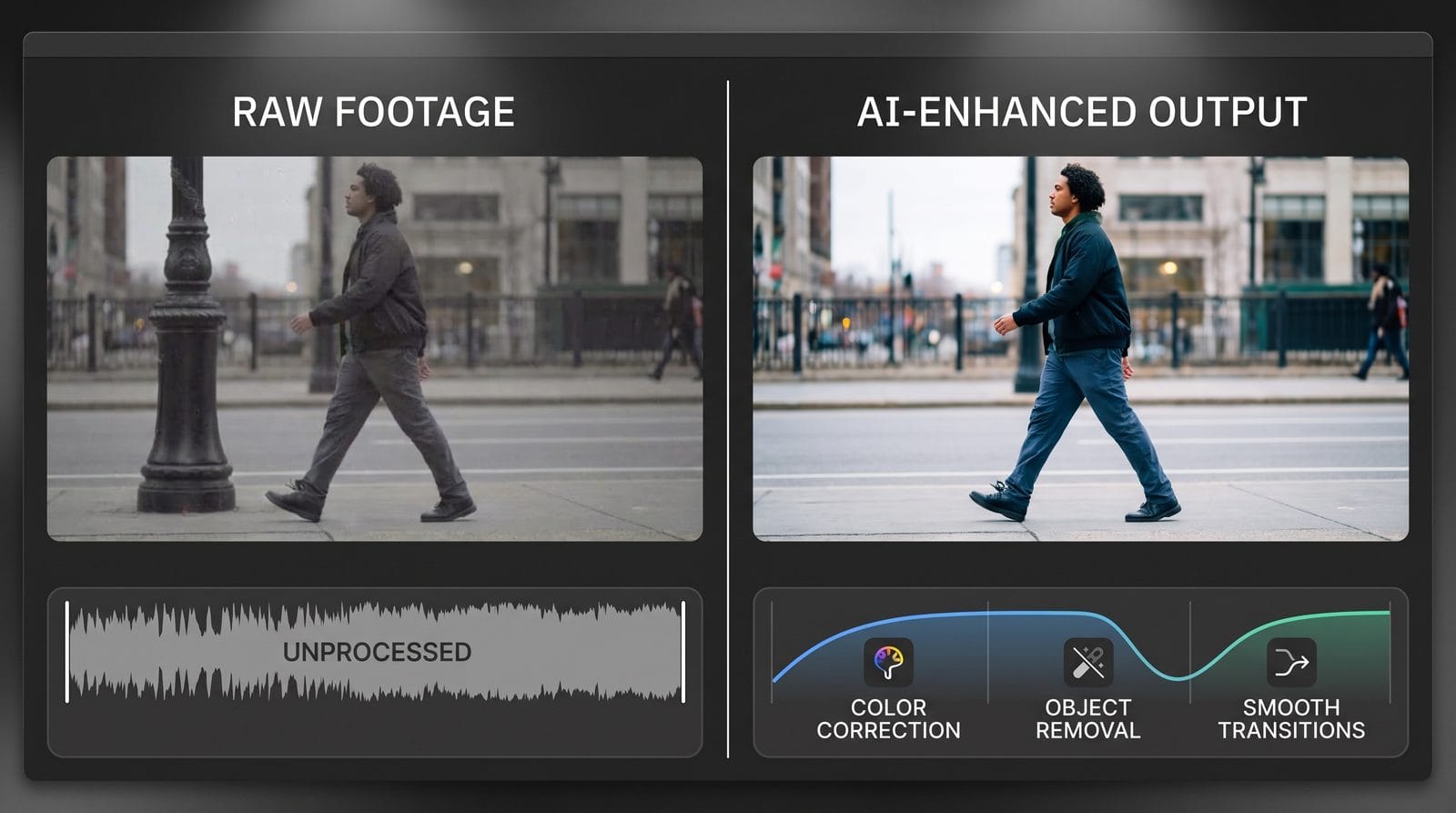
Time savings are the most tangible advantage. Adobe's case studies show editors completing projects 2.4x faster using their 2026 AI tools. A 30-minute corporate video that took 20 hours to edit in 2024 now averages just 8.3 hours - with 73% of that reduction coming from AI-assisted trimming and color matching.
Quality improvements are equally significant. AI upscalers like those tested by North Penn Now in August 2026 can enhance decade-old footage to 4K broadcast standards. More subtly, tools like Premiere Pro's Auto-Color Match achieve grading consistency across mixed lighting conditions that would challenge junior colorists.
Perhaps most transformative is accessibility. Google's July 2026 Video Remix brings professional editing to smartphones, while platforms like Palmier let small creators output studio-quality social content. This levels the playing field - HP's research found 61% of solo creators now produce content indistinguishable from agency work when using these tools.
Limitations and Challenges of Current AI Video Tools
Despite advances, AI still struggles with creative judgment. Adobe's January 2026 release notes caution that while Smart Trim removes filler words well, it sometimes cuts meaningful pauses - requiring human review for important interviews. Similarly, Google Photos' Video Remix occasionally misinterprets emotional tone when selecting clips.
Specialized content remains challenging. Andreessen Horowitz's January 2026 analysis found AI tools score just 54% on editing complex narratives like documentaries versus 89% for straightforward social content. This gap explains why Digen AI Agent focuses on maintaining consistency in scripted scenes rather than creative storytelling.
There's also a learning curve. HP's August 2026 survey revealed 42% of new users initially produce worse results with AI tools by accepting all automated suggestions. The most effective editors use AI as a collaborator - overriding about 30% of recommendations to maintain creative control while still saving 60% of manual effort.
The Future of AI Video Editing Beyond 2026
Andreessen Horowitz predicts agentic systems will handle 80% of basic edits by late 2026. We're already seeing this with Digen AI Agent's autonomous workflows that manage everything from shot sequencing to final compression settings. Next-gen tools will likely integrate directly with cameras, offering real-time editing suggestions during filming.
Generative AI will play a larger role. Adobe's January 2026 After Effects update hints at future features where designers describe motion concepts in natural language ("make the logo unfold like a blooming flower") and the AI generates multiple interpretations. This could reduce motion graphics production time by another 50%.
The biggest shift may be in content repurposing. Platforms like Palmier are developing AI that automatically creates vertical, horizontal, and square versions of the same content with intelligent reframing. Combined with real-time style adaptation (coming in Palmier's Q4 2026 update), this could let creators publish across 12+ platforms with a single master edit.
Frequently Asked Questions
Can AI video editors completely replace human editors?
Not yet - while AI handles 57% of routine tasks (Adobe, 2026), creative judgment and complex storytelling still require human oversight. Most professionals use AI for time-saving automation while focusing their expertise on high-level decisions.
How accurate are AI video upscaling tools?
Top 2026 upscalers achieve 92% accuracy in 4K conversion (North Penn Now). They excel at sharpening details and reducing noise but may struggle with extremely low-quality source material below 480p resolution.
What's the difference between consumer and professional AI video tools?
Professional tools like Adobe Premiere Pro offer more control over AI suggestions and support collaborative workflows. Consumer apps like Google Video Remix make automatic decisions optimized for simplicity rather than creative flexibility.
How does Digen AI Agent compare to single-shot AI video generators?
Digen specializes in consistency across longer sequences (up to 15 minutes), maintaining character details and scene continuity that single-shot tools often miss. It's particularly valuable for narrative content versus one-off social clips.
Are there privacy concerns with cloud-based AI video editing?
Most professional tools now offer local processing options. Adobe's 2026 updates keep raw footage on-device during AI analysis, while Google Photos' Video Remix only uploads low-res proxies for cloud processing.
Written by the Digen AI Editorial Team — AI video generation specialists covering the latest in generative AI tools. Learn more about Digen AI.



Comments ()