
10 Best Free Text to Video AI Tools in 2026: Top Rated

Finding the best free text to video ai tools in 2026 allows creators to transform simple written prompts into high-definition cinematic content without the need for expensive equipment. These advanced platforms leverage generative models to interpret natural language, offering free tiers that provide high-quality output for social media, marketing, and personal projects. By selecting the right AI video generator, you can streamline your workflow and produce professional-grade visuals in seconds.
The best free text to video ai tools are generative platforms like OpenAI Sora, Runway Gen-3, and Pika Labs that convert text prompts into high-fidelity video clips. These tools use deep learning to synthesize realistic motion, lighting, and physics, providing creators with accessible ways to generate content for platforms like Instagram and YouTube without manual filming.
- ✓ Most top-rated AI video tools in 2026 now support 4K resolution and advanced physics engines.
- ✓ Free tiers typically operate on a credit-based system, resetting monthly for consistent use.
- ✓ Integration with social media platforms has become a standard feature for mobile-first content creators.
- ✓ OpenAI Sora and specialized cinematic tools have revolutionized the quality of free generative video.
How to Use the Best Free Text to Video AI Tools
Navigating the world of generative video is simpler than ever in 2026. Most platforms have moved toward a conversational interface where the quality of your output depends largely on the specificity of your prompt. Whether you are using a web-based interface or a mobile app, the process remains consistent across the industry's leading tools. According to recent reports from TechRadar, which tested over 70 AI tools this year, the user experience has shifted toward "prompt-to-publish" workflows that minimize technical friction.
To get started with these tools, follow these standardized steps to ensure you get the highest quality result from your free credits:
- Select Your Platform: Choose one of the top-rated tools listed below based on your specific needs (e.g., cinematic, social media, or 3D animation).
- Enter a Detailed Prompt: Describe the scene, lighting, camera movement, and subject. For example: "Cinematic close-up of a futuristic city at sunset, 4k, neon lights reflecting on wet pavement."
- Adjust Settings: Select the aspect ratio (9:16 for Instagram/TikTok or 16:9 for YouTube) and the duration of the clip.
- Generate and Refine: Hit the generate button and use "seed" or "edit" features to tweak the motion if the first result isn't perfect.
- Export: Download the video file or share it directly to your connected social media accounts.
The Evolution of AI Video Generation in 2026
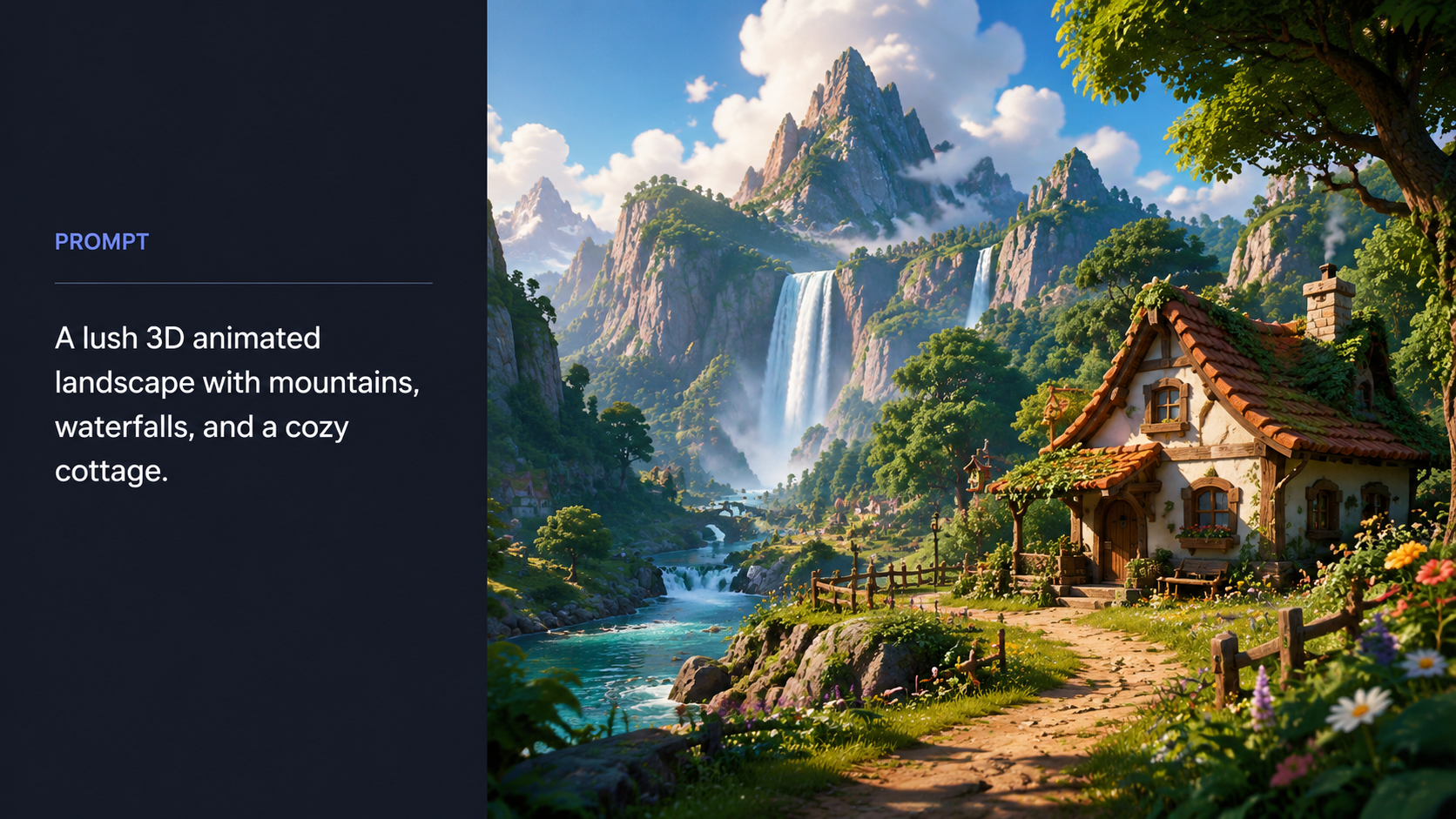
As of May 2026, the landscape of AI video has reached a point of near-photorealism. Earlier limitations regarding "hallucinations" and distorted human limbs have been largely resolved through the implementation of better spatial reasoning models. According to OpenAI, their Sora model has set the benchmark for creating video from text by understanding not just what the user asks for, but how those objects exist in the physical world. This leap in technology has democratized high-end production for independent creators.
Furthermore, the competitive nature of the market has forced major players to offer robust free versions. Analytics Insight notes that the surge in Instagram content creation has driven tools to provide specialized templates and "one-click" generation features. This ensures that even users without a background in cinematography can produce viral-ready content. The focus in 2026 is no longer just on "generating" a video, but on providing the "best free text to video ai tools" that offer artistic control and stylistic consistency.
Top 10 Best Free Text to Video AI Tools of 2026
1. OpenAI Sora (Free Preview/Tier)
Sora remains the gold standard for text-to-video generation. In 2026, OpenAI provides a limited free access tier for creators to experiment with its world-class physics engine. Sora is capable of generating complex scenes with multiple characters, specific types of motion, and accurate background details. Its ability to maintain character consistency across multiple shots makes it a favorite for long-form storytellers who need high-fidelity visuals without a Hollywood budget.
2. Runway Gen-3 Alpha
Runway continues to dominate the creative professional space. The Gen-3 Alpha model offers a "Free Forever" tier with a monthly credit refresh. Known for its "Motion Brush" and "Director Mode," Runway allows users to precisely control which parts of an image or text-generated scene should move. This level of granularity is why PCMag ranked it among the best video editing and generation software tested for 2026.
3. Luma Dream Machine
Luma Labs has carved out a niche by focusing on high-speed generation. The Dream Machine is exceptionally fast, often producing 5-second clips in under a minute. Its free tier is generous, making it one of the best free text to video ai tools for users who need to iterate quickly. The model excels at realistic lighting and smooth camera pans, which are often difficult for lesser AI models to replicate.
4. Pika 2.5
Pika Labs released version 2.5 in early 2026, specializing in "vibe-centric" and stylized content. If you are looking to create animations or content with a specific artistic flair—such as claymation, anime, or 3D render styles—Pika is the top choice. Its "Sound Effects" feature automatically generates audio to match the video, providing a full multimedia experience from a single text prompt.
5. Kling AI (Global Version)
Kling AI has gained massive popularity for its ability to generate longer clips, up to 10 seconds in the free version. It is particularly adept at human movement and facial expressions. Tycoonstory Media highlights Kling as a top contender for cinematic content in 2026 due to its sophisticated rendering of textures and complex human interactions that feel natural rather than robotic.
6. HeyGen (Social Media Focus)
For those looking for the best free text to video ai tools for marketing, HeyGen is the leader in AI avatars. While other tools focus on cinematic scenes, HeyGen allows you to type text and have a realistic digital human speak it. This is ideal for educational content, corporate training, and personalized sales videos. The 2026 update includes "Instant Avatar 2.0," which reduces the "uncanny valley" effect significantly.
7. Kaiber
Kaiber is the preferred tool for music videos and artistic transitions. It uses a unique "frame-to-frame" generation technique that creates hypnotic, morphing visuals. Artists often use Kaiber to turn lyrics into visual journeys. Its free trial allows for several high-definition exports, making it a staple for the creative community on platforms like Vocal.media.
8. InVideo AI
InVideo AI takes a different approach by focusing on "script-to-video." Instead of just a 5-second clip, you can provide a topic, and InVideo will write a script, find relevant stock footage, add a voiceover, and generate AI-assisted scenes to create a full 2-minute video. It is the best comprehensive tool for YouTubers who need to produce informational content quickly.
9. Stable Video Diffusion (SVD)
For the more tech-savvy user, SVD offers an open-source alternative. Many websites host SVD for free, allowing users to generate video without the heavy restrictions of corporate platforms. It is highly customizable and benefits from a massive community of developers who create "LoRAs" or plugins to achieve specific visual styles.
10. Leonardo.ai (Motion Feature)
Originally a leader in image generation, Leonardo.ai has integrated a powerful "Motion" feature in 2026. Users can generate a high-quality image using text and then apply varying levels of "Motion Strength" to bring it to life. It is perfect for creating high-impact social media posts that require a blend of static art and dynamic movement.
Comparison of Top AI Video Tools
To help you choose the right platform, we have compared the top-rated tools based on their primary strengths and the limitations of their free versions as of mid-2026.
| AI Tool | Best For... | Free Tier Limit | Key Feature |
|---|---|---|---|
| OpenAI Sora | Cinematic Realism | Invite/Limited Credits | Physics Accuracy |
| Runway Gen-3 | Professional Control | 125 Credits/Month | Motion Brush |
| Luma Dream Machine | Speed & Fluidity | 30 Generations/Month | Fast Rendering |
| Pika 2.5 | Stylized Animation | 30 Credits/Daily Reset | Built-in SFX |
| InVideo AI | Full YouTube Videos | 10 Mins/Week (Watermarked) | Script-to-Video |
Why Quality Matters in AI Video Production
In 2026, the volume of AI-generated content is staggering. To stand out, creators must focus on the quality of the "best free text to video ai tools" rather than just the quantity of output. High-quality video generation involves more than just a clear image; it requires consistent lighting, logical movement, and emotional resonance. According to PCMag, the best software in 2026 is defined by its ability to handle "complex temporal consistency," meaning the video doesn't flicker or change its style mid-way through a clip.
Using free tools effectively also requires an understanding of "negative prompts"—telling the AI what not to include. This technique helps in avoiding common pitfalls like blurry backgrounds or distorted textures. As generative AI becomes more integrated into standard editing suites, the line between "AI video" and "traditional video" continues to blur, making these free tools essential for any modern content creator's toolkit.
Frequently Asked Questions
What is the best free text to video AI tool for beginners?
InVideo AI and Luma Dream Machine are currently the best for beginners due to their intuitive interfaces and simple prompt requirements. InVideo is particularly helpful because it handles the script, voiceover, and footage in one workflow.
Can I use AI-generated videos for commercial purposes on a free plan?
Most platforms, including Runway and Pika, require a paid subscription for full commercial rights. However, videos created on free tiers are generally allowed for personal use and social media sharing, often with a small watermark.
Do these tools require a powerful computer?
No, because the video generation happens on the provider's cloud servers. You only need a standard web browser or a mobile app with a stable internet connection to use even the most advanced tools like Sora or Kling AI.
How long does it take to generate a video from text?
In 2026, most tools generate a 5-to-10 second clip in 30 seconds to 3 minutes. Factors affecting speed include server demand and the complexity of the visual effects requested in your prompt.
Are there any completely free AI video generators without watermarks?
Completely free, watermark-free tools are rare. However, open-source models like Stable Video Diffusion can be run locally or on certain community platforms without watermarks if you have the technical setup.
The landscape of best free text to video ai tools is constantly shifting, but the options available in 2026 provide unprecedented power to creators. By experimenting with these ten platforms, you can find the specific aesthetic and workflow that fits your creative vision, all while staying within a $0 budget. As AI continues to evolve, these tools will only become more accessible, further lowering the barrier to entry for high-quality video production.



Comments ()