
7 Best Free AI Video Tools (2026 Tested)
The landscape of digital content creation has undergone a seismic shift as we move through 2026. High-quality video production, once the exclusive domain of professional studios with massive budgets, is now accessible to anyone with an internet connection. Finding the best free AI video tools has become a priority for creators, marketers, and educators who need to keep pace with the rapid speed of social media and digital communication. With the emergence of sophisticated generative models, the barrier to entry for cinematic storytelling has never been lower.
The best free AI video tools in 2026 are web-based platforms like Luma Dream Machine, Kling AI, and Pika Labs, which offer generous free tiers for text-to-video generation. For editing, tools like CapCut and DaVinci Resolve remain the industry leaders, integrating advanced AI features for automated cutting and color grading without cost.
- ✓ Generative AI models now allow for "text-to-video" creation with high consistency and no watermarks on select free tiers.
- ✓ 2026 trends show a shift toward "unlimited" free AI generators supported by community-driven credit systems.
- ✓ AI video editing software has become user-friendly enough for beginners while retaining professional-grade features.
- ✓ Mobile-first AI video tools are dominating social media content production for platforms like TikTok and Instagram.
The Evolution of Free AI Video Tools in 2026
As we navigate 2026, the distinction between "free" and "premium" AI tools has blurred significantly. According to Amateur Photographer, 2026 video editing software has reached a point where the programs are literally usable by anyone, regardless of technical skill. This democratization is driven by the integration of Large Language Models (LLMs) directly into the video timeline, allowing users to edit footage by simply typing instructions like "remove the background" or "match the color grade to a sunset aesthetic."
Furthermore, the competitive landscape has forced many developers to offer robust free versions to capture market share. While some platforms like Grok have transitioned to paid-only models, a new wave of competitors has stepped in to fill the void. According to recent reports from Mshale, there are now at least three major AI video generators that remain 100% free with no watermarks, a feature that was nearly impossible to find just two years ago. This shift allows creators to experiment with high-fidelity generative video without an upfront financial commitment.
The Rise of Unlimited Generative Credits
One of the most significant changes in 2026 is the rise of the "Unlimited Free" model. As noted by fathomjournal.org, certain text-to-video AI tools now utilize decentralized computing or ad-supported tiers to provide unlimited generation. This is a game-changer for creators who previously had to wait for monthly credit refreshes. These tools allow for iterative prompting, meaning you can refine your video multiple times until the AI captures your exact vision, all without worrying about hitting a paywall.
Top-Rated Generative AI Video Tools for 2026
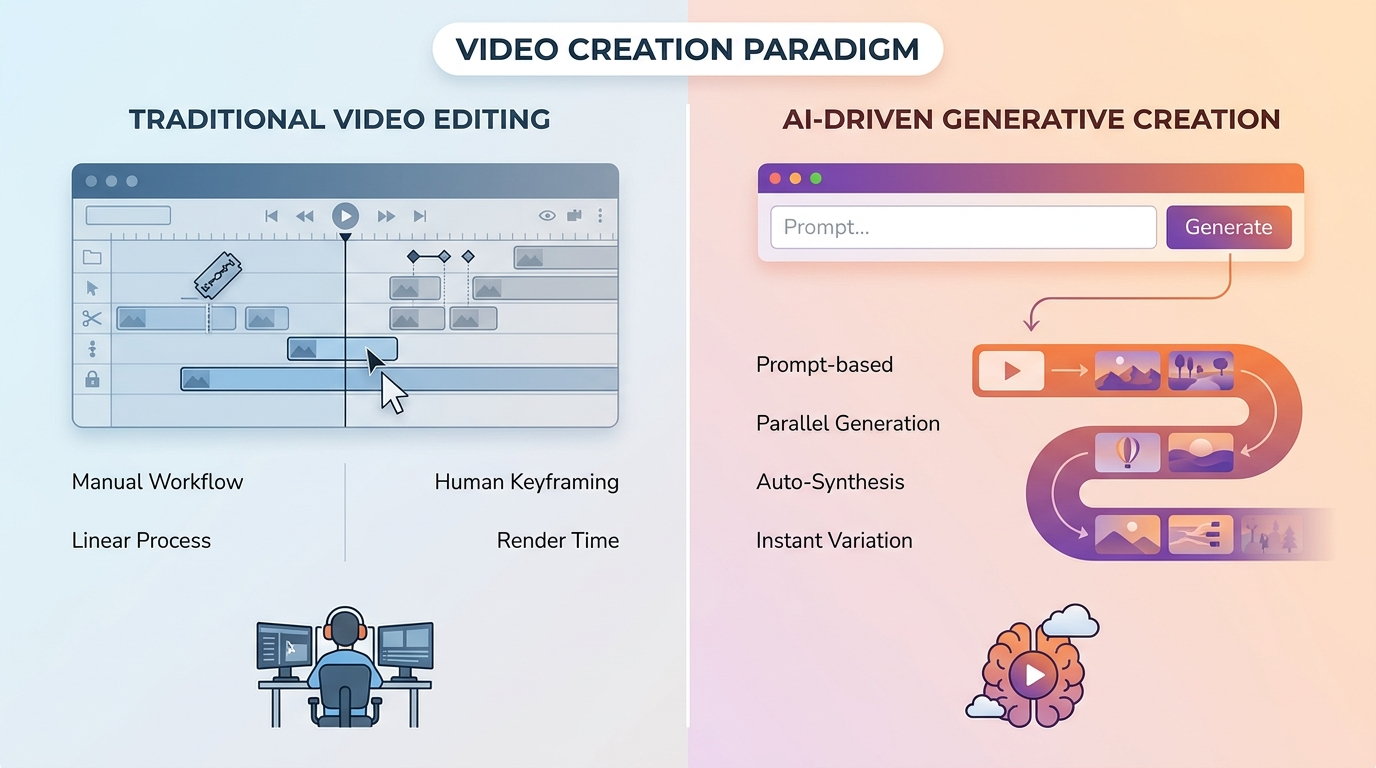
When searching for the best free AI video tools for pure generation, the focus has shifted toward visual consistency and motion physics. In early 2026, the market saw a surge in tools that can generate 5-10 second clips from a simple text prompt. These tools are no longer just producing "dreamlike" or blurry images; they are creating photorealistic footage that can be used in commercial projects. According to TechRadar, even as high-end models like Sora dominate headlines, several free-to-use alternatives have emerged that provide comparable quality for everyday users.
Platforms like Luma and Kling have introduced "Free Daily Credits" that do not expire, encouraging daily usage. These tools excel at understanding complex spatial relationships, ensuring that if you ask for a character to walk through a door, the lighting and shadows react realistically. This level of sophistication was previously locked behind expensive subscriptions but is now a standard feature in the free AI toolkit of 2026.
Comparison of Leading Free AI Video Generators
| Tool Name | Free Tier Features | Best For | Watermark? |
|---|---|---|---|
| Luma Dream Machine | 30 Generations / Month | Cinematic Realism | Small Corner Logo |
| Kling AI (Free) | Daily Login Credits | Human Motion | No |
| Pika 2.5 | Unlimited (Standard Def) | Animation & Style | Optional |
| CapCut AI | Full Feature Access | Social Media/Reels | No |
Advanced AI Video Editing Features for Social Media
For social media managers, the best free AI video tools are those that save time on repetitive tasks. According to the Hootsuite Blog's expert picks for 2026, the most successful social media creators are using AI to automate captioning, B-roll selection, and even viral clip extraction. Tools like OpusClip and Munch have updated their free versions to allow for "smart cropping," which automatically identifies the most engaging parts of a long-form video and converts them into vertical formats for TikTok and Instagram Reels.
The integration of AI into mobile editing apps has also reached its peak. In 2026, mobile apps are capable of performing complex rotoscoping (removing subjects from backgrounds) in real-time. This allows creators to film in their living rooms and instantly transport themselves to a digital environment without the need for a green screen. These features are often included in the free versions of popular apps, supported by a model that charges only for cloud storage or high-resolution 8K exports.
Automated Content Repurposing
Repurposing content is the secret weapon of 2026. AI tools can now take a single YouTube video and generate ten different social media posts, each with optimized captions and hashtags. Studies show that creators using AI repurposing tools see a 40% increase in engagement due to the higher volume of consistent posting. Most of these tools offer a "freemium" model where the first few videos of the month are processed entirely for free, providing immense value to small businesses and solo creators.
How to Choose the Best Free AI Video Tools for Your Project
Selecting the right tool depends heavily on your specific needs. If you are looking to create a video from scratch using only words, you should prioritize text-to-video generators. However, if you have existing footage that needs polishing, an AI-powered video editor is the better choice. According to vocal.media, the best free AI tools for content creators in 2026 are those that offer a balance between ease of use and creative control.
Check for the following criteria when evaluating a free tool: 1) Export resolution (ensure it supports at least 1080p), 2) Watermark policy (some tools allow you to remove it by watching an ad), and 3) Processing speed. In 2026, many free tools utilize "slow queues" for non-paying members, which might take a few minutes to render your video. If you are on a tight deadline, look for tools that offer local processing using your computer's GPU rather than cloud-based rendering.
The Role of Open Source in 2026
Open-source AI video models have seen a massive resurgence in 2026. Tools built on Stable Video Diffusion (SVD) and other open frameworks allow users to run powerful AI video generation on their own hardware. While this requires a decent graphics card, it provides a 100% free, private, and unlimited way to create video content. For those with the technical know-how, open-source is often the most powerful "free" option available.
Future Trends: What to Expect Beyond 2026
The trajectory of AI video technology suggests that by the end of 2026, we will see the emergence of "interactive video." This will allow viewers to change the outcome of a video in real-time using AI prompts. For creators, this means the best free AI video tools will soon include features for branching narratives and dynamic environment generation. The line between video games and traditional cinema is blurring, and free AI tools are at the forefront of this revolution.
Furthermore, ethical AI and provenance tracking are becoming standard. Most free tools in 2026 now automatically include metadata that identifies the content as AI-generated. This transparency helps maintain trust with audiences while allowing creators to push the boundaries of what is possible. As the technology continues to evolve, the cost of high-quality production will likely continue to trend toward zero, making the "creator economy" more inclusive than ever before.
Are there any truly free AI video generators without watermarks in 2026?
Yes, several platforms like Kling AI and specific open-source models allow for watermark-free exports on their free tiers. Some tools also allow watermark removal in exchange for viewing a short advertisement or participating in community feedback.
Can I use free AI video tools for commercial purposes?
It depends on the tool's Terms of Service. While many allow commercial use for free-tier users, some restrict it to personal projects only. Always check the specific license of the tool before using the output for a paid client or business advertisement.
What is the best free AI tool for adding captions to videos?
CapCut and Submagic (Free Tier) are currently the top choices in 2026. They offer highly accurate AI transcription in over 50 languages and provide stylish, animated templates that are popular on social media platforms.
Do I need a powerful computer to use these AI video tools?
Most modern AI video tools are cloud-based, meaning the heavy processing happens on the company's servers. You only need a stable internet connection and a standard web browser or smartphone to use them. Only open-source, locally-installed models require a powerful GPU.
How long can AI-generated videos be in 2026?
Most free tools generate clips between 5 and 10 seconds long. However, these can be extended or stitched together using AI "video-to-video" features or traditional editing software to create much longer content.



Comments ()