
Best Free AI Video Generator Online: Top Picks for 2026

Finding the best free AI video generator online in 2026 allows creators to transform text prompts and static images into high-definition cinematic content without the need for expensive hardware or editing software. The current landscape of generative video has shifted toward all-in-one platforms that combine motion synthesis, AI-generated music, and lifelike talking avatars to streamline the production process for social media, marketing, and education.
A free AI video generator online is a cloud-based application that uses generative artificial intelligence—specifically diffusion models and transformers—to create video sequences from text descriptions or images. In 2026, leading tools like SeedVideoAI and Xelta AI provide users with free daily credits to generate high-fidelity video content, including realistic human movement and synchronized audio, directly in a web browser.
- ✓ Seedance 2.0 and Xelta AI have emerged as the leading free-tier options for high-speed video rendering in 2026.
- ✓ Modern platforms now integrate "Talking Photo" features, allowing users to animate static portraits with synchronized speech.
- ✓ The "Image-to-Video" workflow has become the industry standard for maintaining visual consistency across AI-generated scenes.
- ✓ Most free tools in 2026 utilize a credit-based system, resetting daily to allow for consistent content creation at no cost.
How to Use a Free AI Video Generator Online
The evolution of generative AI has simplified the video production workflow significantly. In 2026, you no longer need to understand complex prompting structures to get professional results. Most platforms have moved toward intuitive interfaces that prioritize "natural language" inputs and "drag-and-drop" image references. This accessibility has democratized high-end video production for small business owners and independent creators alike.
According to a recent report by PC Tech Magazine, the integration of AI Talking Photos and video generators has reduced content production time by over 70% for digital marketing agencies this year. This efficiency is largely due to the "All-in-One" nature of modern platforms, which handle scriptwriting, visual generation, and background music in a single synchronized pipeline.
- Select Your Base Asset: Choose whether to start with a text prompt or upload an image. Using an image (Image-to-Video) often provides better control over the final aesthetic.
- Enter Your Motion Prompt: Describe the action you want to see. For example, "A cinematic drone shot of a futuristic city at sunset with flying vehicles."
- Configure Settings: Adjust the aspect ratio (9:16 for TikTok/Reels or 16:9 for YouTube) and select the motion intensity level.
- Generate and Refine: Hit generate and wait for the AI to render. In 2026, tools like Xelta AI can produce a 10-second clip in under 30 seconds.
- Export: Download your video in 4K resolution or share it directly to your social media channels.
Top Free AI Video Generators Compared
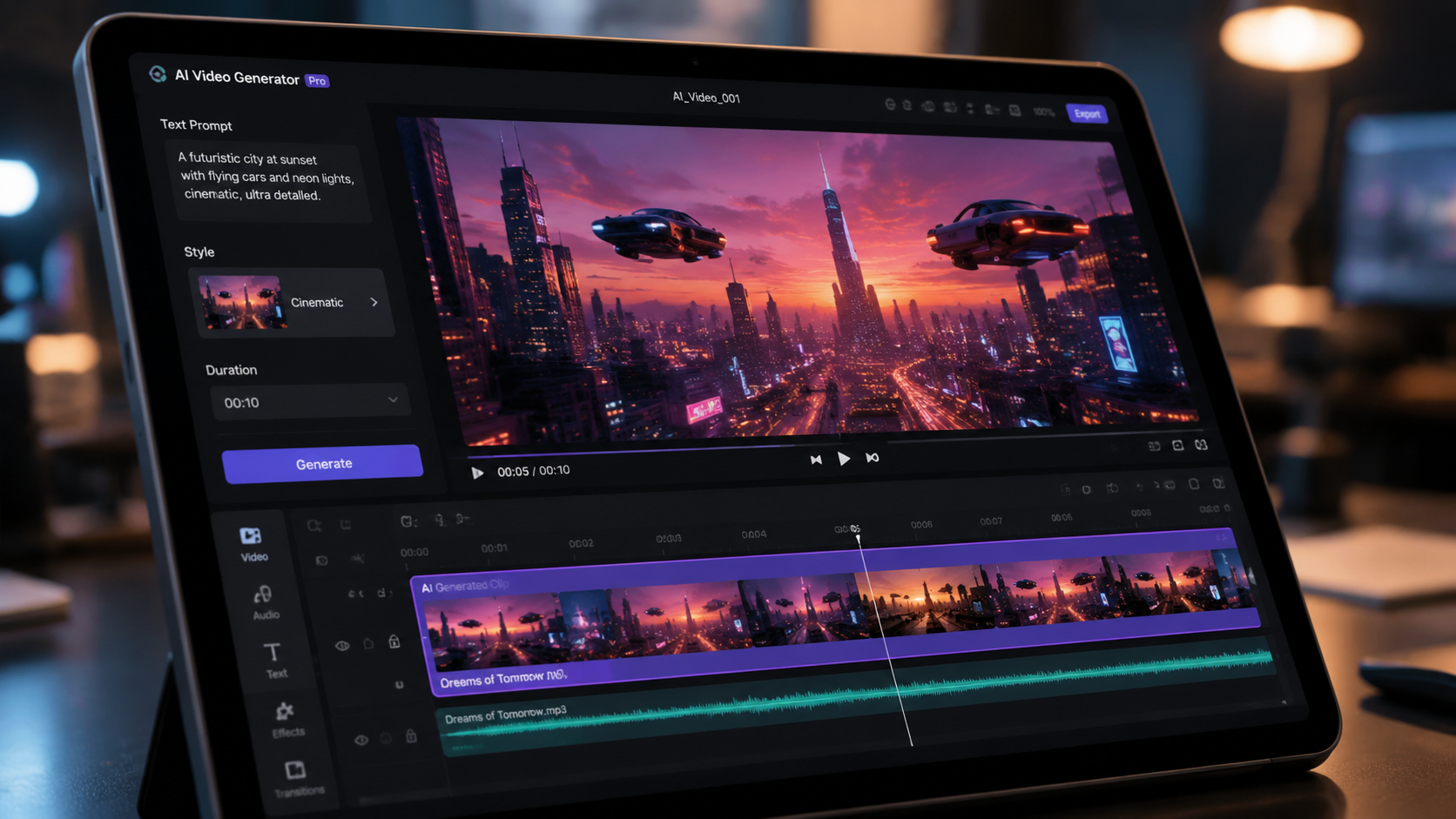
As of May 2026, several platforms have distinguished themselves by offering robust free tiers that don't compromise on quality. While some tools focus on realistic human avatars, others specialize in cinematic environmental shots or stylized animation. Choosing the right free ai video generator online depends on whether you prioritize speed, resolution, or creative control.
Research from Tycoonstory Media highlights that Image-to-Video tools are currently the most popular category in 2026, as they allow users to animate existing brand assets or family photos with incredible precision. Below is a comparison of the top-performing platforms currently available for free use.
| Platform | Core Feature | Free Tier Limit | Best For |
|---|---|---|---|
| SeedVideoAI (Seedance 2.0) | All-in-One Creative Suite | 10 Credits Daily | Cinematic Visuals & Music |
| Xelta AI | Ultra-Fast Rendering | Unlimited (Ad-supported) | Quick Social Content |
| AI Talking Photo (Online Free) | Portrait Animation | 5 Videos per Day | Presentations & Education |
| GPT Image 2 (Video Module) | Text-to-Video Logic | 3 High-Res Clips Daily | Storyboarding |
The Rise of Seedance 2.0 and All-in-One Platforms
One of the most significant shifts in 2026 is the move toward holistic creative environments. As reported by PRLog, SeedVideoAI recently launched its Seedance 2.0 Video Generator, which represents a massive leap in consistency and temporal stability. Unlike previous versions, Seedance 2.0 integrates GPT Image 2 for visual framing and Suno AI Music for background scoring, ensuring that the audio and video are perfectly synced from the moment of creation.
Advanced Multimodal Integration
The "All-in-One" approach means that a single prompt can now trigger multiple AI models. When you use a free ai video generator online like SeedVideoAI, the system isn't just "guessing" the next frame; it is cross-referencing a linguistic model for context and a musical model for rhythm. This results in videos where the lighting changes in time with the beat of the music, a feature that was previously only available in high-end manual editing suites.
User-Friendly Creative Controls
Seedance 2.0 also introduces "Motion Brushes," allowing users to highlight specific areas of an image they want to animate. This prevents the "morphing" effect common in older AI models. For instance, if you have a photo of a person standing by a waterfall, you can paint the water to flow while keeping the person perfectly still. This level of granular control is what defines the 2026 generation of AI video tools.
Xelta AI: Speed and Accessibility in Video Creation
For creators who need to produce high volumes of content, Xelta AI has become the go-to free ai video generator online. According to Issuewire, Xelta AI focuses on "Fast-Track Generation," utilizing a decentralized processing network to slash rendering times. This is particularly useful for "news-jacking" or responding to viral trends where speed is the most critical factor.
Real-Time Rendering Capabilities
The architecture behind Xelta AI allows for near real-time previews. Users can see a low-resolution "ghost" of their video within five seconds of hitting generate, allowing them to cancel and tweak the prompt before the full credits are spent. This "fail-fast" workflow is essential for hobbyists who are still learning the nuances of AI prompting.
Mobile-First Optimization
Unlike many legacy AI tools that require a desktop browser, Xelta AI is fully optimized for mobile devices. It features a simplified "one-tap" generation mode where the AI analyzes the user's previous successful videos to suggest new styles and themes. This has made it a favorite among the "urban culture" creators mentioned by The Hype Magazine, who often capture and edit content while on the move.
The Impact of AI Talking Photos on Digital Media
In mid-2026, the "Talking Photo" phenomenon has moved from a novelty to a business necessity. Platforms now allow anyone to upload a headshot and a script, and the AI will generate a video of that person speaking with perfect lip-sync and natural micro-expressions. PC Tech Magazine notes that this technology is being used extensively for personalized customer service videos and interactive educational content.
Humanizing Digital Interactions
The "Future of Content Creation" report by The Hype Magazine emphasizes that these tools are not just about automation, but about storytelling. By using a free ai video generator online to animate historical figures or brand mascots, creators can build a deeper emotional connection with their audience. The "Talking Photo" tech in 2026 has solved the "uncanny valley" problem, providing eyes that blink naturally and heads that tilt in response to the emphasis in the speech.
Educational and Professional Applications
In the corporate world, these tools are replacing static slide decks. An HR manager can now create a 5-minute training video using only a photo of themselves and a text script, saving hours of recording time. The accessibility of these "free AI talking photo" tools means that even small non-profits can produce high-quality video messages to reach their donors and communities.
Future Trends: What to Expect After 2026
As we look toward the latter half of 2026 and into 2027, the boundaries between video generation and virtual reality are beginning to blur. TechRadar, having tested over 70 AI tools this year, suggests that the next step is "Interactive Video," where viewers can change the outcome of a video in real-time by typing new prompts into a chat box while the video is playing.
We are also seeing a massive push toward "Style Consistency." One of the biggest complaints in early AI video was that the characters would change appearance between clips. The 2026 models have largely solved this with "Character Lora" technology, which allows a user to "lock" a character's face and clothing across an entire series of videos. This makes AI-generated web series and short films a viable reality for independent filmmakers.
Is there a completely free AI video generator online?
Yes, platforms like Xelta AI and SeedVideoAI offer free versions. While some use a daily credit system, others are ad-supported, allowing you to create high-quality video content without a monthly subscription.
Can I use AI-generated videos for commercial purposes?
Most 2026 platforms allow commercial use of videos generated on their paid tiers, while free tiers may require a creative commons attribution. Always check the specific terms of service for the tool you are using.
What is the best AI tool for animating photos in 2026?
According to Tycoonstory Media, the top tools for animating photos are Seedance 2.0 and specialized "Talking Photo" apps, which provide the most realistic facial movements and environmental physics.
How long does it take to generate an AI video?
In 2026, standard 10-second clips take between 30 seconds to 2 minutes to generate depending on the complexity and the platform's current server load.
Do I need a powerful computer to run these tools?
No, since these are online tools, all the heavy processing is done on the provider's cloud servers. You only need a standard web browser and a stable internet connection.



Comments ()