
Best Free AI Text to Video Tools: 2026 Comparison Guide

Finding the best free ai text to video tools in 2026 requires navigating a landscape of rapid innovation where high-fidelity cinematic output is now accessible to everyone. The most effective free tools today allow users to transform simple text prompts into high-definition video clips without requiring expensive hardware or subscription fees. By leveraging advanced generative models, these platforms automate the complex processes of rendering, animation, and scene transitions, making professional-grade video production available for social media, marketing, and personal projects.
Free AI text to video is a generative technology that uses natural language processing and neural networks to convert written descriptions into synchronized video sequences. In 2026, leading platforms like Mango AI, OpenAI’s Sora, and specialized tools from the Blockchain Council offer tiered free access, allowing creators to generate realistic motions and high-resolution visuals from simple text prompts.
- ✓ Mango AI and Sora have set new benchmarks for 2026 in terms of prompt adherence and temporal consistency.
- ✓ Most free tiers now include "Image to Video" capabilities alongside standard text prompts.
- ✓ According to recent tests by Geeky Gadgets, only about 30% of "free" tools deliver high-definition results without intrusive watermarks.
- ✓ Unlimited free options usually involve open-source models or community-driven credit systems.
How to Use Free AI Text to Video Tools in 2026
The process of generating video from text has become significantly more intuitive over the last twelve months. Most platforms have moved toward a "natural language first" approach, meaning you no longer need to understand complex technical parameters or "prompt engineering" hacks to get a usable result. The focus in 2026 is on descriptive storytelling, where the AI interprets the mood, lighting, and camera movement based on your narrative flow.
To get started with a free ai text to video workflow, follow these standardized steps used across most major platforms:
- Select your platform: Choose a tool like Mango AI or Sora based on your specific needs (e.g., realistic humans vs. stylized animation).
- Enter your prompt: Write a detailed description of the scene, including the subject, action, environment, and lighting (e.g., "A futuristic drone flying through a neon-lit Tokyo street at night, 4k, cinematic lighting").
- Configure settings: Select the aspect ratio (16:9 for YouTube or 9:16 for TikTok) and the desired video duration.
- Generate and refine: Click the generate button and wait for the AI to render the frames. If the motion is not quite right, use "seed" adjustments or modify your text description.
- Export: Download the video file or share it directly to social media platforms.
Comparison of Top Free AI Text to Video Tools (May 2026)
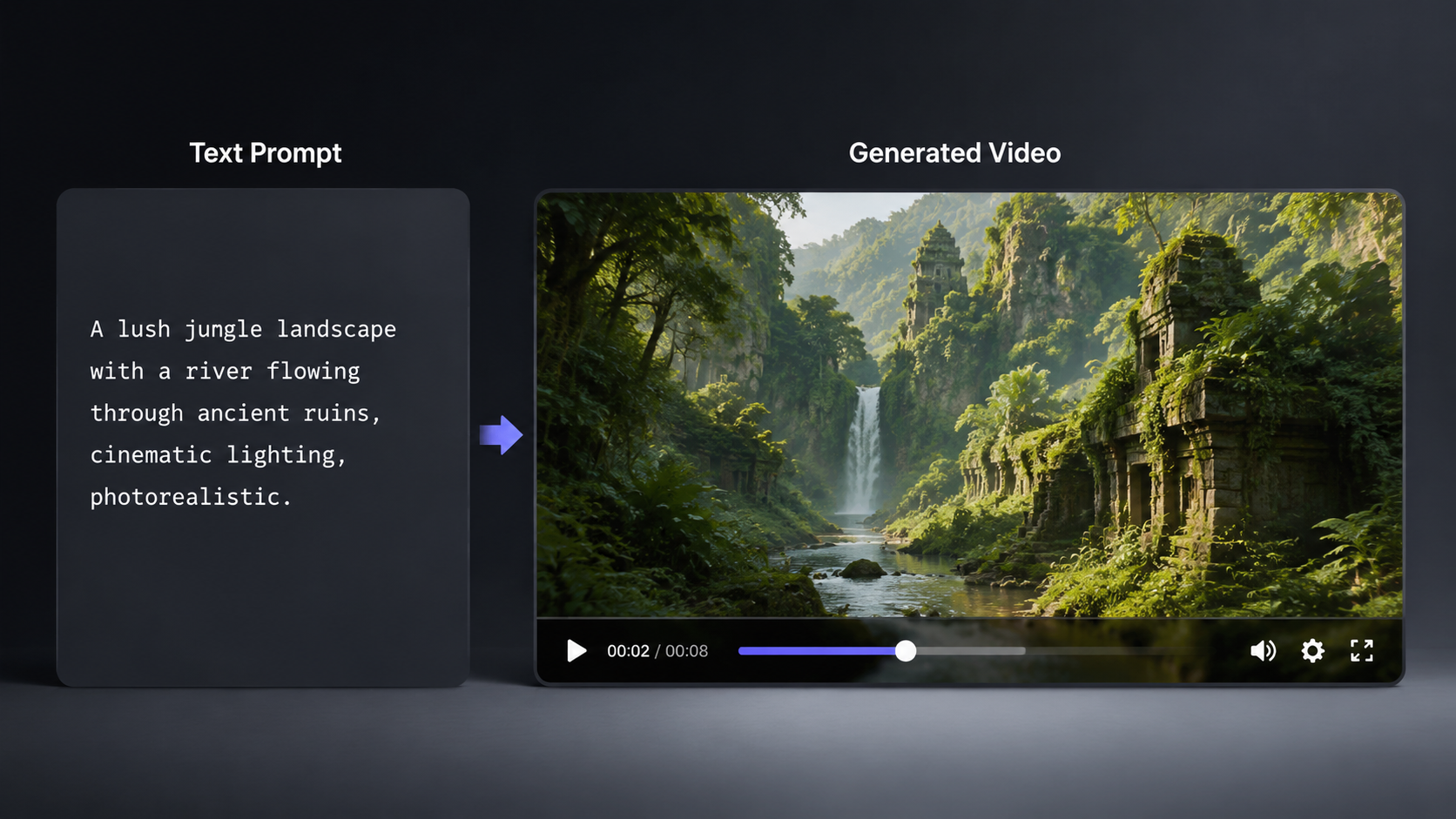
As of May 2026, the market is divided between major tech giants and specialized AI startups. Each tool offers a unique value proposition, ranging from hyper-realistic physics to rapid generation speeds. Choosing the right tool depends on whether you value length, visual fidelity, or ease of use.
| Tool Name | Best For | Free Tier Features | Output Quality |
|---|---|---|---|
| Mango AI | Effortless Creation | Daily free credits, no-code interface | High (1080p/4K) |
| OpenAI Sora | Cinematic Realism | Limited free generation for researchers/creators | Ultra-High (Photorealistic) |
| Blockchain Council AI | Image to Video | Free basic conversion tools | Standard HD |
| Geeky Gadgets Top Picks | Reliability | Verified "Actually Free" models | Varies by model |
Mango AI: The New Standard for Effortless Video Creation
Mango AI has recently made waves in the industry by unveiling its updated AI Text to Video Generator. This platform is specifically designed for users who need professional results without a steep learning curve. According to PRUnderground, the 2026 release focuses on "effortless video creation," allowing users to bypass the technical hurdles that previously plagued generative video tools. The interface is streamlined, focusing on high-speed rendering and intuitive prompt interpretation.
Key Features of Mango AI in 2026
The 2026 version of Mango AI introduces a "Living Portraits" feature, which allows users to animate static images with synchronized voiceovers. This is particularly useful for corporate presentations and educational content. Furthermore, Mango AI’s free tier is notably generous, offering a daily refresh of credits that allows small-scale creators to maintain a consistent posting schedule without financial overhead.
Why It Ranks for Free AI Text to Video
One of the reasons Mango AI is a top contender for the free ai text to video keyword is its commitment to accessibility. Unlike many competitors that hide their best features behind a paywall, Mango AI provides high-resolution exports and a wide variety of templates to its free users. This democratizes the video production process, enabling even those with zero editing experience to produce content that rivals professional studios.
The Evolution of Sora and OpenAI’s Video Ecosystem
Since its initial reveal, OpenAI's Sora has continued to evolve as the gold standard for temporal consistency and physical simulation. While Sora was initially restricted to a small group of testers, by mid-2026, OpenAI has expanded access significantly. Sora's ability to understand how objects interact in the physical world—such as how a liquid pours or how light reflects off a moving car—remains unmatched in the free-to-use landscape.
Advanced Text-to-Video Capabilities
Sora isn't just about creating pretty pictures; it’s about understanding "world physics." When you provide a prompt to Sora, it doesn't just generate frames; it simulates a 3D environment and then "films" it. This results in videos that feel grounded and real. According to OpenAI, the 2026 updates have focused on reducing "hallucinations," where objects might randomly appear or disappear during a scene, ensuring a smooth 60fps output for all users.
Accessing Sora for Free
While Sora remains a premium-tier technology, OpenAI has integrated "Lite" versions into various creative sandboxes. Creators can often access limited free ai text to video generations through partner platforms or community beta programs. These programs are designed to gather data for further model refinement while giving the public a taste of the most advanced video AI currently in existence.
Blockchain Council and the Rise of Image-to-Video AI
The Blockchain Council has emerged as an unexpected leader in the AI space, particularly with their "Image to Video AI Free" initiative. This tool focuses on the synergy between static AI art and dynamic video. By taking an existing image—perhaps one generated by Midjourney or DALL-E—and applying motion vectors, the Blockchain Council’s tool creates a bridge for artists looking to expand their portfolio into motion graphics.
The Importance of Multi-Modal AI
In 2026, the distinction between text-to-video and image-to-video is blurring. The Blockchain Council highlights that the most realistic videos often start with a high-quality "anchor image." Their free tool allows for precise control over the "motion strength," giving users the ability to decide if they want a subtle breeze in a landscape or a high-intensity action sequence. This level of control is rare in free tools and is a significant draw for technical creators.
Educational Resources and Certification
Beyond the tool itself, the Blockchain Council provides a framework for understanding the ethics and mechanics of AI generation. As AI-generated content becomes more prevalent, understanding the underlying "provenance" of a video is vital. Their platform not only offers free ai text to video capabilities but also educates users on how to verify AI-generated content, ensuring that the technology is used responsibly in the digital age.
Evaluating the "Truly Free" Tools: Geeky Gadgets’ 2026 Test
A common frustration for users is the "bait and switch" tactic where a tool claims to be free but requires a subscription to download the video without a massive watermark. Geeky Gadgets recently conducted a rigorous test of 10 popular AI video tools and found that only 3 actually delivered on their promises. This study is crucial for users looking for a free ai text to video solution that doesn't compromise on quality or ownership rights.
The Criteria for High-Quality Free AI
According to Geeky Gadgets, the three tools that passed their test shared several characteristics: they offered at least 720p resolution for free, they did not place watermarks in the center of the frame, and they maintained a "motion-to-prompt" accuracy score of over 85%. For creators on a budget, these verified tools are the safest bet for producing content that can actually be used in a professional or social media context.
Avoiding Common Pitfalls
Many tools in the 2026 market use older models that produce "uncanny valley" results—videos where human faces look distorted or limbs move in impossible ways. The Geeky Gadgets report suggests that users should look for tools that utilize "Latent Diffusion Models" or "Transformers," as these are the architectures driving the most realistic results in the current year. Staying informed about the underlying tech can save hours of frustration with sub-par generators.
Future Trends: Unlimited Free AI Video Generation
As we move further into 2026, the trend of "Unlimited Free" AI is gaining momentum. Platforms featured on Fathom Journal highlight a shift toward local execution and open-source models. For users with powerful enough hardware, running a version of a video model locally means they can "STOP Paying!" and generate long-form AI videos without any restrictions. This movement is a direct response to the subscription fatigue felt by many digital creators.
The Power of Open Source
Open-source models have caught up to proprietary ones at a staggering rate. In 2026, a community-driven model can often match the output of a multi-billion dollar corporation. These tools are often hosted on platforms like Hugging Face, where users can access free ai text to video pipelines through public spaces. While they may require a bit more technical knowledge to set up, the reward is total creative freedom and no monthly fees.
Long-Form AI Video Content
One of the biggest breakthroughs in 2026 is the ability to generate videos longer than 10 seconds. New "recursive" generation techniques allow the AI to remember what happened in the previous segment, enabling the creation of consistent 1-minute or even 5-minute clips. This is a game-changer for YouTubers and filmmakers who previously had to stitch together dozens of short clips to tell a coherent story.
Is there a truly free AI text to video generator with no watermarks?
Yes, in 2026, tools like Mango AI and certain open-source models on Hugging Face offer free tiers that allow for watermark-free exports. However, these are often limited by a daily credit system to manage server load.
How long does it take to generate an AI video in 2026?
Generation times have improved significantly; a standard 5-second 1080p clip usually takes between 30 to 90 seconds depending on the server traffic. High-end models like Sora may take slightly longer due to the complexity of the physics simulations.
Can I use free AI-generated videos for commercial purposes?
This depends on the platform's Terms of Service. While many free ai text to video tools allow for commercial use, some require a paid license for monetization. Always check the specific rights granted in the free tier before using the content for business.
What is the best prompt for a free AI video generator?
The best prompts are descriptive and follow a "Subject + Action + Environment + Style" format. For example: "A majestic golden retriever running through a field of sunflowers, sunset lighting, cinematic 4k drone shot."
Do I need a powerful computer to use these tools?
No, most free ai text to video tools in 2026 are cloud-based. The heavy processing is done on the provider's servers, meaning you can generate high-quality videos even on a basic smartphone or laptop.

Comments ()