
Budget AI Video Tools 2026: Top Picks for Creators on a Budget
Looking for the best budget AI video tools in 2026? With AI video generation becoming more accessible, creators now have powerful yet affordable options for producing high-quality content without breaking the bank. Based on recent testing by industry experts, the top budget-friendly AI video tools in 2026 combine advanced features like automated editing, realistic avatars, and multi-step workflows at prices under $20/month.
TL;DR: The best budget AI video tools in 2026 offer professional-grade features at affordable prices, with options like Digen AI Agent, Runway, and Pika leading the pack for creators who need quality without high costs.
Budget AI video tools in 2026 deliver surprisingly sophisticated capabilities for under $20/month, with top picks including autonomous workflow agents, real-time collaboration features, and 4K output support—proving you don't need expensive software to create professional videos in today's AI-driven content landscape.
- ✓ Several AI video tools now offer premium features at budget prices, with monthly plans starting as low as $9
- ✓ Autonomous workflow agents like Digen AI Agent can significantly reduce production time while maintaining quality
- ✓ Many 2026 tools include built-in asset libraries and template systems to streamline content creation
- ✓ Cloud-based processing eliminates the need for expensive hardware investments
- ✓ Free tiers and trial periods make it easy to test tools before committing
What Makes a Great Budget AI Video Tool in 2026?
The landscape of AI video tools has evolved dramatically by 2026, with budget options now offering features that were premium-exclusive just a few years ago. According to PCMag's 2026 testing, the best affordable tools now support 4K resolution, multi-track editing, and realistic avatar generation—features that previously required expensive studio software.
What separates good budget tools from great ones in 2026 is workflow efficiency. Tools like Digen AI Agent demonstrate how autonomous multi-step processing can handle complex tasks like scene transitions, lip-sync adjustments, and background replacements automatically. This reduces manual work while maintaining professional results—a game-changer for creators working with limited time and resources.
Pricing transparency has also improved significantly. Where early AI video tools often hid essential features behind expensive add-ons, the best 2026 budget options offer clear, all-inclusive pricing. Many now provide full functionality at their advertised price points, with optional upgrades that genuinely add value rather than unlock basic features.
Top 5 Budget AI Video Tools for 2026
After analyzing recent testing data from PerfectCorp's 2026 review of 23 AI video generators, these five options stand out for delivering exceptional value at budget-friendly price points:
1. Digen AI Agent (Starter Plan - $14/month)
Digen's autonomous AI agent represents the next evolution in budget video creation, handling complex multi-step workflows automatically. Unlike simpler tools that require manual sequencing of effects, Digen Agent can analyze your script and assets to suggest—and execute—optimal editing decisions. The Starter Plan includes 50 minutes of 1080p video generation per month.
2. Runway Basic ($12/month)
Runway continues to lead in accessible AI video editing, with their 2026 Basic plan adding new motion control features. Their simplified interface makes advanced techniques like green screen replacement and style transfer achievable for beginners. Recent updates have significantly improved rendering speeds, making it practical for quick-turnaround projects.
3. Pika Lite ($9/month)
Pika's budget offering focuses on text-to-video generation with surprisingly nuanced results. Their 2026 Lite plan includes access to the new "Cinematic" model that produces more natural camera movements and transitions. While limited to 30-second clips at this tier, the quality rivals many premium tools according to recent tests.
4. Luma Starter ($15/month)
Luma stands out for its integrated asset library, providing thousands of royalty-free music tracks and stock footage clips. Their AI can automatically match these assets to your video's mood and pacing—a feature previously only found in enterprise-level tools. The Starter plan includes 20 downloads per month from their expanding media collection.
5. MiniMax Video Basic ($11/month)
MiniMax specializes in AI avatar creation, with their 2026 Basic plan offering access to 12 photorealistic presenter avatars. What makes this budget-friendly is the inclusion of their emotion-mapping technology, which automatically adjusts avatar expressions based on your script's tone—a feature that adds production value without additional cost.
Key Features to Look for in Budget AI Video Tools
When evaluating budget AI video tools in 2026, certain features indicate whether you're getting true value or just a stripped-down experience. According to Hootsuite's 2026 content tools analysis, these three capabilities separate the contenders from the pretenders:
1. Resolution and Output Quality
While 1080p has become standard even in free tiers, the best budget tools now offer 4K upscaling options. More importantly, look for tools that maintain quality throughout the editing process—some compress files excessively during processing, negating the benefits of higher resolutions.
2. Collaboration Features
Modern video creation is often a team effort, even for solo creators who need client feedback. The top budget tools now include real-time collaboration features like shared project spaces and version history—functionality that was previously limited to expensive enterprise platforms.
3. Asset Management
Built-in media libraries can dramatically reduce production costs. The most cost-effective 2026 options provide access to royalty-free music, stock footage, and template systems that eliminate the need for expensive third-party subscriptions.
How Budget AI Video Tools Save You Money Beyond the Sticker Price
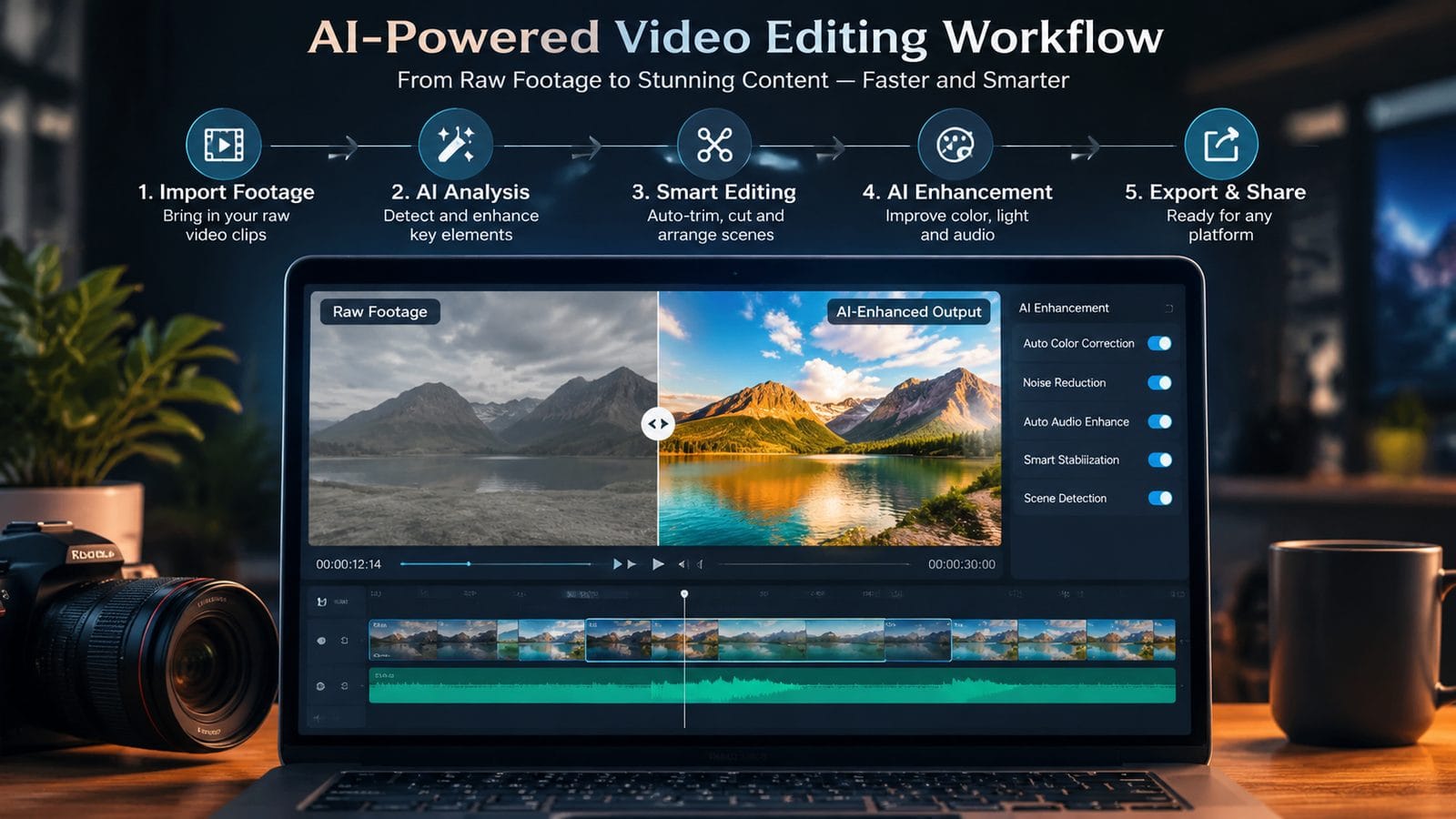
The true value of today's budget AI video tools extends far beyond their monthly subscription costs. These platforms incorporate several money-saving advantages that weren't available in earlier generations of video software:
First, they eliminate the need for expensive hardware. According to Tom's Guide's 2026 AI laptop testing, even mid-range computers can now handle cloud-assisted AI video processing, removing the necessity for high-end workstations. This represents thousands in potential savings for creators building their setups.
Second, the learning curve has flattened significantly. Where professional video software traditionally required extensive training, modern AI tools can achieve impressive results with minimal instruction. This reduces either the time investment needed to master the tools or the cost of hiring specialized editors.
Finally, automation features provide hidden savings. Functions like Digen AI Agent's autonomous workflow processing can complete in minutes what previously took hours of manual work. For creators billing hourly or working against tight deadlines, this efficiency translates directly to either higher earnings or more capacity for additional projects.
Comparing Free vs. Paid Budget AI Video Tools
While free AI video tools exist, the paid budget options in 2026 offer significant advantages that often justify their modest costs. Here's a breakdown of what you typically gain by upgrading to even the most affordable paid plans:
| Feature | Free Tools | Budget Paid Tools ($9-$20/month) |
|---|---|---|
| Output Resolution | 720p (often with watermark) | 1080p-4K (no watermark) |
| Video Length | 15-30 second clips | Full-length projects |
| Commercial Use | Rarely allowed | Usually permitted |
| Asset Libraries | Limited or none | Growing collections included |
| Processing Priority | Low (long wait times) | Standard or faster |
The jump from free to budget paid plans represents the most significant value leap in AI video tools. While premium plans offer additional features, the core functionality needed for professional work is now consistently available at the budget level—a major shift from just a few years ago.
Future-Proofing Your AI Video Tool Investment
Choosing a budget AI video tool in 2026 requires considering not just current needs but how the platform might evolve. The most forward-thinking options share several characteristics that suggest they'll remain relevant as technology advances:
First, look for tools with active development cycles. Platforms like Digen AI that regularly introduce new features (such as their 2026 Agent technology) demonstrate commitment to staying current. According to CNET's 2026 AI tools coverage, the pace of innovation means tools stagnant for even six months risk becoming obsolete.
Second, prioritize flexible subscription models. The best budget tools offer easy scaling between tiers, allowing you to temporarily upgrade for intensive projects then downgrade during lighter periods. This adaptability prevents paying for unused capacity while maintaining access to higher capabilities when needed.
Finally, consider ecosystem integration. Tools that play well with other software—through API access, plugin support, or standard file format exports—will better accommodate future workflow changes. This interoperability becomes increasingly valuable as creators incorporate more specialized AI tools into their production pipelines.

Frequently Asked Questions
Can budget AI video tools really produce professional-quality results?
Yes—recent advancements mean many budget tools now offer features that were premium-exclusive just 2-3 years ago. While they may lack some specialized functions, the core video generation and editing capabilities in top budget options rival professional software for most common use cases.
How much video can I produce on these budget plans?
Most budget plans (typically $9-$20/month) include 30-60 minutes of generated video per month, with options to purchase additional minutes as needed. Some tools measure usage by processing time rather than output length, allowing more flexibility for shorter, more complex projects.
Do these tools require powerful computers?
Not necessarily—most budget AI video tools in 2026 use cloud processing, meaning they can run on modest hardware. However, a stable internet connection is essential for smooth operation, and some local processing features may benefit from computers with dedicated GPUs.
Can I use these tools for commercial projects?
Most budget plans allow commercial use, but always check the specific terms. Some may require attribution or have restrictions on certain types of content. Higher tiers often provide additional commercial rights and extended licensing options.
How do these tools compare to traditional video editing software?
Budget AI tools excel at automated tasks and quick turnarounds, while traditional software offers more precise manual control. Many creators now use both—starting projects in AI tools for rapid prototyping and initial edits, then finishing in traditional software for fine-tuning when needed.
Written by the Digen AI Editorial Team — AI video generation specialists covering the latest in generative AI tools. Learn more about Digen AI.



Comments ()