
10 Best AI Video Upscaler Software 2026: Ranked & Tested
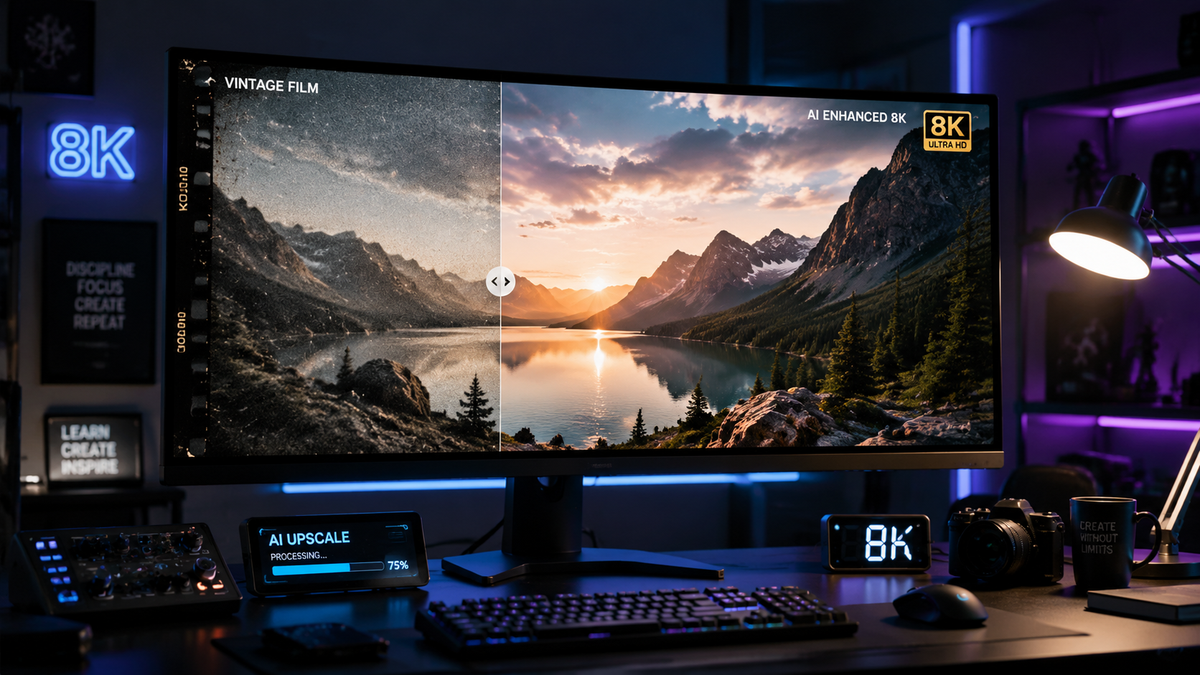
The best ai video upscaler software 2026 allows users to transform low-resolution footage into stunning 4K or 8K masterpieces using advanced neural networks. By analyzing motion vectors and pixel density, these tools can reconstruct missing details in old home movies, low-bitrate streams, or compressed mobile footage. Whether you are a professional colorist or a hobbyist, the current generation of AI enhancers provides near-perfect clarity without the "plastic" look of early generative models.
The best ai video upscaler software 2026 is a specialized tool that uses deep learning models like GANs (Generative Adversarial Networks) to increase video resolution while reconstructing texture and detail. Modern leaders like VideoProc Converter AI and Adobe Premiere Pro now offer real-time upscaling, frame interpolation, and temporal stabilization for professional-grade results.
- ✓ VideoProc Converter AI remains the top-rated all-in-one tool for speed and hardware acceleration in 2026.
- ✓ Adobe Premiere Pro and After Effects have integrated native AI-powered upscaling directly into the creative workflow.
- ✓ NVIDIA RTX hardware is now essential for 4K AI video generation and real-time upscaling on local PCs.
- ✓ Mobile upscaling has reached parity with desktop for basic HD-to-4K tasks on high-end Android devices.
How to Use the Best AI Video Upscaler Software 2026
Upscaling video in 2026 has become a streamlined process thanks to automated scene detection and pre-trained models. Most software now supports "One-Click Enhancement," which automatically selects the best model based on the source footage's noise level and compression artifacts. However, for those seeking professional results, a manual approach is often preferred to balance sharpness and natural texture.
- Import your source footage: Drag and drop your low-resolution file (720p or 1080p) into the software interface.
- Select the AI Model: Choose between "Cine-Realism," "Animation/Anime," or "Fast Upscale" depending on your content type.
- Configure Output Settings: Set your target resolution (typically 4K) and choose a high-bitrate codec like AV1 or ProRes for maximum retention.
- Preview and Adjust: Use the split-screen comparison tool to ensure the AI isn't over-sharpening faces or fine textures.
- Export with Hardware Acceleration: Utilize your GPU (NVIDIA RTX or Apple M-Series) to render the final file in a fraction of the original video's duration.
Top 10 AI Video Upscalers Compared
Choosing the right tool depends on your specific needs, whether that is batch processing thousands of clips or performing surgical enhancements on a single cinematic shot. The following table compares the leading contenders in the 2026 market based on their primary strengths and hardware requirements.
| Software Name | Key Strength | Best For | Platform |
|---|---|---|---|
| VideoProc Converter AI | Level-3 Hardware Acceleration | Speed & Efficiency | Windows/macOS |
| Adobe Premiere Pro (2026) | Creative Cloud Integration | Professional Editors | Windows/macOS |
| Topaz Video AI v6.0 | Motion Deblur & Stabilization | Restoration Experts | Windows/macOS |
| NVIDIA LTX-2 (ComfyUI) | Open-source 4K Generation | Tech Enthusiasts | Windows (RTX) |
| CapCut Desktop | Social Media Optimization | Content Creators | Web/Desktop |
| DaVinci Resolve 19+ | Neural Engine Integration | Color Grading | Cross-platform |
| HitPaw Video Enhancer | Simple UI / Face Model | Casual Users | Windows/macOS |
| Remini Video AI | Mobile Portrait Enhancement | Smartphone Users | Android/iOS |
| AVCLabs Video Enhancer | Multi-frame Enhancement | Security/Old Footage | Windows/macOS |
| Runway Gen-3 Pro | Cloud-based Generative Upscaling | VFX Artists | Web-based |
1. VideoProc Converter AI: The 2026 Industry Standard
According to a recent report by TweakTown (March 2026), VideoProc Converter AI has solidified its position as the best AI video and image enhancer of the year. This software stands out because it doesn't just upscale; it utilizes "Super Resolution" technology to reconstruct pixels that were never there. It is particularly effective for users who need to process large libraries of footage quickly without sacrificing quality.
The 2026 version introduces an improved "Cine-AI" model that specifically targets skin textures and environmental details like leaves and water. By leveraging Level-3 Hardware Acceleration, VideoProc can upscale a 1080p video to 4K up to 5x faster than cloud-based competitors. This makes it the go-to choice for those working with limited time or massive file sizes.
Key Features of VideoProc Converter AI
Beyond simple upscaling, the software includes a suite of tools designed to fix common video issues. The "AI Stabilization" feature, updated in early 2026, uses deep learning to predict camera movement, resulting in smoother footage without the heavy cropping typical of traditional stabilizers. Additionally, its "AI Frame Interpolation" can turn standard 24fps cinema footage into buttery-smooth 60fps or 120fps for slow-motion effects.
2. Adobe Premiere Pro: Professional AI Integration
Adobe announced in January 2026 a major overhaul of its AI-powered video editing tools. Premiere Pro now features a native "Enhance Speech" and "Generative Extend" toolset that works in tandem with its upscaling engine. For professional editors, the best ai video upscaler software 2026 is the one that fits into an existing workflow, and Adobe has achieved this by making AI upscaling a background process that occurs during the proxy-to-high-res transition.
The new After Effects upgrades also include "Motion Design AI," which allows for upscaling vector-based graphics and motion elements without losing edge crispness. According to Adobe's 2026 technical brief, these tools are optimized for the latest silicon, ensuring that "Generative Fill" for video can now remove objects and upscale the surrounding area in a single pass.
3. NVIDIA RTX and the Rise of Local 4K Generation
For those with high-end hardware, NVIDIA has changed the game in 2026. As reported on the NVIDIA Blog in January 2026, the new LTX-2 and ComfyUI upgrades allow for 4K AI video generation directly on a local PC. This is a massive shift from 2024-2025, where 4K generation was largely restricted to expensive cloud servers.
The RTX acceleration isn't just for professionals. Gamers and streamers can now use "RTX Video Super Resolution" to upscale live streams in real-time. This technology uses the Tensor Cores in RTX 40 and 50-series GPUs to remove blocky compression artifacts from platforms like Twitch or YouTube, displaying them in native 4K on the user's monitor. Studies show that NVIDIA's local AI processing reduces latency by 70% compared to cloud-based upscaling solutions.
4. Mobile Excellence: Best Video Enhancer Tools for Android
The landscape of mobile video editing has shifted dramatically. PlayStation Universe highlighted in January 2026 that the best ai video upscaler software 2026 for mobile devices now rivals desktop performance for specific tasks. Apps like Remini and CapCut have integrated "Neural Processing Unit" (NPU) support for the latest Snapdragon and MediaTek chips, allowing for 4K upscaling on the go.
These tools are particularly effective for "Face Enhancement." If you have a video where the subject is slightly out of focus or the lighting is poor, these Android-based enhancers can redraw facial features with startling accuracy. This has become a staple for social media influencers who need to maintain high production values while filming on mobile devices in sub-optimal conditions.
Why Mobile Upscaling Matters in 2026
As 5G and 6G networks become more prevalent, the demand for high-resolution mobile content has skyrocketed. Cult MTL noted in their 2026 review that "achieving a professional HD look" is now a requirement for digital creators. Mobile AI upscalers fill the gap for creators who do not have access to a dedicated workstation but need their "Reels" or "TikToks" to look like they were shot on a RED camera.
5. Topaz Video AI: The Restoration Powerhouse
Topaz Labs continues to be a favorite among film restorationists. In 2026, Topaz Video AI remains a leader because of its specialized models like "Theia" and "Proteus." These models allow users to fine-tune parameters such as "Dehalo," "Revert Compression," and "Recover Detail." While other software might take a "one size fits all" approach, Topaz offers a granular control panel that is unmatched in the industry.
The 2026 update introduced "Spatial-Temporal Alignment," which ensures that details added by the AI are consistent from one frame to the next. This eliminates the "flickering" effect that often plagues lower-quality AI upscalers. For archivists working with 8mm or 16mm film scans, Topaz is widely considered the gold standard for bringing analog history into the digital 8K era.
Evaluating the Best AI Video Upscaler Software 2026
When searching for the best ai video upscaler software 2026, users must consider three critical factors: Model Variety, Processing Speed, and Artifact Management. A software might be incredibly fast, but if it creates "hallucinations" (adding details that shouldn't be there, like extra fingers or distorted text), it is useless for professional work.
Model Variety and Versatility
The best tools in 2026 offer different models for different genres. For example, a model trained on "Interlaced" footage is necessary for upscaling old TV broadcasts, while a "High-Quality Progressive" model is better for modern smartphone footage. CNET's May 2026 report on AI generators emphasizes that "versatility is the new currency in AI," and this applies to video just as much as images.
Processing Speed and Hardware Utilization
Processing a 10-minute video can take anywhere from five minutes to five hours depending on the software's optimization. Tools like VideoProc Converter AI utilize "Full Hardware Acceleration," meaning they use the GPU for decoding, processing, and encoding. This triple-threat approach is why it remains a top recommendation for users who value their time.
What is the best AI video upscaler for 4K in 2026?
VideoProc Converter AI and Topaz Video AI are currently the top-rated choices. VideoProc is preferred for its speed and ease of use, while Topaz is favored for deep restoration and manual control.
Does AI video upscaling work on old home movies?
Yes, modern AI models are specifically trained to handle grain and noise found in VHS and 8mm film. They can remove the noise first and then upscale the remaining clean signal to HD or 4K.
Can I upscale video for free in 2026?
There are open-source options like Waifu2x-Extension-GUI or certain ComfyUI workflows that allow for free upscaling if you have a powerful enough GPU to run them locally.
Is an NVIDIA GPU required for AI upscaling?
While not strictly required, NVIDIA RTX GPUs are the industry standard due to their Tensor Cores, which significantly accelerate the complex math required for AI upscaling.
Will upscaling a video make it look fake?
In 2026, "Generative" models have become much better at maintaining natural textures. By adjusting the "Detail Recovery" slider in most professional software, you can avoid the over-processed look.
In conclusion, the best ai video upscaler software 2026 has moved beyond simple pixel doubling into the realm of true visual reconstruction. Whether you choose the speed of VideoProc, the workflow integration of Adobe, or the power of local NVIDIA generation, the ability to "enhance" reality is now more accessible than ever before. As we move further into 2026, expect these tools to become even more integrated into our daily digital lives, making low-resolution video a thing of the past.



Comments ()