
10 Best AI Video Stabilization Software of 2026 (Ranked)
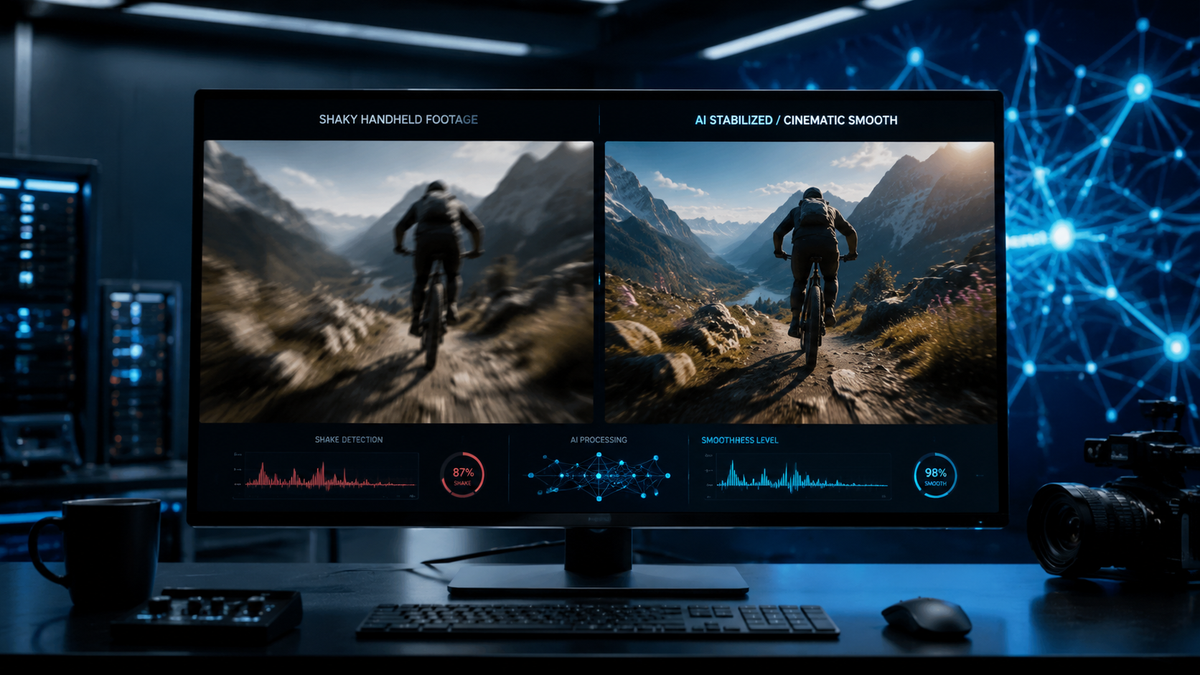
The best AI video stabilization software in 2026 utilizes advanced neural networks to eliminate camera shake while preserving natural motion and image clarity. Leading solutions like VideoProc Converter AI and Adobe Premiere Pro now offer frame-interpolation and deep-learning-based cropping to ensure your footage remains professional and fluid without the "jello effect" common in older tools. Whether you are fixing shaky drone footage or handheld smartphone clips, the right AI stabilizer can transform unusable raw files into cinematic masterpieces in minutes.
The best AI video stabilization software is a specialized application that uses artificial intelligence to analyze motion vectors across video frames, automatically smoothing out jitter and vibrations. These tools, such as VideoProc Converter AI and Topaz Video AI, differ from traditional stabilizers by predicting camera movement and filling in edges to minimize resolution loss during the stabilization process.
- ✓ AI-driven stabilization now preserves 4K and 8K resolution better than traditional mechanical cropping.
- ✓ VideoProc Converter AI is currently ranked as the most cost-effective and smart enhancement tool for 2026.
- ✓ Modern software can fix complex rotational shake and rolling shutter issues that were previously unfixable.
- ✓ Cloud-based and mobile AI stabilizers have reached parity with desktop software for quick social media edits.
How to Stabilize Shaky Video with AI in 2026
As technology has evolved, the process of fixing shaky footage has become significantly more streamlined. According to recent reports from TechPP, most users can now fix shaky phone videos in just a few minutes using automated AI workflows. The shift toward "one-click" solutions means you no longer need to be a professional colorist or editor to achieve steady results.
The effectiveness of these tools relies on their ability to distinguish between intentional camera movement (like a pan or tilt) and accidental vibration. In 2026, the best AI video stabilization software uses "semantic understanding" to recognize subjects, ensuring that the person in your frame stays centered and clear while the background noise is smoothed out.
- Import your footage: Drag and drop your shaky video file into your chosen AI stabilizer.
- Select the Stabilization Model: Choose between "Smooth Motion" for cinematic looks or "No Motion" for a tripod-like effect.
- Analyze: Let the AI engine map the motion vectors across the timeline.
- Preview and Adjust: Use the real-time preview to check for edge artifacts or excessive cropping.
- Export: Render the stabilized video, often with AI upscaling applied simultaneously to recover lost detail.
Comparison of Top AI Video Stabilization Software
Choosing the right tool depends on your hardware and your specific project needs. Some software excels at high-speed processing, while others prioritize the highest possible visual fidelity. Below is a comparison of the top-tier options available in 2026.
| Software Name | Key Strength | Best For | Platform |
|---|---|---|---|
| VideoProc Converter AI | Level-3 Hardware Acceleration | Cost-effective, smart enhancement | Windows, macOS |
| Adobe Premiere Pro (AI Update) | Seamless workflow integration | Professional filmmakers | Windows, macOS |
| Topaz Video AI 6.0 | Deep learning motion recovery | High-end restoration | Windows, macOS |
| PerfectCorp AI Stabilizer | Mobile-first processing | iPhone and Android users | iOS, Android |
| DaVinci Resolve 19 | Neural Engine stabilization | Colorists and cinema | Win, Mac, Linux |
1. VideoProc Converter AI: The Smart All-Rounder
As highlighted by TweakTown in March 2026, VideoProc Converter AI has solidified its position as the best AI video and image enhancer of the year. This software stands out because it doesn't just stabilize; it uses a comprehensive AI toolkit to upscale, de-interlace, and fix frame rate issues simultaneously. Its stabilization engine is particularly adept at handling "shaky cam" from action cameras and drones.
According to a review by SLR Lounge, VideoProc Converter AI is a "smart yet cost-effective" tool that appeals specifically to photographers who are transitioning into video. The software utilizes Level-3 Hardware Acceleration, which allows it to process 4K footage without overheating your CPU, making it one of the fastest options on the market in 2026. It offers two distinct modes: one for stabilizing shaky handheld shots and another for correcting fisheye distortion.
Why it Ranks #1 for 2026
The 2026 version of VideoProc Converter AI includes a "Deep Stabilization" mode that can reconstruct missing pixels at the edges of a frame. This minimizes the "zoom-in" effect that usually accompanies stabilization. For users who need high-quality results without a steep learning curve, this tool provides the best balance of power and simplicity.
2. Adobe Premiere Pro: The Industry Standard
Adobe has integrated its Firefly AI video models directly into the Warp Stabilizer effect for 2026. PCMag's May 2026 testing confirms that Premiere Pro remains the best overall video editing software, largely due to its sophisticated AI-driven features. The new "Generative Fill Stabilization" allows the software to fill in the black borders created by aggressive stabilization, meaning you can stabilize a video without losing any of the original frame's field of view.
This software is ideal for professionals who require granular control. You can adjust the "smoothness" percentage and choose between "Subspace Warp" or "Perspective" stabilization. While it requires a monthly subscription, the integration with the rest of the Creative Cloud makes it indispensable for high-end production environments where stabilization is just one part of the post-production pipeline.
Advanced Motion Tracking
The AI in Premiere Pro now recognizes human faces and keeps them locked in the frame. This is particularly useful for vlogging or interview footage where the camera operator might have been unsteady. The software's ability to handle multi-cam stabilization simultaneously is a major time-saver for professional editors.
3. Topaz Video AI: Best for Restoration
Topaz Video AI continues to be the heavy hitter for those who need to rescue "impossible" footage. Unlike other tools, Topaz treats stabilization as a restoration task. It uses a proprietary "Theia" and "Proteus" neural network to analyze the difference between camera shake and motion blur. According to Independent Newspaper Nigeria, Topaz is also a leader in AI upscaling, often used in tandem with its stabilization to bring 1080p shaky footage up to a crisp, steady 4K.
The 2026 update introduced "Full Frame Stabilization," which uses generative AI to synthesize the edges of the video. This effectively eliminates the need to crop the video at all. While it requires a powerful GPU to run efficiently, the results are often indistinguishable from footage shot on a professional gimbal.
4. PerfectCorp AI Stabilizer: Best for Mobile
For those wondering how to stabilize shaky videos on iPhone, PerfectCorp has emerged as a leader in 2025 and 2026. Their AI Video Stabilizer is designed specifically for the mobile processor, allowing for real-time stabilization of 4K clips. It is the go-to choice for social media creators who need to post steady content on the move.
The app uses the iPhone's gyroscope data in combination with AI visual analysis to create a "dual-layer" stabilization effect. This is significantly more effective than the standard "Auto-Enhance" features found in basic gallery apps. It is particularly effective at removing the high-frequency vibrations often seen in footage taken from moving vehicles.
5. DaVinci Resolve: The Neural Engine Powerhouse
DaVinci Resolve’s "Magic Mask" and "Neural Engine" have been updated in 2026 to provide what many professionals consider the most natural-looking stabilization. It avoids the "warping" look by using a sophisticated 3D tracking system. For colorists, the ability to stabilize within the same environment where they are grading film is a massive advantage.
The software offers a "Classic Stabilizer" and a "Cloud Stabilizer" mode. The latter uses Blackmagic Cloud's AI to process heavy lifting, which is perfect for editors working on laptops or less powerful hardware. DaVinci Resolve remains a favorite for its "Lock Camera" feature, which can turn a handheld shot into a perfectly still image, useful for visual effects work.
Key Features to Look for in Best AI Video Stabilization Software
When searching for the best ai video stabilization software, it is important to look beyond just the "smoothness" of the output. In 2026, the distinguishing factor is how much of the original image the software can preserve. Traditional stabilization crops the edges, but the latest AI tools use "out-painting" to maintain the original aspect ratio and resolution.
Another critical feature is rolling shutter correction. Many CMOS sensors in cameras and smartphones produce a "jello" effect when moved quickly. The best AI stabilizers today detect this specific type of distortion and straighten the lines of the video frame-by-frame. This is essential for drone pilots and action sports videographers.
Performance and Speed
AI processing is computationally expensive. According to PCMag, the best tools in 2026 are those that offer "Hybrid Processing," utilizing both the CPU and GPU. If you are processing long-form content, look for software that supports batch processing and hardware acceleration (like NVIDIA’s latest RTX 50-series or Apple’s M5 chips) to ensure you aren't waiting hours for a single clip to render.
The Future of AI Stabilization: What's Next?
We are currently seeing a move toward "Predictive Stabilization." Instead of just fixing a video after it is shot, new AI models are being integrated into camera firmware to stabilize the image in real-time before the file is even saved. However, for the millions of hours of existing shaky footage, post-processing software remains the primary solution.
In the coming months of 2026, we expect to see even more integration of generative AI. This will allow software to not just smooth the motion, but to actually replace blurred frames with sharp ones generated from the surrounding data. This "Temporal Super-Resolution" will effectively eliminate motion blur, which has been the "Achilles' heel" of video stabilization for decades.
What is the best AI video stabilization software for beginners?
VideoProc Converter AI is widely considered the best for beginners because it offers a simple "one-click" stabilization feature while providing professional-grade results. Its intuitive interface requires no prior editing experience.
Does AI stabilization reduce the quality of the video?
Traditionally, stabilization required cropping, which reduced resolution. However, the best AI stabilizers in 2026 use generative filling and upscaling to maintain or even improve the original video quality during the stabilization process.
Can I stabilize 4K video on a smartphone?
Yes, apps like PerfectCorp AI Stabilizer and the mobile version of CapCut utilize modern mobile AI chips to stabilize 4K footage directly on your device, though it may take longer than on a desktop.
Is there a free AI video stabilizer?
While many professional tools are paid, some options like the basic version of DaVinci Resolve and various open-source AI models on platforms like GitHub offer powerful stabilization features for free.
How long does it take to stabilize a video with AI?
Processing time depends on your hardware and the video length. Using a tool with hardware acceleration like VideoProc Converter AI, a 1-minute 4K clip can typically be stabilized in under two minutes on a modern PC.



Comments ()