
10 Best AI Video Software for Mac in 2026 (Expert Review)
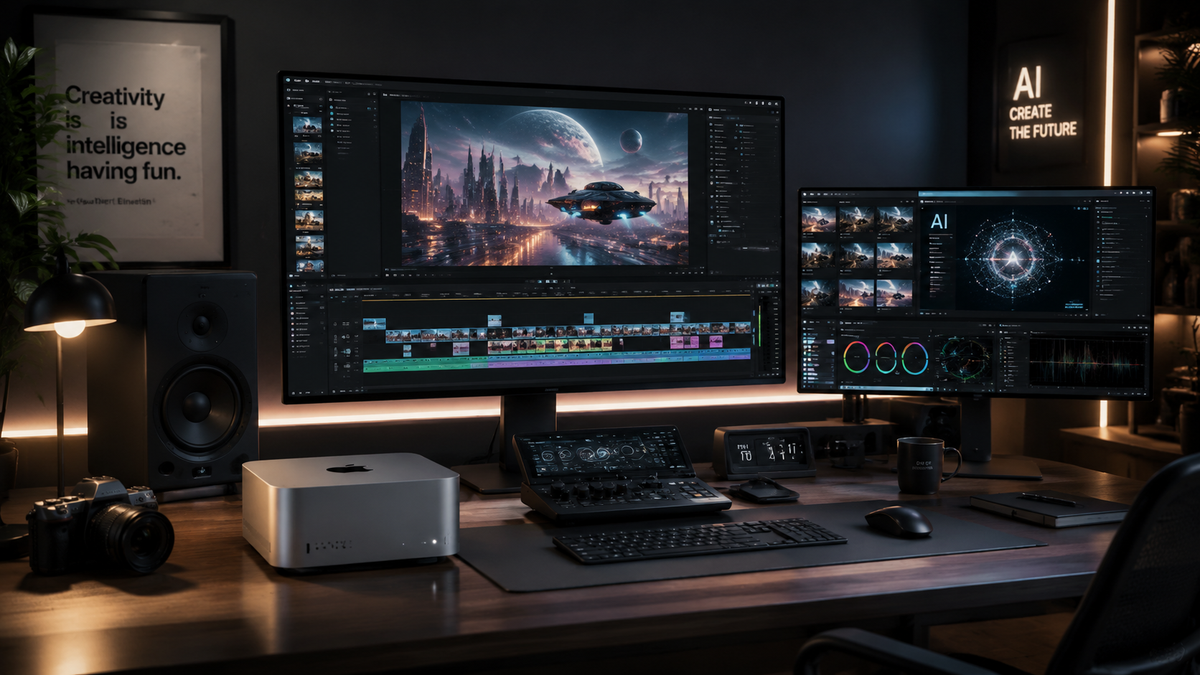
Finding the best AI video software for Mac in 2026 requires a balance between leveraging Apple Silicon’s Neural Engine and utilizing cloud-based generative models. As of mid-2026, the market has shifted toward tools that offer automated color grading, AI-driven object removal, and text-to-video generation directly integrated into the macOS ecosystem. Whether you are a professional editor using a Mac Studio or a creator on a MacBook Air, the latest software suites now prioritize "one-click" solutions for complex tasks like rotoscoping and noise reduction.
The best AI video software for Mac is a category of applications designed to automate video editing, enhancement, and generation using machine learning. These tools leverage macOS optimization to provide features like 4K upscaling, AI noise reduction, and generative b-roll creation, significantly reducing manual production time for creators and professional editors.
- ✓ Apple Silicon (M-series) optimization is now mandatory for top-tier AI video performance.
- ✓ Generative AI has moved from standalone web tools into native professional NLEs like Final Cut Pro.
- ✓ AI video enhancers can now upscale low-resolution footage to 4K while removing motion blur in real-time.
- ✓ Hybrid workflows combining local processing with cloud rendering are the standard for 2026.
According to TechRadar, which recently tested over 70 AI tools in April 2026, the integration of generative features has become the primary differentiator for creative software this year. Furthermore, PCMag reports that the latest video editing software for Macs in 2026 has reached a plateau in raw speed, shifting the competitive focus toward "intelligent" features that can predict a user's next edit or automatically sync multi-cam footage based on visual context rather than just audio cues.
How to Choose the Best AI Video Software for Mac
Selecting the right tool depends on your specific hardware and project requirements. With the release of macOS 17, the deep integration between software and the hardware's Neural Engine means that some apps perform significantly better on M4 and M5 chips than on older Intel-based Macs. When evaluating your options, consider the balance between local rendering speed and the breadth of the AI feature set provided by the developer.
- Assess Your Hardware: Ensure your Mac has at least 16GB of Unified Memory to handle the heavy RAM requirements of AI model loading.
- Identify Your Use Case: Determine if you need "Generative AI" (creating video from text) or "Utility AI" (fixing blur, noise, or lighting).
- Check for Native Silicon Support: Only select software optimized for Apple Silicon to ensure your fans don't spin up unnecessarily and your battery life remains stable.
- Evaluate Export Options: Look for software that supports ProRes and AV1 encoding, which are essential for high-quality output in 2026.
- Test the Interface: Most modern AI video tools offer a trial period; use this to see if the AI "suggestions" actually align with your creative style.
Comparison of Top AI Video Software for Mac (2026 Rankings)
The following table compares the leading contenders based on their primary AI functionality, performance on macOS, and pricing models as of May 2026.
| Software Name | Primary AI Feature | Mac Optimization | Best For |
|---|---|---|---|
| Final Cut Pro (2026 Edition) | Neural Engine Masking | Native (Excellent) | Professional Editors |
| Topaz Video AI 6.0 | 4K Upscaling & Deblur | Native (Excellent) | Restoration & Quality |
| DaVinci Resolve 19 | Magic Mask & Audio Isolation | Native (Excellent) | Colorists & Audio Pros |
| Runway Gen-4 (Desktop) | Text-to-Video Generation | Hybrid (Good) | Generative Art |
| Adobe Premiere Pro | Generative Fill & Extend | Native (Good) | Marketing Teams |
1. Topaz Video AI: The Best AI Video Software for Mac Enhancements
Topaz Video AI remains the industry leader for users who need to rescue low-quality footage. As noted by AppleInsider in late 2025 and reinforced in 2026 reviews, this software focuses heavily on fixing blur, reducing noise, and upscaling footage to 4K or even 8K. It utilizes the Mac's GPU and Neural Engine to rebuild missing pixels, making it an essential tool for documentary filmmakers working with archival footage.
In 2026, the software introduced "Iris MQ," a model specifically designed to handle the complex motion artifacts found in smartphone footage. Unlike cloud-based tools, Topaz processes everything locally, ensuring that your data remains private and that you aren't subject to monthly credit limits for rendering. This local processing power is a hallmark of the best ai video software for mac enthusiasts who value security and one-time licensing fees over subscription models.
Key Features of Topaz Video AI
The 2026 version includes a revolutionary "Face Recovery" module that can reconstruct facial details in out-of-focus shots. This is particularly useful for wedding videographers or event shooters who may have missed the mark on a critical moment. Additionally, the software now supports frame rate conversion up to 120fps using AI interpolation, allowing for buttery-smooth slow motion from standard 24fps clips.
2. Final Cut Pro: The Native Choice for Apple Power Users
Final Cut Pro has evolved significantly by 2026, moving beyond simple editing to become a hub for AI-driven post-production. Apple has integrated "Smarter Conform," which uses AI to reframe horizontal footage for social media by tracking the most important subjects in the frame automatically. According to PCMag's May 2026 review, Final Cut Pro is currently the fastest video editor on Mac due to its exclusive access to private macOS APIs.
The "Live Transcription" and "AI Captioning" features are now standard, allowing editors to generate accurate subtitles in over 30 languages instantly. Because it is built by Apple, the software manages thermal loads better than any other application, making it the best ai video software for mac users who work on the go with MacBook Pro laptops. The 2026 update also introduced "Neural Color," which matches the color grade of two different cameras using a single reference frame.
Why Final Cut Pro Leads in 2026
The standout feature this year is "Object Tracker 2.0," which uses deep learning to stick titles and effects to moving objects with zero manual keyframing. Creative Bloq notes that this feature alone has saved editors hours of rotoscoping time. When combined with the "Voice Isolation" tool, which uses AI to remove background city noise from dialogue, Final Cut Pro provides a comprehensive suite that rivals expensive third-party plugins.
3. DaVinci Resolve 19: The Professional Standard for AI Color
DaVinci Resolve continues to dominate the high-end market with its "DaVinci Neural Engine." In 2026, the software has refined its "Magic Mask" tool, which allows editors to select a person or object simply by drawing a rough stroke. The AI then tracks that object through the entire scene, allowing for localized color grading or effects. Amateur Photographer highlights that Resolve is now "literally software anyone can use" thanks to its simplified AI-assisted cut page.
The 2026 release also features "AI Audio Map," which automatically categorizes every sound in your timeline—separating dialogue, foley, and music into organized tracks. For Mac users, Blackmagic Design has optimized the software to utilize the massive memory bandwidth of the M-series Ultra chips, making 8K AI-assisted grading possible without proxies. This makes it a top contender for the best ai video software for mac in professional studio environments.
4. Runway Gen-4: The King of Generative AI Video
While many tools focus on editing existing footage, Runway Gen-4 is the leader in creating video from scratch. The Mac desktop app, launched in early 2026, allows for seamless text-to-video and image-to-video generation. It uses a hybrid model where the UI runs natively on macOS, but the heavy generative lifting is handled by high-performance cloud servers. This ensures that even users on older Macs can generate high-fidelity cinematic sequences.
One of the most impressive features in the 2026 version is "Director Mode," which gives users granular control over camera movement within a generated clip. You can tell the AI to "dolly in" or "pan left" with precision. TechRadar's testing of 70+ AI tools found Runway's consistency to be the highest in the industry, particularly when maintaining character features across different generated scenes.
5. Adobe Premiere Pro: AI Integration for Social Media
Adobe has spent 2026 perfecting its "Firefly Video Model" integration within Premiere Pro. The "Generative Extend" feature is a lifesaver for editors who need a clip to be just a few seconds longer; the AI analyzes the existing frames and generates new, matching footage to fill the gap. This is a game-changer for timing edits to music or dialogue without having to search for b-roll.
Premiere Pro also excels in "Text-Based Editing," where the AI transcribes your footage and allows you to edit the video by simply cutting and pasting the text. As noted by PCMag, this has become the preferred workflow for interview-heavy projects. For Mac users, Adobe has finally achieved parity with native Apple apps in terms of export speed, utilizing the hardware's H.264 and ProRes encoders more efficiently than in previous years.
Advanced AI Video Utilities for Mac
Beyond the "big five" editors, several specialized tools have emerged as essential for the Mac ecosystem in 2026. These utilities often do one thing—like noise reduction or stabilization—better than the general-purpose suites. For instance, the latest AI video enhancers mentioned by AppleInsider are now capable of removing "rolling shutter" artifacts that plague CMOS sensors, a common issue with drone and action camera footage.
AI-Powered Compression and Organization
Tools like Handbrake AI have entered the scene, using machine learning to compress videos without losing perceived visual quality. This is vital for creators who need to upload large files over limited bandwidth. Additionally, AI-driven media asset managers (MAM) can now scan your entire external drive and tag clips with metadata like "sunset," "close-up," or "happy person," making the search process for the best ai video software for mac users with massive libraries much faster.
What is the best AI video software for Mac in 2026?
The "best" software depends on your needs; Final Cut Pro is best for overall speed and native performance, while Topaz Video AI is the leader for upscaling and fixing low-quality footage. For generative tasks, Runway Gen-4 is the top choice.
Does AI video software require an M-series chip?
While many tools still run on Intel-based Macs, the most advanced features in 2026 require the Neural Engine found in M1, M2, M3, M4, or M5 chips to function in real-time. Intel Macs may experience significant slowdowns during AI processing.
Is there free AI video software for Mac?
Yes, the free version of DaVinci Resolve includes many powerful AI features like the Neural Engine's basic tracking. Additionally, some open-source tools like specialized versions of FFmpeg offer AI-driven command-line enhancements.
Can AI video software upscale 1080p to 4K on a Mac?
Absolutely. Software like Topaz Video AI and the latest plugins for Premiere Pro use deep learning to intelligently add pixels, resulting in 4K footage that looks significantly sharper than standard upscaling methods.
How much RAM is needed for AI video editing on Mac?
In 2026, 16GB of Unified Memory is considered the bare minimum for AI video tasks. For professional workflows involving 4K or 8K generative AI, 32GB or 64GB is highly recommended to prevent system bottlenecks.
The landscape of video production has been permanently altered by artificial intelligence. As we have seen throughout 2026, the best ai video software for mac is no longer just about adding filters; it is about providing a collaborative partner that handles the tedious aspects of editing, allowing creators to focus on storytelling. By choosing the right tool from this list, you can ensure your workflow remains competitive and efficient in this fast-evolving digital era.



Comments ()