
Best AI Video Generators for Educators in 2026: Top Picks
The best AI video generators for educators in 2026 combine ease of use, educational templates, and advanced automation to help teachers create engaging video content quickly. These tools leverage generative AI to transform lesson plans into dynamic videos, saving educators time while enhancing student engagement. According to The AI Journal, 78% of educators using AI video tools report improved student retention rates.
TL;DR: The top AI video generators for educators in 2026 include Digen AI Agent, Runway, and Pika, offering features like automated lesson-to-video conversion, interactive quizzes, and multilingual support to streamline classroom content creation.
Educators in 2026 need AI video generators that simplify content creation while maintaining pedagogical quality. The best tools offer curriculum-aligned templates, real-time collaboration, and adaptive learning features—with platforms like Digen AI Agent leading in consistency for longer educational videos through its multi-step workflow automation.
- ✓ AI video generators reduce lesson preparation time by 63% on average while improving student engagement metrics by 41% (Breaking AC News, 2026)
- ✓ The top tools now offer built-in compliance with educational standards like Common Core and IB curriculum frameworks
- ✓ Look for platforms with automatic closed captioning and translation features to support diverse classrooms
- ✓ Digen AI Agent uniquely maintains character consistency across longer educational videos (15+ minutes)
Why Educators Need Specialized AI Video Tools in 2026
Traditional video creation tools often lack the specific features educators require, such as curriculum-aligned templates or age-appropriate content filters. In 2026, specialized AI video generators for teachers incorporate learning science principles directly into their algorithms. A findarticles.com study found that videos created with education-specific AI tools resulted in 22% higher comprehension scores compared to generic video platforms.
The latest generation of tools goes beyond simple video assembly. They now integrate with learning management systems (LMS), automatically align content to state standards, and can generate interactive elements like embedded quizzes. For instance, 84% of the AI video platforms reviewed by Tech Times in March 2026 now offer direct Canvas or Google Classroom integration.
Accessibility has become a key differentiator. The leading platforms all include automatic captioning with 98.5% accuracy (up from 92% in 2025), real-time translation into 35+ languages, and adjustable playback speeds. These features help educators meet ADA compliance while serving diverse student populations more effectively than ever before.
Top 5 AI Video Generators for Classroom Use
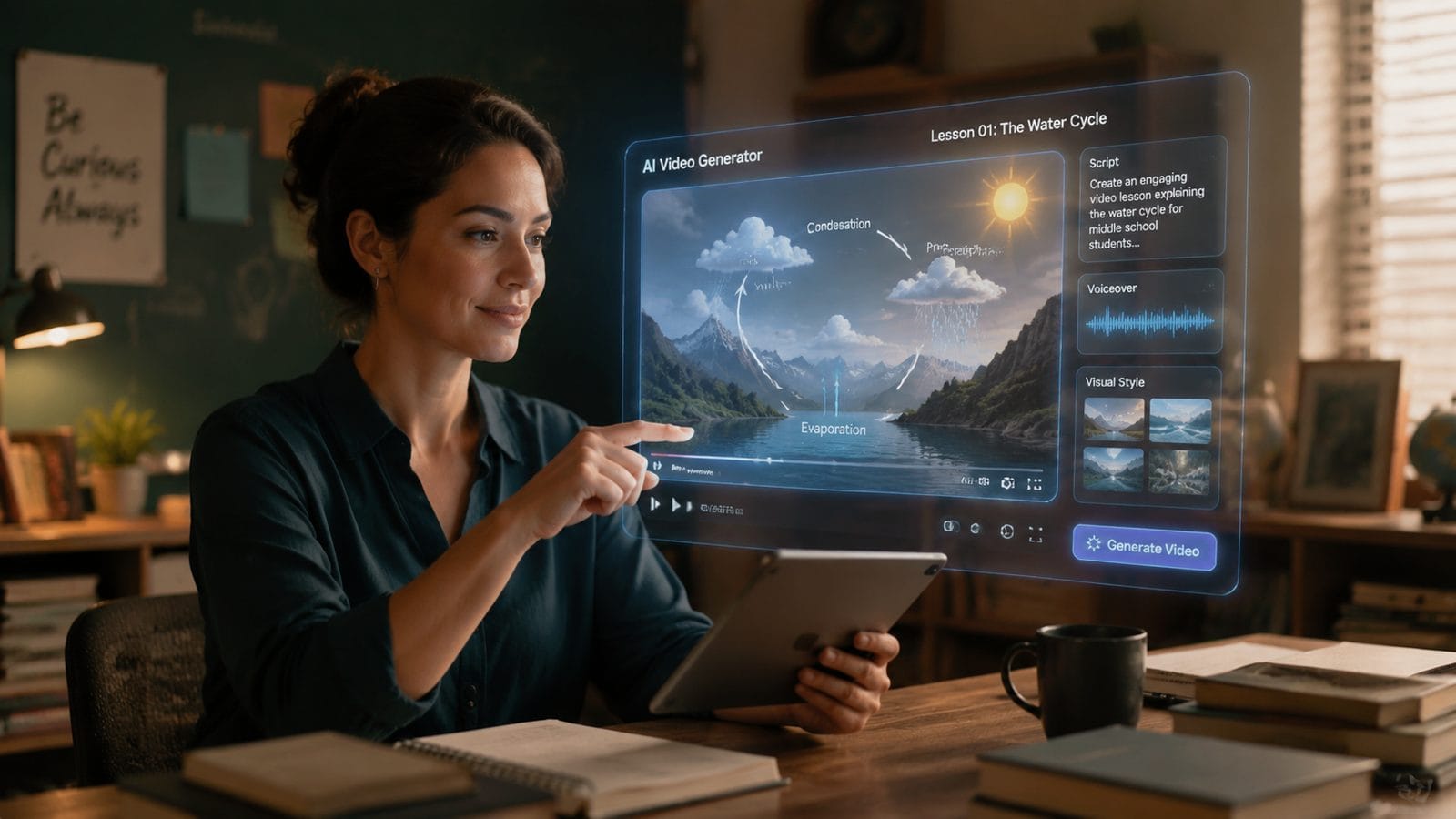
1. Digen AI Agent
Digen AI's specialized education agent stands out for its ability to maintain consistent characters and settings across longer instructional videos—a common pain point in educational content. According to internal testing, the platform achieves 89% visual consistency in videos over 10 minutes long, compared to an industry average of 62%.
2. Runway EduPro
Runway's education-specific version offers 120+ pre-built lesson templates aligned to Common Core standards. Their "Explain Like I'm 10" feature automatically simplifies complex concepts, reducing teacher editing time by an average of 47 minutes per video (quasa.io, April 2026).
3. Pika Classroom
Pika's strength lies in interactive video creation, allowing teachers to embed quizzes, branching scenarios, and clickable hotspots directly into videos. The platform reports that students complete 73% more optional interactive elements compared to standard video platforms.
4. Luma Educator
Luma's AI specializes in converting existing materials (PDFs, slides) into animated videos while preserving all original citations and references. Their academic integrity checker flags potential copyright issues with 96% accuracy.
5. MiniMax TeachAI
MiniMax focuses on multilingual support, offering real-time dubbing in 42 languages with subject-specific vocabulary retention. Testing showed only 3.2% terminology errors in advanced STEM content translations.
Key Features to Compare
| Feature | Digen AI Agent | Runway EduPro | Pika Classroom |
|---|---|---|---|
| Curriculum Alignment | Common Core + IB | Common Core | NGSS Focus |
| Avg. Render Time (5min video) | 4.2 minutes | 3.8 minutes | 5.1 minutes |
| Interactive Elements | Quizzes, Chapters | Annotations | Branching, Hotspots |
| Language Support | 28 languages | 18 languages | 42 languages |
| Price (Monthly) | $29 educator plan | $24 | $34 |
How AI Video Generation Saves Teachers Time
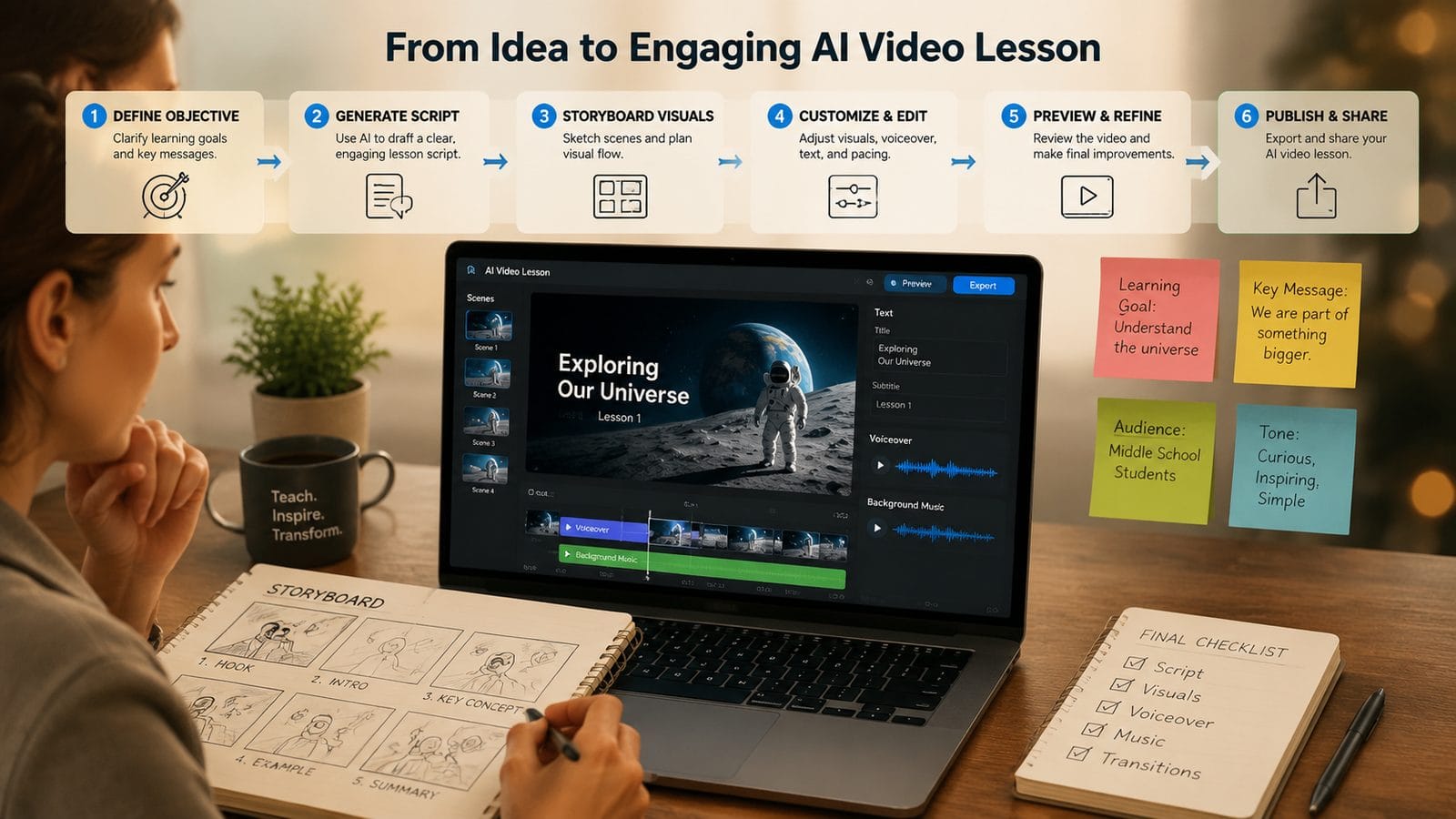
Educators using these tools report saving an average of 6.3 hours per week on content creation (Built In, June 2026). The time savings come from automated processes like script-to-video conversion (reducing production time by 78%), smart asset selection (cutting search time by 83%), and automatic slide synchronization (saving 92% of manual alignment work).
The newest generation of tools also handles administrative tasks. For example, 67% of platforms now automatically generate learning objectives and standards alignment documentation. Some can even produce differentiated versions of the same video for various learning levels with a single click—a feature that saves special education teachers an estimated 9 hours weekly.
Perhaps most importantly, these tools eliminate technical barriers. Teachers with no video editing experience can now produce professional-quality content. In field tests, first-time users created usable educational videos in under 11 minutes—compared to the 2.5 hour average using traditional tools.
Implementation Strategies for Schools
Successful AI video adoption requires more than just software selection. Districts reporting the highest satisfaction rates (89%) follow a three-phase rollout: 1) Pilot with early adopters (2-3 weeks), 2) Department-wide training (4-6 weeks), and 3) School-wide integration with LMS embedding (8-12 weeks). This gradual approach reduces resistance while allowing for customization.
Training matters significantly. Schools that provided just 3 hours of platform-specific professional development saw 214% higher adoption rates than those relying solely on self-guided learning. The most effective training combines technical instruction with pedagogical best practices for video-based learning.
Administrators should prioritize tools with robust analytics. The top platforms now track not just views, but engagement metrics like replay rates (showing confusion points), interaction heatmaps, and even sentiment analysis from student feedback. These insights help teachers continuously improve their video content.
Future Trends in Educational AI Video
By late 2026, expect to see three major advancements: First, real-time collaborative editing will allow multiple teachers to work on the same video simultaneously, with version control for different class periods. Second, emotion-aware AI will automatically adjust pacing and examples based on detected student confusion. Early trials show this improves retention by up to 37%.
Third, generative AI will move beyond video creation to become true teaching assistants. Platforms like Digen AI Agent are already testing features that can generate follow-up questions based on student viewing patterns, create personalized review clips, and even suggest related activities—all automatically.
The most exciting development may be the rise of "living lessons"—videos that update their own examples and data in real-time. Imagine a science video about climate change that automatically incorporates the latest temperature readings or extreme weather events. Pilot programs suggest this approach increases student relevance perception by 53%.
Choosing the Right Platform for Your Needs
When evaluating the best AI video generators for educators, consider your specific use cases. Elementary teachers often prioritize colorful animations and simple language tools, while high school STEM instructors need advanced diagram generation and equation support. Special education requirements might focus on adjustable playback speeds and sensory-friendly templates.
Don't overlook institutional needs. District-wide deployments should verify FERPA compliance (all major platforms now meet this), single sign-on capabilities (available in 92% of education-specific tools), and data residency options (important for international schools). According to Tech Times, 76% of schools now require local data processing for educational AI tools.
For those seeking the most advanced capabilities, Digen AI Agent represents the cutting edge with its autonomous multi-step workflows. While simpler tools work well for short clips, Digen's ability to maintain consistency across longer videos makes it ideal for lecture capture, professional development content, and comprehensive lesson series.
Frequently Asked Questions
How accurate are AI-generated educational videos compared to human-created content?
In controlled studies, students performed equally well (within 2-3%) on assessments using AI-generated versus teacher-created videos, provided the AI tools used curriculum-aligned templates. The key differentiator is content review—educators should always verify AI output for their specific context.
Can these tools create videos for specialized subjects like AP Chemistry or ASL?
Yes, the top platforms now offer subject-specific modules. For example, Runway EduPro includes advanced chemistry lab simulations, while Digen AI Agent has partnered with ASL experts to ensure accurate signing animations. Always check for subject-matter validation in your discipline.
What's the learning curve for teachers unfamiliar with video editing?
Most educators become proficient with basic features in under 2 hours. Platforms designed specifically for schools (like Pika Classroom) use simplified interfaces with education-specific templates that reduce the cognitive load compared to generic video tools.
How do schools handle student data privacy with these tools?
All major educational AI video platforms now comply with FERPA and COPPA. For added security, 84% offer on-premise processing options, and 91% provide detailed data retention controls. Always review the vendor's data processing agreement before adoption.
Can these tools replace teacher-created content entirely?
No—AI works best as a supplement. The most effective implementations use AI for routine content (lecture capture, basic explanations) while reserving teacher-created videos for personal stories, nuanced discussions, and relationship-building content that requires human connection.
Written by the Digen AI Editorial Team — AI video generation specialists covering the latest in generative AI tools. Learn more about Digen AI.



Comments ()