
10 Best AI Video Generators for Content Creation in 2026
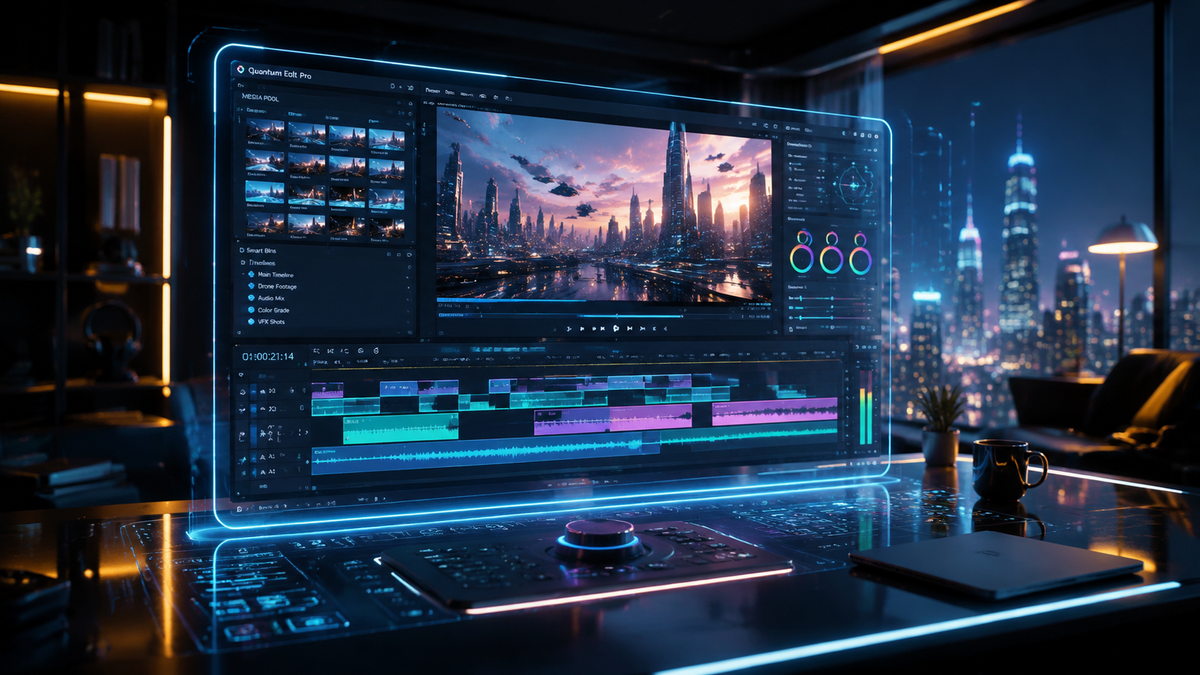
The best ai video generators for content creation in 2026 are advanced neural networks capable of transforming text, images, and simple sketches into high-fidelity cinematic video with temporal consistency. These tools allow creators to bypass traditional production hurdles by automating editing, lighting, and motion physics. By leveraging these platforms, brands can scale their video output while maintaining a professional visual aesthetic that was previously only possible with large studio budgets.
AI video generators for content creation are sophisticated software platforms that use generative artificial intelligence to produce high-quality video content from text prompts or static images. In 2026, these tools focus on multimodal inputs, allowing creators to generate 8K resolution clips, "talking photos," and complex 3D environments instantly for social media, marketing, and digital storytelling.
- ✓ AI video generators now support full "Talking Photo" capabilities for realistic digital avatars.
- ✓ Real-time rendering has reduced production times from days to mere seconds in 2026.
- ✓ Integration with social media platforms allows for automated, trend-responsive video generation.
- ✓ Advanced temporal consistency ensures that characters and environments remain stable across long-form clips.
How to Use AI Video Generators for Content Creation
The barrier to entry for professional-grade video production has disappeared in 2026. Whether you are a solo entrepreneur or a digital marketing agency, the workflow for generating high-impact video has become standardized across the top platforms. The focus has shifted from technical execution to creative direction and prompt engineering.
According to Analytics Insight, the shift "beyond text" has redefined digital content strategy, making video the primary medium for engagement. To capitalize on this trend, creators must follow a structured approach to ensure their AI-generated assets align with their brand identity and audience expectations.
- Define Your Concept: Start with a detailed text prompt that describes the subject, lighting, camera movement, and emotional tone.
- Upload Reference Assets: Use the "Image-to-Video" feature to provide the AI with a visual anchor, such as a product photo or a brand character.
- Configure Technical Parameters: Select the aspect ratio (e.g., 9:16 for TikTok, 16:9 for YouTube) and the desired resolution, which now reaches 8K on premium platforms.
- Generate and Iterate: Produce an initial draft and use "seed" values or regional editing tools to fine-tune specific parts of the frame.
- Export and Distribute: Download the final render and utilize AI-driven captioning tools to optimize the video for various social platforms.
Top 10 AI Video Generators for Content Creation in 2026
The landscape of 2026 is dominated by platforms that offer seamless multimodal experiences. As reported by Programming Insider, the ability to create videos from images has become a standard requirement for any serious content creator. Here are the top ten tools currently leading the industry.
1. Sora Pro (OpenAI)
OpenAI’s flagship video model remains the gold standard for cinematic quality. In 2026, Sora Pro offers extended clip durations of up to five minutes, featuring perfect physics and complex character interactions. It is widely used for high-end commercials and short films where visual fidelity is the highest priority.
2. Runway Gen-4
Runway continues to push the boundaries of creative control. Gen-4 introduces "Motion Brushes 2.0," which allows creators to paint specific motion paths for multiple objects within a single frame. This level of granular control makes it a favorite for professional digital artists and VFX houses.
3. HeyGen Avatar Max
Specializing in human-centric content, HeyGen’s 2026 update focuses on "Talking Photo Online Free AI" features. It allows users to take a single headshot and generate a video of that person speaking any script in over 100 languages with perfect lip-syncing and natural micro-expressions.
4. Pika Labs 3.0
Pika 3.0 has carved out a niche in the animation and social media space. Its "Sound-to-Video" feature automatically generates sound effects and background scores that sync perfectly with the visual action, making it an all-in-one solution for viral content creators.
5. Luma Dream Machine 2.0
Luma AI’s Dream Machine is renowned for its speed. In 2026, it can render 120-second clips in under a minute. It excels at architectural visualization and landscape shots, providing a sense of scale and depth that many other models struggle to replicate.
6. Kling AI (Global Version)
Kling AI has gained massive popularity for its ability to simulate realistic human movements, such as eating or running. Its 2026 global release includes advanced "Creative Suite" tools that allow for real-time collaborative editing between multiple users.
7. Synthesia OS
Synthesia has evolved into a full "Operating System" for corporate video. It specializes in training and educational content, offering "Live Avatars" that can interact with viewers in real-time during webinars or automated customer service sessions.
8. InVideo AI 2026
InVideo remains the best tool for rapid social media deployment. It features a "Trend-Sense" algorithm that scans current viral topics and automatically suggests scripts and visual styles to help creators stay relevant on platforms like Instagram and X (formerly Twitter).
9. Kaiber Studio
Kaiber is the go-to for music videos and stylized artistic content. Its 2026 version features "Reactive Audio," where the visual style of the video transforms dynamically based on the frequency and tempo of an uploaded music track.
10. Adobe Firefly Video
Integrated directly into the Creative Cloud, Firefly Video allows users to use Generative Fill within Premiere Pro. This means you can extend a shot, change a character’s clothing, or swap the background of a video using simple text commands within your existing timeline.
Comparison of Leading AI Video Platforms
Choosing the right ai video generators for content creation depends on your specific needs—whether that is high-fidelity realism, ease of use for social media, or specialized avatar creation. The following table compares the top contenders based on their primary strengths in 2026.
| Platform | Primary Use Case | Key Feature (2026) | Output Quality |
|---|---|---|---|
| Sora Pro | Cinematic Film | Complex Physics Simulation | 8K / Ultra HD |
| HeyGen | Corporate/Avatars | Talking Photo Online Free AI | 4K / Realistic |
| Runway Gen-4 | Creative Control | Multi-Motion Brush | 4K / Stylized |
| InVideo AI | Social Media | Trend-Sense Automation | 1080p / 4K |
| Pika Labs | Animation | Auto-Sync Audio Gen | 4K / Smooth |
The Impact of AI Video on Digital Strategy
According to PC Tech Magazine, AI video generators are fundamentally changing social media marketing by allowing brands to produce "hyper-personalized" video ads at scale. In 2026, a single marketing campaign might consist of thousands of unique video variations, each tailored to the specific interests and viewing habits of an individual user.
This shift is not just about quantity; it is about the "democratization of creativity." As The Hype Magazine notes, the future of content creation involves a "diverse tapestry of stories" where urban culture and independent creators can compete with major Hollywood studios. By using an AI video generator, a creator in a home office has the same visual storytelling power as a production house with a million-dollar budget.
Furthermore, the integration of "Talking Photo" technology allows for a new level of connection. Influencers can now "be" in multiple places at once, providing personalized video messages to fans or localized content for international audiences without ever stepping in front of a camera. This has redefined the "Digital Content Strategy" mentioned by Analytics Insight, moving it from a text-first approach to a video-first ecosystem.
Best Practices for AI Video Generators for Content Creation
While the technology has advanced significantly, the quality of the output is still heavily dependent on the input. To get the most out of ai video generators for content creation, users must master the art of the "hybrid workflow." This involves using AI for the heavy lifting while applying human intuition for the final polish.
Mastering Multimodal Prompts
In 2026, the best results come from combining different types of data. Instead of just using a text prompt, try "seeding" the AI with a high-resolution image and a specific audio track. This gives the model a much clearer "environment" to work within, resulting in fewer hallucinations and more consistent lighting.
Maintaining Brand Consistency
One challenge with AI is maintaining a consistent look across multiple videos. Use "Style References" (SREF) or "Character References" (CREF) features available in tools like Midjourney and Sora. These allow you to lock in a specific color palette and character design, ensuring that your 10th video looks like it belongs in the same universe as your first.
Ethical Considerations and Watermarking
As AI video becomes indistinguishable from reality, ethical transparency is paramount. Most top-tier tools in 2026 automatically embed C2PA metadata, which identifies the content as AI-generated. For creators, being transparent about the use of AI builds trust with your audience and ensures compliance with the evolving regulations of platforms like YouTube and TikTok.
Frequently Asked Questions
What is the best AI video generator for beginners in 2026?
InVideo AI is currently the most beginner-friendly platform because it handles the scriptwriting, voiceover, and footage selection through a simple conversational interface. Users can create a complete video for social media by simply typing a topic and a target platform.
Can I use AI video generators for content creation for free?
Many platforms like HeyGen and Pika Labs offer "Talking Photo Online Free AI" trials or daily credit systems. However, professional features like 8K resolution, no watermarks, and commercial usage rights typically require a monthly subscription ranging from $20 to $100.
How long does it take to generate an AI video?
In 2026, generation speeds have improved significantly. A standard 10-second clip can be rendered in 15 to 30 seconds, while full-length 2-minute videos may take between 5 to 10 minutes depending on the complexity of the physics and resolution settings.
Are AI-generated videos copyrightable?
Copyright laws in 2026 generally state that while the raw AI output may not be copyrightable, the specific arrangement, prompts, and human-led edits applied to the video can be protected. Most platforms now grant full commercial rights to paid subscribers.
What is "Talking Photo" technology?
Talking Photo technology uses AI to animate a static image of a person, synchronizing their facial movements and expressions with an audio file or text-to-speech script. It is widely used in 2026 for digital avatars, educational content, and personalized marketing messages.

Comments ()