
10 Best AI Video Enhancer and Upscaler Tools for 2026
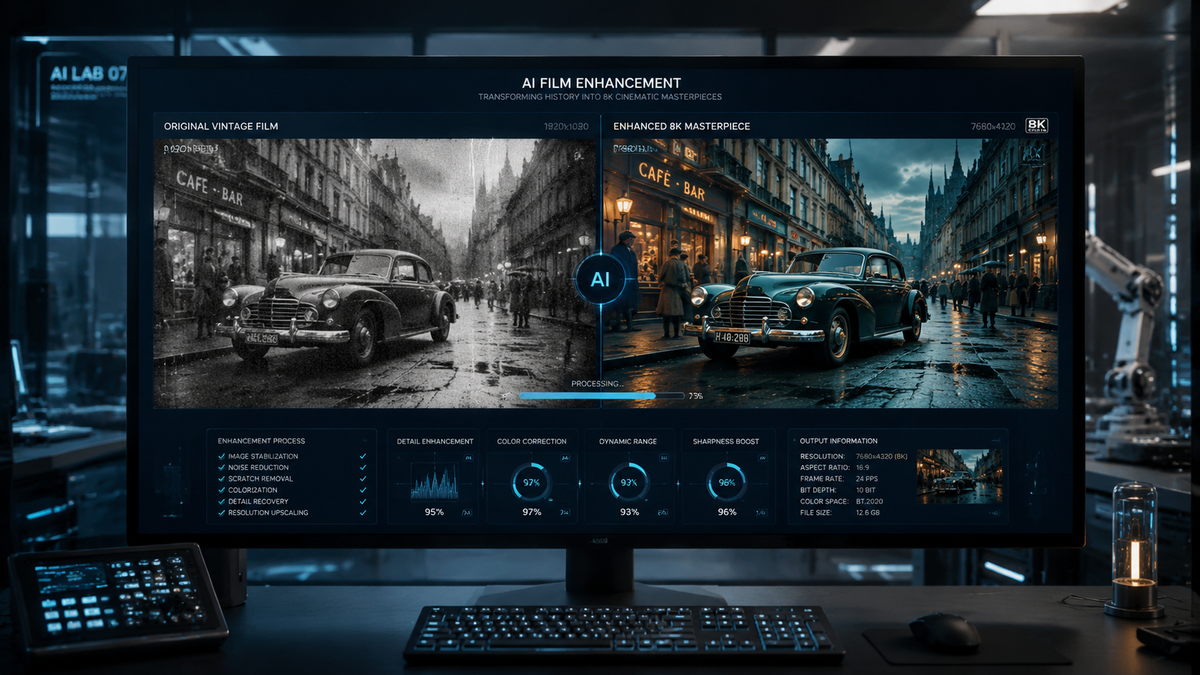
Finding the best ai video enhancer and upscaler in 2026 involves selecting a tool that leverages deep learning to reconstruct missing pixels, remove temporal noise, and stabilize shaky footage. As of mid-2026, the industry has shifted toward real-time generative upscaling, allowing users to transform 1080p content into 4K or even 8K resolution with unprecedented clarity and natural texture.
An AI video enhancer is a software application that uses neural networks to improve visual quality by repairing blur, reducing noise, and increasing resolution. In 2026, the best tools utilize generative models to fill in details that were never captured by the original lens, making them essential for restoring legacy media and enhancing smartphone footage.
- ✓ Top-tier upscalers now support 8K resolution with temporal consistency.
- ✓ Hardware acceleration for Mac (M4/M5 chips) and NVIDIA RTX 50-series is now standard.
- ✓ Generative AI can now fix out-of-focus shots and "hallucinate" realistic textures.
- ✓ Cloud-based processing has become a viable alternative to high-end local GPUs.
How to Upscale Low Quality Videos to 4K with AI
Modern video enhancement has become remarkably user-friendly. According to reports from TechPluto (March 2026), the process of upscaling low-quality videos to 4K now requires minimal manual intervention thanks to automated scene detection and model selection. Most professional workflows follow a standardized sequence to ensure the best possible output without introducing "soap opera" artifacts or uncanny valley effects.
- Import and Analyze: Upload your source file (MP4, MOV, or MKV) into your chosen AI enhancer. The software will analyze the grain structure and compression artifacts.
- Select the AI Model: Choose a model based on your content type (e.g., "Cine-Realism" for movies, "High-Frequency" for animation, or "Stabilization" for handheld footage).
- Set Output Resolution: Select 4K (3840x2160). Ensure the "Frame Rate Conversion" is toggled if you wish to move from 24fps to 60fps for smoother motion.
- Preview and Render: Generate a 5-second preview to check for artifacts. Once satisfied, begin the full export process, which utilizes your GPU's tensor cores.
The Evolution of the Best AI Video Enhancer and Upscaler Technology
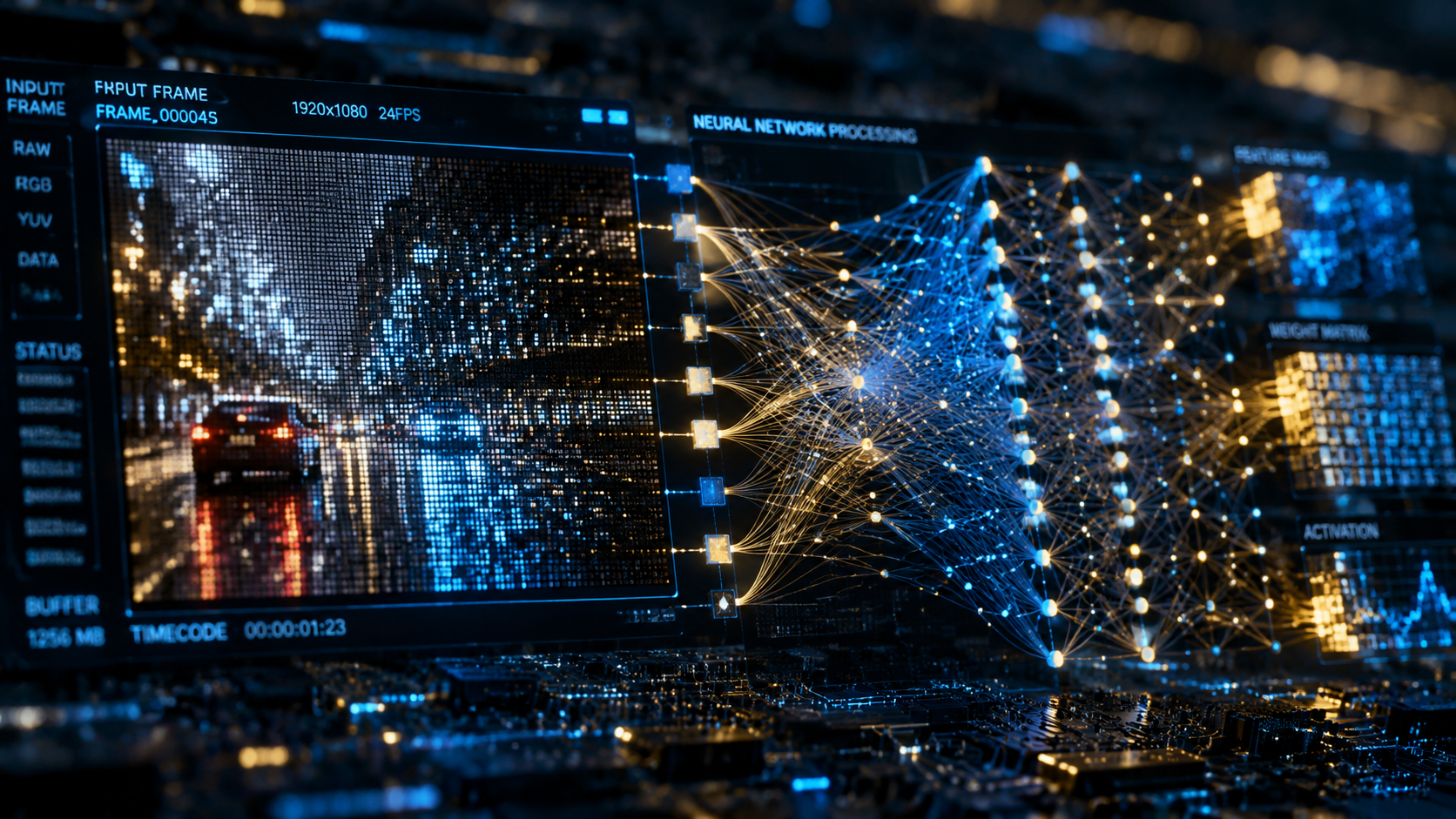
By 2026, the distinction between simple "upscaling" and "enhancement" has blurred. Traditional upscaling merely stretched pixels and interpolated colors, often resulting in a soft, blurry image. Today’s best ai video enhancer and upscaler tools use Generative Adversarial Networks (GANs) to actually redraw the frame. This means if a video of a person is blurry, the AI understands the anatomy of a human eye or skin texture and recreates those details from its training data.
As noted by The AI Journal, the 2025-2026 period saw a massive leap in "Temporal Consistency." Older AI enhancers often suffered from flickering—where the AI would enhance a pixel differently in two consecutive frames. The current generation of tools uses "Long Short-Term Memory" (LSTM) networks to ensure that the enhancement is stable over time, providing a flicker-free experience that is indistinguishable from native high-resolution footage.
Furthermore, the integration of specialized hardware has changed the landscape. AppleInsider (December 2025) highlighted that the latest AI enhancers for Mac are now optimized for the unified memory architecture of the M-series chips, allowing for 4K upscaling in near real-time. This democratization of technology means that independent creators can now achieve the same visual fidelity that was once exclusive to major Hollywood restoration houses.
Comparison of Top AI Video Enhancers in 2026
To help you choose the right tool for your specific hardware and project needs, we have compiled a comparison of the leading software based on the latest 2026 benchmarks.
| Software Name | Primary Strength | Best For | Platform |
|---|---|---|---|
| VideoProc Converter AI | Level-3 Hardware Acceleration | Speed & Efficiency | Windows/Mac |
| Topaz Video AI v6 | Professional Restoration | Old Film/VHS | Windows/Mac |
| DaVinci Resolve 19+ | Integrated Workflow | Colorists/Editors | Cross-platform |
| HitPaw Video Enhancer | User Interface Simplicity | Beginners | Windows/Mac |
| AVCLabs Video Enhancer | Cloud Processing | Low-spec PCs | Web/Desktop |
Deep Dive into the 10 Best AI Video Enhancer and Upscaler Tools
1. VideoProc Converter AI (2026 Edition)
According to TweakTown (March 2026), VideoProc Converter AI remains the gold standard for users who need a balance between power and hardware efficiency. It utilizes "Super-Resolution" technology to intelligently scale videos up to 400% of their original size. Its standout feature in 2026 is the "AI De-interlacing" model, which is specifically designed to fix jagged lines in old broadcast footage.
2. Topaz Video AI
Topaz continues to lead the market in pure image reconstruction. Their 2026 updates have introduced "Iris MQ," a model specifically tuned for enhancing faces in low-light conditions. It is widely considered the best ai video enhancer and upscaler for cinematic content where preserving the original "film look" is more important than just making the image sharp.
3. Adobe Premiere Pro (Enhance Speech & Video)
Adobe has integrated its Firefly AI directly into the Premiere timeline. While it may not offer the granular control of standalone upscalers, its "Generative Extend" and "Intelligent Upscale" features allow editors to fix low-res stock footage without leaving their NLE. This makes it the most efficient choice for professional social media managers.
4. DaVinci Resolve Magic Mask & Super Scale
Blackmagic Design’s DaVinci Resolve uses the "DaVinci Neural Engine" to provide 2x, 3x, and 4x scaling options. In 2026, their "UltraNR" (Ultra Noise Reduction) feature has become a favorite for night-time videography, as it can strip away sensor noise while maintaining the sharpness of the subject's edges.
5. HitPaw Video Enhancer
HitPaw has carved out a niche for being the most accessible tool. It features a "General Denoise Model," an "Animation Model," and a "Face Model." For users who do not want to tweak dozens of sliders, HitPaw’s one-click "Auto-Enhance" is arguably the most effective on the market for 2026.
6. AVCLabs Video Enhancer AI
AVCLabs stands out for its multi-frame enhancement capabilities. It doesn't just look at one frame at a time; it gathers information from the preceding and following frames to fill in the gaps. This is particularly useful for videos with fast motion, such as sports or action sequences.
7. CapCut Desktop (AI Upscaling)
While often seen as a mobile app, the CapCut Desktop version in 2026 offers surprisingly robust AI upscaling. It is the best ai video enhancer and upscaler for creators on a budget, providing high-quality 4K exports and AI background removal for free or at a very low subscription cost compared to professional suites.
8. Remini Video AI
Originally famous for photo restoration, Remini’s video engine is now a powerhouse for portrait-style content. It excels at "skin retouching" and "eye clarity," making it the go-to choice for influencers and beauty vloggers who need to enhance the quality of front-facing camera footage.
9. Wondershare UniConverter
UniConverter has evolved into a full-scale AI toolkit. Its "AI Video Enhancer" module focuses on compression artifact removal. If you have videos that have been "crushed" by WhatsApp or Facebook compression, this tool is specifically designed to reverse that "blocky" look.
10. Magix Video Pro X16
A favorite in the European market, Magix has implemented a "Deep Learning Upscale" that works exceptionally well with Intel Arc GPUs. It provides a very clean, clinical upscale that is preferred for corporate presentations and educational content where clarity is the top priority.
Key Features to Look for in the Best AI Video Enhancer and Upscaler
When selecting a tool, you must consider the "Computational Cost." According to a 2026 study by Pressat.co.uk, upscaling a 10-minute video from 1080p to 4K can take anywhere from 15 minutes to 4 hours depending on the software's optimization and your hardware. Look for tools that support "Batch Processing" if you have a large library of footage to convert.
Another critical factor is "Model Variety." Not all AI is created equal; a model trained on cartoons will perform poorly on a wedding video. The best ai video enhancer and upscaler platforms provide specialized models for different genres. In 2026, "Generative Infilling" has also become a sought-after feature, allowing the software to actually recreate parts of the frame that were cut off or obscured by objects.
Lastly, consider the "Audio Enhancement" capabilities. Many modern video enhancers, such as VideoProc and Adobe, now include AI voice isolation. A high-resolution video looks jarring if the audio is muffled and noisy. Comprehensive tools now offer a holistic approach, sharpening the visuals while simultaneously removing background hiss and wind noise from the audio track.
The Future of Video Enhancement: Beyond 2026
As we look toward the end of the decade, the trend is moving toward "Real-Time Streaming Enhancement." We are already seeing the first iterations of browsers that can upscale YouTube videos in real-time as you watch them. However, for content creators and archivists, the offline, file-based enhancers mentioned in this guide remain the only way to ensure permanent, high-bitrate quality.
The integration of "Sora-style" generative capabilities into upscalers means that by 2027, we may be able to change the lighting or the time of day in a video while upscaling it. For now, the tools listed above represent the absolute pinnacle of what is possible with best ai video enhancer and upscaler technology in 2026.
Does AI upscaling actually add detail to a video?
Yes, modern AI upscalers use generative neural networks to "predict" and draw in details like skin pores, fabric textures, and individual leaves that were not visible in the original low-resolution file. This is different from traditional upscaling, which just makes the existing pixels larger.
What hardware do I need for the best AI video enhancer?
For optimal performance in 2026, you should have a GPU with at least 8GB of VRAM. NVIDIA RTX 40 or 50-series cards are recommended for Windows users, while Mac users should ideally use an M2 Pro chip or better to take advantage of the Neural Engine.
Can I upscale an old VHS tape to 4K?
Yes, but the results depend on the amount of "noise" in the original. The best approach is to use a tool like Topaz Video AI or VideoProc Converter AI, which has specific models for interlaced, noisy footage common in analog tapes.
Is there a free AI video enhancer and upscaler?
While most professional tools require a subscription or a one-time purchase, CapCut and certain open-source projects like Waifu2x-Extension-GUI offer basic AI upscaling for free. However, they may lack the advanced temporal consistency of paid software.
How long does it take to upscale a video using AI?
Processing time varies wildly. A 1080p to 4K upscale on a modern machine typically processes at a rate of 2-5 frames per second. A standard 30-minute show could take several hours to fully render at maximum quality settings.



Comments ()