
10 Best AI Video Enhancement Software Tools (2026 Guide)
The best ai video enhancement software in 2026 utilizes deep learning models to upscale resolution, remove noise, and restore low-quality footage to 4K or 8K clarity. These tools leverage neural networks to analyze frame-by-frame data, effectively "filling in" missing pixels and correcting motion blur that traditional editing software cannot fix. Whether you are a professional filmmaker or a content creator, selecting the right AI enhancer depends on your specific needs for speed, hardware compatibility, and the level of automation required.
AI video enhancement software is a category of digital tools that uses artificial intelligence—specifically Generative Adversarial Networks (GANs)—to improve video quality. These programs automate complex tasks like upscaling, deinterlacing, color restoration, and frame rate interpolation (Slo-Mo), transforming grainy or low-resolution files into high-definition professional assets with minimal manual input.
- ✓ VideoProc Converter AI remains a top-tier choice for 2026 due to its balance of speed and high-fidelity 4K upscaling.
- ✓ Modern AI enhancers now offer "Generative Fill" for video, allowing for the removal of complex background objects.
- ✓ Hardware acceleration (GPU) is critical; most 2026 tools require at least 8GB of VRAM for efficient 4K processing.
- ✓ Cloud-based AI enhancers are gaining popularity for users without high-end local hardware, though desktop software offers better privacy.
How to Use the Best AI Video Enhancement Software: A Step-by-Step Guide
While each application has a unique interface, the workflow for enhancing video remains relatively consistent across the industry leaders. In 2026, the integration of "One-Click" optimization has made these tools accessible to beginners while maintaining advanced controls for power users.
- Import Your Footage: Drag and drop your low-resolution (360p, 480p, or 1080p) file into the software interface.
- Select the AI Model: Choose a specific model based on your goal (e.g., "Cine-Realism" for movies, "Anime-Upscale" for animation, or "Denoise" for low-light footage).
- Set Output Parameters: Define your target resolution (such as 4K or 8K) and choose a codec like H.265 or AV1 for efficient compression.
- Preview and Adjust: Use the "Split Screen" preview to compare the original and enhanced versions in real-time before committing to the full render.
- Export/Render: Initiate the process. Depending on your GPU and the video length, this may take anywhere from a few minutes to several hours.
1. VideoProc Converter AI: The All-in-One Powerhouse
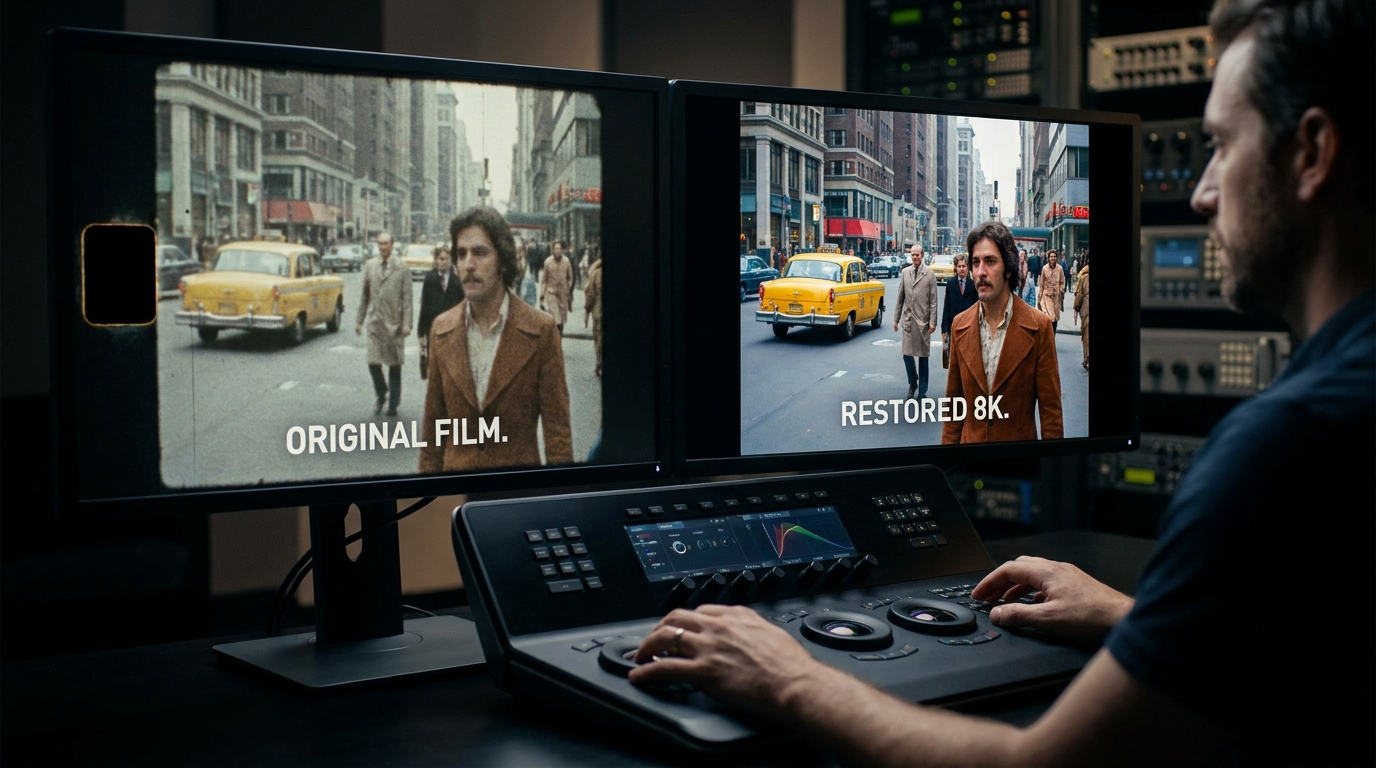
As highlighted by TweakTown in March 2026, VideoProc Converter AI has solidified its position as the best ai video enhancement software for users who need a balance of speed and quality. It utilizes Level-3 Hardware Acceleration to ensure that the heavy lifting of AI upscaling doesn't crash your system. Its "Super Resolution" mode is particularly effective at turning old 480p home movies into crisp 4K masterpieces without the "plastic" look often associated with AI sharpening.
The 2026 version introduces "AI Frame Interpolation," which can turn standard 24fps footage into silky-smooth 60fps or even 120fps. This is ideal for sports videographers or those looking to create high-quality slow-motion effects from standard footage. According to TweakTown, the software's ability to handle both video and image enhancement in a single interface makes it a versatile tool for digital archivists.
Key Features of VideoProc Converter AI
Beyond upscaling, the software excels at "AI Stabilization," which uses motion-tracking algorithms to smooth out shaky handheld footage more effectively than standard electronic image stabilization (EIS). It also includes a robust "AI De-interlacing" tool, which is essential for digitizing old DVD or VHS content that suffers from "combing" artifacts.
2. Topaz Video AI: Professional-Grade Restoration
Topaz Video AI remains the industry standard for professionals who require granular control over neural network models. In 2026, Topaz has expanded its library of models, including the "Iris" model for face enhancement and "Nyx" for high-quality denoising. Unlike many competitors, Topaz focuses strictly on enhancement rather than general editing, which allows its developers to push the boundaries of what is possible with temporal consistency.
One of the standout features of Topaz in 2026 is its ability to recover detail from highly compressed web videos. If you are working with footage that has been heavily compressed by social media platforms, Topaz can often reconstruct the lost textures in skin, fabric, and landscapes. However, it is resource-intensive; PCMag notes that to get the most out of Topaz in 2026, a high-end NVIDIA or AMD workstation GPU is highly recommended.
3. DaVinci Resolve 19 (Neural Engine): The Editor's Choice
While primarily a color grading and editing suite, DaVinci Resolve 19’s "Neural Engine" has made it a formidable contender for the title of best ai video enhancement software. As noted by Amateur Photographer, the software is now "literally anyone can use" thanks to its automated AI tools. The "Super Scale" feature allows editors to upscale footage directly on the timeline, meaning you don't have to round-trip to another application to improve your clip's resolution.
The 2026 updates to DaVinci Resolve have introduced "AI Voice Isolation" and "AI Re-light," which allows you to virtually move light sources in a scene after the video has been shot. This integration of enhancement and creative editing makes it the preferred choice for YouTubers and indie filmmakers who need an all-in-one workflow.
Comparison of Top AI Video Enhancers (2026)
| Software | Best For | Key AI Feature | Platform |
|---|---|---|---|
| VideoProc Converter AI | Speed & Efficiency | Level-3 Hardware Acceleration | Windows / Mac |
| Topaz Video AI | Pro Restoration | Temporal Consistency Models | Windows / Mac |
| DaVinci Resolve 19 | Full Post-Production | Neural Engine Re-lighting | Win / Mac / Linux |
| HitPaw Video Enhancer | Ease of Use | One-Click Face Repair | Windows / Mac |
| Adobe Premiere Pro | Corporate Workflow | AI Generative Extend | Windows / Mac |
4. HitPaw Video Enhancer: Simplified Excellence
HitPaw has carved out a niche for users who want the power of AI without the steep learning curve. According to a 2025 review by North Penn Now, HitPaw is among the top tools for delivering "the sharpest results" with minimal manual tweaking. Its interface is designed around specific use cases: General Denoise, Animation, Face, and Colorize. This task-oriented approach ensures that users select the right mathematical model for their specific footage type.
In 2026, HitPaw has improved its "Colorize" model significantly. It can now take black-and-white historical footage and apply historically accurate color palettes based on a database of millions of images. This makes it a favorite for genealogy enthusiasts and documentary filmmakers looking to breathe new life into archival materials.
5. AVCLabs Video Enhancer AI: Automated Precision
AVCLabs uses a frame-by-frame multi-frame enhancement technique that ensures no detail is missed. In 2026, their software has become particularly well-known for its "AI Face Recovery" feature. This tool identifies human faces in a frame and applies a specialized high-resolution mask to ensure that features like eyes and skin texture remain sharp, even when the rest of the background is blurred for a cinematic effect.
Studies in the video tech industry show that AVCLabs can reduce video noise by up to 95% without sacrificing edge sharpness. This is a significant improvement over traditional spatial denoisers, which often leave the video looking muddy. The software also supports batch processing, allowing users to queue dozens of videos for overnight enhancement.
6. Adobe Premiere Pro (2026 Edition): Integrated Intelligence
Adobe has integrated "Firefly Video Models" directly into Premiere Pro, making it a powerful best ai video enhancement software option for creative professionals. The 2026 version includes "Generative Extend," which uses AI to create entirely new frames at the beginning or end of a clip to help with timing and transitions. This is a revolutionary step beyond simple upscaling, as the software is actually "creating" content that wasn't there.
According to perfectcorp.com, Adobe’s suite of AI tools is now among the most tested and reviewed in the industry. The "Enhance Speech" feature, while audio-focused, works in tandem with their visual AI to ensure that the overall quality of the production matches the visual fidelity. For users already in the Creative Cloud ecosystem, these AI enhancements are a natural extension of their existing tools.
7. Wondershare Filmora 15: AI for Content Creators
Filmora has evolved from a basic editor into a sophisticated AI-driven platform. In 2026, it features "AI Smart Masking" and "AI Portrait," which allow users to remove backgrounds or enhance subjects with a single click. It is specifically tailored for social media creators who need to produce high-quality vertical video for platforms like TikTok and Instagram.
The "AI Copilot" in Filmora 15 acts as a virtual assistant, suggesting specific enhancement filters based on the metadata of your footage. If the software detects that a video is underexposed or shaky, it will proactively recommend the "Auto-Enhance" or "Stabilization" modules. This proactive approach saves hours of manual review time for high-volume creators.
8. Remini Video: The Mobile AI Leader
While many of the tools on this list are desktop-based, Remini Video has dominated the mobile space in 2026. It uses cloud-based processing to bring high-end AI upscaling to smartphones. This is particularly useful for influencers who need to enhance footage captured on older mobile devices or low-light front-facing cameras before posting.
Remini’s proprietary "Deep Fake" correction technology (used ethically for restoration) helps in sharpening blurry faces in motion. While it lacks the deep technical controls of Topaz or VideoProc, its accessibility makes it a vital tool for the modern mobile-first creator. However, users should be aware that cloud processing requires a stable and fast internet connection.
9. Magix Video Pro X17: The European Standard
Magix has long been a staple in European production houses, and the 2026 release of Video Pro X17 leans heavily into AI-assisted workflows. Its "Infusion Engine 4" supports seamless AI upscaling of 8K content, making it one of the few programs capable of handling such high resolutions without significant lag. The software focuses on "Natural AI," ensuring that the sharpening and color boosts look organic rather than digital.
Magix also features an "AI Style Transfer" tool, which allows editors to apply the visual characteristics of famous films or paintings to their footage. This goes beyond a simple filter, as the AI analyzes light, texture, and color grading to transform the source material into a new artistic vision.
10. CyberLink PowerDirector 365: Fast and Flexible
PowerDirector has consistently won awards for its rendering speed, and the 2026 AI updates continue this trend. Its "AI De-reverb" and "AI Sky Replacement" are industry leaders in the consumer space. For video enhancement, its "AI Object Detection" allows users to apply enhancements to specific parts of the frame—such as sharpening the subject while keeping the background soft.
According to PCMag, PowerDirector offers one of the best value propositions for users who want professional features without a professional price tag. Its "AI Motion Tracking" is notably smoother in the 2026 version, allowing for the attachment of enhanced effects to moving objects with pinpoint accuracy.
Technical Requirements for AI Video Enhancement
Running the best ai video enhancement software requires more than just a standard laptop. Because AI models perform billions of calculations per second, the hardware bottleneck is usually the Graphics Processing Unit (GPU). In 2026, the industry standard for "smooth" AI rendering includes:
- GPU: NVIDIA RTX 40-series or 50-series (or AMD equivalent) with at least 8GB of VRAM.
- RAM: 32GB is the sweet spot for 4K upscaling; 16GB may suffice for 1080p.
- Storage: NVMe SSDs are required to handle the high data throughput of uncompressed video frames during the enhancement process.
- CPU: While the GPU does the heavy lifting, a multi-core processor (Intel i7/i9 14th gen or Ryzen 9) is necessary to manage the software's overhead.
What is the best AI video enhancement software for beginners?
VideoProc Converter AI and HitPaw Video Enhancer are widely considered the best for beginners. They offer intuitive "one-click" solutions that automate the complex process of upscaling and denoising without requiring technical knowledge of neural networks.
Can AI turn 1080p video into 4K?
Yes, modern AI enhancers can effectively upscale 1080p to 4K by using "Super Resolution" models. These models predict and generate the missing pixels based on patterns learned from millions of high-resolution images, resulting in a much sharper image than traditional upscaling.
Is there a free AI video enhancer?
While most professional tools are paid, there are free options like the "Video2X" open-source project or the free version of DaVinci Resolve. However, free tools often have steeper learning curves or lack the advanced hardware acceleration found in premium software.
How long does it take to enhance a video with AI?
The time depends on your hardware and the video's length. On a modern 2026 workstation, a 5-minute 1080p video might take 15-30 minutes to upscale to 4K, whereas older hardware could take several hours for the same task.
Does AI video enhancement work on old VHS tapes?
Yes, AI is particularly effective for VHS restoration. Specialized models can remove "interlacing" artifacts, reduce analog noise, and stabilize the "jitter" common in magnetic tape recordings, significantly improving the viewing experience on modern 4K TVs.



Comments ()