
7 Best AI Video Editors for Mac in 2026: Ranked & Reviewed
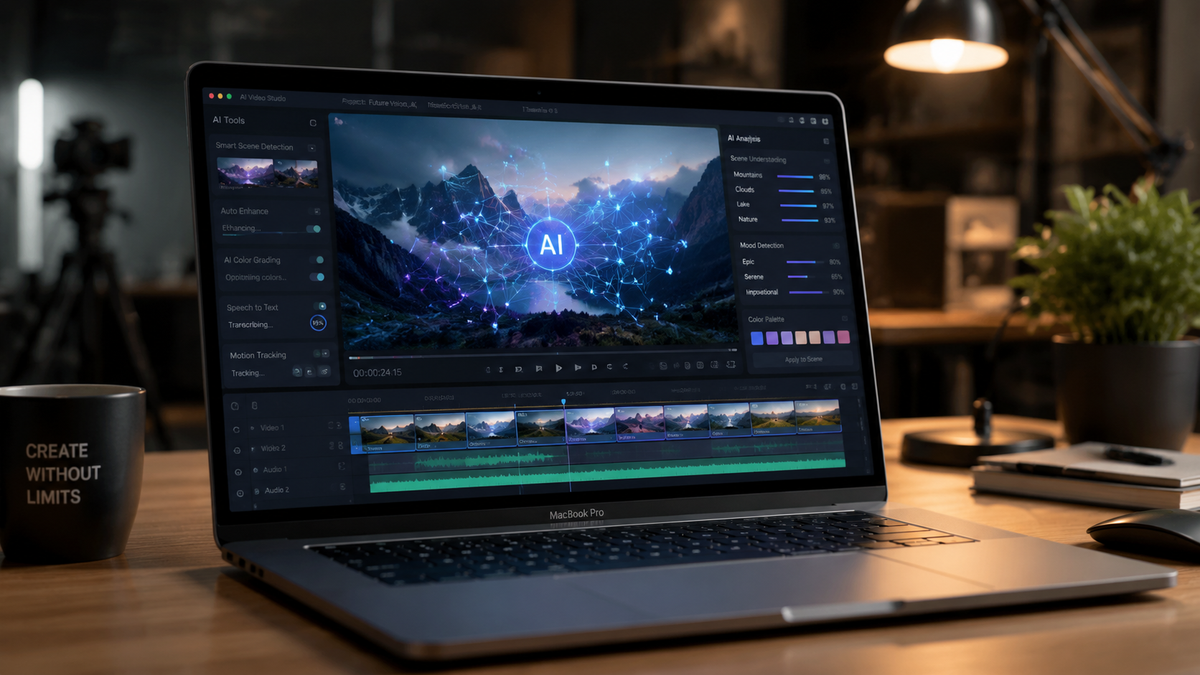
Choosing the best ai video editor for mac in 2026 requires a balance between Apple’s powerful M-series silicon and the latest generative AI features. The current landscape favors software that integrates directly with Neural Engines to provide real-time background removal, automated color grading, and text-to-video generation. Whether you are a professional filmmaker or a social media creator, the right tool must leverage macOS’s unique architecture to handle 8K resolutions and complex AI workflows without overheating your hardware.
The best ai video editor for mac is DaVinci Resolve 19, which offers the most sophisticated Neural Engine integration for professional workflows. For beginners and social media creators, CapCut Desktop and Adobe Premiere Pro (Beta) provide the most intuitive generative AI features, such as text-based editing and automated scene reformatting, optimized for 2026 hardware standards.
- ✓ DaVinci Resolve 19 leads in professional-grade AI color grading and object tracking.
- ✓ Adobe Premiere Pro now features full Firefly video generation integration for 2026.
- ✓ Final Cut Pro 11 remains the most optimized for M4 and M5 Mac chips.
- ✓ CapCut Desktop is the top choice for rapid AI-driven social media content creation.
- ✓ Descript has revolutionized text-based video editing for podcasters and educators.
How to Choose and Set Up the Best AI Video Editor for Mac
In 2026, the process of selecting and configuring video software has shifted from manual settings to AI-driven optimization. To ensure you are getting the most out of your hardware, follow these steps to set up your workflow for maximum efficiency.
- Verify Hardware Compatibility: Ensure your Mac is running at least an M2 chip, though M4 or M5 is recommended for 2026 AI models. According to The New York Times Wirecutter, the latest MacBook Pro models are specifically designed to handle the heavy GPU loads required by generative AI video tools.
- Download and Install: Visit the official developer site to download the latest version. Avoid third-party mirrors to ensure you receive the latest AI model updates and security patches.
- Enable Neural Engine Acceleration: Open the software preferences and navigate to "Playback" or "Hardware." Ensure that "Apple Silicon Acceleration" or "Neural Engine Support" is checked to offload AI tasks from the main CPU.
- Calibrate AI Models: Many modern editors allow you to "pre-train" or cache AI models locally. Run a benchmark test within the app to optimize background removal and auto-transcription speeds.
- Import and Index: Start your project by importing footage; the AI will automatically index faces, speech, and objects in the background to make searching your media faster.
Comparison of the Best AI Video Editors for Mac in 2026
To help you decide which tool fits your budget and technical needs, we have compiled a comparison of the top-performing software based on recent testing by PCMag and Creative Bloq.
| Software | Best For | Key AI Feature | Price Point |
|---|---|---|---|
| DaVinci Resolve 19 | Hollywood Professionals | Magic Mask & AI Voice Isolation | Free / $295 |
| Adobe Premiere Pro | Industry Standard | Generative Extend & Firefly AI | Subscription |
| Final Cut Pro 11 | Apple Ecosystem Purists | Spatially Intelligent Tracking | $299 |
| CapCut Desktop | TikTok/Reels Creators | Auto-Captions & AI Script-to-Video | Free / Pro Subscription |
| Descript | Podcasters/Talking Heads | Underlord AI & Overdub Voice | Subscription |
1. DaVinci Resolve 19: The Professional Powerhouse
DaVinci Resolve 19 continues to be the gold standard for high-end video production on macOS. In 2026, its "DaVinci Neural Engine" has been updated to utilize the full bandwidth of the latest Mac Studio and Mac Pro models. According to PCMag, Resolve’s ability to track objects in 3D space using AI is unsurpassed, making it the best ai video editor for mac users who need precision over speed.
Advanced Neural Engine Integration
The 2026 update introduced "UltraNR," an AI-driven noise reduction tool that can salvage footage shot in near-total darkness without the "plastic" look common in earlier AI iterations. This feature specifically targets the grain patterns of high-end cinema cameras, preserving skin texture while removing sensor noise. Additionally, the Magic Mask tool now supports "Persistent Tracking," which remembers objects even when they leave and re-enter the frame.
AI Audio Mastering
Audio is half of the video experience, and Resolve 19 includes a Fairlight AI suite that can automatically categorize sounds. It can distinguish between a dog barking and a car horn, allowing editors to duck specific background noises with a single click. The Voice Isolation feature has also been refined to remove echo and room reverb, effectively turning a bedroom recording into a studio-quality track.
2. Adobe Premiere Pro: The King of Generative AI
Adobe has fully integrated its Firefly Video Model into Premiere Pro for 2026. This allows editors to perform "Generative Extend," a feature that adds frames to the beginning or end of a clip where no footage exists. As noted by Creative Bloq, this has become a life-saver for editors dealing with short b-roll or missing transitions.
Text-Based Editing Evolution
The best ai video editor for mac should save you time, and Premiere Pro’s text-based editing does exactly that. In 2026, the software doesn't just transcribe; it understands intent. You can now type commands like "remove all the boring parts" or "find every time the speaker mentions the product," and the AI will automatically ripple-cut the timeline to match your request.
Seamless Creative Cloud Integration
Working on a Mac often means utilizing the broader Adobe ecosystem. The 2026 version of Premiere Pro features a "Dynamic Link" that is now 40% faster on Apple Silicon. This allows for instant AI-driven rotoscoping in After Effects to be reflected in your Premiere timeline without the need for lengthy rendering, a workflow improvement that has been praised by professional agencies worldwide.
3. Final Cut Pro 11: Optimized for Apple Silicon
Final Cut Pro remains the most efficient editor for Mac users. Because Apple develops both the hardware and the software, FCP 11 can render AI effects in the background with zero lag. Recent reviews from TechRadar highlight that FCP 11 is particularly effective for beginners who want professional results without the steep learning curve of Resolve.
Spatially Intelligent Tracking
With the rise of spatial computing and the Vision Pro, Final Cut Pro 11 has introduced AI tools that can convert standard 2D footage into spatial video. The AI analyzes depth data within a standard frame and creates a stereoscopic map, allowing creators to produce content for the next generation of headsets with their existing Mac hardware.
Magnetic Timeline 3.0 with AI Anchors
The Magnetic Timeline has been upgraded with "AI Anchors." This feature automatically identifies the "hero" of a scene and ensures that all cutaways and b-roll stay synced to the emotional beats of the main subject. If the AI detects a shift in the speaker's tone, it can suggest different transition styles or color grades to match the mood of the scene.
4. CapCut Desktop: The Social Media Specialist
CapCut has evolved from a mobile app into a desktop powerhouse that rivals professional suites for speed. In 2026, it is widely considered the best ai video editor for mac for creators who need to publish daily. Its "Script-to-Video" feature uses a large language model to write a script, find relevant stock footage, and assemble a full edit in under two minutes.
One-Click Visual Effects
CapCut’s AI body effects and background removal are industry-leading for vertical video. The software uses "Auto-Reframe" technology that is significantly more accurate than previous years, ensuring that the action stays centered for TikTok and Instagram Reels even when the original footage was shot in wide-screen 16:9.
AI Character and Voice Synthesis
For creators who are camera-shy, CapCut offers "AI Characters"—hyper-realistic digital avatars that can speak your script with natural gestures. In 2026, these avatars have become almost indistinguishable from real humans, providing a cost-effective way for businesses to create training videos and advertisements without a film crew.
5. Descript: The Future of Text-Based Editing
Descript has fundamentally changed what it means to edit video. Instead of looking at waveforms and timelines, you edit a document. If you delete a word from the transcript, the video is cut automatically. According to Amateur Photographer, this makes it an essential tool for anyone who primarily works with "talking head" content or interviews.
The "Underlord" AI Assistant
Descript’s 2026 update features "Underlord," an AI assistant that acts as a virtual producer. Underlord can automatically remove filler words, fix eye contact so it looks like the speaker is looking at the camera, and even generate social media clips from long-form videos based on "virality scores."
Studio Sound 2.0
Descript’s Studio Sound feature remains a benchmark in the industry. Studies show that viewers are more likely to abandon a video with poor audio than poor video quality. Descript uses regenerative AI to rebuild the speaker's voice, removing echo, background hum, and even the sound of wind, making a phone recording sound like it was captured with a $1,000 microphone.
Hardware Requirements for AI Video Editing in 2026
To run the best ai video editor for mac effectively, your hardware must be up to the task. The shift toward local AI processing means that RAM (Unified Memory) is more important than ever. While 8GB was once the standard, 2026 workflows practically require 24GB or more to handle the massive datasets used by generative AI models.
According to The New York Times Wirecutter, the 14-inch MacBook Pro with the M4 Pro chip is the "sweet spot" for most editors. It provides enough GPU cores to handle AI upscaling and frame interpolation without the thermal throttling found in thinner laptops. For those working in 8K or VR, the Mac Studio with an Ultra-class chip remains the only choice for real-time playback of uncompressed AI-enhanced footage.
What is the best ai video editor for mac for beginners?
CapCut Desktop is the best choice for beginners due to its intuitive interface and automated templates. It allows users to create professional-looking social media content with minimal manual editing using AI-driven tools.
Does Apple's Final Cut Pro have AI features?
Yes, Final Cut Pro 11 includes several AI features such as the Magnetic Mask, automated voice isolation, and spatial video conversion. It is specifically optimized to run on the Apple Silicon Neural Engine for maximum speed.
Can I use AI video editors on an Intel-based Mac?
While some software will still run, most 2026 AI features require the Neural Engine found in Apple Silicon (M1, M2, M3, M4, M5). Intel Macs will experience significantly slower processing times for AI tasks like rotoscoping and transcription.
Is there a free AI video editor for Mac?
DaVinci Resolve offers a very powerful free version that includes many of its AI tools. CapCut also has a robust free tier, though some advanced AI effects require a Pro subscription.
How much RAM do I need for AI video editing in 2026?
For smooth performance with AI models, 24GB of Unified Memory is the recommended minimum. For professional 4K and 8K workflows, 48GB or 64GB is preferred to prevent the system from using slower swap memory.



Comments ()