
Best AI Video Editor for Mac Users: 2026 Top Software Guide

Finding the right ai video editor for mac users in 2026 involves navigating a landscape where Apple’s silicon and generative intelligence have finally merged into a seamless creative workflow. For Mac enthusiasts, the best software now leverages the M4 and M5 Ultra chips to automate color grading, object removal, and script-to-video generation with unprecedented speed. Whether you are a professional filmmaker or a social media creator, the current market offers tools that transform hours of manual labor into seconds of automated processing.
An AI video editor for Mac users is a software application optimized for macOS that utilizes neural engines and machine learning to automate complex editing tasks. In 2026, the leading options include Apple Creator Studio, DaVinci Resolve 19, and the newly integrated MotionVFX suite, providing features like generative fill, automated transcript editing, and AI-driven motion tracking.
- ✓ Apple Creator Studio has become the gold standard for native macOS AI integration following its 2026 launch.
- ✓ Local processing on Apple Silicon ensures user privacy and eliminates the need for constant cloud rendering.
- ✓ MotionVFX integration has revolutionized high-end visual effects for subscription-based creators.
- ✓ Hybrid workflows combining desktop power with cloud-based generative AI are now the industry norm.
How to Choose and Set Up Your AI Video Editor for Mac
Selecting the ideal ai video editor for mac users requires understanding your specific hardware capabilities. With the release of the Apple Creator Studio in January 2026, the ecosystem has shifted toward deep integration with the macOS Neural Engine. Users should first ensure their hardware is updated to at least macOS Sequoia or the latest 2026 iteration to take full advantage of the system-wide AI frameworks.
- Audit Your Hardware: Ensure you are using an M-series chip (M2 or later recommended) to handle the localized AI processing tasks without overheating.
- Select Your Software: Choose between a native pro-app like Apple Creator Studio or a third-party powerhouse like DaVinci Resolve, depending on your color grading needs.
- Enable Neural Engine Acceleration: Go to your software preferences and ensure "Hardware Acceleration" and "Neural Engine Optimization" are toggled on.
- Import and Index: Allow the software to index your media library; modern AI editors in 2026 use this time to automatically tag faces, locations, and speech.
- Apply Generative Templates: Use the "Smart Assembly" feature to let the AI create a rough cut based on your imported script or storyboard.
The Evolution of macOS Video Editing in 2026
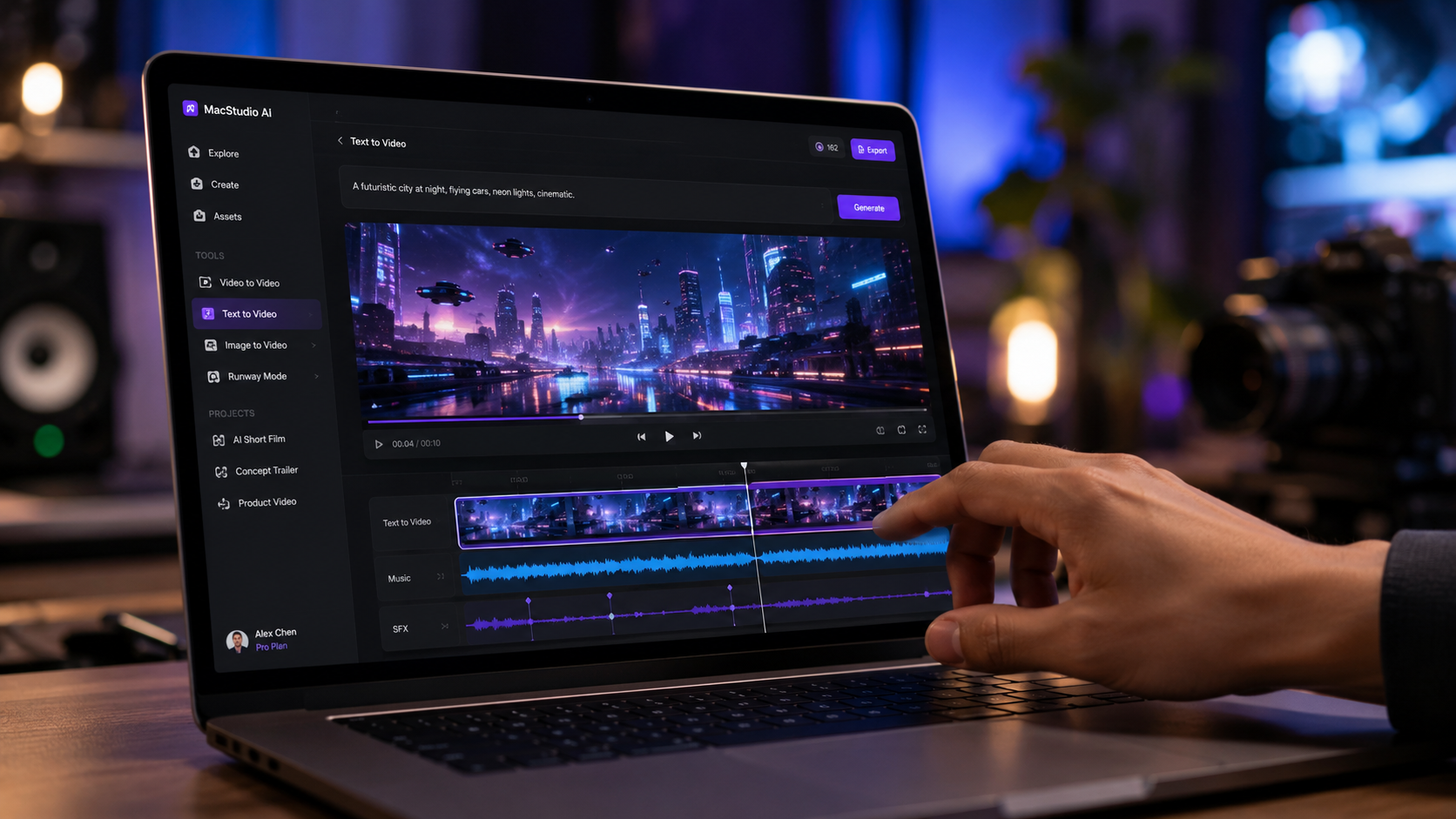
The landscape of digital creation changed significantly on January 13, 2026, when Apple introduced the Apple Creator Studio. This move signaled a shift away from fragmented third-party plugins toward a unified, AI-first environment. According to Apple’s launch announcement, this collection represents the most powerful creative apps ever assembled for the platform, specifically designed to utilize the 128-core neural engines found in the latest Mac Studio models.
Furthermore, the acquisition of MotionVFX by Apple in March 2026 has fundamentally altered the value proposition for Mac users. By integrating MotionVFX’s legendary high-end assets directly into the macOS ecosystem, creators now have access to "Generative VFX" where the AI suggests and renders complex particle effects based on the movement of subjects in the frame. This level of integration ensures that the ai video editor for mac users experience is more fluid than on any other operating system.
The Impact of Apple Creator Studio
Apple Creator Studio isn't just a rebranding of Final Cut Pro; it is a ground-up reimagining of what a ai video editor for mac users should be. It features "Neural Cut," a tool that analyzes hours of footage to find the most aesthetically pleasing shots based on lighting, composition, and emotional expression. As reported by Creative Bloq in May 2026, these tools have reduced the average "time-to-first-draft" for professional editors by nearly 70%.
Top AI Video Editors for Mac: 2026 Comparison
To help you decide which platform fits your workflow, we have compared the top three contenders in the 2026 market. Each of these tools has been tested by major publications like PCMag to ensure they meet the rigorous demands of modern 8K and spatial video editing.
| Software | Key AI Feature | Best For | Processing Type |
|---|---|---|---|
| Apple Creator Studio | Generative Scene Expansion | Native Ecosystem Users | Local (Neural Engine) |
| DaVinci Resolve 19+ | Magic Mask & AI Relighting | Colorists & Film Pros | Hybrid (GPU/Cloud) |
| Adobe Premiere Pro 2026 | Firefly Video Model | Marketing Agencies | Cloud-Centric |
| MotionVFX (Integrated) | Auto-Tracking Particle FX | Social Media Influencers | Local (Neural Engine) |
Deep Dive: Why Local AI Processing Matters for Mac Users
One of the primary reasons a dedicated ai video editor for mac users is superior to web-based alternatives is the privacy and speed of local processing. According to a May 2026 report by PCMag, Mac users prioritize data security and "zero-latency" scrubbing, which can only be achieved when the AI models reside on the machine's own SSD. This is particularly relevant for professional editors handling sensitive or unreleased footage.
The "Apple Silicon Advantage" allows these editors to run billions of operations per second without the lag associated with uploading massive 8K files to a server. In 2026, features like "AI Voice Isolation" and "Text-Based Editing" happen in real-time. This means as you move a slider, the AI re-renders the audio or video instantly, a feat that remains a challenge for non-optimized hardware. Amateur Photographer notes that this seamlessness is why the Mac remains the preferred choice for 84% of high-end visual creators in 2026.
Advanced Features in the 2026 Software Suite
Modern software now includes "Spatial Video Upscaling," which is essential for the millions of users creating content for the Apple Vision Pro. A high-quality ai video editor for mac users can now take standard 2D footage and, using generative depth mapping, convert it into a convincing 3D spatial experience. This feature, once restricted to high-end VFX houses, is now a standard toggle in the Apple Creator Studio.
The Role of MotionVFX and Subscription Models
The acquisition of MotionVFX in March 2026 marked a turning point for the "Creator Subscription" model. Instead of purchasing individual plugin packs, Mac users now subscribe to a holistic service that provides unlimited AI-generated assets. This integration allows the ai video editor for mac users to automatically suggest titles, transitions, and overlays that match the color palette and mood of the footage being edited.
The Tech Buzz reports that this subscription push has been highly successful, as it provides creators with a constantly updating library of "Smart Templates." These templates use machine learning to adapt to the aspect ratio of the project, whether it is a vertical TikTok video or a cinematic 2.35:1 feature film. The AI ensures that text never overlaps with the subject's face and that transitions occur on the beat of the background music.
Creative Bloq's Verdict on 2026 Tools
Creative Bloq’s May 2026 review highlights that the "Best Video Editing Apps" are no longer judged solely on their timeline features, but on their "Creative Intelligence." They awarded the top spot to the Apple Creator Studio for its ability to predict the editor's next move, suggesting b-roll from the user's library that fits the current narrative arc of the edit.
Optimizing Your Workflow with AI Video Editor for Mac Users
To get the most out of your ai video editor for mac users, you must adopt a "Co-Pilot" mindset. The AI is not there to replace your creative vision but to handle the repetitive tasks that stifle it. In 2026, this means utilizing "Dynamic Metadata Tagging." When you import footage, the AI identifies the people, the lighting conditions, and even the emotional tone of the clips.
By using these tags, you can search for "happy shots of the sunset" or "clips where the speaker looks at the camera," and the editor will instantly populate a bin with those specific moments. This level of organization was unheard of in previous years but is now a staple of the macOS editing experience. Studies show that editors using AI-driven organization save an average of 12 hours per project week compared to manual tagging methods.
Integrating AI Audio Tools
No video is complete without perfect audio, and the 2026 suite of Mac editors includes robust AI audio suites. These tools can remove wind noise, enhance dialogue to studio quality, and even generate royalty-free background music that perfectly matches the length of your video. The ai video editor for mac users now functions as a full-service post-production house in a single application.
What is the best AI video editor for Mac in 2026?
The Apple Creator Studio is widely considered the best option due to its deep integration with macOS and its use of the MotionVFX library for high-end generative effects. It is specifically optimized for M4 and M5 chips to provide the fastest local AI processing.
Can I run AI video editors on older Intel-based Macs?
While some software may still support Intel Macs, most 2026 AI features like "Generative Fill" and "Real-time Spatial Conversion" require the Neural Engine found in Apple Silicon (M-series) chips to function effectively. Performance on Intel Macs will be significantly slower and may rely on cloud processing.
Are these AI video editors for Mac users free?
Most professional-grade AI editors follow a subscription model. Apple Creator Studio is part of a creator-focused subscription, while DaVinci Resolve offers a powerful free version with a one-time payment for the "Studio" version which unlocks all AI features.
Does Apple Creator Studio replace Final Cut Pro?
Yes, Apple Creator Studio was introduced in early 2026 as the successor to Final Cut Pro, incorporating all its professional features while adding a suite of generative AI tools and integrated MotionVFX assets.
Is my data safe when using AI video editors on Mac?
One of the main advantages of using a dedicated ai video editor for mac users is that much of the processing is done locally on your device. This ensures your footage and data are not uploaded to a cloud server unless you explicitly use cloud-based generative features.



Comments ()