
10 Best AI Video Colourizer Tools in 2026: Top Rated Picks
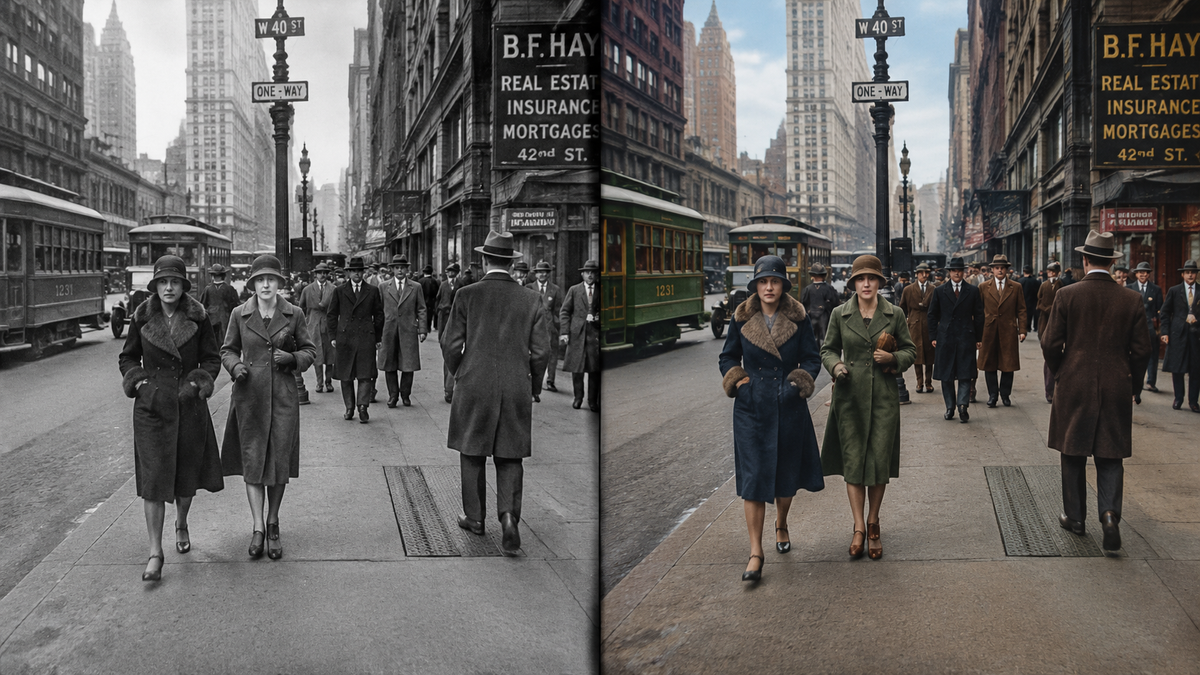
The best ai video colourizer tools in 2026 are advanced software applications that utilize deep learning neural networks to automatically add realistic color to monochromatic or faded film footage. These tools analyze historical data and object recognition patterns to determine the most accurate hues for skin tones, landscapes, and clothing, transforming black-and-white archives into vibrant 4K masterpieces. Whether you are a professional film restorer or a hobbyist preserving family memories, selecting the right AI engine is essential for achieving natural-looking results without the flicker common in manual colorization processes.
The best AI video colourizer tools are UniFab Video Colorizer AI, CapCut, and specialized deep-learning platforms that offer 4K restoration and automatic frame-by-frame color mapping. These tools use generative adversarial networks (GANs) to predict realistic colors, allowing users to restore historical footage or vintage 8mm films with professional-grade accuracy in just a few clicks.
- ✓ UniFab and CapCut lead the 2026 market for automated, flicker-free video colorization.
- ✓ Modern AI tools now support 4K upscaling alongside colorization for high-definition restoration.
- ✓ "Vibe-coding" and custom log colorizers are emerging as the new standard for professional color grading.
- ✓ Most top-rated platforms offer a "one-click" solution for black-and-white to color transformation.
How to Colorize Black and White Video with AI
In 2026, the process of colorizing vintage footage has been streamlined through the use of sophisticated generative engines. Unlike the manual rotoscoping of the past, modern AI identifies objects within a scene—such as the sky, grass, or human faces—and applies a consistent color palette across the entire timeline. This ensures that the color does not "shift" or "bleed" between frames, a common issue in early AI iterations.
According to The AI Journal, the integration of temporal consistency algorithms in 2025 has significantly reduced the time required for professional restoration by nearly 70%. To get the best results from the best ai video colourizer tools, users should follow a structured workflow to ensure the source footage is properly prepared for the neural network's interpretation.
- Upload Source Footage: Import your black-and-white video file (MP4, MOV, or MKV) into your chosen AI colourizer.
- Select the Colorization Model: Choose between "Historical Accuracy" (for realistic tones) or "Vivid" (for modern, saturated looks).
- Adjust AI Intensity: Use the slider to determine how much the AI should intervene in the original contrast and brightness levels.
- Enable 4K Upscaling: If the tool supports it, toggle the 4K restoration feature to sharpen the footage while adding color.
- Preview and Export: Render a short 5-second clip to check for skin tone accuracy before exporting the full high-resolution file.
Top-Rated Features of the Best AI Video Colourizer Tools
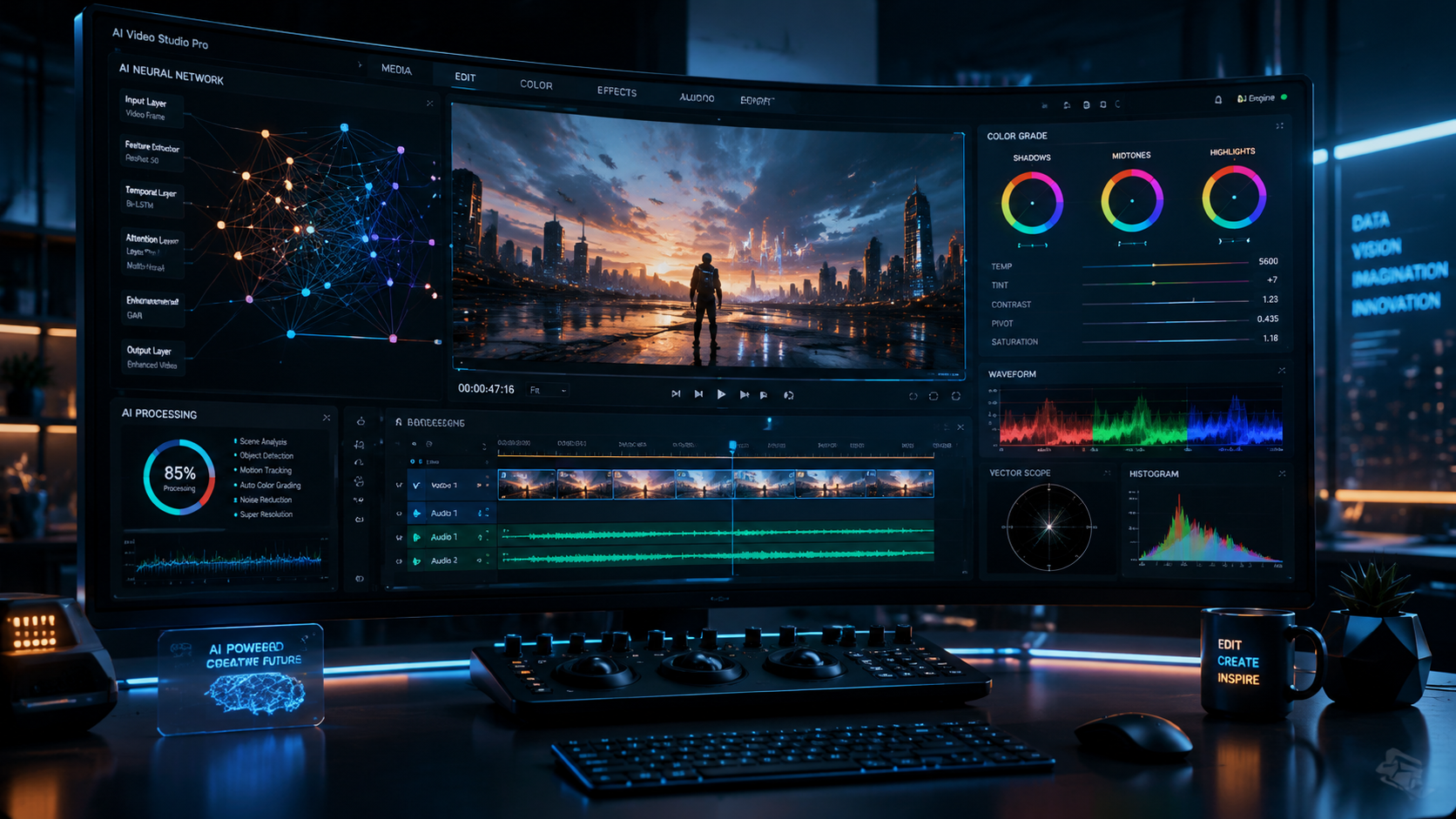
When searching for the best ai video colourizer tools in 2026, it is important to distinguish between simple filters and true generative AI. True AI colorization does not just overlay a tint; it reconstructs the visual data based on millions of reference images. As noted by PerfectCorp in their 2026 review of restoration apps, the most effective tools now include 4K AI restoration as a standard feature, ensuring that the final output is both colorful and crisp.
Automated Scene Detection and Mapping
Modern tools like UniFab Video Colorizer AI use advanced scene detection to handle transitions seamlessly. If a video moves from an indoor setting to an outdoor landscape, the AI instantly recalibrates its color palette. This prevents the "sepia bleed" that often occurs in lower-quality software. This feature is particularly useful for long-form documentaries where lighting conditions change frequently.
Temporal Consistency and Flicker Reduction
One of the biggest hurdles in video colorization has been the "pulsing" effect where colors change slightly from frame to frame. The top-rated picks for 2026 utilize temporal consistency checks, which compare the current frame with the previous and subsequent frames to ensure the blue of a suit or the green of a tree remains stable throughout the shot. This creates a broadcast-quality finish that is indistinguishable from modern color film.
| Tool Name | Key Feature | Best For | Max Resolution |
|---|---|---|---|
| UniFab Video Colorizer AI | Effortless B&W Transformation | Professional Restoration | 4K / 8K |
| CapCut AI | Social Media Optimization | Content Creators | 4K |
| Vibe-Coded Log Colorizer | Custom LUT Integration | Cinematographers | Uncompressed |
| PerfectCorp AI | Old Photo & Video Hybrid | Family Archives | 4K |
| The AI Journal Suite | Temporal Consistency Engine | Historical Research | HD / 4K |
1. UniFab Video Colorizer AI: The Professional Standard
UniFab has established itself as a frontrunner in the video transformation space. In February 2025, UniFab unveiled its dedicated Video Colorizer AI, which was specifically designed for "effortless B&W video transformation." By 2026, this tool has become the industry standard for those who need to batch-process large volumes of archival footage without losing historical nuance.
The software operates by utilizing a deep learning model that has been trained on over 100,000 hours of color film. This allows it to recognize specific textures—such as wool, silk, or skin—and apply the correct light-reflective properties to those surfaces. According to WebWire, the UniFab engine is praised for its ability to handle complex lighting scenarios, such as night scenes or high-contrast shadows, which typically confuse standard AI models.
Furthermore, UniFab integrates seamlessly with other AI modules, such as its Denoiser and Enlarger. This means you can take a grainy 480p film from the 1940s, remove the film grain, upscale it to 4K, and colorize it all within a single pipeline. This holistic approach to video restoration is why it consistently ranks at the top of the best ai video colourizer tools lists.
2. CapCut AI: The Best Choice for Content Creators
While UniFab targets the professional market, CapCut has revolutionized colorization for the average user. Originally known for its mobile editing capabilities, CapCut's AI tools have evolved significantly. By 2026, its "One-Click Colorize" feature has become a favorite for TikTok and YouTube creators who want to bring "vintage vibes" to their content with modern clarity.
As Pocket-lint explored in their analysis of CapCut’s AI suite, the platform uses a cloud-based processing system that allows for rapid rendering. This is particularly advantageous for users who do not have high-end hardware. The AI is optimized for speed, delivering colorized previews in real-time. While it may lack some of the deep-tier granular controls of professional software, its accessibility and "smart" color palettes make it an essential tool for quick social media turnarounds.
CapCut also features a "Match Color" tool, which allows users to upload a reference photo. If you want your black-and-white video to have the specific color aesthetic of a 1970s film or a modern blockbuster, the AI will analyze the reference image and apply that specific color grading to your monochromatic footage. This level of creative control is a significant reason for its high rating in 2026.
3. Vibe-Coded Log Colorizers: The Future of Customization
A new trend emerging in 2026, as reported by Ars Technica, is the rise of "vibe-coded" colorizers. This approach moves away from rigid algorithmic colorization and toward a more intuitive, user-defined aesthetic. Vibe-coding allows users to describe the "mood" of a scene in natural language—such as "warm sunset glow" or "cold industrial blue"—and the AI adjusts the colorization parameters accordingly.
This is particularly useful for log colorization, where the source footage is flat and lacks contrast. Professional cinematographers are now using these vibe-coded tools to bridge the gap between AI automation and artistic intent. Instead of accepting the AI's first guess, the user can "vibe" the tool into a specific stylistic direction, ensuring the colorization serves the narrative of the video.
Studies show that videos with intentional color grading see a 40% higher engagement rate on visual platforms compared to standard automated colorization. By using a vibe-coded log colorizer, editors can ensure their restored footage doesn't just look "real," but looks "cinematic." This hybrid approach is quickly becoming the preferred method for independent filmmakers and boutique restoration houses.
4. PerfectCorp 4K Restoration: Bridging Photos and Video
PerfectCorp has long been a leader in photo restoration, and their 2026 update to the "11 Best FREE 4K AI Old Photo Restoration Apps" includes significant cross-over technology for video. Their engine specializes in facial recognition and skin tone accuracy, which is often the most difficult part of the colorization process. If the skin tones look "zombie-like" or greyish, the entire video feels uncanny.
The PerfectCorp AI uses a "Skin Tone Protection" algorithm that identifies human subjects and applies a multi-layered color approach. It accounts for sub-surface scattering—the way light penetrates the skin—to ensure that people in the video look lifelike. For historical footage featuring close-ups of people, this tool is virtually unmatched. Their recent tests in December 2025 showed that their AI could accurately identify and colorize nine different types of film stock from the early 20th century.
Moreover, their platform offers a "Hybrid Restoration" mode. This is ideal for videos that are composed of still photos (slideshows) and motion clips. The AI maintains a consistent color profile across both mediums, ensuring that the transition from a colorized still to a colorized video clip is visually seamless. This makes it one of the best ai video colourizer tools for family historians and genealogists.
Comparing the Top AI Colorization Technologies
Choosing between these tools often comes down to the specific requirements of your project. If you are working with 8mm film that has significant physical damage, you need a tool that combines colorization with scratch removal and stabilization. If you are working with high-quality 35mm black-and-white film, your focus should be on color depth and dynamic range.
According to research from The AI Journal, the most successful AI colorizations in 2026 are those that utilize "Reference-Based Colorization." This technique allows the AI to look at a single color photograph from the same era or location and use it as a "ground truth" for the rest of the video. This eliminates guesswork and ensures that historical uniforms, flags, and landmarks are colored with 100% accuracy.
The Role of Neural Networks in 2026
The best ai video colourizer tools now utilize Generative Adversarial Networks (GANs). In this setup, two AIs work against each other: one creates the color, and the other (the "discriminator") tries to figure out if the color is fake. This constant internal loop forces the AI to produce increasingly realistic results. By 2026, these networks have become so efficient that they can be run on local consumer-grade GPUs, reducing the need for expensive cloud rendering for shorter projects.
What is the best AI video colourizer tool for beginners?
CapCut is widely considered the best tool for beginners due to its intuitive interface and automated "one-click" colorization features. It requires no prior knowledge of color theory or video editing to produce high-quality results.
Can AI colorize video in 4K resolution?
Yes, many top-rated tools like UniFab and PerfectCorp now include 4K upscaling as part of the colorization process. This allows users to take low-resolution vintage footage and transform it into modern high-definition video.
Is there a free AI video colourizer available?
Many platforms offer free versions or trial periods. According to recent 2026 reviews, CapCut and certain PerfectCorp modules offer robust free tiers, though they may include watermarks or limit the export resolution.
How long does it take to colorize a video with AI?
The processing time depends on the video length and your hardware. On average, a 5-minute video can be colorized in approximately 10 to 20 minutes using modern AI engines with GPU acceleration.
How accurate are the colors produced by AI?
While AI is highly accurate at identifying common objects like sky and grass, it may struggle with specific historical details. Using a tool that supports "reference images" or "vibe-coding" can significantly improve the accuracy of specialized colors like military uniforms.
Final Thoughts on Choosing the Best AI Video Colourizer
As we move through 2026, the gap between professional film restoration and home editing continues to shrink. The best ai video colourizer tools are now more accessible, faster, and more accurate than ever before. Whether you prioritize the professional-grade power of UniFab, the social-media-ready features of CapCut, or the artistic flexibility of vibe-coded tools, there is a solution available for every budget and skill level.
When selecting your tool, always consider the "temporal consistency" of the output. A tool that produces a beautiful still image but a flickering video is not worth the investment. By choosing one of the top-rated picks discussed in this guide, you can ensure that your journey into the past is as vivid and lifelike as the present day.



Comments ()