
10 Best AI Video Color Grading Tools for 2026: Pro Results
The best ai video color grading tools in 2026 utilize deep learning models to analyze lighting, skin tones, and texture frame-by-frame, ensuring cinematic consistency without the need for manual keyframing. These advanced platforms allow editors to match color profiles across disparate cameras instantly, using neural networks to replicate high-end film stocks and professional color palettes. By automating the technical aspects of luminance and chrominance, these tools enable creators to achieve professional-grade results in a fraction of the time required by traditional methods.
The best AI video color grading is a process where generative AI models, such as those integrated into Imagen and DaVinci Resolve, automatically adjust video footage for color accuracy and stylistic consistency. In 2026, the top tools include Imagen for Video, Adobe Premiere’s AI Color Match, and DaVinci Resolve’s Neural Engine, which provide frame-by-frame correction and automated LUT generation.
- ✓ AI color grading now supports frame-by-frame neural correction for consistent skin tones.
- ✓ Cloud-based platforms like Imagen have expanded from stills to full-motion video color workflows.
- ✓ Real-time AI matching allows mobile and desktop editors to sync footage from multiple camera sensors.
- ✓ Automation in 2026 has reduced manual color correction time by up to 80% for professional editors.
How to Use the Best AI Video Color Grading Tools
Implementing AI-driven color correction into your workflow has become significantly more streamlined in 2026. Most modern platforms follow a non-destructive path, allowing you to leverage machine learning while maintaining full control over the final look. Whether you are using a dedicated mobile app or a high-end desktop suite, the core process involves feeding the AI a reference point and letting the neural network handle the complex mathematical remapping of pixels.
According to PCMag’s 2026 testing of video editing software, the integration of AI has moved from "experimental" to "essential," with most top-tier programs now featuring dedicated AI color workspaces. To get the most out of these tools, follow this standardized workflow:
- Import and Analyze: Upload your raw or log footage into the AI-enabled editor. The software will perform an initial scan to identify scene changes and lighting conditions.
- Select a Reference Style: Choose a "hero shot" or upload a reference image. The AI will analyze the color distribution of the reference and prepare a matching profile.
- Apply Neural Correction: Use the "Match" or "Auto-Grade" function. Tools like Imagen now work on video with frame-by-frame precision, ensuring that moving subjects don't cause color flickering.
- Fine-tune Skin Tones: Use specific AI masks to isolate skin tones, ensuring the neural grade hasn't introduced unnatural tints to human subjects.
- Export Metadata: Finalize the grade and export. Many 2026 tools allow you to export the AI's logic as a custom LUT for use in other projects.
Top 10 AI Video Color Grading Solutions for 2026
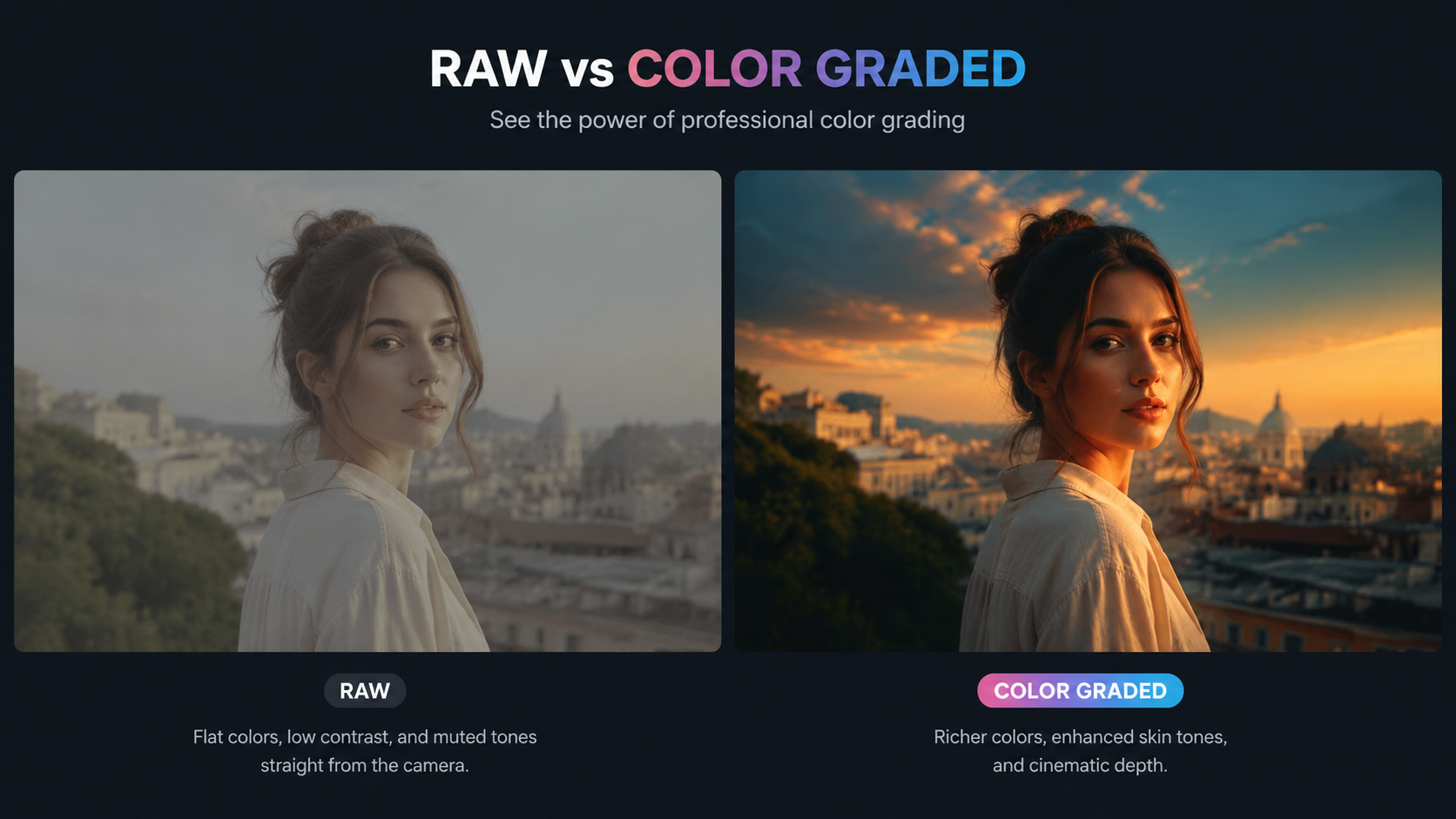
1. Imagen for Video (Frame-by-Frame Correction)
As reported by PetaPixel, Imagen expanded its industry-leading AI correction from photography into the video realm in late 2025. By 2026, it has become the gold standard for creators who need high-volume, frame-by-frame color correction. Unlike traditional filters, Imagen’s AI understands the context of a scene, adjusting exposure and white balance dynamically as the camera moves between different lighting environments.
2. DaVinci Resolve 19 (Neural Engine Evolution)
DaVinci Resolve continues to dominate the professional landscape. In 2026, its Neural Engine features an "AI Color Assistant" that can instantly match footage from a smartphone to a cinema camera. This tool is particularly useful for documentary filmmakers who juggle multiple sources. It analyzes the spectral data of the footage to ensure that "best ai video color grading" results are indistinguishable from manual work by a colorist.
3. Adobe Premiere Pro (Sensei GenAI Color)
Adobe’s 2026 updates have integrated Generative Fill logic into color grading. Premiere Pro now allows editors to describe a "mood" in plain English (e.g., "1970s warm film noir"), and the AI generates a custom color space for the entire timeline. According to Red Shark News, these AI tools are "actually useful" because they provide a starting point that is 90% complete, leaving only minor creative tweaks for the editor.
4. Final Cut Pro (Mac-Optimized AI)
PCMag’s May 2026 review of Mac video editing apps highlights Final Cut Pro’s deep integration with Apple Silicon. The AI color grading features utilize the latest Neural Engine cores to provide real-time HDR grading. This is a game-changer for 4K and 8K workflows where rendering times used to be a significant bottleneck.
5. CapCut Desktop (Pro AI Color Match)
While often viewed as a social media tool, CapCut’s 2026 desktop version includes surprisingly robust AI color matching. It is designed for creators who need "Pro Results" without a steep learning curve. The "Auto-Refine" feature uses a massive database of viral video aesthetics to suggest color grades that are trending in real-time.
6. LumaFusion (Mobile AI Excellence)
TechRadar’s 2025-2026 recommendations for mobile editors consistently point to LumaFusion. Its AI color grading module allows iPad Pro users to perform complex color science tasks that previously required a workstation. Its "Smart Grade" feature is specifically tuned for mobile sensor data, correcting the over-sharpening often found in smartphone clips.
7. Runway Gen-3 Color Tools
Runway has moved beyond just generating video to perfecting it. Their 2026 color toolset uses "Video-to-Video" style transfer technology. This allows you to apply the color palette of a famous movie directly to your footage, with the AI handling the complex task of re-lighting the scene to match the target aesthetic.
8. Filmora 15 (AI Creative Assets)
Filmora 15 focuses on the "prosumer" market. Its 2026 AI color grading suite includes an "Emotion-Based Grading" engine. By analyzing the audio and facial expressions in a clip, the AI suggests a color grade that reinforces the emotional tone of the scene—cool blues for sadness, or vibrant, high-contrast tones for action.
9. Topaz Video AI (Enhance & Color)
Topaz remains the leader in restoration. In 2026, their color grading tools are integrated with their upscaling engine. This means as the AI adds detail to old 1080p footage, it simultaneously "re-colors" it using deep learning to guess the original intended hues, effectively color-grading and remastering in one pass.
10. Blackmagic Camera App (In-Camera AI)
The 2026 version of the Blackmagic Camera app for iOS and Android includes "Live AI Grading." This allows users to see a "best ai video color grading" preview on their screen while filming. The AI applies a real-time corrective layer that accounts for sensor heat and ambient light shifts, ensuring the recorded file is as close to the final look as possible.
Comparison of Top AI Color Grading Tools
| Tool Name | Primary Platform | Key AI Feature | Best For |
|---|---|---|---|
| Imagen for Video | Cloud/Desktop | Frame-by-frame neural correction | High-volume batch editing |
| DaVinci Resolve | Windows/Mac/Linux | Neural Engine Color Match | Professional Cinema & TV |
| Adobe Premiere Pro | Windows/Mac | Text-to-Color (GenAI) | Creative Agency Workflows |
| CapCut Desktop | Windows/Mac | Trending Aesthetic Matching | Social Media Creators |
| LumaFusion | iOS/Android | Mobile Sensor Optimization | On-the-go Professional Editing |
The Evolution of Best AI Video Color Grading in 2026
The landscape of color science has shifted dramatically. In the past, color grading was a specialized skill that took years to master. However, as High On Films noted in their May 2026 report on scene editors, AI is now capable of handling the heavy lifting of "technical grading"—the process of normalizing footage. This allows colorists to focus on "creative grading," where the artistic intent takes center stage.
One of the most significant breakthroughs in 2026 is the ability of AI to maintain temporal consistency. Older AI tools often suffered from "flickering," where the color would shift slightly between frames. Modern neural networks, like those found in the latest 2026 software updates, analyze sequences of frames simultaneously to ensure a smooth, jitter-free color application. This is essential for achieving the "Pro Results" that clients expect in a high-definition market.
Furthermore, the democratization of these tools means that independent creators can now compete with large studios. According to industry data, the use of AI in post-production has increased the output of digital content creators by over 40% in the last year alone. By automating the best ai video color grading, the barrier to entry for high-quality visual storytelling has never been lower.
Selecting the Right Tool for Your Workflow
Choosing the right AI color grading tool depends largely on your hardware and the complexity of your project. If you are working on a feature film, the deep integration of DaVinci Resolve’s Neural Engine is irreplaceable. However, for a YouTuber or a social media manager, the speed of Adobe Premiere’s AI Match or CapCut’s automated presets might be more valuable than granular control.
It is also important to consider the "source" of your footage. As PCMag pointed out in their 2026 reviews, some AI tools are better at handling specific file formats. For instance, Final Cut Pro is exceptionally efficient at processing ProRes RAW with AI, while Imagen for Video excels at processing compressed formats like H.265 without introducing artifacts. Always test a tool with your specific camera's output before committing to a full subscription.
Frequently Asked Questions
What is the best AI video color grading tool for beginners?
CapCut Desktop and Filmora 15 are currently the best options for beginners. They offer one-click AI color correction features that analyze your footage and apply professional-grade palettes based on current visual trends without requiring knowledge of color wheels or curves.
Does AI color grading replace professional colorists?
No, AI does not replace colorists but rather acts as a powerful assistant. It handles the tedious task of primary correction (balancing and matching), allowing the human colorist to focus on the creative "look" and emotional impact of the scene.
Can I use AI color grading on my smartphone?
Yes, apps like LumaFusion and the Blackmagic Camera app have integrated advanced AI color grading features for 2026. These apps use the mobile device's NPU (Neural Processing Unit) to provide real-time or near-real-time color adjustments.
How does frame-by-frame AI color correction work?
Tools like Imagen for Video analyze every individual frame of a clip to ensure that changes in lighting or subject position are accounted for. This prevents the "drifting" of color and ensures that skin tones remain consistent even as a person moves through shadows.
Is AI color grading faster than using LUTs?
Yes, because while a LUT (Look Up Table) applies a static mathematical formula to the whole clip, AI color grading adapts to the specific content of the video. This eliminates the need for the manual "pre-balancing" that is usually required before a LUT can be applied effectively.



Comments ()