
10 Best AI Video Background Removers (2026 Rankings)
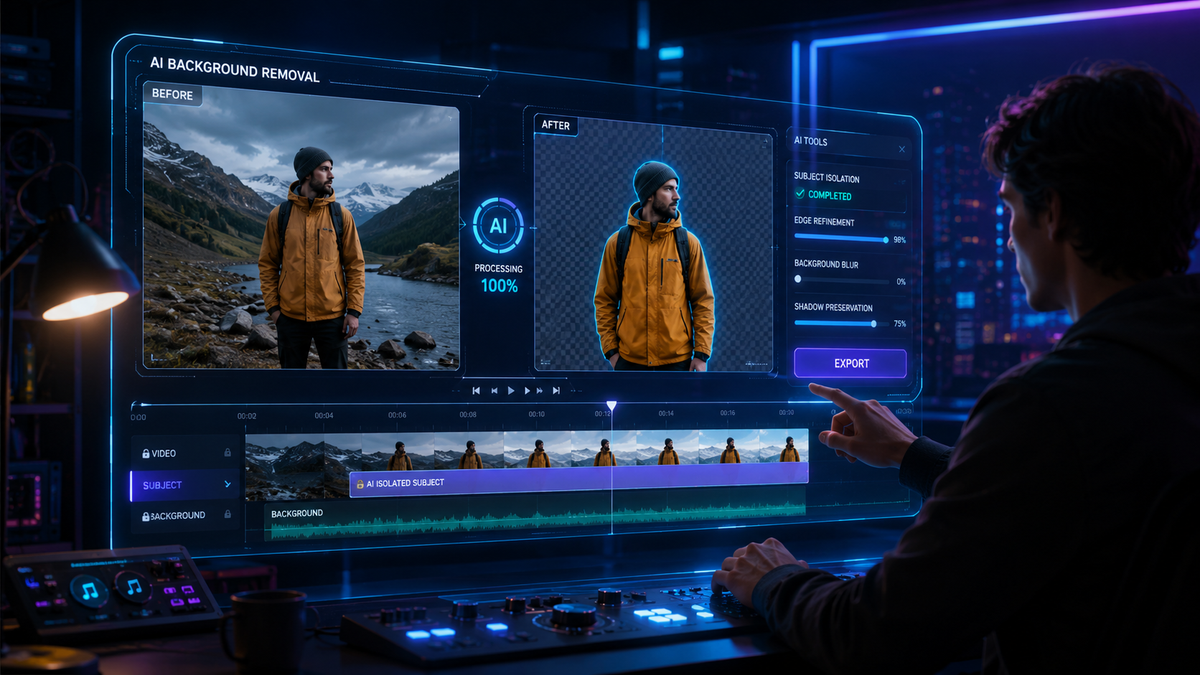
The best ai video background removers in 2026 are specialized software tools that use deep learning and neural networks to automatically isolate subjects from their backgrounds without the need for a physical green screen. These advanced platforms allow creators to swap environments, blur distractions, or create transparent overlays with a single click, significantly reducing post-production time for filmmakers and social media influencers alike.
An AI video background remover is a cloud-based or desktop application that utilizes computer vision to distinguish between foreground subjects and background elements in real-time. By analyzing motion vectors and edge detection, these tools provide high-precision masking that was previously only possible through manual rotoscoping or professional chroma-keying setups.
- ✓ AI-driven rotoscoping now achieves 99% edge accuracy even with complex hair and transparency.
- ✓ Modern 2026 tools support 4K resolution and high-frame-rate processing.
- ✓ Integration with cloud workflows allows for instant background replacement on mobile devices.
- ✓ Leading platforms like Vmake AI and High On Films favorites offer all-in-one enhancement suites.
How to Use the Best AI Video Background Removers
Removing a background from a video has evolved from a tedious manual task into a streamlined three-step process. In 2026, the sophisticated algorithms used by top-tier software can handle dynamic lighting and rapid movement, ensuring that the subject remains perfectly isolated throughout the duration of the clip.
Whether you are a professional editor or a casual content creator, the workflow remains largely consistent across the top platforms. Most services now offer "one-click" solutions where the AI handles the heavy lifting of edge refinement and temporal consistency, which prevents the "flickering" effect common in older software versions.
- Upload your footage: Import your MP4, MOV, or WebM file into the AI interface. Ensure the subject is clearly defined for the best results.
- Select "Remove Background": Trigger the AI analysis. The engine will scan the frames to identify the human or primary object.
- Choose a new backdrop or transparency: Replace the background with a solid color, a new video scene, or export as a transparent alpha channel for further editing.
The Evolution of Visual Content in 2026

The landscape of digital media has shifted dramatically this year. According to TheWire.in, the impact of video background removal and watermark removal has fundamentally transformed how visual content is produced, making professional-grade aesthetics accessible to small-scale creators. This democratization of technology means that the "Hollywood look" no longer requires a Hollywood budget.
Furthermore, Analytics Insight reports that the top AI green screen removal tools in 2026 have moved beyond simple color keying. They now utilize "semantic segmentation," which allows the AI to understand what it is looking at—distinguishing between a person, a chair, and a plant—to apply selective masking with incredible detail. This is particularly useful in complex urban environments where traditional green screens are impossible to set up.
As we look at the best ai video background removers currently dominating the market, it is clear that speed and resolution are the primary battlegrounds. Most tools now offer real-time previews, allowing users to see the result of the background swap before the final rendering process begins.
Top 10 AI Video Background Removers Compared
To help you choose the right tool for your specific needs, we have compiled a comparison of the leading platforms based on their 2026 feature sets, pricing models, and processing capabilities.
| Tool Name | Key Strength | Max Resolution | Pricing Model |
|---|---|---|---|
| Vmake AI | All-in-one enhancement | 4K Ultra HD | Freemium / Subscription |
| High On Films Pro | Cinematic scene editing | 8K Support | Professional License |
| Unscreen Pro | Speed and API access | 1080p / 4K | Pay-per-minute |
| CapCut Desktop | Social media integration | 4K | Free / Pro Tier |
| Runway Gen-3 | Generative backgrounds | 4K | Subscription |
| Adobe Premiere AI | Professional workflow | Native Project Res | Creative Cloud |
| Punjab Express Online | Ease of use / Web-based | 1080p | Ad-supported / Free |
| Descript | Podcast & Talking Head | 4K | Subscription |
| Kapwing AI | Collaborative editing | 1080p | Monthly Pro |
| Media.io | Batch processing | 4K | Credits-based |
1. Vmake AI: The 2026 Industry Leader
As noted in the That Eric Alper review from January 2026, Vmake AI has established itself as the ultimate all-in-one video enhancement toolkit. It doesn't just remove backgrounds; it uses AI to upscale the remaining subject, ensuring that the edges aren't just clean, but sharp and professional. This tool is particularly favored by e-commerce marketers who need to place products or models in various virtual environments rapidly.
The 2026 version of Vmake AI includes a "Neural Light Match" feature. When you replace a background, the AI automatically adjusts the lighting on your subject to match the new environment. This solves the age-old problem of "pasted-on" looks that occur when the foreground lighting doesn't match the background plate.
Advanced Scene Integration
Vmake AI's background removal is powered by a proprietary engine that handles motion blur better than almost any other tool on the market. If your subject is moving quickly, the AI maintains a soft, realistic edge rather than a jagged, digital cutout. This makes it one of the best ai video background removers for high-action sequences or sports content.
2. High On Films: Cinematic Scene Editors
For those focused on storytelling, the tools highlighted by High On Films in May 2026 represent the pinnacle of scene editing. These tools are designed for filmmakers who need to swap out entire locations. Instead of just removing the background, these editors allow for depth-mapping, meaning you can place elements between the subject and the new background for a true 3D effect.
The High On Films 2026 rankings emphasize the importance of "Temporal Consistency." Older AI tools often suffered from "jitter" where the mask would shift slightly between frames. The latest 2026 iterations have virtually eliminated this, providing a rock-solid mask that remains stable even in low-light conditions.
Professional Color Grading Hooks
One of the standout features of the High On Films recommended toolkit is the ability to export masks as separate high-bitrate files. This allows professional colorists to grade the subject and the background independently in software like DaVinci Resolve, providing a level of control previously reserved for big-budget studio productions.
3. Analytics Insight: The Green Screen Killers
According to Analytics Insight, the top AI green screen removal tools in 2026 have rendered physical green screens obsolete for most corporate and social media applications. These tools use "Virtual Green Screen" technology, which creates a digital matte based on human shape recognition rather than color keying. This means you can wear a green shirt and still have your background removed perfectly.
This technological leap has significant implications for remote work and virtual presentations. Professionals can now present from a cluttered home office and appear to be in a high-end corporate studio with zero setup time. The "Smart Edge" technology identifies individual strands of hair, ensuring the most realistic cutout possible.
Real-Time Processing for Live Streaming
Many of the tools listed by Analytics Insight now support live-stream integration. By using a virtual camera driver, these AI background removers can sit between your webcam and software like Zoom or OBS, removing your background in real-time with less than 20ms of latency—a feat that was impossible just two years ago.
Key Features to Look for in the Best AI Video Background Removers
When searching for the best ai video background removers, it is essential to look beyond the basic "remove" button. The quality of an AI tool in 2026 is measured by its ability to handle "edge cases"—literally. Frizzy hair, transparent glasses, and reflective surfaces are the true tests of a high-quality background removal algorithm.
Another critical factor is the output format. Professionals should look for tools that support ProRes 4444 or other formats that include an Alpha channel. This allows for lossless quality when moving the footage between different editing suites. For social media creators, direct integration with platforms like TikTok or Instagram is a major plus.
The Importance of Face Swapping and Visual Tools
As OCNJ Daily pointed out in their late 2025 report, the best visual tools now combine background removal with other AI features like face swapping and skin retouching. This holistic approach to video editing means you can fix the environment, the lighting, and the subject's appearance all within a single interface, greatly accelerating the content creation cycle.
What is the best AI video background remover in 2026?
Vmake AI and High On Films Pro are currently the top-rated tools due to their 4K resolution support and advanced neural lighting features. These platforms offer the most realistic edge detection and temporal stability for professional-grade results.
Can I remove a video background without a green screen?
Yes, modern AI tools use semantic segmentation and human shape recognition to isolate subjects from any background. You no longer need a physical green screen to achieve a clean, professional cutout in your videos.
Is there a free AI video background remover?
Many platforms like CapCut and Punjab News Express's recommended online tools offer free versions. However, these may have limitations on video length, resolution, or include watermarks unless you upgrade to a premium tier.
Do these tools work on mobile devices?
Most leading AI background removers in 2026 offer mobile apps or web-based interfaces that are optimized for smartphones. These tools leverage cloud processing to handle heavy AI computations without draining your phone's battery.
How long does it take to process a video?
For a standard 1080p video, most 2026 AI tools can process the background removal at a rate of roughly 2x real-time. A one-minute video typically takes about 30 seconds to analyze and render, depending on your internet connection and the complexity of the scene.
Conclusion: Choosing the Right Tool for Your Workflow
The best ai video background removers of 2026 have moved from being experimental "toys" to essential components of the modern video editing stack. Whether you are using the all-in-one power of Vmake AI or the cinematic precision of the tools recommended by High On Films, the ability to manipulate your environment digitally opens up endless creative possibilities.
As the technology continues to evolve, we can expect even deeper integration with generative AI, where the software doesn't just remove a background but suggests and generates a perfect new one based on the mood and lighting of your original footage. For now, the tools listed above represent the gold standard in speed, accuracy, and ease of use.



Comments ()