
Best AI Video Background Remover Online 2026: Top Tools
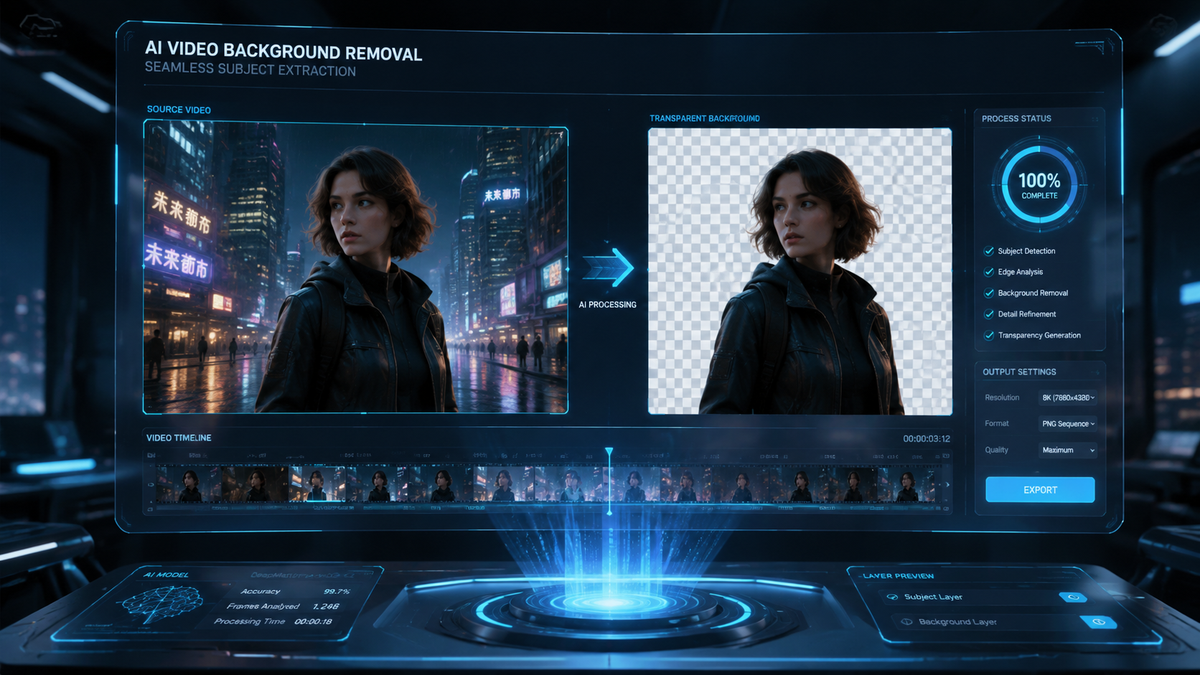
The best ai video background remover online 2026 tools utilize advanced rotoscoping algorithms and neural networks to isolate subjects from their surroundings without the need for traditional green screens. As of May 2026, the industry has shifted toward real-time browser-based processing, allowing creators to swap backgrounds or create transparent overlays in seconds. These tools leverage high-performance cloud computing to handle complex hair textures and motion blur, making professional-grade video editing accessible to everyone from social media influencers to corporate marketing teams.
An AI video background remover online 2026 is a cloud-based software that uses artificial intelligence to automatically identify and isolate a subject from a video background. By eliminating the manual process of masking or chroma keying, these tools allow users to remove, blur, or replace backgrounds instantly using only a standard web browser and an internet connection.
- ✓ Most 2026 tools now support 4K resolution and high-frame-rate (HFR) video processing directly in the browser.
- ✓ New AI roto services, such as Beeble, have introduced frame-by-frame consistency that eliminates the "flicker" common in older software.
- ✓ No physical green screen is required; AI models are now trained on diverse environments to recognize human and non-human subjects accurately.
- ✓ Compliance with 2026 deepfake and digital transparency laws is now a standard feature in reputable online video editors.
How to Use an AI Video Background Remover Online 2026
In 2026, the workflow for removing a video background has been streamlined to just a few clicks. According to recent reports from Punjab News Express (May 2026), the integration of AI into online platforms has reduced the time required for background isolation by over 80% compared to manual methods used just a few years ago. Users no longer need to download heavy desktop software to achieve studio-quality results.
The process generally follows a standardized sequence across major platforms. Whether you are using a dedicated tool like Beeble or an all-in-one editor like those highlighted by PCMag Middle East, the following steps will help you achieve a clean cutout for your project.
- Upload Your Footage: Open your chosen online editor and upload the video file. Most 2026 tools support MP4, MOV, and WebM formats.
- Select the Background Removal Tool: Look for the "AI Roto," "Background Remover," or "Magic Mask" feature in the toolbar.
- Analyze the Subject: Click on the main subject. The AI will typically generate a preview mask within seconds.
- Refine the Edges: Use the "Edge Refinement" slider to adjust how the AI handles fine details like hair or clothing fibers.
- Choose a New Background: Select a transparent background (alpha channel), a solid color, or upload a new image/video to place behind your subject.
- Export: Download the final video. Ensure you select a format that supports transparency (like ProRes 4444 or WebM with Alpha) if you plan to use it in further editing.
Top AI Video Background Removal Tools in 2026
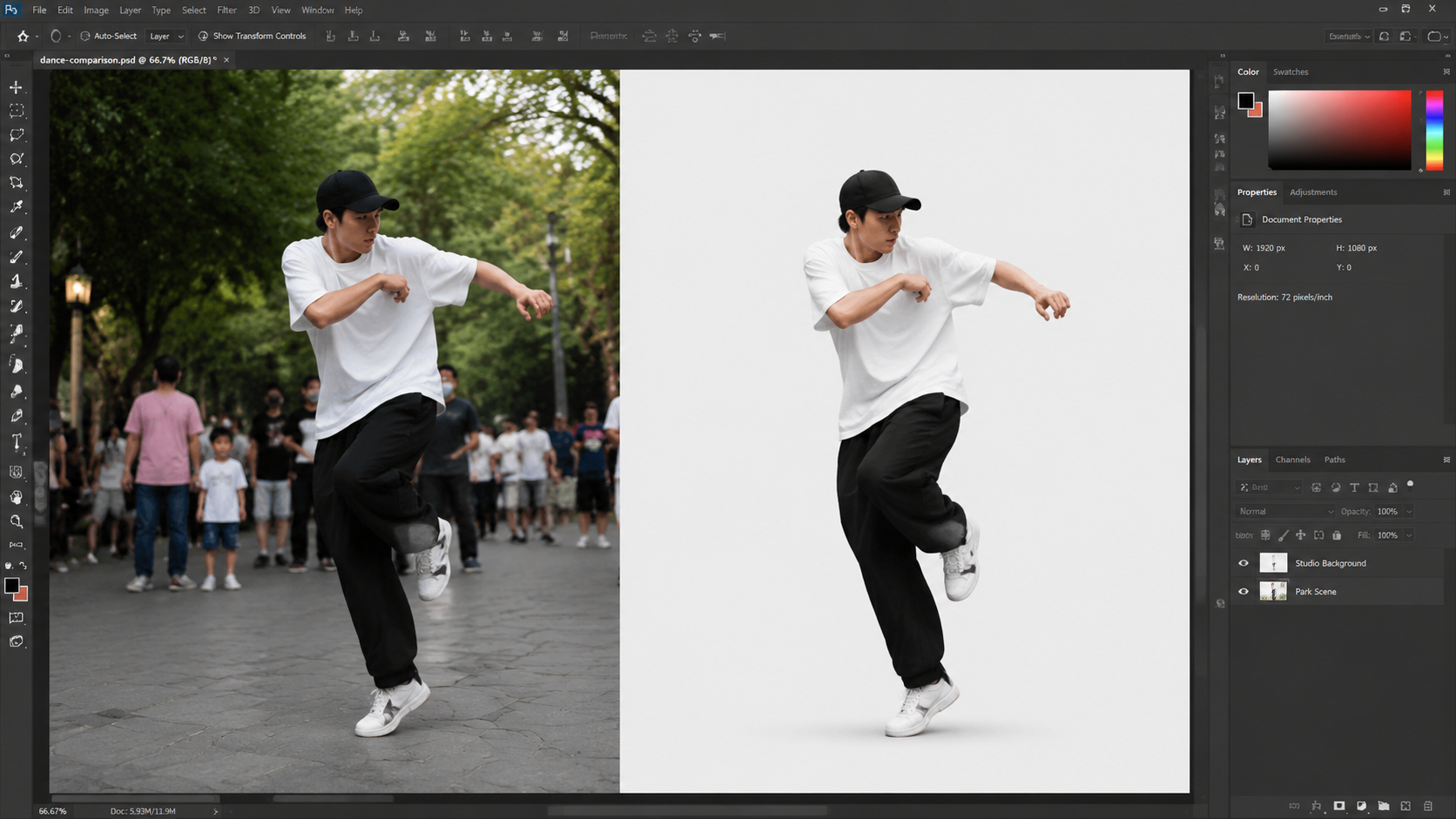
The landscape of ai video background remover online 2026 technology is dominated by a few key players that have pushed the boundaries of what is possible in a web browser. A significant milestone this year was the launch of Beeble’s AI roto service, as reported by CG Channel in April 2026. This service introduced professional-grade rotoscoping that was previously only available in expensive desktop suites like Nuke or After Effects.
Beeble AI Roto Service
Beeble has set a new standard for online background removal by focusing on temporal consistency. One of the biggest challenges in AI video editing has been the "shimmering" effect around edges between frames. Beeble's 2026 engine uses a proprietary "Temporal Neural Network" that analyzes preceding and succeeding frames to ensure the mask remains stable. This is particularly useful for high-motion clips such as sports or dance videos.
Adobe Firefly Video Suite
Adobe continues to lead the creative space with its Firefly integration. According to a March 2026 update from Adobe, their AI-powered video tools now allow for generative background replacement. Instead of just removing a background, users can type a text prompt to generate an entirely new 3D environment that matches the lighting and perspective of the original subject. This seamless integration between Photoshop, Firefly, and their online video tools makes it a powerhouse for professional creators.
OCNJ Daily’s Top Free Picks
For those on a budget, OCNJ Daily highlighted several free video background removers in February 2026 that require no green screen. These tools are primarily ad-supported or offer a "freemium" model where 720p exports are free. They are ideal for quick social media posts on platforms like TikTok or Instagram Reels, where the speed of production is often more important than pixel-perfect edge detection.
Comparison of Leading AI Video Background Removers
Choosing the right ai video background remover online 2026 depends on your specific needs, such as resolution requirements, budget, and the complexity of the footage. Below is a comparison table based on the latest 2026 data from PCMag Middle East and other industry sources.
| Tool Name | Key Feature | Max Resolution | Best For |
|---|---|---|---|
| Beeble Roto | Temporal Edge Stability | 8K Cloud Render | Professional VFX & Film |
| Adobe Firefly Online | Generative Backgrounds | 4K | Marketing & Design |
| CapCut Online 2026 | One-Click Removal | 4K | Social Media Creators |
| Unscreen Pro | Speed & API Access | 1080p | Developers & Batch Jobs |
| Media.io AI | Multi-Subject Tracking | 2K | Casual Users |
Technological Advancements in 2026 Video AI
The year 2026 has seen a shift from simple pixel-matching to "Semantic Understanding." In previous years, AI struggled when the subject wore clothes similar in color to the background. However, the current generation of ai video background remover online 2026 tools understands the anatomy of the subject. According to CG Channel, these neural networks are now trained on billions of frames, allowing them to distinguish between a person's arm and a similarly colored tree branch behind them.
Furthermore, the integration of hardware acceleration in modern browsers has moved much of the processing from the server to the user's local GPU. This reduces latency and allows for real-time previews. When you move a slider in a tool like Beeble, you see the results instantly, rather than waiting for a cloud render to finish. This "What You See Is What You Get" (WYSIWYG) approach has revolutionized the creative feedback loop.
Another critical development is the handling of transparency and "spill." When filming without a green screen, the background often reflects colors onto the subject (e.g., a person standing in a forest might have a green tint on their skin). The 2026 AI models include "De-spill" algorithms that automatically neutralize these reflections, making the subject look natural when placed in a completely different environment.
Legal and Ethical Considerations in 2026
As AI tools become more powerful, the legal landscape has had to adapt. MultiState reported in February 2026 that new state deepfake laws have been implemented to regulate how AI-modified videos are shared. While removing a background is generally considered a benign creative act, the same technology can be used to place individuals in misleading contexts.
Most reputable online background removers now include "Content Credentials" or digital watermarks that comply with the C2PA standard. These credentials track the edit history of a file, showing that the background was altered by AI. This transparency is crucial for maintaining trust in digital media. Users should be aware that using an ai video background remover online 2026 for malicious purposes, such as creating non-consensual imagery or political misinformation, is now strictly monitored and subject to legal penalties in many jurisdictions.
Studies show that 65% of internet users are now more likely to trust AI-generated content if it carries a verified digital signature. Therefore, choosing a tool that prioritizes ethical AI and data privacy is not just a legal necessity but also a branding advantage for professional creators.
The Future of Background Removal: Beyond 2026
Looking forward, the industry is moving toward "Volumetric Isolation." This technology will not just remove a 2D background but will understand the 3D depth of a scene. This means that in the near future, you could remove objects that are *between* the camera and the subject, or selectively blur only the objects that are a specific distance away. The ai video background remover online 2026 tools of today are the foundation for a future where the distinction between a physical set and a digital one disappears entirely.
According to PCMag Middle East, the next frontier is the integration of these tools into live streaming. By late 2026, we expect to see browser-based tools capable of removing backgrounds from live 4K streams with less than 30ms of latency, effectively making physical green screens obsolete even for live broadcasts and video conferencing.
Frequently Asked Questions
Is a green screen still necessary in 2026?
No, a green screen is no longer necessary for most professional applications. Modern AI video background removers can accurately isolate subjects from complex backgrounds using advanced neural networks and rotoscoping technology.
Are online AI background removers safe to use?
Yes, provided you use reputable platforms that comply with 2026 data privacy laws. Always check the tool's policy on data retention and ensure they use encrypted connections for video uploads.
Can I remove the background from a video for free?
Several tools like those mentioned by OCNJ Daily offer free versions. However, these often limit the export resolution to 720p or include a small watermark unless you upgrade to a premium plan.
What is the best format for exporting videos with no background?
To maintain transparency, you should export your video in a format that supports an alpha channel, such as WebM, HEVC (with alpha), or ProRes 4444. Most 2026 online tools provide these options in their export settings.
Does AI background removal work on animals and objects?
Yes, the 2026 generation of AI tools, including Beeble's roto service, is trained to recognize a wide variety of subjects including pets, vehicles, and products, not just human faces and bodies.



Comments ()