
Best AI Color Grading for Video: 2026 Professional Guide
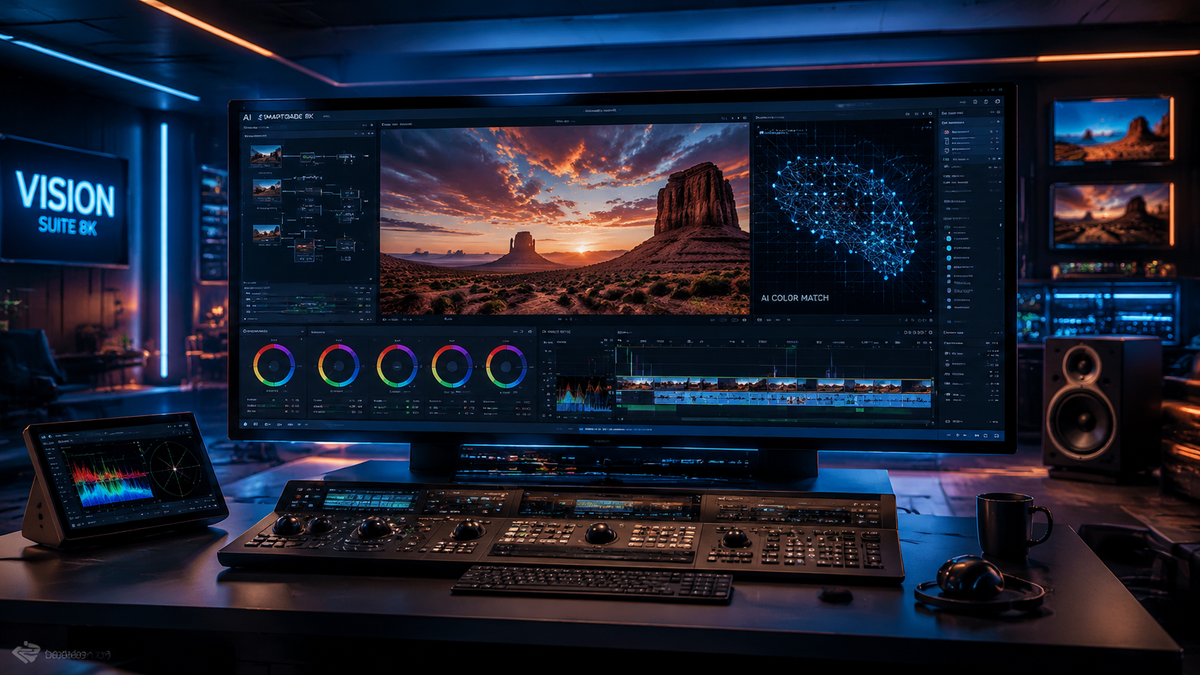
The best AI color grading for video in 2026 involves using neural networks to perform frame-by-frame color correction that adapts to lighting changes, skin tones, and creative intent automatically. Modern tools like Imagen Video and advanced plugins for DaVinci Resolve now allow editors to achieve professional-grade cinematic looks in a fraction of the time previously required for manual grading. By leveraging machine learning models trained on millions of professionally graded frames, these AI solutions ensure consistency across entire timelines regardless of shifting exposure or white balance.
The best AI color grading for video is currently defined by "Adaptable AI" technology, which performs frame-by-frame analysis to maintain visual consistency. Leading solutions in 2026, such as Imagen Video and integrated AI engines in major NLEs, provide automated color correction, skin tone protection, and shot matching that reduces post-production time by up to 80%.
- ✓ Adaptive Analysis: Modern AI tools now analyze video frame-by-frame rather than applying a static LUT.
- ✓ Time Efficiency: Professional editors report significant reductions in manual grading labor using AI-powered hacks.
- ✓ Imagen Video Dominance: The 2026 release of Imagen Video has set a new standard for professional-grade adaptive grading.
- ✓ Accessibility: High-end color science is now available to independent creators through free beta access and subscription models.
How to Implement the Best AI Color Grading for Video
Transitioning to an AI-driven workflow requires a shift from traditional global adjustments to an adaptive mindset. In 2026, the workflow is less about moving sliders and more about defining a "look" that the AI then intelligently propagates across your footage. This process ensures that even if a subject moves from direct sunlight into a shadow, the AI compensates for the change in color temperature and exposure dynamically.
According to The AI Journal (March 2026), AI tools are revolutionizing video production from concept to final cut, with color grading being the area of highest efficiency gains. To get started with the latest technology, follow these essential steps to optimize your footage using the best AI color grading for video techniques available today.
- Import and Organize: Bring your raw or log footage into your NLE (Non-Linear Editor) and ensure your color space transform is correctly set.
- Select Your AI Model: Choose an adaptive tool like Imagen Video or a built-in neural engine that supports frame-by-frame correction.
- Define the Reference: Select a "hero frame" and apply your desired grade or use a text-to-color prompt to generate a look.
- Enable Adaptive Tracking: Allow the AI to analyze the clip to account for lighting shifts and movement throughout the duration.
- Refine Skin Tones: Use AI-powered masks to isolate subjects and ensure natural skin tones are preserved during the grading process.
- Export and Review: Render a preview to ensure the AI has maintained consistency across high-motion sequences.
The Evolution of Adaptive AI Color Grading in 2026
The landscape of video post-production has shifted dramatically over the past year. As reported by CineD in late 2025, the introduction of Adaptable AI Color Grading marked the end of the "static LUT" era. Previously, editors applied a Look-Up Table that remained constant, often leading to "broken" grades when the lighting changed within a shot. In 2026, the industry has moved toward "dynamic intelligence" where the grade breathes with the footage.
Imagen Video and Frame-by-Frame Correction
A major milestone was reached when PetaPixel confirmed that Imagen now works on video with AI-powered frame-by-frame color correction. This technology doesn't just look at the first frame; it analyzes every single frame to ensure that the color metadata is optimized for the specific visual data present at that millisecond. This is particularly crucial for documentary and event videographers who cannot control their lighting environments.
The Rise of Professional AI Plugins
Beyond standalone software, the integration of AI into existing ecosystems has accelerated. According to ephotozine.com (April 2026), Imagen Video has officially brought adaptive AI color grading to professional video editors through deep integration with industry-standard platforms. This allows editors to stay within their familiar timeline while leveraging cloud-based neural networks to process complex color science tasks that would otherwise require a dedicated colorist.
Comparing the Best AI Color Grading Tools for Video
Choosing the right tool depends on your specific needs—whether you are a high-end commercial editor or a social media content creator. The current market is divided between comprehensive suites and specialized AI plugins that focus on speed and accuracy. Below is a comparison of the top-performing technologies as of mid-2026.
| Feature | Imagen Video (2026) | Standard NLE AI Engines | Specialized AI Plugins |
|---|---|---|---|
| Processing Method | Adaptive Frame-by-Frame | Scene-Based Analysis | Shot-to-Shot Matching |
| Speed | Ultra-Fast (Cloud-Based) | Hardware Dependent | Real-time (Localized) |
| User Control | High (Custom Profiles) | Moderate (Sliders) | Low (Preset Focused) |
| Best For | Professional Productions | General Content Creation | Fast Turnaround Social Media |
| Latest Update | April 2026 Release | May 2026 (PCMag Review) | Continuous Beta Updates |
Top Video Editing Hacks Using AI in 2026
Efficiency is the primary driver for the adoption of AI in the edit suite. Geek Vibes Nation highlighted several "AI Hacks" in April 2026 that have become standard practice for top-tier editors. One of the most significant hacks is the use of AI to automatically match cameras from different manufacturers. In the past, matching a Sony camera with a Canon or Arri required hours of manual labor; today, AI shot-matching tools analyze the sensor data and color science to create a seamless match in seconds.
Automated Scene Detection and Grading
Another breakthrough is the ability of AI to detect scene changes and apply different grading profiles automatically. Instead of an editor manually cutting the clip and applying grades to each segment, the best AI color grading for video software recognizes the change in environment and adjusts the parameters to maintain the narrative mood without manual intervention.
Real-Time Collaborative AI Grading
With the rise of remote work, cloud-based AI grading has enabled real-time collaboration. Teams can now upload raw footage to a central AI server, apply a unified "brand grade," and have the processed proxies available for editors globally within minutes. This centralized "AI Brain" ensures that every piece of content produced by a company maintains a consistent visual identity, regardless of who is performing the edit.
Evaluating the Best AI Color Grading for Video Software
When searching for the best tool, it is essential to look at the latest benchmarks. PCMag released its definitive guide to the best video editing software for 2026 in May, noting that AI capabilities are now the primary metric for ranking software. Tools that lack robust neural engines are quickly falling behind in the professional market. The evaluation criteria now include the accuracy of AI skin tone preservation and the ability to handle high-dynamic-range (HDR) footage without introducing artifacts.
The Importance of Skin Tone Protection
One of the biggest challenges in automated grading has always been the "uncanny valley" of skin tones. AI models in 2026 use sophisticated semantic segmentation to identify human subjects and apply a protected mask. This ensures that while the background might be pushed toward a heavy "teal and orange" look, the subject's skin remains natural and healthy. This level of precision was previously only possible through tedious manual rotoscoping.
HDR and Deep Color Depth Handling
As 8K and 12-bit workflows become more common, the best AI color grading for video must be able to handle massive amounts of data. Modern AI models are now trained specifically on 16-bit float data, allowing them to make adjustments in the "highlights" and "shadows" that are invisible to the naked eye but essential for a professional finish. This depth of processing ensures that the final output remains broadcast-ready and free of banding or noise.
The Future of AI in Video Production
As we look toward the latter half of 2026 and into 2027, the line between "editing" and "generating" continues to blur. AI is no longer just a tool for fixing mistakes; it is a creative partner. We are seeing the emergence of "Generative Color," where an editor can describe a mood—such as "noir-inspired with a hint of 1970s film grain"—and the AI will construct a complex node tree to achieve that exact aesthetic.
Studies show that the adoption of these tools has not replaced colorists but has instead shifted their role toward high-level creative direction. By automating the technical "grunt work" of matching shots and balancing exposures, AI allows professionals to focus on the emotional impact of color. The democratization of these tools also means that small creators now have access to the same visual polish once reserved for Hollywood studios.
What is the best AI color grading for video in 2026?
The best AI color grading is currently found in Imagen Video and the latest updates to professional NLEs, which offer adaptive, frame-by-frame color correction. These tools provide the most consistent results by analyzing lighting changes dynamically throughout a clip.
Is there a free AI color grading tool available?
Yes, as of December 2025 and into 2026, Imagen AI has introduced free beta access for its adaptable AI color grading features. Many other professional tools also offer trial versions to test their neural engine capabilities.
How does AI color grading differ from a LUT?
A LUT (Look-Up Table) is a static mathematical formula applied to the whole video, whereas AI color grading is adaptive. AI analyzes the specific content of every frame, adjusting for exposure, skin tones, and lighting shifts in real-time.
Can AI color grading match different cameras?
Yes, one of the top AI video editing hacks in 2026 is using AI to automatically match footage from different sensors. The AI identifies the color characteristics of each camera and aligns them to a single unified look perfectly.
Does AI color grading work on 4K and 8K video?
Modern AI color grading tools are optimized for high-resolution workflows, including 4K and 8K. Most professional-grade AI solutions use cloud processing or GPU acceleration to handle the heavy computational load of high-resolution video.



Comments ()