
Automated Video Editing Using Artificial Intelligence in 2026
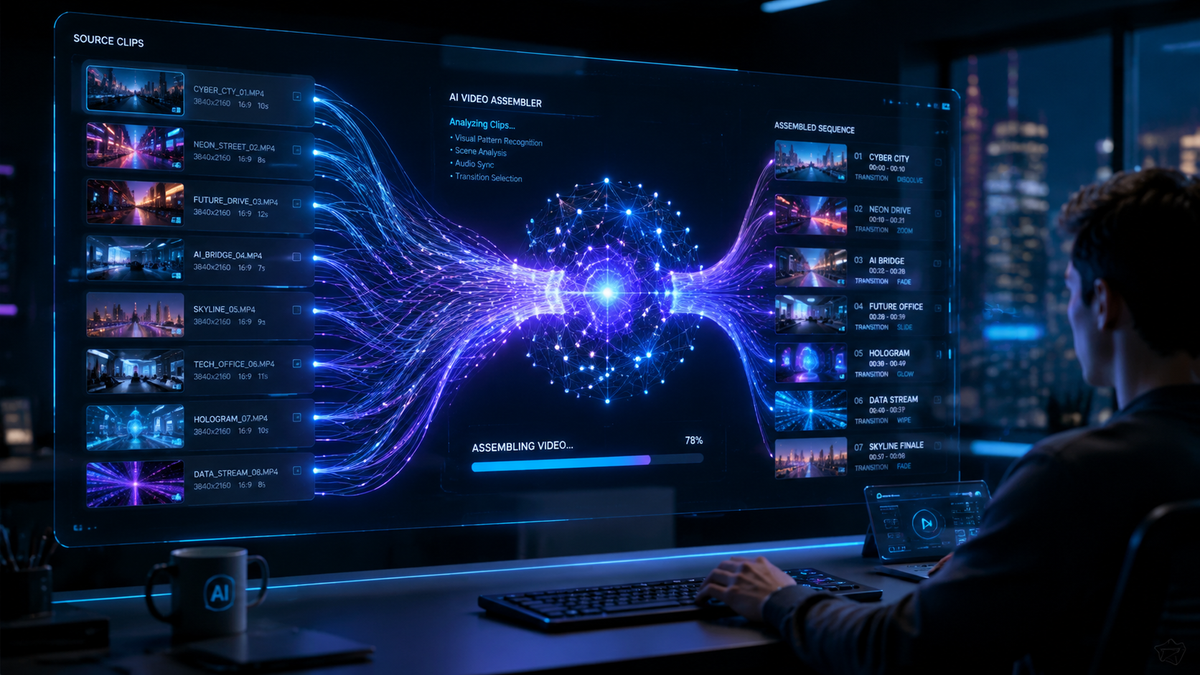
Automated video editing using artificial intelligence is the process of utilizing machine learning algorithms and generative models to handle the assembly, color grading, audio synchronization, and visual effects of video content without manual frame-by-frame intervention. In 2026, this technology has evolved from simple template-based tools into sophisticated autonomous systems capable of understanding narrative context and emotional pacing. By leveraging automated video editing using artificial intelligence, creators can now transform raw footage or text prompts into polished, professional-grade cinematic experiences in a fraction of the time previously required.
Automated video editing using artificial intelligence is an advanced production workflow where AI models analyze raw media to perform tasks like scene detection, "talking photo" animation, and Web3 content scaling. In 2026, these tools allow beginners and professionals alike to generate high-fidelity visual content through natural language prompts and automated "AI Video Cut" features that identify the best moments in any recording.
- ✓ AI-driven "talking photos" and free video generators have democratized high-end visual production for small businesses.
- ✓ Automated workflows are now essential for scaling Web3 and decentralized media content to meet global demand.
- ✓ New "AI Video Cut" technologies allow for instant highlights and social media formatting with zero manual trimming.
- ✓ The barrier to entry for video creation has vanished, as 2026 tools prioritize natural language interfaces over complex timelines.
The landscape of digital media has undergone a seismic shift as we move through 2026. The integration of generative AI into the video editing suite is no longer a luxury for high-budget studios; it is a fundamental requirement for anyone looking to maintain a presence in the fast-paced creator economy. According to PC Tech Magazine, the rise of free AI video generators and AI talking photo technology has enabled millions of users to create stunning visual content that was previously impossible without a dedicated production team. This accessibility is driving a new era of personalized communication and brand storytelling.
The Evolution of Automated Video Editing Using Artificial Intelligence
In 2026, the primary focus of video technology has shifted from manual manipulation to intent-based creation. Automated video editing using artificial intelligence now involves deep semantic understanding. Instead of a human editor spending hours scouring through "B-roll" footage, the AI identifies the most relevant clips based on the script's sentiment and the desired emotional impact. This shift has been particularly beneficial for Web3 creators who need to produce high volumes of content to engage decentralized communities across various platforms.
The technical sophistication of these tools has reached a point where "AI Video Cut" features, as highlighted by Perfect Corp, allow for the easiest video creation process in history. These systems use gaze tracking and audio analysis to determine which parts of a video are most engaging, automatically discarding "dead air" and filler words. This level of automation ensures that the final product is lean, engaging, and optimized for the specific algorithms of modern social media platforms.
Step-by-Step: How to Use Automated AI Editing in 2026
- Upload or Prompt: Start by uploading your raw footage to an AI-enabled platform or provide a detailed text prompt describing the scene you wish to generate.
- Select Style and Platform: Choose the target platform (e.g., decentralized social apps, VR environments, or traditional widescreen) to let the AI determine the optimal aspect ratio and pacing.
- Apply AI Talking Photo Features: If using a static image, apply AI "talking photo" modules to animate the subject with realistic lip-syncing and micro-expressions based on your audio track.
- Run "AI Video Cut": Initiate the automated trimming process where the AI identifies key highlights and removes redundant frames.
- Review and Refine: Use natural language commands (e.g., "Make the lighting more cinematic" or "Add upbeat music") to finalize the edit before exporting in 8K resolution.
Scaling Content for the Web3 Era
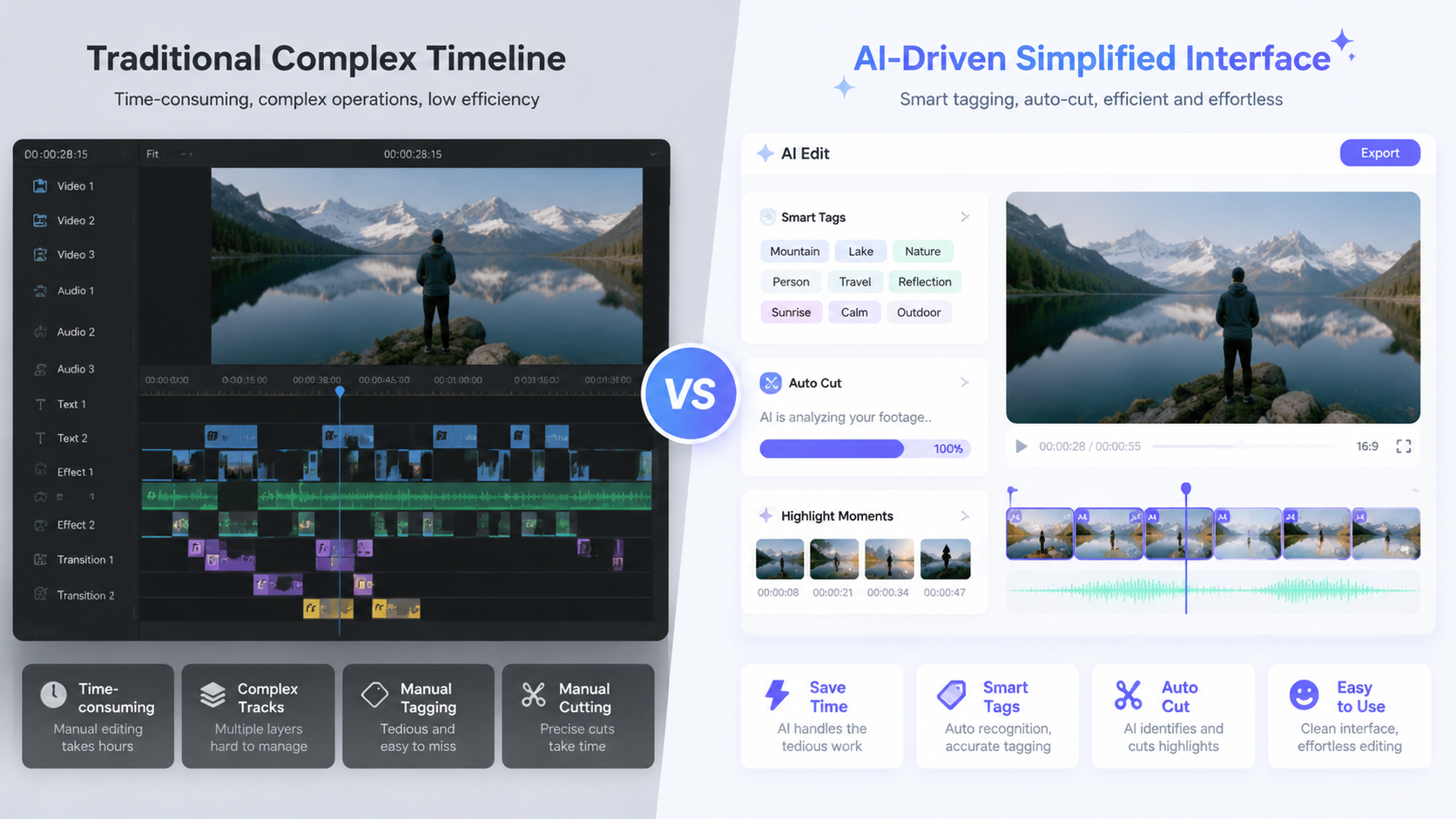
As the internet evolves toward decentralized structures, the demand for content has skyrocketed. According to Quasa.io, creators are increasingly using automated video creation AI to scale Web3 content in 2026. This is not just about quantity; it is about localization and personalization. AI tools can now take a single video and automatically generate hundreds of variations, each tailored to different cultural contexts, languages, and niche community interests within the Web3 ecosystem.
This scaling capability is supported by the integration of blockchain-based attribution, ensuring that AI-generated or AI-edited videos maintain a clear chain of provenance. For creators, this means they can produce a month's worth of content in a single afternoon. The automation handles the tedious aspects of versioning—changing background music, adjusting color grades for different moods, and inserting relevant localized metadata—allowing the creator to focus on the core strategy and community engagement.
Comparison of AI Video Editing Features in 2026
| Feature Category | Traditional Editing (Pre-2026) | AI-Automated Editing (2026) |
|---|---|---|
| Trimming & Cutting | Manual timeline manipulation | "AI Video Cut" (Autonomous scene detection) |
| Character Animation | Keyframing and Rigging | AI Talking Photo & Generative Motion |
| Content Scaling | One-by-one manual export | Batch generation for Web3 & Social platforms |
| User Interface | Complex buttons and layers | Natural Language Processing (NLP) prompts |
| Turnaround Time | Hours to Days | Seconds to Minutes |
Top Hacks for Automated Video Editing Using Artificial Intelligence
For those looking to maximize their output, Geek Vibes Nation has identified several "editing hacks" that are trending in 2026. One of the most effective techniques is the use of "AI Style Transfer," which allows a creator to take the visual aesthetic of a famous film or art style and apply it instantly to their raw smartphone footage. This hack enables indie creators to achieve a "Hollywood look" without the need for expensive lighting rigs or high-end cameras.
Another popular hack involves the use of AI-generated "Talking Photos" to create virtual influencers or digital twins. By combining a high-quality headshot with an AI-generated voiceover, creators can produce video updates and educational content without ever having to step in front of a camera. This has become a preferred method for shy creators or those who wish to maintain a level of privacy while still building a personal brand in the 2026 digital landscape.
Best Practices for AI Video Generation
- Use High-Quality Prompts: The quality of automated video editing using artificial intelligence is directly tied to the specificity of your instructions.
- Leverage Free AI Generators: Start with free tools as recommended by Tech Times to understand the basic logic of generative video before moving to paid enterprise solutions.
- Monitor for Authenticity: While AI does the heavy lifting, ensure the final edit retains the "human touch" that resonates with audiences.
The Impact of AI on Beginner Video Creation
In 2026, the learning curve for video production has been virtually eliminated. Tech Times recently ranked the top 3 AI video generators for beginners, noting that the intuitive nature of these platforms allows someone with zero technical background to produce a viral-ready video in minutes. These tools use "predictive editing," where the AI suggests the next logical cut or transition based on successful trends currently circulating on global networks.
G2 Learn Hub has also weighed in, highlighting seven AI video generators that have become favorites for their ease of use and creative flexibility. These platforms often include "one-click" solutions for complex tasks like background removal, object tracking, and atmospheric effects. For a beginner, this means that the focus is no longer on *how* to edit, but *what* to create. The democratization of these tools has led to a surge in diverse voices and stories being told through the medium of video.
Future Outlook: Beyond 2026
While we are currently enjoying the peak of automated video editing using artificial intelligence in 2026, the technology is still advancing. We are seeing the early stages of "Real-time Generative Editing," where video streams are edited and enhanced live as they are being broadcast. This will have massive implications for live sports, news, and interactive gaming, where the viewer's preferences could dictate the camera angles and narrative focus in real-time.
According to research from industry leaders, the next step is the full integration of haptic feedback and spatial audio within the automated editing process. This will allow for the creation of immersive VR and AR content that is not just seen and heard, but "felt." As AI models become more efficient, the cost of producing these high-fidelity experiences will continue to drop, making 2026 just the beginning of a long-term revolution in how humanity consumes and creates visual media.
What is the best tool for automated video editing using artificial intelligence in 2026?
The "best" tool depends on your needs, but industry leaders currently point to platforms offering "AI Video Cut" for quick social media edits and specialized generators for Web3 content scaling as the top choices for professionals and beginners alike.
Can AI really create a video from just a photo?
Yes, in 2026, "AI Talking Photo" technology allows you to animate static images with realistic facial movements and speech, making it a popular choice for creators who want to generate content without filming new footage.
Is automated video editing expensive?
Not necessarily. Many platforms offer free AI video generators that provide robust features for beginners, while more advanced, high-volume scaling tools are available through subscription models for professional creators and businesses.
How does AI Video Cut work?
AI Video Cut uses machine learning to scan your footage for highlights, emotional peaks, and clear audio, automatically trimming away unnecessary parts to create a concise and engaging final video.
Does AI-edited video look professional?
Absolutely. By 2026, AI tools have mastered color grading, sound design, and cinematic pacing, often producing results that are indistinguishable from those created by human editors with years of experience.



Comments ()