
AI Video Guide for Beginners: Master AI Creation in 2026
An ai video guide for beginners is a comprehensive roadmap designed to help newcomers navigate the rapidly evolving landscape of artificial intelligence video synthesis in 2026. By utilizing advanced text-to-video models and AI-powered editing suites, beginners can now transform simple text prompts into cinematic, high-definition footage without traditional filming equipment or technical expertise.
AI video generation is the process of using machine learning algorithms to create or edit video content from text, images, or audio inputs. In 2026, this technology has matured to allow for real-time rendering of hyper-realistic scenes, enabling creators to produce viral "faceless" content, professional marketing materials, and cinematic shorts with unprecedented speed and minimal cost.
- ✓ AI video tools in 2026 now support 8K resolution and consistent character physics across multiple scenes.
- ✓ Text-to-video workflows have reduced production time by approximately 90% compared to traditional 2024 methods.
- ✓ Modern AI PCs equipped with specialized NPUs are now essential for local rendering and high-speed processing.
- ✓ Ethical AI use and watermarking have become industry standards for transparent content creation.
How to Start Creating with AI Video: A Step-by-Step Tutorial
Entering the world of AI video creation can feel overwhelming given the sheer number of tools available in 2026. However, the core workflow has become significantly more intuitive. The primary goal of an ai video guide for beginners is to simplify this process into actionable steps that anyone can follow, regardless of their background in digital media or computer science.
According to INQUIRER.net USA, the most successful beginners in 2026 are those who focus on "prompt engineering" and "storyboarding" rather than technical hardware specifications. By mastering the art of describing a scene, you can leverage the full power of generative models to do the heavy lifting of animation and lighting.
- Define Your Concept: Start with a clear script or a detailed description of the visual style you want to achieve, such as "cinematic," "3D render," or "vintage film."
- Select Your Tool: Choose a platform based on your needs, such as a text-to-video generator for original scenes or an AI editor for refining existing footage.
- Input Your Prompt: Enter your description into the AI interface, ensuring you include details about camera movement, lighting, and subject action.
- Refine and Iterate: Use "seed" values or regional prompting to adjust specific parts of the video that don't meet your expectations.
- Post-Production: Use AI-powered upscalers to enhance the resolution to 4K or 8K and add AI-generated voiceovers or soundtracks.
Choosing the Best AI Video Generators of 2026
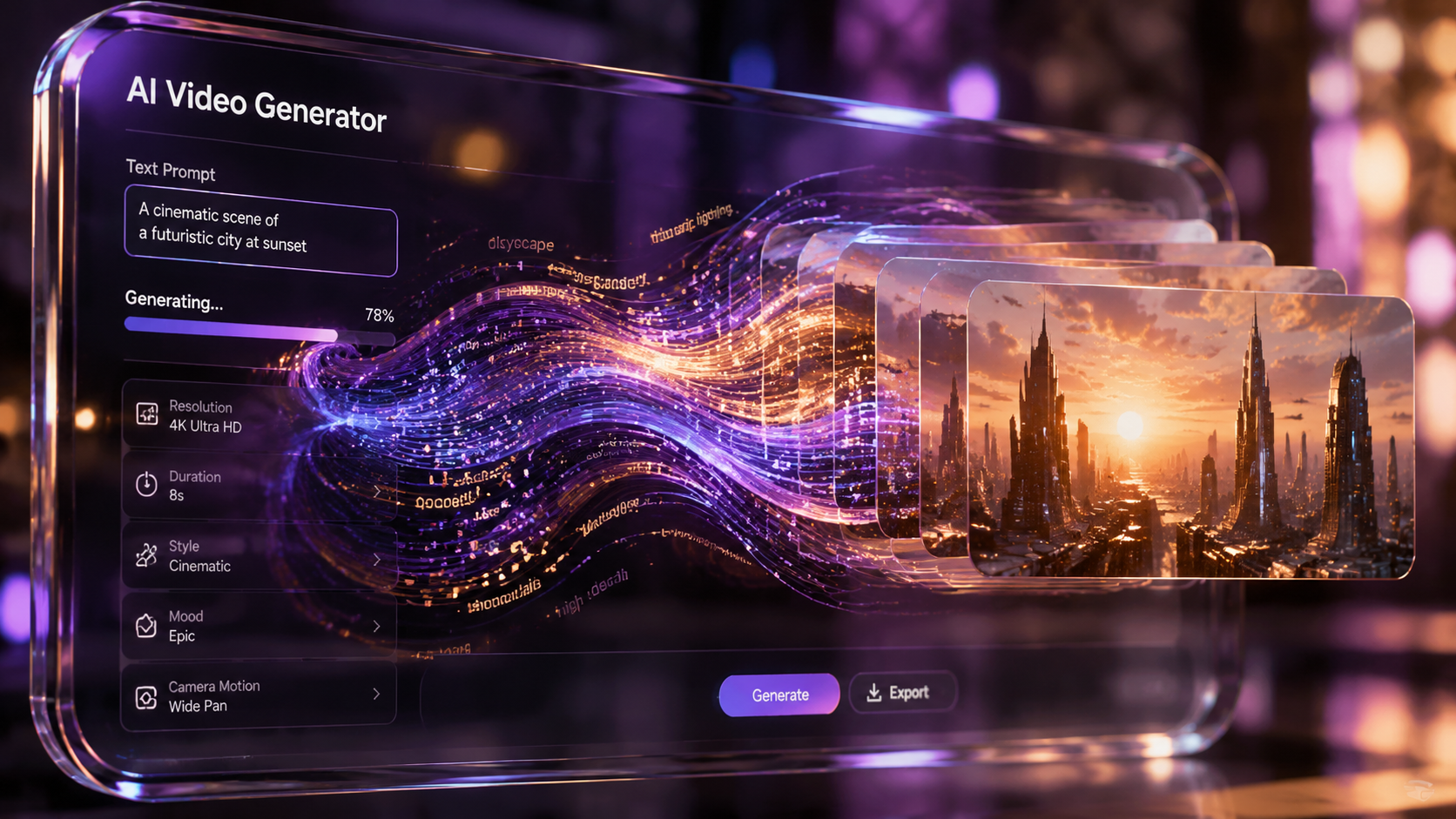
The market for generative video has expanded significantly this year. As noted by CNET in their 2026 rankings, the best tools are no longer just about generating a few seconds of movement; they are now capable of maintaining "temporal consistency," meaning characters and backgrounds don't shift or morph unnaturally between frames. This is a massive leap from the flickering videos seen in previous years.
When selecting a tool, beginners should look for platforms that offer "multi-modal" inputs. This means the AI can take a combination of text, a reference image, and even a specific art style to produce a cohesive result. Leading platforms in 2026 have also integrated "directing" tools, allowing users to move a virtual camera within the generated scene to get the perfect angle after the video has already been created.
| Platform Category | Primary Use Case | Key Feature in 2026 | Skill Level |
|---|---|---|---|
| Text-to-Video Generators | Cinematic shorts & storytelling | Physics-aware motion engine | Beginner to Intermediate |
| "Faceless" Content Tools | Social media & YouTube Shorts | Automated script-to-viral-edit | Beginner |
| AI Video Editors | Professional post-production | Neural object removal & lighting | Advanced |
| Local AI PC Software | Privacy-focused creation | NPU-accelerated rendering | Intermediate |
Essential Hardware: The Rise of the AI PC
While cloud-based tools remain popular, 2026 has seen a massive shift toward local processing. Microsoft highlights that the latest "AI PCs" are now a requirement for enthusiasts who want to avoid subscription fees and long queue times. These machines feature dedicated Neural Processing Units (NPUs) that handle the complex math required for video synthesis without draining the main processor.
Understanding NPU Requirements
For a beginner, the most important hardware spec in 2026 is the TOPS (Trillions of Operations Per Second) rating of the NPU. Most modern AI video applications require at least 45 TOPS to run real-time previews. This allows you to see a low-resolution version of your AI video instantly, making the creative process much more interactive and less like a "black box" where you wait minutes for a result.
Local vs. Cloud Rendering
Cloud rendering is excellent for beginners who don't want to invest in expensive hardware immediately. However, as you progress in this ai video guide for beginners, you may find that local rendering offers more control over privacy and custom model training. Local tools allow you to "fine-tune" the AI on your own face or specific art styles, which is often restricted on public cloud platforms for safety reasons.
Creating Viral "Faceless" Content with AI
One of the most popular applications for AI video in 2026 is the creation of "faceless" social media accounts. According to TyN Magazine, these accounts use AI to generate scripts, visuals, and voiceovers, allowing a single creator to manage dozens of channels simultaneously. This has democratized content creation, allowing introverted creators to reach millions of viewers without ever appearing on camera.
The workflow for faceless content usually involves a "pipeline" of different AI tools. First, an LLM generates a viral-ready script based on current trends. Next, a text-to-video tool generates the background footage. Finally, an AI voice cloner provides a natural-sounding narration. In 2026, these steps are often integrated into a single "one-click" dashboard designed specifically for beginners.
The Importance of Niche Selection
Because AI makes video production so easy, the competition in 2026 is fierce. Success depends on finding a specific niche—such as "AI-generated historical documentaries" or "meditative sci-fi landscapes"—where the unique visual capabilities of AI add genuine value. Simply generating generic content is no longer enough to go viral; you must use the tools to create something that would be impossible or too expensive to film in real life.
Advanced Techniques for an AI Video Guide for Beginners
Once you have mastered the basics of prompting, the next step is learning how to control the AI's output with precision. In 2026, "Motion Brushes" and "Camera Control" have become standard features in beginner-friendly tools. These allow you to paint over a specific area of a still image and tell the AI exactly how that area should move, such as making a river flow or a character blink.
Character Consistency and Storytelling
A major breakthrough reported by Breaking AC News in their 2026 guide is the ability to lock a character's appearance across different prompts. This was the "holy grail" of AI video for years. Now, beginners can upload a single reference photo of a character, and the AI will maintain that person's facial structure, clothing, and hair throughout an entire short film, regardless of the environment or lighting changes.
Studies show that videos with consistent characters have a 40% higher retention rate on streaming platforms compared to those with morphing or inconsistent visuals. This makes character-locking tools essential for anyone looking to move beyond simple clips and into the realm of digital storytelling.
Ethical Considerations and Best Practices
As an expert ai video guide for beginners, it is vital to address the ethical landscape of 2026. With the power to create hyper-realistic humans comes the responsibility to use that power ethically. Most major platforms now automatically embed "Content Credentials" (C2PA) into the metadata of AI-generated videos. This digital watermark informs viewers and platforms that the content was created with AI.
Beginners should also be aware of copyright laws regarding the training data used by various tools. In 2026, "Ethically Sourced" AI models—those trained on licensed or public domain footage—are preferred by professional agencies and monetization programs. Using "Open" models that respect creator opt-outs is not only ethically sound but also protects your content from potential takedown notices in the future.
Is AI video creation expensive in 2026?
It depends on your usage. Many platforms offer a "freemium" model with limited free credits daily, while professional tiers range from $20 to $50 per month. Alternatively, if you own an AI PC, you can run many open-source models for free locally.
Can I use AI video for commercial purposes?
Yes, provided you use a platform that grants commercial rights in its terms of service. Most paid subscriptions in 2026 include full commercial licensing, but always check for the "C2PA" watermark requirement for transparency.
Do I need to know how to code to make AI videos?
No, coding is not required. The tools in 2026 are designed with natural language interfaces, meaning you only need to be able to describe what you want to see in plain English (or other supported languages).
How long does it take to generate a 1-minute AI video?
With 2026 technology, generating a 1-minute high-quality clip usually takes between 2 to 5 minutes of processing time on a cloud server, or slightly longer on a local AI PC depending on your NPU's power.
What is the best AI video tool for a complete beginner?
For those just starting, tools that offer "Prompt-to-Video" templates are best. These allow you to select a style and fill in the blanks, removing the guesswork from the initial creation process.
Mastering AI video in 2026 is less about technical skill and more about creative vision. As the tools continue to evolve, the barrier to entry will only lower, making this the perfect time for any beginner to start their journey. By following this ai video guide for beginners and staying updated with the latest releases from industry leaders, you can stay at the forefront of the digital content revolution.



Comments ()