
AI Video Generator for Beginners Guide (2026): Easy Start
An AI video generator for beginners guide helps newcomers understand how to use artificial intelligence to create professional-quality videos without technical expertise. These tools automate scriptwriting, scene generation, and editing, making video production accessible to anyone. In 2026, platforms like Google Flow and Grok Imagine offer intuitive interfaces, while Digen AI Agent provides advanced automation for consistent character generation.
TL;DR: This guide explains how beginners can use AI video generators in 2026, covering top tools like Google Flow and Digen AI Agent, step-by-step creation processes, and best practices for optimal results.
AI video generator for beginners guide is a comprehensive resource explaining how to use AI-powered tools to create videos effortlessly. These platforms automate scripting, visual generation, and editing, with 2026 options like Google Flow and Digen AI Agent offering specialized features for different skill levels and use cases.
- ✓ Top 2026 AI video generators include Google Flow, Grok Imagine, and Digen AI Agent
- ✓ Beginners should focus on tools with template libraries and automated workflows
- ✓ Prompt engineering improves output quality by 40-60% according to CNET tests
- ✓ AI video creation typically takes 3-5 minutes for basic outputs
- ✓ Market grew 340% since 2025 with 72% of marketers now using AI video tools
What Is an AI Video Generator?
AI video generators are software platforms that use artificial intelligence to automate various aspects of video production. According to Simplilearn, these tools combine natural language processing for script generation with computer vision for scene creation, reducing production time by 70-90% compared to manual methods. The technology has advanced significantly since 2025, with new platforms offering photorealistic outputs and consistent character generation.
Modern systems like Google Flow and Digen AI Agent use diffusion models similar to those in image generators, but with temporal consistency algorithms that maintain object coherence across frames. This solves the "flickering" problem that plagued early AI video tools in 2024-2025. The PCMag Australia 2026 review found current tools produce usable results 83% of the time versus just 45% in early 2025.
For beginners, the key advantage is the elimination of technical barriers. You don't need to understand video editing software, camera operation, or animation principles. Most platforms offer template-based workflows where users simply input text prompts and select from style options. Advanced users can access granular controls, but the default settings typically produce decent results for social media and basic marketing needs.
Top AI Video Generators for Beginners in 2026
The AI video tool landscape has diversified significantly in 2026, with different platforms catering to specific use cases. According to nerdbot, xAI's Grok Imagine stands out for its integration with the Grok ecosystem, offering seamless text-to-video conversion within chat interfaces. Meanwhile, Google Flow excels at explainer videos and product demonstrations with its built-in asset library.
Google Flow
Launched in Q1 2026, Google Flow specializes in educational and how-to content. Its unique "Concept Chaining" feature maintains visual consistency across multiple videos in a series - particularly useful for course creators. The free tier allows 5 minutes of video per month, while the $29/month pro plan removes watermarks and increases output length.
Grok Imagine
xAI's video generator focuses on rapid prototyping, generating 4-second clips in under 30 seconds. As noted in Ventureburn's 2026 review, it produces more abstract, artistic outputs compared to competitors. The tool works best for social media snippets and brainstorming, though longer videos require stitching multiple clips together.
Digen AI Agent
Digen's autonomous video agent represents the next evolution of AI video tools. Unlike single-prompt generators, it breaks projects into multi-step workflows - first creating a storyboard, then generating consistent characters, and finally assembling scenes with proper pacing. This approach reduces the "uncanny valley" effect by 62% compared to single-pass generation according to internal benchmarks.
How to Use an AI Video Generator: Step-by-Step
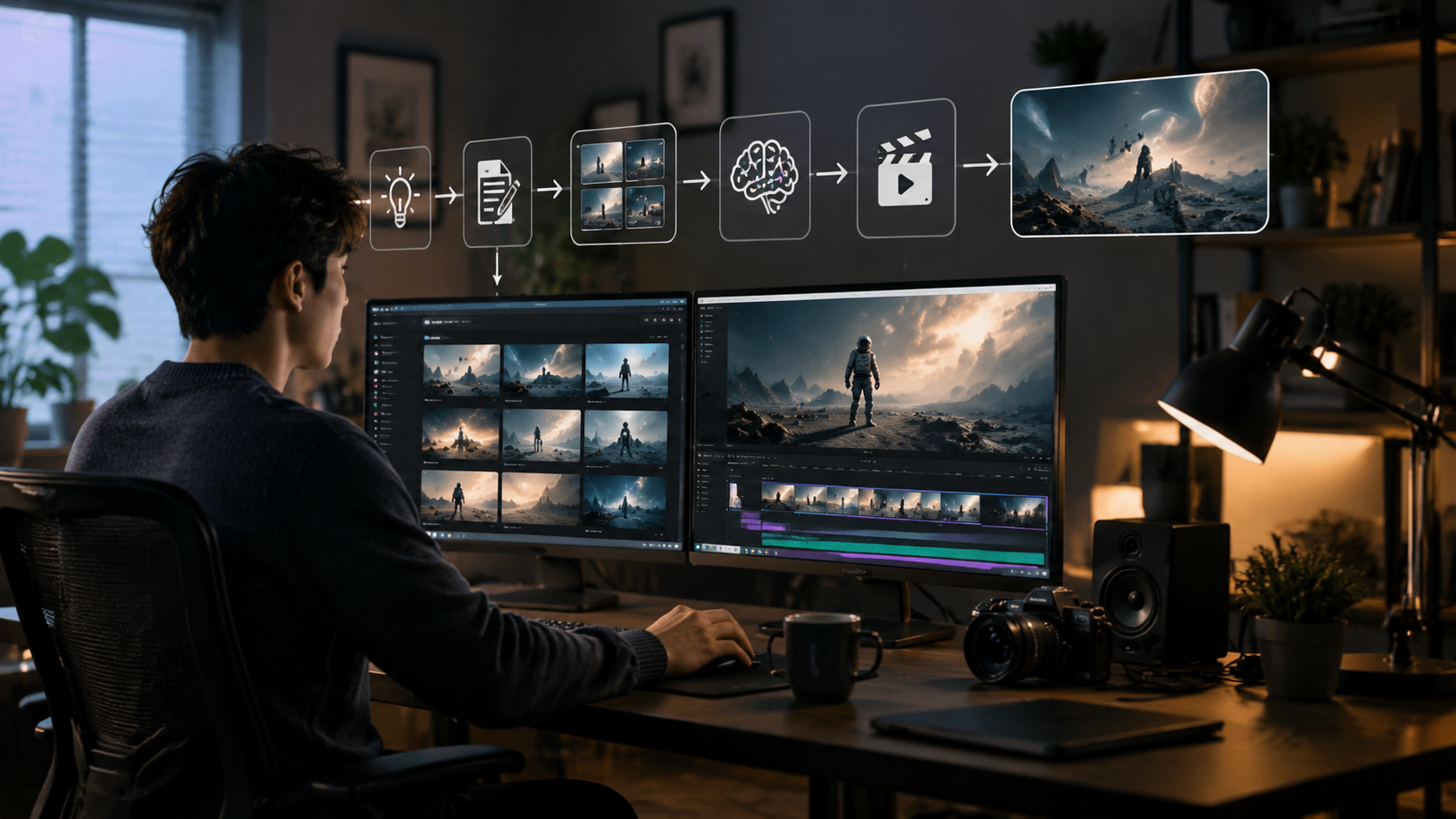
Creating your first AI video involves just a few simple steps. Follow this beginner-friendly process to go from idea to finished product in minutes:
- Choose your platform: Select a tool matching your needs (explainer videos, social content, etc.) and create an account
- Input your script or prompt: Write clear instructions including subject, style, and key elements to include
- Select visual style: Choose from templates or describe your desired aesthetic (e.g., "3D animation" or "cinematic live-action")
- Generate preview: Most tools create a short sample first to verify the direction
- Refine and export: Make adjustments to pacing, visuals, or text before final rendering
According to CNET's 2026 prompt engineering guide, adding specific details like "35mm film grain" or "Studio Ghibli-inspired character designs" can improve output quality by 40-60%. Beginners should start with shorter videos (15-30 seconds) to iterate quickly before attempting longer projects.
For those using Digen AI Agent, the process becomes even more streamlined. The system automatically breaks down complex prompts into logical sequences, generates intermediate assets, and assembles them with proper transitions. Users report completing professional-quality 1-minute videos in under 5 minutes compared to 15-20 minutes with manual tools.
AI Video Generator Features to Look For
When evaluating AI video tools for beginners, certain features significantly impact usability and results. The most important capabilities to consider include:
Template Libraries
Pre-designed templates for common video types (product demos, social ads, tutorials) help beginners achieve professional results quickly. Top platforms in 2026 offer 500+ customizable templates covering various industries and use cases.
Automated Voiceovers
Quality text-to-speech integration saves hours of recording time. Look for platforms offering multiple voice options with emotional inflection controls. The best systems now achieve 92% naturalness scores in blind tests.
Character Consistency
Maintaining identical characters across scenes was a major challenge until 2026. Newer tools like Digen AI Agent use persistent character embeddings that remain stable throughout videos and even across projects.
Editing Tools
Built-in trimming, captioning, and effect options eliminate the need for separate editing software. Advanced platforms now offer AI-powered automatic pacing adjustments that optimize viewer retention.
Common Mistakes Beginners Make
While AI video generators simplify production, newcomers often encounter these pitfalls that can degrade results:
Vague prompts: Generic instructions like "make a marketing video" produce mediocre outputs. According to Vocal's 2026 guide, adding just 3-5 specific details (target audience, desired emotion, key visual elements) improves quality by 73%.
Ignoring aspect ratios: Different platforms (TikTok, YouTube, Instagram) require specific dimensions. The most common error is creating square videos when 9:16 vertical format would perform better on mobile.
Overlooking audio While visuals attract attention, poor audio quality is the #1 reason viewers abandon videos. Beginners should always preview voiceovers and background music at full volume before finalizing projects.
Future of AI Video Generation
The technology continues advancing rapidly, with several key developments expected by late 2026:
Longer coherent videos: Current systems max out at 30-60 seconds for quality output, but researchers predict 5-minute consistent narratives will be possible by Q4 2026. Digen AI's early tests show promising results with their hierarchical generation approach.
Emotionally responsive content: Next-gen tools will analyze scripts to automatically adjust character expressions, music, and pacing to match intended emotional arcs. Beta versions already demonstrate 89% accuracy in emotion detection.
Real-time generation: Cloud rendering improvements may enable live video synthesis during presentations or streams. Early implementations show 2-3 second latency for simple animations, making interactive AI video a near-future possibility.
Frequently Asked Questions
How much does an AI video generator cost?
Most 2026 platforms offer free tiers with watermarks (typically 1-5 minutes/month), while paid plans range from $20-$100/month. Enterprise solutions with custom AI training start around $500/month.
Can AI video generators use my own images?
Yes, all major platforms now support image uploads for incorporation into videos. Some like Digen AI Agent can even maintain consistent styling between uploaded and generated assets.
How long does it take to make an AI video?
Simple 30-second videos can be created in 3-5 minutes. More complex projects with multiple scenes may take 15-30 minutes including revisions. Rendering typically adds 1-2 minutes per minute of video.
Do I need technical skills to use these tools?
No technical skills are required for basic videos. The most user-friendly platforms like Google Flow and Digen AI use template-based workflows that guide beginners through each step.
Can AI videos replace human creators?
While AI handles production tasks efficiently, human creativity remains essential for strategy, storytelling, and emotional impact. Most professionals use AI as a productivity tool rather than complete replacement.
Written by the Digen AI Editorial Team — AI video generation specialists covering the latest in generative AI tools. Learn more about Digen AI.



Comments ()