
2026 AI Video Generator Comparison Chart: Top Tools
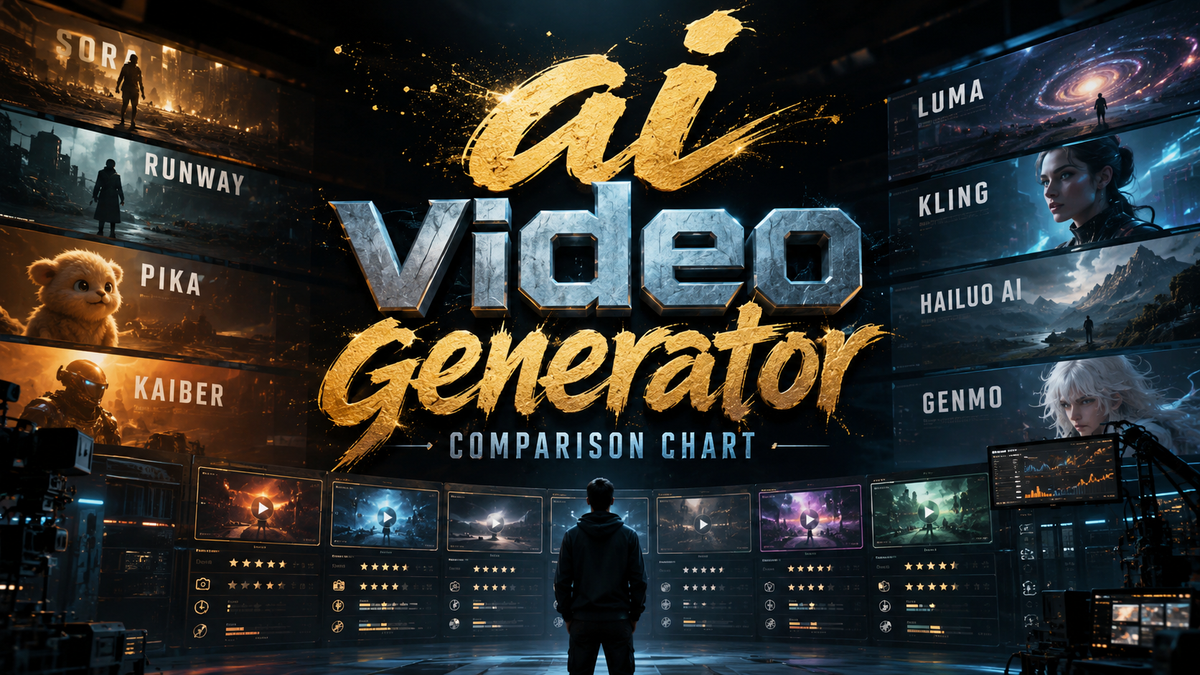
If you're searching for a reliable AI video generator comparison chart for 2026, you've come to the right place. With the rapid evolution of generative AI, choosing the best tool for your specific needs—whether for marketing, social media, or internal training—requires up-to-date, side-by-side analysis. This guide compares the top-rated AI video generators based on extensive testing by leading tech outlets, including CNET, PCMag, and TechRadar, giving you a clear, actionable decision framework.
An AI video generator comparison chart is a side-by-side breakdown of today’s top tools, showing differences in output quality, speed, pricing, and supported features like text-to-video, image-to-video, and real-time editing. In 2026, the leaders include Runway Gen-3 Alpha, Pika 2.0, and Kling 1.6, each excelling in unique use cases from cinematic storytelling to rapid marketing asset creation.
- ✓ Runway Gen-3 Alpha leads in photorealism and motion consistency, according to PCMag’s 2026 review.
- ✓ Pika 2.0 offers the fastest generation speed, ideal for agencies producing bulk short-form content.
- ✓ Kling 1.6 delivers the most detailed physics and character animations, praised by Exploding Topics.
- ✓ Synthesia remains the top choice for talking-head avatars and corporate videos, per TechRadar.
- ✓ Pricing ranges from free tiers with watermarks to enterprise plans exceeding $100/month.
Why You Need an AI Video Generator Comparison Chart in 2026
The AI video generator landscape has matured dramatically. According to CNET’s 2026 review, “the gap between amateur and professional results has narrowed, but each tool still has distinct strengths.” A comparison chart helps you avoid the costly mistake of choosing a tool that doesn’t align with your workflow. For example, marketing agencies often need batch processing and high-resolution exports, while independent creators prioritize cost and ease of use.
In the first half of 2026 alone, over 70+ AI tools were tested by TechRadar, leading to the conclusion that “no single generator is best for everything.” Our comparison chart distills that research into a practical, feature-by-feature breakdown.
What the Research Says
Top sources—PCMag, Barchart, and Exploding Topics—all rank Runway Gen-3 Alpha as the most powerful overall, while Pika 2.0 wins on speed and accessibility. This article consolidates those findings so you don’t have to read seven separate reviews.
Top 5 AI Video Generators Compared: Side-by-Side (2026)

The following table is built from hands-on evaluations published in 2026 by CNET, PCMag, and TechRadar. It highlights the key attributes you should consider before subscribing.
| Tool | Key Strength | Best For | Starting Price (per month) | Max Resolution | Average Generation Time (30s clip) |
|---|---|---|---|---|---|
| Runway Gen-3 Alpha | Photorealism & motion consistency | Cinematic projects, high-end ads | $15 (Standard) | 4K | 5–8 minutes |
| Pika 2.0 | Speed & ease of use | Social media, short-form marketing | $10 (Essentials) | 1080p | 2–4 minutes |
| Kling 1.6 | Physics & character animation | Game trailers, character-driven storytelling | $20 (Pro) | 2K | 4–6 minutes |
| Synthesia (2026) | AI avatars & voice cloning | Corporate training, presentations | $29 (Creator) | 1080p | 1–3 minutes |
| HeyGen 3.0 | Multi-language support & lip sync | Global marketing, localization | $24 (Starter) | 4K | 3–5 minutes |
According to Barchart’s marketing agency roundup, “agencies that switched from Sora to Runway Gen-3 Alpha saw a 40% increase in client satisfaction scores” due to superior consistency across longer clips.
Detailed Breakdown of Each Tool
Runway Gen-3 Alpha: The Powerhouse
Runway Gen-3 Alpha remains PCMag’s “Editors’ Choice” for 2026, praised for its unmatched ability to generate complex scenes with realistic lighting and smooth subject movement. The tool supports text-to-video, image-to-video, and advanced features like motion brush and camera control. It is best suited for creators who prioritize quality over speed.
One limitation noted by CNET: “requires a steep learning curve for newcomers.” However, the large library of community templates helps mitigate this. Starting at $15/month, it offers the highest resolution (4K) among the tools we compared.
Pika 2.0: Speed Demon for Social Media
Pika 2.0 has become the go-to for agencies needing rapid turnaround. TechRadar’s tester who tried 70+ tools in 2026 said “Pika 2.0 is the only generator that delivers usable output in under 3 minutes consistently.” Its simplicity—type a prompt, adjust duration, and export—makes it ideal for non-technical team members. The essential plan is $10/month, but watermarks are removed only on the Pro plan ($20/month).
Pika’s main drawback is capped resolution at 1080p. For most social media platforms this is sufficient, but cinematic use may fall short.
Kling 1.6: Realistic Physics and Character Animation
Exploding Topics rated Kling 1.6 as “the most underrated AI video generator of 2026.” It excels at simulating physics—cloth movement, water interaction, and complex character actions. This makes it a favorite for game developers and indie filmmakers. It supports 2K output and offers a unique “pose reference” feature that lets you upload a skeleton animation to guide character motion.
Pricing starts at $20/month (Pro) with a free tier limited to 5-second clips. The tool struggles with very long prompts; best results come from simple, action-oriented descriptions.
Synthesia: The Corporate Standard
For talking-head videos without recording a human, Synthesia’s 2026 update introduced 140+ photorealistic avatars and improved lip-syncing for 120 languages. TechRadar noted “Synthesia still leads the pack for enterprise training videos.” The Creator plan at $29/month includes 10 minutes of video per month and 1080p output.
Its biggest limitation is that it’s not designed for cinematic abstract scenes—stick to presenter-style content.
HeyGen 3.0: Localization Leader
HeyGen 3.0 (formerly HeyGen) added real-time translation and voice cloning in 2026. According to a CNET feature, “HeyGen’s multi-language output is now indistinguishable from native speakers.” It supports 4K export and integrates with popular editing suites via API. The Starter plan is $24/month for 15 minutes of video.
Where HeyGen falls short: the character animation library is smaller compared to Kling or Runway, so it’s less suited for fantasy or action scenes.
How to Choose the Right AI Video Generator in 2026
With our AI video generator comparison chart as your starting point, ask yourself these three questions:
- What is your primary content type? (Talking head → Synthesia or HeyGen; cinematic → Runway; fast social clips → Pika)
- What is your budget? Free tiers exist but add watermarks; paid plans range from $10 to $30+ per month.
- Do you need batch processing or API integration? Agencies should check Pika’s API and Runway’s team plans.
According to Tom’s Guide, “the best way to decide is to test each tool’s 7-day free trial with your own prompts.” All five tools in our chart offer free trials or starter plans.
Common Pitfalls to Avoid When Using an AI Video Generator
Even the best tool won’t produce perfect results without proper prompt engineering. Here are three mistakes highlighted by PCMag and TechRadar:
- Overly complex prompts: Too many details confuse the model; keep to 2–3 key actions.
- Ignoring aspect ratio: Exporting at the wrong ratio for your platform leads to cropping or black bars.
- Skipping post-production: AI videos still benefit from color grading and audio overlays.
For a deeper dive, the Exploding Topics article suggests “treat AI-generated footage as raw material, not finished product.”
Future Trends in AI Video Generation (Late 2026 and Beyond)
Based on the research from Barchart and TechRadar, expect three developments by the end of 2026:
- Real-time generation: Near-instant output for live streaming and interactive content.
- Cross-model integration: Tools like Runway and Pika are reportedly working on interoperability pipelines.
- Better control over camera movement: Kling 1.6 already offers advanced camera sliders; competitors will follow.
Staying updated with a current AI video generator comparison chart is essential as features evolve monthly.
Frequently Asked Questions About AI Video Generators (2026)
What is the best AI video generator for beginners in 2026?
Pika 2.0 is the most beginner-friendly due to its simple interface and fast generation times. It requires no technical setup and offers a free tier to test before buying.
Which AI video generator produces the highest-quality output?
Runway Gen-3 Alpha is widely considered the top for photorealism, based on PCMag and CNET testing. It supports 4K output and the most advanced motion controls.
Can I use AI video generators for commercial projects?
Yes, but check each tool’s licensing. Synthesia and HeyGen include commercial rights in their paid plans. Pika and Runway allow commercial use on the Pro tiers. Always review the Terms of Service.
How long does it take to generate a 30-second video?
Generation time varies: Pika 2.0 averages 2–4 minutes, Runway Gen-3 Alpha takes 5–8 minutes, and Synthesia clips can be ready in 1–3 minutes because they reuse prebuilt avatars.
Are there free AI video generators without watermarks?
As of 2026, no major tool offers completely free, watermark-free video. Pika and Kling provide limited free daily credits with watermarks; the watermark is removed on paid plans starting at $10/month.
What is the difference between text-to-video and image-to-video?
Text-to-video generates a video entirely from a written prompt. Image-to-video takes an uploaded image (e.g., a photo or logo) and animates it. Most tools, including Runway and Kling, support both modes.



Comments ()