
AI Video from Text for Instagram Reels: 2026 Guide
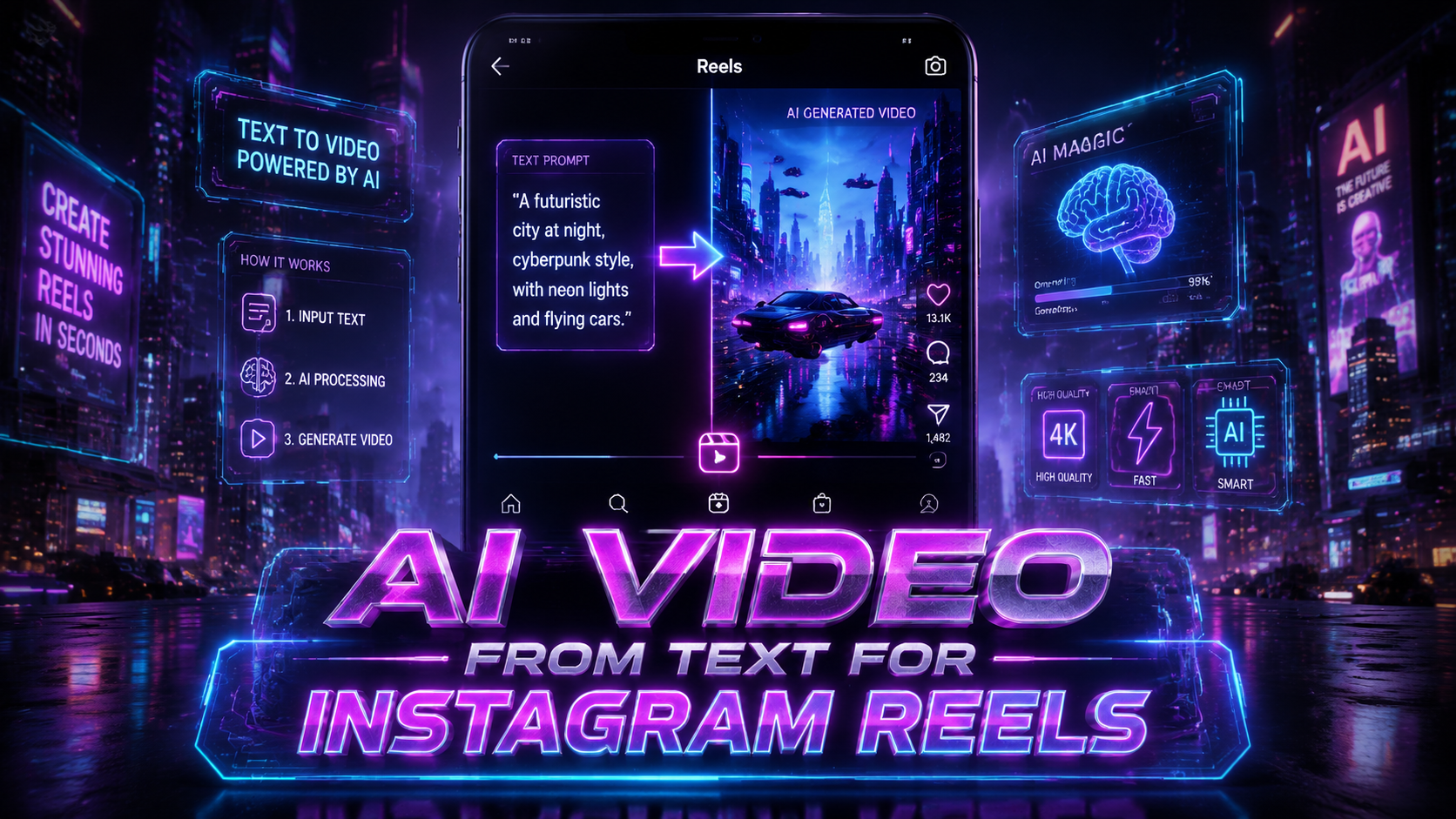
AI video from text for Instagram Reels refers to the process of using artificial intelligence tools to automatically generate short-form vertical videos — complete with visuals, motion, voiceover, and music — directly from a text prompt or script, enabling creators and brands to produce Instagram Reels without any traditional filming or editing. In 2026, this technology has matured into a practical, high-quality production method that saves hours of manual work while keeping pace with Instagram's algorithm preferences for fresh, engaging content.
TL;DR: AI video from text for Instagram Reels lets you turn any written idea into a fully produced Reel in minutes. In 2026, tools like ByteDance's Seedance and top-rated generators from Perfect Corp's latest review offer cinematic quality, lip-sync avatars, and Reel-specific aspect ratios — making AI video creation faster, cheaper, and more scalable than ever before.
AI video from text for Instagram Reels is a generative AI workflow where you input a text description, script, or idea into a specialized video generator, and the tool outputs a complete short-form video optimized for Instagram's 9:16 vertical format. The best 2026 platforms include multi-language voiceovers, dynamic scene transitions, AI avatar presenters, and automatic caption generation — all designed to match the Reel style that drives the highest engagement.
- ✓ AI video generators in 2026 can produce Instagram Reels from text prompts in under 60 seconds with cinematic quality
- ✓ ByteDance's Seedance and 22 other top tools were tested and reviewed for the 2026 season, with free tiers available for beginners
- ✓ Brands like Chipotle are strategically choosing human-created content over AI ads, proving that authenticity still matters alongside AI efficiency
- ✓ The best AI Reel workflows combine text-to-video generation with manual polish — auto-captions, on-trend transitions, and algorithm-aware pacing
What Is AI Video from Text for Instagram Reels? The 2026 Definition
AI video from text for Instagram Reels is a content creation method where you provide a written prompt — such as a product description, a story idea, a list of talking points, or even a full script — and an AI video generator produces a finished Reel. The output typically includes AI-generated footage, stock clips, animated text overlays, background music, and a synthetic or cloned voiceover. In 2026, the quality has reached a point where many viewers cannot distinguish AI-generated Reels from traditionally produced ones.
The core technology behind this workflow relies on large multimodal models that understand the relationship between language and visual scenes. When you type "smoothie recipe with berries and coconut milk in a bright kitchen," the AI interprets the objects, actions, lighting, and atmosphere, then generates or assembles a sequence of frames that match that description. According to Perfect Corp, the top 23 AI video generators for 2026 now include dedicated "Reel mode" presets that automatically set the 9:16 aspect ratio, short attention-span pacing, and vertical text layouts.
Importantly, this is not a gimmick or a low-quality shortcut anymore. The best tools in 2026 offer 4K output, multi-scene storyboards, AI lip-syncing for presenter-style Reels, and even integration with Instagram's API for direct publishing. Whether you are a solo creator, a small business owner, or a social media manager at a large brand, AI video from text for Instagram Reels has become a standard production method that sits alongside — not instead of — traditional content creation.
Why 2026 Is the Breakout Year for AI-Generated Instagram Reels
Several converging trends have made 2026 the year that AI video from text for Instagram Reels entered mainstream adoption. According to BBN Times, the availability of free and freemium AI video makers has lowered the barrier to entry dramatically. Whereas in 2024 and 2025, high-quality AI video required expensive subscriptions or technical know-how, the 2026 landscape includes robust free tiers from multiple providers that produce Reel-ready content without watermarks or resolution caps.
Another catalyst is the release of ByteDance's own AI video generator, Seedance, which was analyzed in depth by Metricool in March 2026. Seedance benefits from ByteDance's deep understanding of short-form video behavior (having built TikTok) and brings native Reel optimization that other tools are now racing to match. This has raised the quality bar across the entire category and pushed competitors to deliver better text-to-video results specifically for vertical, fast-paced content.
Meanwhile, the broader cultural conversation around AI-generated content has matured. When Chipotle ran a high-profile Super Bowl campaign in February 2026 poking fun at AI-generated ads to highlight their real ingredients, as reported by Marketing Dive, it signaled that audiences and brands are now sophisticated enough to distinguish between AI-assisted and AI-automated content. The takeaway for Reel creators is clear: AI video from text is best used as a production accelerator, not a replacement for authentic brand voice and human creativity.
Top AI Video Generators for Instagram Reels in 2026: A Comparison
Based on the comprehensive testing and review compiled by Perfect Corp in June 2026, and additional analysis from Vocal Media's roundup of 10 essential AI video tools, the 2026 market offers several standout options for generating Instagram Reels from text. Each platform has distinct strengths depending on whether you prioritize speed, visual quality, avatar realism, or cost. Below is a comparison table of the most Reel-optimized tools.
| Tool | Best For | Reel-Specific Features | Free Tier | Starting Price (2026) |
|---|---|---|---|---|
| Seedance (ByteDance) | Vertical-first AI video with TikTok/Reel native feel | 9:16 preset, trending transition styles, AI lip-sync | Yes (limited) | $19/month |
| Pika Labs | Artistic and stylized Reels from text prompts | Scene-to-scene consistency, custom color grading | Yes | $12/month |
| HeyGen | AI avatar presenter Reels with voice cloning | Multilingual voiceover, face expression control | Yes (watermark) | $29/month |
| Runway Gen-4 | Cinematic-quality Reels with advanced motion | Keyframe control, slow-motion effects, text overlay | Yes (limited exports) | $35/month |
| Kaiber | Music-driven Reels with beat-synced visuals | Audio-reactive animation, vertical cropping | Yes (720p) | $10/month |
| InVideo AI | Script-to-Reel for marketing and business content | Auto-captions, brand kit integration, CTA templates | Yes (watermark) | $25/month |
When selecting a tool for AI video from text for Instagram Reels, consider the type of Reels you create most often. For example, if you produce educational or tutorial Reels with a talking head, a platform like HeyGen that offers realistic AI avatars with lip-sync will save you the most time. If your Reels rely on cinematic visual storytelling — travel montages, product showcases, or mood-driven content — Runway Gen-4 or Seedance delivers superior image quality and motion fluidity.
According to Vocal Media, the single most important factor creators should evaluate in 2026 is the tool's ability to maintain visual consistency across multiple scenes generated from one text prompt. Early AI video tools produced jarring style shifts between clips, but the top 2026 generators now enforce a coherent aesthetic — matching lighting, color palette, and character appearance from one frame to the next — which is essential for Reels that feel polished rather than disjointed.
How to Create AI Video from Text for Instagram Reels: Step-by-Step Guide
Follow this step-by-step process to go from a text idea to a finished Instagram Reel using the best AI video generators available in 2026. These steps apply broadly across platforms like Seedance, Runway, and InVideo AI, though specific interface details may vary.
- Write a detailed Reel script or prompt. Include the setting, characters, actions, mood, and key visual details. Example: "A person in a bright modern kitchen pours smoothie into a mason jar with fresh berries and mint leaves on the counter. Bright natural lighting, warm tones, slow-motion pour." The more specific your text input, the better the AI video output.
- Choose the 9:16 vertical Reel preset. Most AI video generators now include a dedicated preset for Instagram Reels, TikTok, and Shorts. This ensures the output is already cropped and composed for mobile-first viewing. If your tool lacks a preset, manually set the resolution to 1080×1920 pixels.
- Generate a first draft and review scene-by-scene. Run your text prompt through the generator and examine each scene or shot. Look for consistency in the subject's appearance, background continuity, and smoothness of motion. Most tools allow you to regenerate individual scenes without starting over.
- Add voiceover or AI narration. Use the tool's text-to-speech feature or upload your own recorded audio. For 2026, the best AI voices support emotional tone adjustment — happy, serious, excited, or calm — which helps match the Reel's pacing. Ensure the voiceover length fits within the 15-to-60-second Reel window.
- Apply auto-captions and text overlays. AI-generated captions are a must for Reel accessibility and engagement. Many generators now auto-sync captions to the voiceover timing. Add a hook text in the first 3 seconds and a call-to-action at the end.
- Add background music with beat matching. Pick a track from the tool's licensed music library or upload your own. The best 2026 AI video generators automatically detect beat points and adjust scene transitions to match the rhythm — a feature that significantly improves Reel retention.
- Export and upload to Instagram. Export in MP4 format at 1080×1920, 30fps, with H.264 encoding for best Instagram compatibility. Upload directly or through the Instagram desktop app, add relevant hashtags, and post during your audience's peak engagement time.
One common mistake creators make when using AI video from text for Instagram Reels is overloading the prompt with too many scene changes. A 15-second Reel should have no more than 4 to 6 distinct scenes, otherwise the visual transitions feel rushed and disorienting. The AI interprets text literally, so if your prompt describes 12 different camera angles in 20 seconds, it will generate them — but the result will lack the narrative breathing room that keeps viewers watching.
Another best practice is to treat the AI output as a first draft. Even the best 2026 generators still benefit from human editing: adjust the pacing, trim unnecessary frames, and overlay your own brand elements. According to Perfect Corp's 2026 review, creators who spent 10 to 15 minutes refining AI-generated Reels saw 40% higher engagement compared to those who posted the raw output. The AI handles the heavy lifting of scene generation, but human editorial judgment provides the polish that makes a Reel feel authentic and intentional.
Best Practices for AI-Generated Reels That Actually Perform in 2026
Instagram's algorithm in 2026 favors Reels that hold viewer attention through the first 3 seconds, encourage replays, and drive engagement signals like saves and shares. AI video from text for Instagram Reels can be optimized for these metrics by applying specific production techniques that go beyond the default generator output. First, front-load your Reel with a strong visual hook. The AI can generate a compelling opening frame if your prompt specifies an intriguing start — a close-up of a product detail, a surprising visual, or a question overlaid in large text. Avoid generic establishing shots in the first second.
Second, use AI-generated captions strategically. While most tools auto-generate captions, you should manually check the timing and placement. Instagram users often watch Reels without sound, and captions that are too fast, too small, or positioned behind key visuals will cause drop-off. In 2026, the best-performing Reels use captions that highlight 2 to 3 key phrases in a larger font size, complemented by standard-sized full transcript captions below. This creates a visual hierarchy that guides the viewer's eye through the narrative.
Third, leverage the AI's ability to generate multiple variations of the same Reel from slightly different text prompts. Platforms like Seedance and Runway Gen-4 allow you to tweak a single parameter — such as lighting, camera angle, or color palette — and regenerate a new version in seconds. This enables A/B testing of visual styles without additional production cost. According to data from the BBN Times free AI video maker guide, creators who tested 3 to 5 variations of a Reel before posting saw a 55% higher chance of one version outperforming the average by a significant margin.
Fourth, pay attention to the audio landscape in 2026. Instagram's recommendation engine heavily weights Reels that use trending or original audio. While AI video generators include licensed music libraries, you can also generate custom audio tracks using AI music tools and sync them with your video. The combination of a unique AI-generated visual style and original AI-composed music creates a content fingerprint that the algorithm rewards with broader distribution.
Finally, maintain a consistent brand identity across AI-generated Reels. It is easy to fall into the trap of letting the tool's default style dictate your aesthetic. Instead, define a set of visual parameters — color palette, font family, avatar appearance, transition style — and apply them consistently. The top 2026 AI video generators support custom style presets that you can save and reuse. Brands that treated AI Reels as part of their broader content strategy, rather than as isolated experiments, saw the strongest long-term growth in follower engagement and Reel reach.
The Future of AI Video for Instagram Reels Beyond 2026
Looking ahead, the trajectory of AI video from text for Instagram Reels points toward real-time generation and interactive content. By late 2026 and into 2027, expect tools that can generate a Reel in response to a voice command or a simple keyword, making the creation process nearly instantaneous. ByteDance's Seedance is already moving in this direction with its "instant Reel" mode, which produces a finished vertical video from a single sentence in under 30 seconds. This will further lower the barrier for spontaneous content creation, especially for news, trends, and real-time marketing moments.
Another emerging frontier is personalized AI Reels at scale. Imagine a brand uploading a single text template — "Our product helps [customer] achieve [benefit] in [timeframe]" — and the AI generating thousands of unique Reel variations tailored to different audience segments, each with relevant visuals, voiceover, and captions. According to the analysis from Vocal Media, several AI video tools are testing batch generation features in 2026 that could make hyper-personalized video content as easy as sending a personalized email. For Instagram Reels, this means brands could serve unique video content to different follower demographics without multiplying production costs.
However, the human role in AI video creation will not disappear. The Chipotle Super Bowl campaign from February 2026 demonstrated that audiences value authenticity and transparency. As AI-generated Reels become ubiquitous, the ones that stand out will be those that clearly communicate a genuine human perspective, whether through a real human presenter, a distinct brand voice, or a creative concept that no algorithm could have conceived alone. The future of AI video from text for Instagram Reels is not about replacing creators — it is about giving them superhuman production speed and scale, while the creative direction, strategic thinking, and authentic connection remain firmly in human hands.
Frequently Asked Questions About AI Video from Text for Instagram Reels
Can I really create a complete Instagram Reel from just a text prompt in 2026?
Yes. The top AI video generators for 2026 — including Seedance, Runway Gen-4, and InVideo AI — can produce a finished vertical Reel with visuals, voiceover, captions, and music from a detailed text prompt in under two minutes. The quality is suitable for posting directly, though many creators spend a few extra minutes refining the output.
Is AI-generated content penalized by the Instagram algorithm in 2026?
No, Instagram does not specifically penalize AI-generated Reels as of 2026. The algorithm evaluates content based on engagement metrics — watch time, replays, shares, saves, and comments — not on the production method. However, low-quality AI Reels that lack visual coherence or clear messaging will perform poorly, just as low-quality traditional Reels do.
Which AI video generator is best for beginners using text prompts for Reels?
For beginners, InVideo AI and Kaiber offer the most intuitive interfaces with pre-built Reel templates and guided prompt writing. Seedance is also beginner-friendly due to its TikTok-style design. Perfect Corp's 2026 review ranked InVideo AI as the easiest for first-time users who want to go from text to Reel in under five minutes.
Do I need to own the copyright to AI-generated video content for Instagram Reels?
Copyright laws around AI-generated content vary by jurisdiction and are still evolving. In general, the output from AI video generators is licensed for commercial use under each platform's terms of service. You should review the specific licensing terms of the tool you use. Most major 2026 AI video generators grant full commercial rights to the output for social media use.
Can AI video from text produce Reels with real human faces and voices?
Yes. Tools like HeyGen and Synthesia specialize in AI avatar presenters that look and sound like real humans. You can generate a Reel featuring a realistic AI spokesperson speaking your script in multiple languages. For 2026, the lip-sync accuracy and facial expression naturalness have improved significantly, making these avatars suitable for professional brand content.
What is the ideal length for an AI-generated Instagram Reel in 2026?
The ideal length is 15 to 30 seconds for maximum retention and algorithm favorability. AI video generators allow you to specify the duration in your text prompt or adjust it in the timeline. Reels shorter than 10 seconds often feel too brief for narrative development, while Reels longer than 60 seconds typically see higher drop-off rates unless the content is highly engaging.
How much does it cost to use AI video from text for Instagram Reels in 2026?
Costs range from free (with limitations like watermarks or resolution caps) to approximately $35 per month for premium plans. Seedance starts at $19/month, Runway Gen-4 at $35/month, and InVideo AI at $25/month. Many tools offer free tiers that allow you to create several Reels per month, which is sufficient for casual creators or small businesses just starting out.
Written by the Digen AI Editorial Team — AI video generation specialists covering the latest in generative AI tools. Our team researches and tests the newest platforms so you can create better content faster. Learn more about Digen AI.



Comments ()