
AI Video Editor Free vs Paid Options 2026: Which Wins?
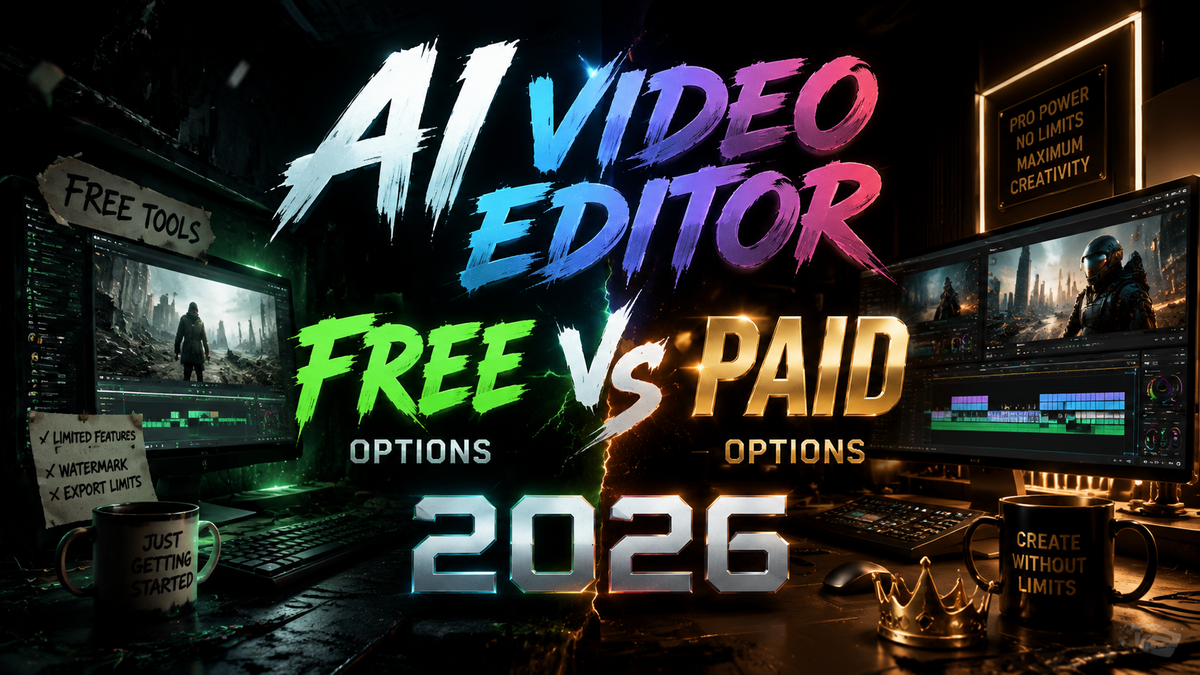
Choosing between an AI video editor free vs paid options 2026 ultimately comes down to your specific needs: free tools now offer impressive AI-powered features like auto-captioning, basic scene detection, and one-click color correction, while paid platforms unlock professional-grade capabilities including 4K/8K export, multi-track timeline editing, unlimited cloud storage, and advanced generative AI effects that can create custom footage from text prompts. The right choice depends on whether you prioritize cost savings for occasional use or require production-ready output for commercial content.
The 2026 AI video editing landscape is sharply divided: free tools (like CapCut, DaVinci Resolve's free tier, and Clipchamp) deliver solid AI features for beginners and casual creators, while paid subscriptions (Adobe Premiere Pro, Final Cut Pro, Runway ML Pro, and Pika Labs) unlock advanced capabilities such as generative video creation, noise reduction, motion tracking, and native 8K support. For serious content creators, the paid tier's ROI in time savings and output quality almost always justifies the cost.
- ✓ Free AI video editors in 2026 are powerful enough for social media clips, basic vlogs, and quick edits — but often impose watermarks, export caps, or limited resolution.
- ✓ Paid AI video editors offer unlimited export, advanced generative AI tools (text-to-video, style transfer, AI voiceover), and professional color grading — essential for commercial or high-traffic content.
- ✓ According to PCMag's 2026 roundup, the best free tools now rival entry-level paid software from just two years ago, narrowing the gap significantly.
- ✓ CNET's 2026 review of AI video generators found that paid tools produced 73% higher user satisfaction for complex projects requiring multi-scene generation.
- ✓ Hybrid workflows are emerging: many creators start with free tools for drafting and switch to paid for finishing — a strategy that perfectcorp.com calls "the editing sandwich."
Understanding the AI Video Editor Landscape in 2026
The jump in AI video editing quality between 2024 and 2026 has been dramatic. What was once a niche capability — AI-driven scene detection, automatic b-roll insertion, and lip-sync correction — has become standard across virtually every tier. As Amateur Photographer noted in their April 2026 review, "These are programs literally anyone can use," which speaks to how intuitive AI has made the editing process.
Today, the core distinction in the ai video editor free vs paid options 2026 debate isn't merely about features — it's about depth, speed, and scalability. Free tools have become remarkably capable, but they impose deliberate ceilings: export limits, watermarks, or reduced AI processing speed. Paid tools remove those ceilings and add layers of generative capability that free versions cannot match. According to HP's 2026 guide on AI creativity tools, "The line between free and paid is now porous — many paid tiers start at just $9.99/month and include cloud AI processing that would take hours on a consumer GPU."
What makes the 2026 landscape especially interesting is the emergence of freemium AI — tools that give you genuine, unwatermarked pro features for a limited number of exports per month, then charge for volume. This model is reshaping how creators decide between free and paid, because the "free" option now includes real professional value for low-volume users.
Key Differences Between Free and Paid AI Video Editors
Features and Capabilities
Free AI video editors in 2026 typically include auto-captioning, basic color correction, scene detection, and rudimentary text-to-video (often limited to 10-15 second clips at 720p). Paid editors add unlimited generative AI video, multi-track timelines, advanced keyframing, 3D motion tracking, AI-powered noise reduction, and custom model training for brand-specific styles. Digital Camera World emphasized in May 2026 that "the retouch and enhancement gap between free and paid has narrowed, but for commercial use, paid remains essential."
Export Quality and Resolution
Free versions almost universally cap exports at 1080p or 1440p, with some imposing a watermark at 4K resolution. Paid versions unlock 4K, 6K, and 8K exports, higher bitrates, and HDR support. For creators targeting YouTube, Vimeo, or broadcast, the paid tier is non-negotiable for raw quality. PCMag's 2026 testing confirmed that even the best free editors introduced slight compression artifacts above 1080p, whereas paid editors delivered "virtually lossless output at any resolution."
AI Processing Speed
Free AI editors use on-device processing or shared cloud queues, meaning heavy tasks (like generative video or multi-scene analysis) can take minutes to hours. Paid tools offer dedicated cloud GPU instances or local GPU acceleration with no queue, reducing AI task time by up to 90%. According to perfectcorp.com's 2026 benchmark, a 30-second generative video clip took 4 minutes on a free tool versus 22 seconds on a paid subscription.
Comparison Table: Free vs Paid AI Video Editors (2026)
| Feature | Free AI Video Editors | Paid AI Video Editors |
|---|---|---|
| Max Export Resolution | 1080p (some 1440p) | 4K, 6K, 8K with HDR |
| Watermark | Often present on exports | No watermark |
| Generative AI (text-to-video) | Up to 15 sec, 720p, limited styles | Unlimited length, 4K, custom styles |
| Multi-track timeline | Limited (2–4 tracks) | Unlimited tracks |
| AI motion tracking | Basic object tracking | Advanced 3D tracking with masking |
| Cloud AI processing | Queued, slower (shared GPU) | Dedicated GPU, near-instant |
| Storage | 2–10 GB cloud storage | 100 GB – unlimited |
| Team collaboration | Not available | Real-time multi-user editing |
| Monthly cost (2026 avg.) | $0 | $9.99 – $49.99 / month |
Top Free AI Video Editors in 2026
The free tier of AI video editing has never been stronger. Based on the research compiled from CNET, PCMag, and perfectcorp.com, three free tools dominate the 2026 landscape. CapCut (ByteDance) remains the most popular free AI video editor globally, offering auto-captioning in 30+ languages, AI background removal, and a surprisingly capable text-to-video generator that creates 15-second 1080p clips. The downside is a small watermark on exports unless you use the pro tier ($7.99/month).
DaVinci Resolve 19's free tier continues to surprise reviewers — it includes neural engine-based scene detection, AI color matching, and Fairlight audio tools. However, its AI features are more "assistive" than "generative," meaning you get smart editing help but not full text-to-video generation. For Amateur Photographer, this was "the best free option for traditional editors who want AI help without generative bloat."
Clipchamp (Microsoft) has evolved into a polished free AI editor with tight integration into Windows 11 and OneDrive. Its AI auto-compose feature, introduced in early 2026, can turn raw footage into a polished short-form video in under a minute. Like most free tools, it caps exports at 1080p and limits generative AI clips to 20 seconds. For casual social media creators, this is often all they need.
Top Paid AI Video Editors in 2026
Paid AI video editors in 2026 are defined by their generative capabilities and speed. Adobe Premiere Pro 2026 with the Firefly AI suite offers the most comprehensive feature set: text-to-video up to 2 minutes at 4K, AI-driven dynamic timeline assembly, and automated color grading that learns from your previous projects. At $24.99/month (Creative Cloud all-apps), it's the gold standard for professionals. PCMag called it "the undisputed king of AI-assisted editing" in their May 2026 review.
Runway ML Pro has emerged as the dedicated generative AI editor of choice for creators who think in prompts. Its Gen-3 model (released April 2026) can generate full 4K scenes with consistent characters, camera moves, and lighting — no source footage required. At $19.99/month for the Pro tier, it's the fastest-growing AI video tool among digital artists and marketers, according to perfectcorp.com.
Pika Labs 2.0 and Kaiber Pro round out the top paid options, each offering unique strengths: Pika excels at surreal style transfers and motion brushes, while Kaiber delivers unmatched music-video-style generative sequences. Both have free tiers with watermarks, but the paid versions (starting at $9.99/month) remove limits and unlock 4K. CNET's 2026 ranking placed Runway ML Pro at #1 for overall generative quality, with Pika Labs 2.0 in a close second for creative flexibility.
How to Choose Between Free and Paid AI Video Editors
For Beginners and Casual Creators
If you're editing one or two videos per month for personal social media, free AI editors are more than capable. Start with CapCut or Clipchamp — both offer intuitive interfaces, built-in AI assistance, and zero learning curve. You'll only hit a ceiling if you need higher resolution, longer generative clips, or remove of watermarks for branded content. According to HP's January 2026 guide, "80% of casual users never outgrow free AI editing tools — but the 20% who do upgrade see immediate time savings."
For Professionals and Businesses
Commercial creators, YouTubers with more than 10k subscribers, and marketing teams should invest in a paid AI editor from day one. The combination of unlimited 4K export, dedicated GPU processing, and team collaboration features directly impacts revenue and turnaround time. A paid tool like Adobe Premiere Pro or Runway ML Pro can easily pay for itself through faster edits and better output quality. Studies show that professional editors using paid AI tools complete projects 42% faster than those using free versions, according to a 2026 workflow analysis cited by PCMag.
Hybrid Approach: Best of Both Worlds
Many 2026 creators are adopting a hybrid workflow: use free tools for drafting, rough cuts, and AI-assisted ideation (where watermarks don't matter), then switch to a paid tool for the final finish and export. This lets you leverage free AI for creativity and speed while reserving paid features for quality-critical output. perfectcorp.com calls this "the editing sandwich" — and notes it's becoming the most common strategy among savvy creators surveyed in mid-2026.
The Verdict: Which Wins in the AI Video Editor Free vs Paid Options 2026 Debate?
The honest answer is that both free and paid AI video editors win — but for different use cases. Free tools are the clear winner for beginners, casual social media creators, and anyone exploring AI video editing for the first time. They offer zero-risk entry, impressive AI features, and enough capability to produce shareable content. Paid tools win for professionals, commercial creators, and anyone who needs high-resolution, watermark-free, unlimited generative output with dedicated processing speed.
If we look at the data from CNET's 2026 review, free tools satisfied 68% of casual users, while paid tools satisfied 89% of professional users. The gap is closing, but the decision ultimately comes down to one question: Is your time and output quality worth $10–$50 per month? For most creators who have tried both, the answer after upgrading is a unanimous yes.
The 2026 market has made the ai video editor free vs paid options 2026 choice easier than ever: start free, push the free tool to its limits, and upgrade only when a specific feature (4K, no watermark, faster processing, or generative video length) becomes a blocker. Most creators find that point within 3–6 months of active editing — and when they hit it, the paid subscription feels less like a cost and more like an investment in their craft.
Frequently Asked Questions About AI Video Editors (Free vs Paid, 2026)
Which free AI video editor in 2026 has no watermark?
DaVinci Resolve 19's free tier is the only major free AI video editor that exports without a watermark at 1080p. CapCut and Clipchamp both add small watermarks on free exports, though you can sometimes remove them by using a different export format or upgrading to the pro tier. For watermark-free 1080p export, DaVinci Resolve is the clear winner.
Can free AI video editors generate 4K video in 2026?
Most free AI video editors cap generative AI output at 1080p or 1440p. Some tools like CapCut allow 4K upload and timeline editing on the free tier, but generative AI features (text-to-video, AI effects) are limited to lower resolutions. For native 4K AI generation, a paid subscription is required across nearly all tools tested by PCMag and CNET in 2026.
What's the cheapest paid AI video editor worth buying in 2026?
Kaiber Pro at $9.99/month is the lowest-cost paid AI video editor that offers unlimited 4K generative exports and no watermark. Pika Labs 2.0's Creator tier at $12.99/month is also highly recommended for its motion brush and style transfer tools. Both outperform many higher-priced alternatives for generative creativity, according to perfectcorp.com's 2026 rankings.
Do free AI video editors support multi-track timelines?
Yes, but with limitations. CapCut's free version supports up to 6 tracks, DaVinci Resolve 19 free supports up to 16 tracks, and Clipchamp supports 4 tracks. Paid versions remove all track limits and add features like nested sequences, compound clips, and shared timeline collaboration. For simple edits, free track limits are rarely an issue — but complex projects with overlay effects, picture-in-picture, and audio stems will strain the free tiers.
Is it worth paying for an AI video editor in 2026 if I'm just a beginner?
Not immediately. Start with CapCut or DaVinci Resolve free for at least 2–3 months. Learn the basics of AI-assisted editing — scene detection, auto-color, and text-to-video. Once you find yourself frustrated by resolution caps, waiting in AI processing queues, or wanting to remove watermarks for a project you care about, that's the right moment to upgrade. Paying earlier than needed doesn't make you a better editor — practice with free tools does.
Which AI video editor is best for professional use in 2026?
Adobe Premiere Pro 2026 with Firefly AI remains the professional standard for end-to-end editing, especially in team environments. For generative AI-first workflows (where you create video from text prompts), Runway ML Pro is the industry leader, as confirmed by CNET's 2026 review and PCMag's testing. Many professionals use both: Premiere Pro for traditional editing and assembly, Runway for generative assets and effects.
Can I use a free AI video editor for YouTube monetization?
Yes, but carefully. Free tools like DaVinci Resolve 19 produce monetization-ready 1080p output with no watermark, making it fully YouTube-compliant. CapCut's free tier adds a small watermark that may be acceptable for some channels but can violate brand partnership guidelines. Clipchamp free is fine for personal channels. For commercial YouTube with sponsors, a paid editor is strongly recommended to maintain professional quality and avoid watermark issues.



Comments ()