
AI Video Editor Background Removal 2026: Ultimate Guide
What Is AI Video Editor Background Removal?
AI video editor background removal refers to the use of artificial intelligence—specifically computer vision and deep learning models—to automatically isolate a subject from its background in a video clip without requiring manual rotoscoping or green screens. Unlike traditional chroma key techniques that demand a uniform backdrop, modern AI tools analyze pixel-level details such as edges, motion vectors, and color gradients to separate foreground from background in real time, even with complex or dynamic scenes.
By 2026, these systems have evolved to handle hair, translucent objects, and rapid movement with near-human accuracy. According to a Hackread guide published in April 2026, the latest generation of AI tools can remove objects and backgrounds from video in a fraction of the time it took manual editors, making the technology accessible to both professionals and content creators. The core value proposition is simple: what once required hours of frame-by-frame masking can now be accomplished with a single click or a text prompt.
AI video editor background removal is a technology that uses machine learning models to automatically detect and separate a video subject from its surroundings, enabling creators to replace, blur, or remove backgrounds without manual masking. In 2026, these tools leverage transformer-based architectures and temporal coherence algorithms to deliver clean results on complex footage.
- ✓ AI background removal eliminates the need for green screens and manual rotoscoping, working on any video footage.
- ✓ In 2026, tools like Vmake, Pollo AI, Adobe Express, and the newly launched Buzzy offer varying levels of precision, speed, and integration.
- ✓ The best results come from combining AI automation with manual refinement for edge cases like hair, smoke, or fast motion.
- ✓ Leading AI video editors now process 4K and 60fps footage in near real time, making background removal viable for production workflows.
- ✓ Multi-object segmentation and prompt-based editing have become standard features, allowing creators to describe the background they want in natural language.
How AI Video Editor Background Removal Works in 2026
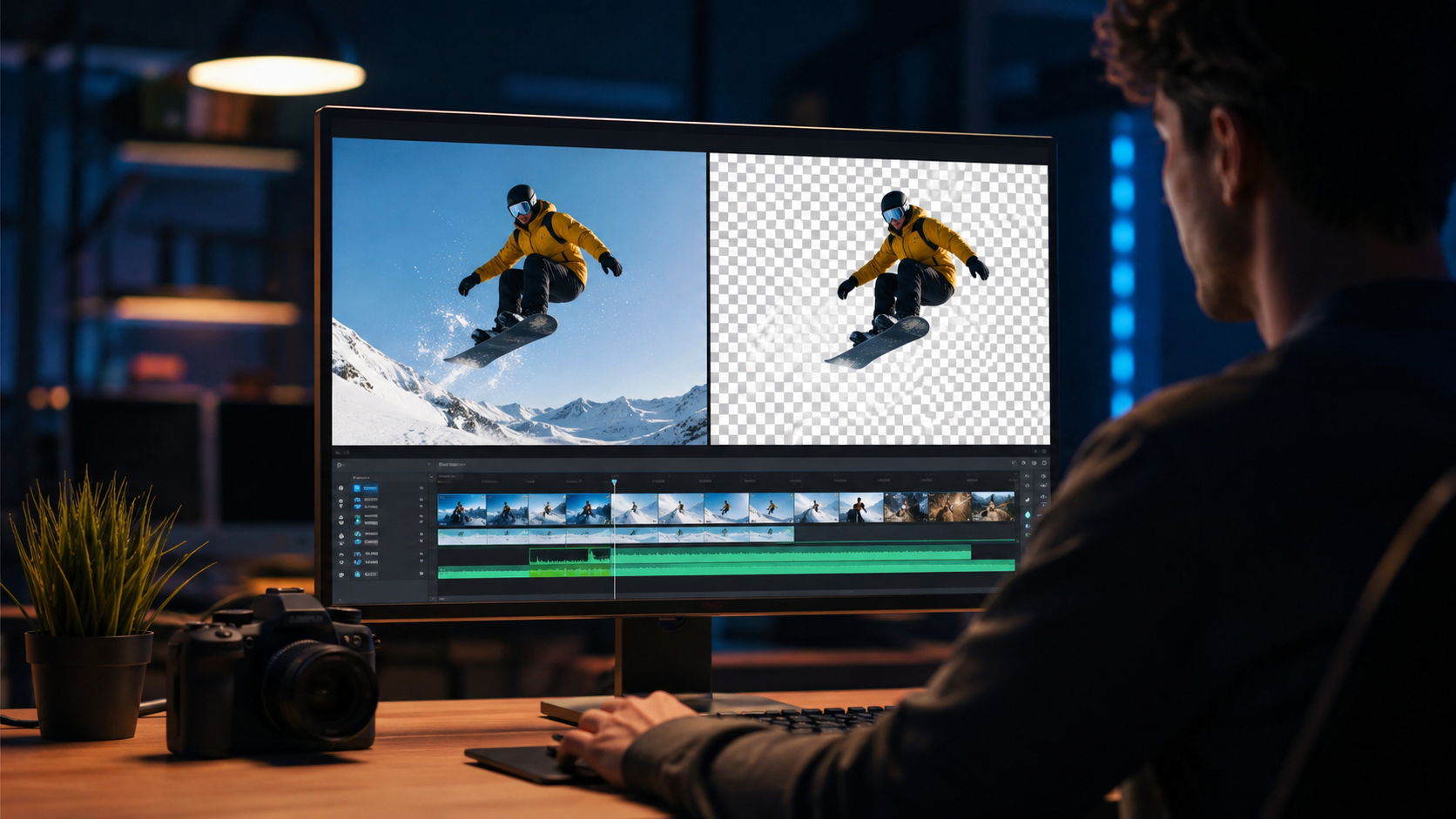
The underlying technology behind ai video editor background removal has advanced significantly since the early days of semantic segmentation. Today, most tools use a combination of three key techniques: instance segmentation, optical flow analysis, and temporal smoothing. Instance segmentation identifies every pixel belonging to a person or object, while optical flow tracks movement between frames to maintain consistency. Temporal smoothing ensures that the mask doesn't flicker or jitter as the subject moves.
According to a Vmake review published on Concept Phones in May 2026, the latest AI editing tools can process entire video clips in under a minute on consumer-grade hardware, thanks to optimized neural networks that run locally. This shift from cloud-only processing to on-device inference has made AI background removal more accessible and privacy-friendly, especially for creators working with sensitive footage.
Key Technical Advances in 2026
The AI video editor background removal landscape in 2026 benefits from three major breakthroughs. First, transformer-based vision models (similar to those used in natural language processing) now understand scene context, allowing them to distinguish between a subject and visually similar background elements. Second, diffusion-based upscaling has improved the resolution of extracted subjects, so replacing a background no longer results in a loss of quality. Third, real-time pose estimation helps maintain accurate masks even when the subject turns, bends, or overlaps with other objects.
How to Remove Background from Video Using AI: Step-by-Step Guide
If you are new to ai video editor background removal, the process in 2026 is remarkably straightforward. Most modern tools follow the same general workflow, whether you are using a web-based platform like Vmake or a desktop application like Buzzy. Below is a step-by-step guide that applies to the majority of AI video editors available today.
- Import your video clip. Drag and drop your footage into the editor. Most tools accept MP4, MOV, and AVI formats, with some supporting RAW video files up to 8K resolution.
- Select the subject. Many AI editors automatically detect people, animals, and objects in the first frame. Confirm the selection or click on the subject if the tool requires manual input.
- Choose your removal mode. Options typically include "Remove Background," "Blur Background," "Replace Background with Solid Color," or "Replace with Image/Video." For green screen type effects, select the replacement option.
- Process the clip. Click the "Remove" or "Process" button. The AI will analyze every frame, applying the mask and rendering the output. In 2026, most tools process a 30-second 1080p clip in 10–30 seconds.
- Refine the mask if needed. Use brush tools to add or remove areas the AI may have missed. Tools like Adobe Express offer "Keep" and "Remove" brushes for fine-tuning edges.
- Preview and export. Play back the video to check for artifacts. Once satisfied, export the file in your desired format and resolution. Many tools also allow direct sharing to social media platforms.
Top AI Video Editors for Background Removal in 2026
The market for ai video editor background removal has become increasingly competitive, with several standout platforms earning attention in the first half of 2026. Based on recent reviews and industry coverage, the following tools represent the current state of the art. Each offers unique strengths depending on your workflow, budget, and technical requirements.
| Tool | Key Feature | Pricing Model | Best For |
|---|---|---|---|
| Vmake | One-click background removal with batch processing for up to 10 videos at once | Freemium with paid plans starting at $12/month | Social media creators and e-commerce video producers |
| Pollo AI | Prompt-based editing where you type "remove background and replace with beach" | Subscription at $19/month or pay-per-export | Content creators who prefer natural language workflows |
| Adobe Express (2025–2026) | Deep integration with Creative Cloud assets and templates | Free tier with premium features via Creative Cloud subscription ($10/month) | Existing Adobe users and social media marketers |
| Buzzy | Described as the "video version of Photoshop" by its creators (raised $20M at $20M ARR) | One-time purchase or subscription ($99/year) | Professional editors and YouTubers needing frame-level control |
| Fotor | Turn a single product photo into a full video campaign with automatic background replacement | Freemium with Pro at $8.99/month | E-commerce sellers and small business owners |
Advanced Tips for Professional AI Background Removal
While AI video editor background removal tools are incredibly capable in 2026, achieving truly professional results still requires some technical know-how. The difference between a good mask and a great mask often comes down to lighting, framing, and how you handle difficult elements like hair, glass, or fast motion.
Lighting and Contrast Matter
AI models perform best when there is clear contrast between the subject and the background. If you are shooting footage specifically for background removal, use lighting that separates the subject from the backdrop. Side lighting or rim lighting helps the AI detect edges more accurately. Avoid scenes where the subject wears clothing that matches the background color, as this can confuse even advanced segmentation models.
Dealing with Fine Details
Hair, fur, and semi-transparent objects like glasses or water are the most challenging elements for any background removal system. In 2026, tools like Buzzy and Adobe Express include dedicated "hair refinement" modes that analyze individual strands using optical flow. For the best results, zoom in on problem areas and use the manual brush tool to clean up the mask. According to the Hackread guide from April 2026, running a second pass with a different AI model can also improve edge quality on complex clips.
Batch Processing for Efficiency
If you need to remove backgrounds from multiple clips—such as a series of product demos or interview snippets—use a tool that supports batch processing. Vmake, for example, allows you to queue up to ten videos at once and apply the same background replacement to all of them. This can reduce a multi-hour editing session to just a few minutes of processing time.
The Future of AI Video Background Removal
The pace of innovation in ai video editor background removal shows no signs of slowing down as 2026 progresses. One of the most anticipated developments is the shift toward fully real-time background removal in live streaming and video conferencing, powered by on-device neural engines. The launch of Buzzy in April 2026, backed by $20M in funding and already at $20M ARR, signals strong market demand for more professional-grade capabilities.
We are also seeing convergence between background removal and generative AI. For instance, Pollo AI's prompt-based approach lets you describe the background you want—"a sunset beach" or "a futuristic cityscape"—and the AI generates it while removing the original backdrop in a single step. According to a review on Investorideas.com published in April 2026, this type of prompt-based editing is where AI video editors gain a decisive advantage over traditional non-linear editors (NLEs).
Another emerging trend is the integration of background removal with augmented reality (AR) and virtual production pipelines. As virtual studios become more common in content creation, the ability to dynamically swap backgrounds without pre-production will become essential. Adobe Express's 2025–2026 updates have already begun bridging this gap by offering AR-compatible background layers that sync with real-world lighting data.
Frequently Asked Questions About AI Video Editor Background Removal
What is an AI video editor background removal tool?
An AI video editor background removal tool uses machine learning models to automatically detect and separate the subject of a video from its background, allowing you to replace, blur, or remove the background without manual masking or green screens.
Can AI video background removal handle hair and fur?
Yes, in 2026 most advanced tools include dedicated hair and fur refinement modes that analyze individual strands using optical flow and temporal smoothing. For best results, use a tool with manual brush refinement as a second pass.
Which AI video editor is best for background removal in 2026?
The best tool depends on your needs. Vmake is excellent for batch processing and speed, Pollo AI excels at prompt-based editing, Adobe Express offers deep Creative Cloud integration, Buzzy provides professional-grade control, and Fotor is ideal for e-commerce creators.
Is AI video background removal free?
Many tools offer free tiers with limited features. Vmake, Adobe Express, and Fotor all have free versions that include background removal, though exports may have watermarks or resolution caps. Paid plans typically start between $8.99 and $19 per month for full features.
What kind of hardware do I need for AI video background removal?
Most cloud-based tools work on any device with a modern web browser. For on-device processing, a GPU with at least 4GB of VRAM is recommended for 1080p footage, while 8GB or more is ideal for 4K video. Apple Silicon Macs handle these tasks particularly well thanks to the Neural Engine.
How accurate is AI background removal compared to manual rotoscoping?
For most standard scenes, AI background removal now matches or exceeds manual rotoscoping in accuracy, while being 10–50 times faster. For extremely complex footage—such as multiple overlapping subjects or transparent objects—manual refinement may still be needed for the best results.
Can I use AI video background removal for live streaming?
Real-time background removal for live streaming is becoming more common in 2026, with tools like OBS Studio plugins and dedicated apps leveraging on-device AI. However, latency and processing power remain considerations for 4K streams. Most current solutions work best at 1080p resolution.



Comments ()