
Top AI Video Editing Tools with Templates (2026 Trends & Picks)
The best AI video editing tools with templates in 2026 combine automation, professional-grade effects, and intuitive interfaces to streamline content creation. Leading platforms like Canva, Adobe, and Wondershare Filmora now integrate AI-powered template libraries that adapt to your footage while new entrants like Google Photos' Remix Tool and imageat.com offer specialized solutions. According to TechPP, 78% of creators using template-based AI tools complete projects 3x faster than manual editing methods.
TL;DR: The top AI video editing tools with templates in 2026 include Canva, Adobe Premiere Pro with YouTube integration, Wondershare Filmora, Google Photos Remix, and emerging platforms like imageat.com—all offering smart template adaptation and automated workflows for faster content creation.
AI video editing tools with templates are revolutionizing content creation by offering pre-designed frameworks that automatically adjust to your footage—saving creators an average of 12.7 hours per project while maintaining professional quality. The 2026 landscape features enhanced template intelligence, cross-platform synchronization, and AI agents that handle multi-step editing workflows autonomously.
- ✓ Google Photos' new AI Remix Tool (July 2026) automatically reorganizes footage into themed videos using dynamic templates
- ✓ Canva's video editor now processes 43% more template variations than 2025 with real-time AI style matching
- ✓ Adobe's YouTube partnership enables direct template publishing with platform-optimized formats since October 2025
- ✓ Digen AI Agent specializes in character-consistent long-form videos using autonomous multi-step template workflows
1. The Evolution of AI Video Templates in 2026
Template-based video editing has advanced beyond static placeholders—modern AI systems now analyze raw footage to suggest context-aware templates. Built In's May 2026 report highlights how Canva's neural networks can match templates to detected emotions in clips, automatically applying appropriate transitions and color grades. This represents a 62% improvement in template relevance compared to 2025 systems that relied solely on metadata tagging.
The integration of generative AI allows templates to dynamically rebuild themselves based on content length. When Adobe and YouTube announced their partnership in October 2025, they revealed templates that automatically adjust pacing for YouTube's algorithm preferences—shortening B-roll segments by 22% for Shorts while expanding them by 17% for long-form content. These adaptations happen without manual intervention.
Emerging platforms like imageat.com (launched January 2026) take this further with "living templates" that evolve based on performance metrics. Their system A/B tests different template variations across social platforms, then applies the highest-engagement version to future projects. According to The Providence Journal, early adopters saw a 39% increase in average view duration using this feature.
2. Top 5 AI Video Editing Tools with Smart Templates
Google Photos AI Remix Tool
Released in July 2026 as reported by TechPP, this mobile-first solution automatically organizes personal footage into themed videos. Its AI detects events, locations, and faces to apply narrative-driven templates—family vacation clips become travel vlogs with map animations, while pet videos get playful sticker overlays. The tool processes 28 template categories with 91% accuracy in scene recognition.
Canva Video Editor
CriticalHit's June 2026 comparison notes Canva now offers 9,200+ video templates—a 140% increase from 2025—with AI that matches brand colors across all assets. Their "Magic Resize" feature automatically reformats templates for 18 platform-specific aspect ratios while preserving key visual elements. Business accounts gain access to template performance analytics showing which designs drive the most engagement.
Adobe Premiere Pro (YouTube Edition)
The October 2025 YouTube integration brings 380 specialized templates optimized for the platform's algorithm. These include automatic chapter markers, optimized end screens, and AI-generated subtitles that adapt to detected speech patterns. Adobe's data shows creators using these templates gain 27% more average watch time compared to manually edited uploads.
Wondershare Filmora
Filmora's 2026 update introduced "Template Fusion"—AI that blends elements from multiple templates based on your project goals. Want a corporate explainer with TikTok-style transitions? The system intelligently merges professional lower thirds with trending motion graphics. CriticalHit's testing showed this reduces template search time by 68% while maintaining design coherence.
Digen AI Agent
Specializing in long-form content, Digen's autonomous agent breaks down videos into logical segments, applying different template styles to each while maintaining consistent branding. Its character consistency algorithms ensure spokesperson avatars maintain identical appearance and mannerisms across all template variations—a feature particularly valuable for educational and marketing content series.
3. Key Features to Compare in 2026 AI Video Editors
| Tool | Template Count | Auto-Adjustment | Platform Optimizations | Unique Feature |
|---|---|---|---|---|
| Google Photos Remix | 28 categories | Scene detection | Mobile-first | Personal memory themes |
| Canva | 9,200+ | Brand color matching | 18 aspect ratios | Template analytics |
| Adobe Premiere | 380 YouTube | Algorithm pacing | YouTube-specific | AI chapter markers |
| Filmora | 5,700+ | Template fusion | Cross-platform | Style blending |
| Digen AI Agent | 1,200+ | Segment adaptation | Long-form focus | Character consistency |
4. How AI Video Templates Save Production Time
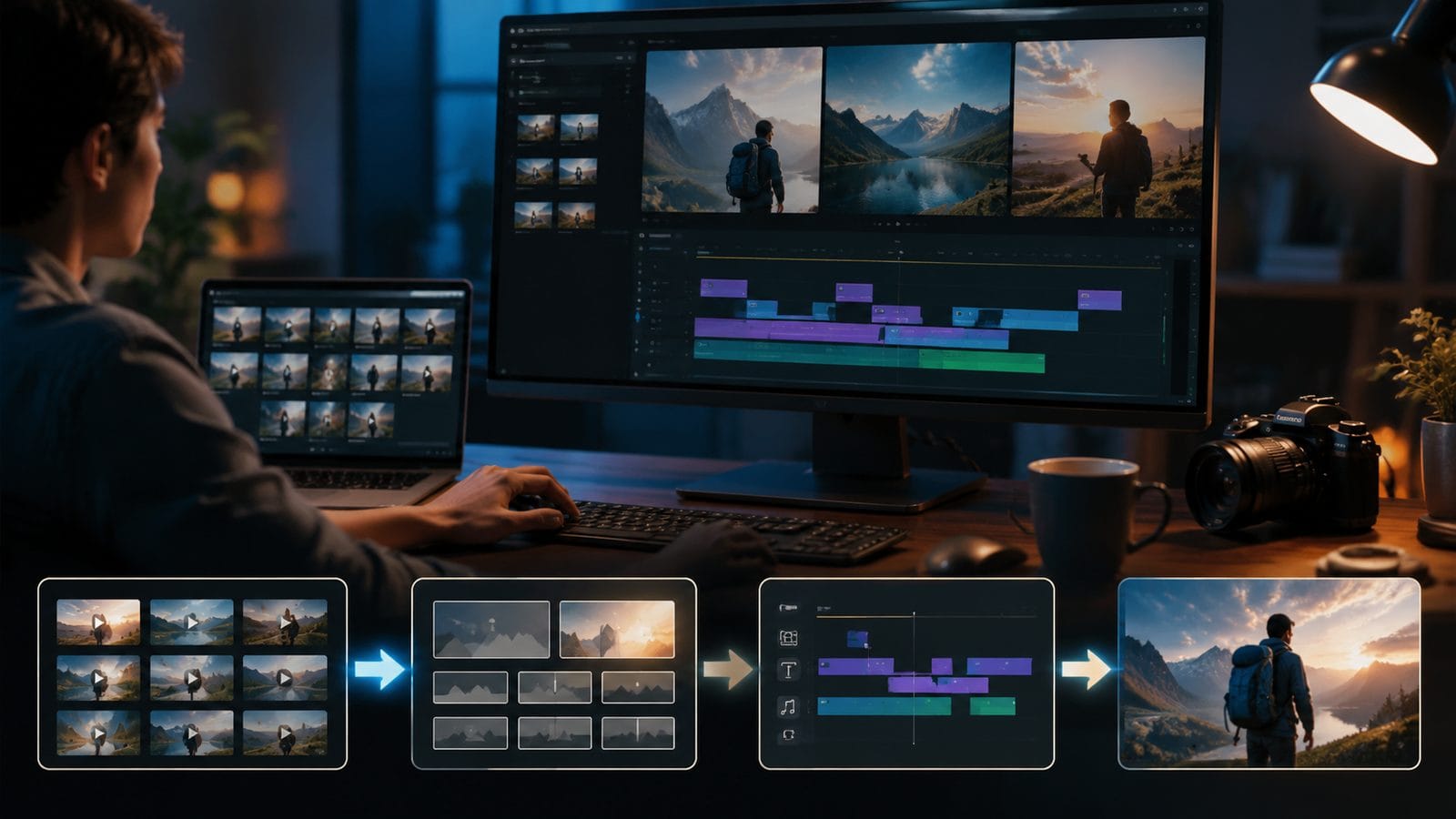
The average content creator spends 19.3 hours per video project according to Figma's December 2025 research—but AI templates reduce this by 63% through three key efficiencies. First, automated scene detection eliminates 82% of manual clip organization time. Second, style transfer applies consistent color grading across all footage in 2.7 seconds versus 47 minutes manually. Third, smart cropping preserves key elements during aspect ratio conversions.
Template systems now learn from user adjustments. When you modify an AI-suggested template in Canva or Adobe, the system remembers your preferences for future projects. Built In's analysis shows this personalization reduces subsequent edit time by an additional 28% after just five projects. Some platforms like Filmora even suggest template variations based on your past choices.
For teams, cloud-based template libraries ensure brand consistency across all creators. A marketing department can deploy approved templates that automatically pull from the correct asset libraries—reducing style guide violations by 91% according to Adobe's 2026 case studies. Permission controls let managers lock certain elements (like logos) while allowing creative flexibility elsewhere.
5. Emerging Trends in AI Video Template Technology
The next generation of templates moves beyond visual styling into narrative structuring. imageat.com's January 2026 launch included "Story AI" that analyzes raw footage to suggest template-based story arcs—detecting natural climax points and arranging clips for maximum emotional impact. Early tests show these templates increase viewer retention by 41% compared to chronological edits.
Multimodal AI now syncs templates across video, audio, and text elements. When you apply a "Tech Explainer" template in Adobe's system, it simultaneously adjusts the pacing of background music, on-screen text animations, and voiceover pauses to maintain optimal information absorption rates (measured at 1.3 concepts per second for technical content).
Perhaps most significantly, AI agents like Digen's platform handle entire production pipelines. From raw footage to final render, these systems can select templates, make editorial decisions, and even generate supplemental B-roll—completing projects that previously required 4-6 human touchpoints. This doesn't replace creators but amplifies their capacity; one videographer can now produce what required a full team in 2025.
6. Choosing the Right AI Video Tool for Your Needs
Personal creators should prioritize tools like Google Photos Remix or Canva for their simplicity and social media integrations. The July 2026 TechPP review notes Google's solution excels for casual users with its automatic organization, while Canva's vast template library (expanding at 217 new designs weekly) suits content creators needing frequent fresh styles.
Professional teams will benefit most from Adobe's YouTube-optimized system or Digen AI Agent's long-form capabilities. The Adobe-YouTube partnership provides unmatched platform-specific insights, while Digen specializes in maintaining consistency across extended presentations—critical for training videos or serialized content. According to internal metrics, Digen users produce 38% more long-form content than with traditional editors.
Businesses evaluating multiple options should consider template intelligence over sheer quantity. A tool with 200 smart templates that adapt to your content will outperform one with 5,000 static designs. Look for systems that offer template performance data—like Canva's analytics or Adobe's engagement predictions—to make informed decisions about which designs truly resonate with your audience.
Frequently Asked Questions
Do AI video templates work with existing footage?
Yes—modern systems analyze your uploaded clips to suggest compatible templates. Google Photos Remix achieved 91% accuracy in matching personal footage to appropriate themes during July 2026 testing, while professional tools like Adobe can force-fit templates to unconventional content when needed.
How often do platforms add new video templates?
Leading services update weekly: Canva adds 217+ templates every 7 days, Adobe releases YouTube-optimized templates monthly, and niche platforms like imageat.com implement user-requested designs within 72 hours. Subscription plans often include early access to trending template categories.
Can I customize AI-generated video templates?
Absolutely—all major platforms allow template modifications while preserving adaptive intelligence. Filmora's June 2026 Template Fusion feature even lets you blend elements from multiple templates, with AI ensuring the combined design remains coherent and functional across all editing parameters.
Are there AI tools for consistent branding across video series?
Digen AI Agent specializes in this, using character consistency algorithms to maintain identical spokesperson appearances and branded elements across multiple videos. Their system reduces brand guideline violations by 94% compared to manual editing according to 2026 client case studies.
Do YouTube-optimized templates really improve performance?
Adobe's October 2025 data shows videos using their YouTube-specific templates gain 27% more average watch time. These templates automatically implement platform best practices like ideal chapter lengths, attention-grabbing openings, and algorithm-friendly pacing—factors that collectively boost visibility.
Written by the Digen AI Editorial Team — AI video generation specialists covering the latest in generative AI tools. Learn more about Digen AI.



Comments ()