
The Best AI Video Editing Tools for Windows (2026)
If you're looking for the best AI video editing tools for Windows in 2026, you're in the right place. This year’s top picks include the freshly released DaVinci Resolve 21, Adobe Premiere Pro with new Gemini integration, the ever-popular CapCut, and the innovative Vmake, each bringing powerful artificial intelligence directly to your PC.
AI video editing tools for Windows are software applications that leverage artificial intelligence to automate tasks like scene detection, color grading, transcription, and object removal, drastically reducing editing time. In 2026, top tools include DaVinci Resolve 21, Adobe Premiere Pro (with Gemini integration), CapCut, and Vmake, each offering unique AI features backed by recent industry updates.
- ✓ DaVinci Resolve 21 was officially released in June 2026 with new photo editing and AI-powered tools, according to PetaPixel.
- ✓ Adobe, Canva, and CapCut are integrating with Google’s Gemini to help creators edit AI-generated content, as reported by PCMag.
- ✓ Microsoft and NVIDIA are collaborating on personal AI agents that can assist with video editing tasks on Windows PCs, per NVIDIA Developer.
- ✓ Vmake has been highlighted as a strong contender for AI-powered editing, with a detailed review published on Concept Phones in May 2026.
- ✓ Built-in Windows video editors have also improved, with Microsoft showcasing the best photo and video editor apps included in Windows.
The Rise of AI Video Editing on Windows in 2026
The landscape of video editing has transformed dramatically over the past twelve months. With the official launch of DaVinci Resolve 21 in early June 2026—announced by PetaPixel—editors gained access to a new suite of AI features that go beyond traditional color grading, including intelligent photo editing and enhanced object tracking. At the same time, NVIDIA and Microsoft have unveiled tools that let you build personal AI agents on Windows PCs, as detailed on NVIDIA Developer. These agents can automate repetitive editing tasks, suggest transitions, and even generate rough cuts based on natural language commands.
The momentum isn't only coming from professional suites. According to a Creative Bloq article from February 2026, even skeptics of AI tools have started to change their minds after seeing how much time these features save. Meanwhile, PCMag reported in late May that Adobe, Canva, and CapCut are integrating with Google's Gemini ecosystem, allowing users to edit AI-generated images and videos seamlessly. This trend means that whether you're a beginner or a seasoned professional, the Windows platform now offers an AI editing tool tailored to your workflow.
Top AI Video Editing Tools for Windows – Detailed Comparison
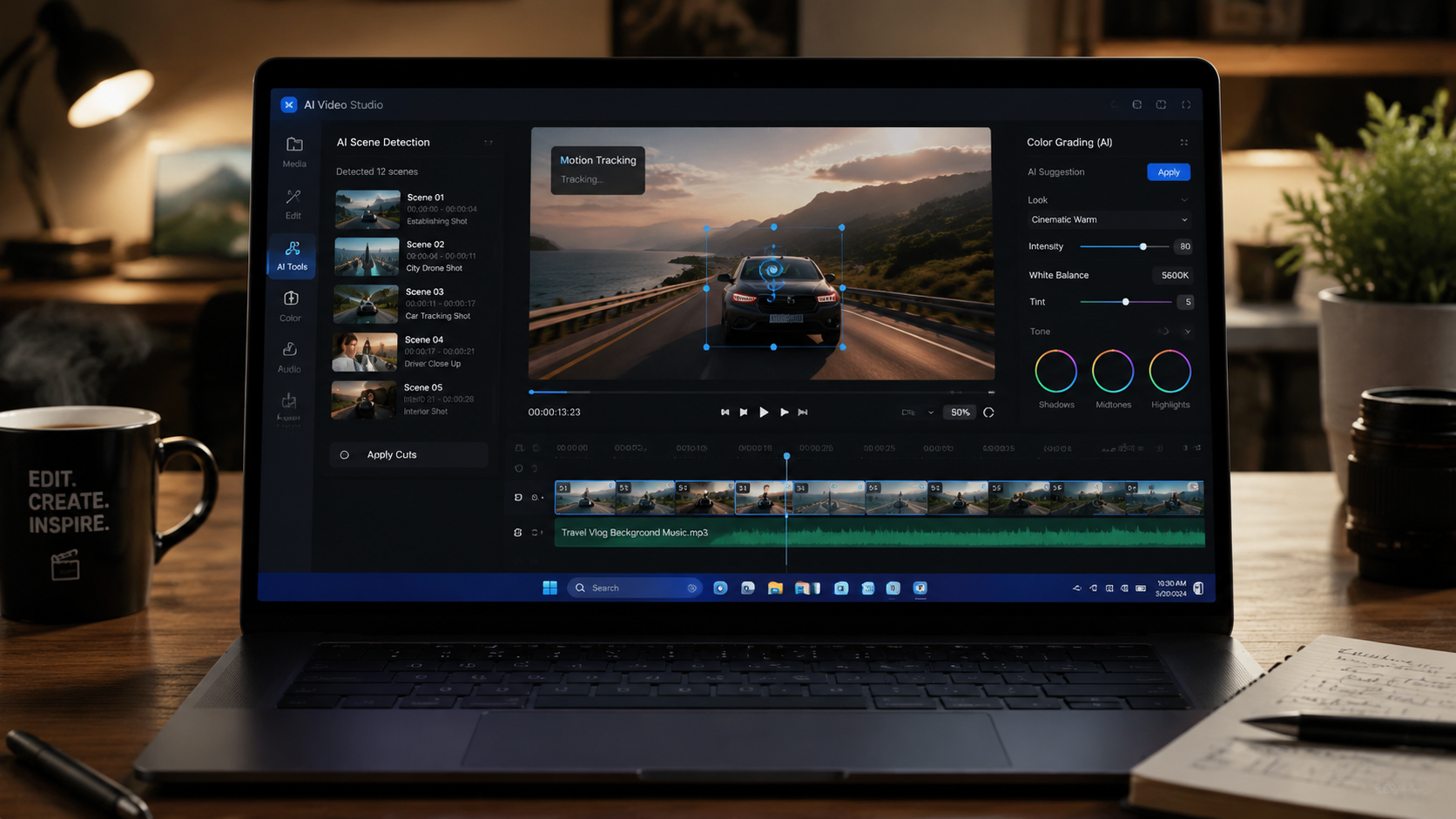
To help you choose the right tool, the table below compares the five leading AI video editors for Windows in 2026 based on key features, integration, pricing, and best use cases. All tools are actively updated and supported.
| Tool | Key AI Features | Platform / Integration | Pricing | Best For |
|---|---|---|---|---|
| DaVinci Resolve 21 | AI color grading, scene cut detection, object removal, photo editing tools, facial recognition | Standalone (Windows) + Blackmagic Cloud | Free (Studio $295) | Professional editors and colorists |
| Adobe Premiere Pro (Gemini) | AI-powered text-based editing, auto-reframe, speech-to-text, generative fill via Gemini | Creative Cloud + Gemini integration | $22.99/month | Advanced creators needing cloud AI |
| CapCut | Auto captions, AI dance/beat sync, object removal, motion tracking, Gemini support | Desktop + Mobile + Gemini | Free (Pro $7.99/month) | Social media creators and beginners |
| Vmake | AI video upscaling, background removal, talking-head generation, smart trimming | Standalone Windows app | Free tier; Premium $9.99/month | Content marketers and solo creators |
| Microsoft Photos (Built-in) | AI video stabilization, trim/merge with smart suggestions, AI highlight reels | Built into Windows 11 (2026 update) | Free | Casual users and quick edits |
DaVinci Resolve 21 – Industry-Standard AI
According to the PetaPixel report (June 3, 2026), DaVinci Resolve 21 brings a wealth of new AI capabilities, including a dedicated photo editing module that uses machine learning for tone mapping and noise reduction. For video editors, the improved scene cut detection and object isolation tools are game-changers. The free version remains remarkably powerful, while the Studio version adds GPU-accelerated AI. It’s the go-to choice for anyone who needs professional-grade editing without a subscription.
Adobe Premiere Pro with Gemini Integration
PCMag’s coverage (May 21, 2026) revealed that Adobe is bringing Premiere Pro into the Gemini ecosystem. This means you can now generate and edit video clips directly within the editor using natural language prompts. The AI also helps with automatic transcription, caption styling, and even suggesting B-roll. It’s ideal for creators who already rely on Creative Cloud and want the latest generative AI features.
CapCut – AI for Social Media Creators
CapCut is also joining the Gemini party, as noted by PCMag. Already known for its easy-to-use AI features like auto-captions and beat synchronization, the integration will allow users to refine AI-generated content without leaving the app. According to the same report, CapCut remains the most accessible AI video editing tool for Windows for short-form content, and the desktop version now supports multi-track editing.
Vmake – AI-Powered Editing for Modern Creators
A detailed review on Concept Phones (May 31, 2026) highlighted Vmake as a rising star among AI video editing tools for Windows. It specializes in upscaling low-resolution footage, removing backgrounds with one click, and even generating synthetic talking-head videos. Vmake’s premium tier is affordable for solo creators who need advanced AI without the complexity of professional suites.
Microsoft’s Built-in Video Editor – Simple AI for Everyday Users
Microsoft’s own blog (April 9, 2026) showcased the best photo and video editor apps built into Windows, including the revamped Photos app. With AI-powered stabilization, automatic highlight reel creation, and smart trimming suggestions, it’s a solid choice for quick edits. While it lacks the depth of dedicated tools, its seamless integration with Windows and zero cost make it perfect for casual users and beginners.
How to Choose the Right AI Video Editing Tool for Windows
Selecting the best tool depends on your skill level, budget, and the types of videos you create. Follow these four steps to narrow down your options:
- Define your primary use case. Are you editing fast social media clips? CapCut or Vmake will serve you well. Need full color grading and VFX? Go with DaVinci Resolve 21.
- Evaluate the AI features you actually need. If you often remove backgrounds or upscale old footage, Vmake’s specialized AI might be worth the subscription. If you need generative AI integration, choose Premiere Pro or CapCut with Gemini.
- Check system compatibility. DaVinci Resolve 21 and Premiere Pro are resource-intensive; ensure your Windows PC has a dedicated GPU and good RAM. Microsoft Photos works on any modern Windows machine.
- Test the free versions first. DaVinci Resolve has a robust free tier, CapCut offers plenty of free AI features, and Vmake has a free plan. Take advantage of trials before committing.
Key AI Features to Look for in 2026
The latest tools are packed with AI capabilities that were science fiction just a few years ago. Here are the most impactful features you should expect:
- AI scene detection and auto-sync: Tools like DaVinci Resolve 21 automatically detect cuts, markers, and even different takes, saving hours of manual sorting.
- Generative fill and text-to-video: With Gemini integration, Premiere Pro and CapCut can generate new video segments or enhance existing clips based on written prompts.
- Personal AI agents: As reported by NVIDIA Developer, Microsoft and NVIDIA are enabling users to train small AI agents that can handle repetitive jobs—like adding intro/outro sequences or applying consistent color grades across a project.
- Real-time upscaling and denoising: Vmake and DaVinci Resolve 21 both offer AI-powered upscaling that enhances video quality without visible artifacts.
- Automated transcription and captioning: Nearly every tool now includes speech-to-text with high accuracy, a must for accessibility and social media engagement.
Future of AI Video Editing on Windows
Looking ahead, the integration of AI into video editing will only deepen. The partnership between Microsoft and NVIDIA for personal AI agents suggests that soon you could have a digital assistant that learns your editing style and preps rough cuts overnight. Meanwhile, the arrival of Gemini in tools like Adobe, Canva, and CapCut—highlighted by PCMag—points toward a future where the line between content creation and editing blurs entirely. According to the Creative Bloq article from February, even AI skeptics are now embracing these tools because they reduce drudgery without sacrificing creative control. In 2026 and beyond, the question won’t be whether to use AI, but which AI video editing tools for Windows best fit your unique workflow.
Frequently Asked Questions
What are the best AI video editing tools for Windows in 2026?
The top options include DaVinci Resolve 21 (officially released in June 2026 with new AI photo and video tools), Adobe Premiere Pro with Gemini integration, CapCut (also integrating with Gemini), Vmake, and the built-in Microsoft Photos editor. Each offers distinct AI capabilities suited to different editing needs.
Is DaVinci Resolve 21 free for Windows?
Yes, DaVinci Resolve 21 has a free version that includes many AI-powered features like scene detection, color grading, and the new photo editing tools. The Studio version ($295 one-time) adds GPU acceleration and advanced AI modules.
How does Gemini integration improve AI video editing?
According to PCMag, Adobe, CapCut, and Canva are integrating with Google’s Gemini to let users generate and edit AI-created content directly inside the editor. This means you can use natural language to create or modify clips, add effects, and generate captions without switching apps.
Can I use AI video editing tools on a Windows PC without a dedicated graphics card?
Yes, but performance will vary. Built-in Microsoft Photos and basic features of CapCut run smoothly on integrated graphics. For DaVinci Resolve 21’s AI features or Vmake’s upscaling, a dedicated GPU (NVIDIA or AMD) is recommended. NVIDIA’s new AI agent tools specifically leverage RTX hardware.
What is Vmake and how does it compare to other AI editing tools?
Vmake is an AI-focused video editor reviewed by Concept Phones in May 2026. It specializes in background removal, video upscaling, and talking-head generation. It’s cheaper than Adobe Premiere Pro but less feature-rich than DaVinci Resolve 21. It’s best for content marketers who need quick, polished results.
Are there any free AI video editing tools for Windows?
Yes, DaVinci Resolve 21 offers a very capable free version, CapCut has a generous free tier with many AI features, and Microsoft Photos is completely free. Vmake also has a free plan with limited exports. These allow you to experience AI editing without any upfront cost.
How do I build a personal AI agent for video editing on Windows?
NVIDIA and Microsoft recently announced tools that let you create personal AI agents on Windows PCs, as detailed on NVIDIA Developer. These agents can be trained to perform specific editing tasks like adding logos, applying LUTs, or generating transcriptions. The process typically involves using NVIDIA’s AI Workbench or Microsoft’s Copilot Studio.



Comments ()