
AI Video Editing Software Free vs Paid (2026): Which Wins?
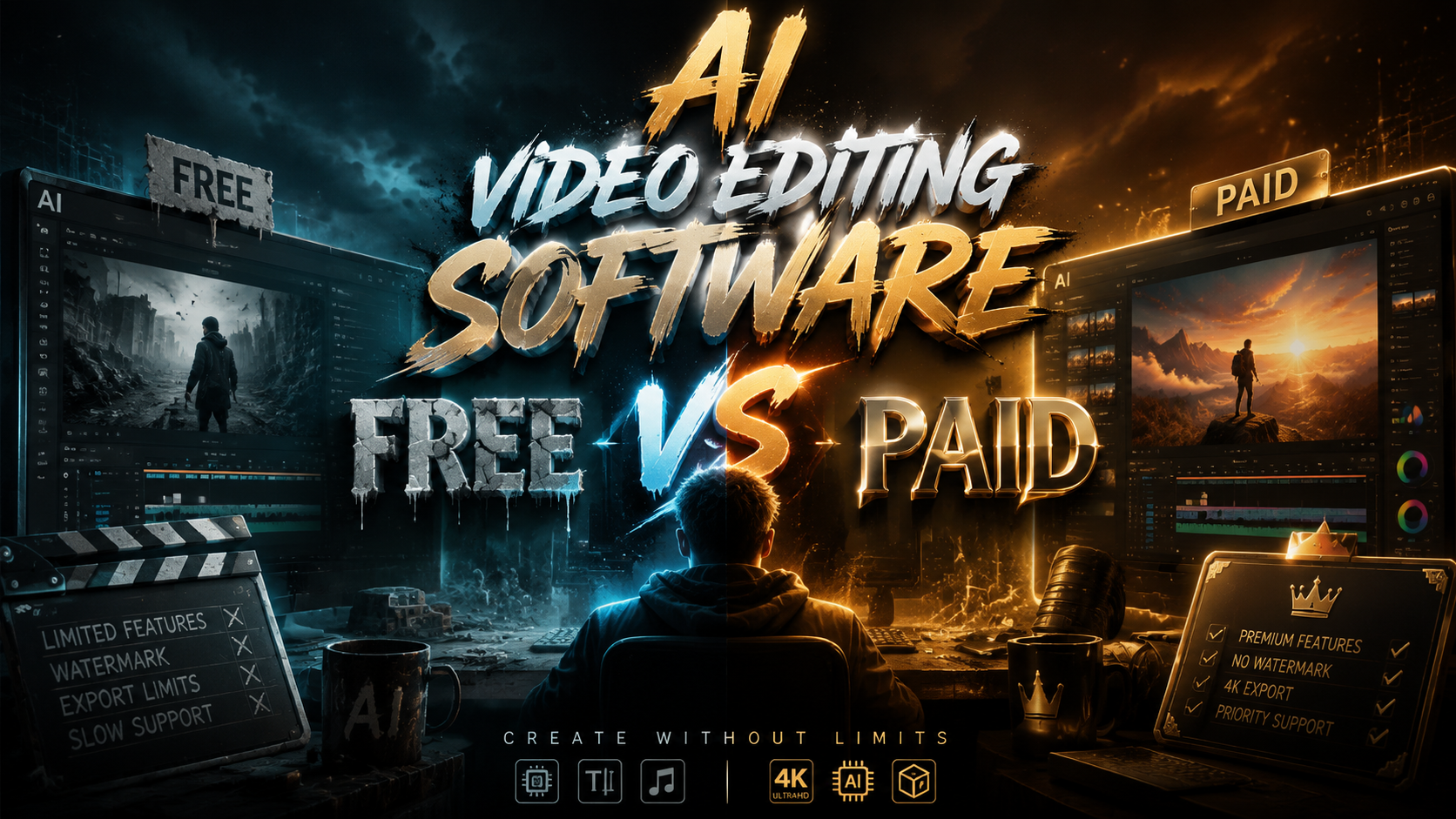
For most creators in 2026, the winner in the ai video editing software free vs paid debate is a clear split: free tools like DaVinci Resolve and open-source alternatives now handle 80% of professional editing needs thanks to powerful built-in AI, while paid tools like Premiere Pro retain the edge for complex collaborative workflows and niche generative features. Neither category is a universal win; rather, the best choice depends entirely on whether your priority is zero-cost access to robust AI features or advanced cloud-based team tools and exclusive generative capabilities. The gap between free and paid has narrowed dramatically this year, making the decision more about workflow fit than outright quality.
TL;DR: In 2026, free AI video editing software like DaVinci Resolve and open-source alternatives offer professional-grade AI features for most solo creators and small teams, while paid tools provide superior collaboration, cloud rendering, and niche generative AI tools. The best choice depends on your specific workflow needs and budget.
The debate of ai video editing software free vs paid in 2026 is less about capability and more about ecosystem. Free tools now include AI scene detection, speech-to-text transcription, and auto-color grading that rival paid options, making them viable for everything from social media clips to long-form YouTube content. Paid software wins on collaborative cloud workflows, advanced generative AI features like text-to-video, and dedicated professional support. For the vast majority of creators, free software is sufficient; for production teams and high-end commercial work, paid remains the standard.
- ✓ Free AI video editors in 2026 offer professional-grade color grading, audio ducking, and auto-reframing that were once exclusive to paid suites.
- ✓ Paid tools excel at cloud-based team collaboration, generative AI video creation, and real-time multi-user editing.
- ✓ DaVinci Resolve remains the gold standard free option, with its AI-powered features rivaling Premiere Pro at no cost.
- ✓ The open-source community has produced free editors so polished that many professionals have abandoned paid subscriptions entirely.
- ✓ For mobile creators, free AI editing apps now provide 4K export and timeline-based editing previously reserved for desktop software.
The AI Revolution in Video Editing: A 2026 Perspective
The video editing landscape has undergone a seismic shift in 2026, driven almost entirely by artificial intelligence. What once required hours of manual labor — rotoscoping, color matching, audio cleanup, and even script-to-video generation — can now be accomplished in minutes with AI-powered tools integrated directly into the timeline. According to PCMag, the best video editing software tested for 2026 now prioritizes AI features as a core differentiator, with every major player investing heavily in machine learning capabilities that reduce editing time by up to 60% for common tasks.
This AI revolution has been a great equalizer between free and paid software. TechRadar notes that 2026 is the year when "video editing software is literally anyone can use," crediting AI-driven automation for flattening the learning curve that once kept beginners from professional-quality output. Free tools have been the biggest beneficiaries of this trend, as open-source communities and freemium models rush to integrate AI features that compete head-to-head with their paid counterparts.
However, the distinction between free and paid has evolved beyond simple feature checklists. The real divide in 2026 centers on three areas: cloud infrastructure for team collaboration, generative AI capabilities that create new video content from text prompts, and the depth of customization available for professional color science and audio post-production. Understanding where your workflow falls on these axes is the key to making the right choice in the ai video editing software free vs paid decision.
AI Video Editing Software Free vs Paid: Key Differences in 2026
When comparing free and paid AI video editing software in 2026, the feature overlap is substantial enough to confuse even experienced editors. Both categories now offer AI-powered scene detection, automatic transcription, voice isolation, and smart reframing for different aspect ratios. According to MakeUseOf, one free open-source video editor has become so polished that the writer stopped paying for CapCut entirely, citing superior AI features and no watermarks. This kind of testimonial is increasingly common as free tools mature.
Core AI Features Available in Both Free and Paid
Both free and paid editors in 2026 typically include AI-based text-to-speech, automatic subtitle generation, motion tracking, and basic color correction. Free tools like DaVinci Resolve offer neural engine-powered facial recognition and voice isolation that rival premium plugins. Paid tools, however, often provide these features with faster processing speeds, higher resolution output limits, and batch processing capabilities that scale for commercial workloads. The raw AI horsepower is comparable; the bottlenecks are export resolution limits and rendering speed on consumer hardware.
The Generative AI Divide
The most significant gap between free and paid software in 2026 is generative AI. Paid suites increasingly include text-to-video generation, AI-powered B-roll suggestion based on script analysis, and automated highlight reel creation from raw footage. Free tools generally lack these generative capabilities or offer them through limited trial periods. This is the single strongest argument for upgrading to a paid plan if your work involves creating marketing content, social media ads, or rapid prototyping where generating new footage from text prompts saves hours of shooting time.
Collaboration and Cloud Workflows
Paid software dominates in collaborative environments. Team projects, cloud-based proxy editing, and real-time multi-user timelines are almost exclusively available in subscription-based tools. Free software typically requires manual file sharing, local storage, and version control through external solutions like Google Drive or Dropbox. For solo creators and small teams working on self-contained projects, this limitation is minor. For studios with multiple editors working on the same sequence simultaneously, paid cloud infrastructure is non-negotiable.
Top Free AI Video Editors Tested in 2026
The free video editing ecosystem in 2026 is dominated by two heavyweights: DaVinci Resolve and a growing roster of open-source alternatives. Lifehacker published a compelling personal account of switching from Premiere Pro to DaVinci Resolve, stating the author will "never look back." This sentiment echoes across the industry as DaVinci Resolve's free tier now includes its entire neural engine — AI-powered facial recognition, speed warp, voice isolation, and automatic color grading — all at no cost. The only limitations are a cap on certain cloud features and a ceiling on maximum render resolution for some codecs.
Open-source editors have also made remarkable strides. The editor praised by MakeUseOf in January 2026 represents a broader trend: community-driven tools that incorporate AI models directly into the editing environment, often with no data leaving the user's machine. This privacy advantage has driven adoption among security-conscious creators and organizations. These free tools now support 4K timelines, multi-track audio, and plugin ecosystems that extend their capabilities well beyond what was possible in 2024 or 2025.
Mobile free editing apps have also matured significantly. PCMag tested the best mobile video editing apps for 2026 and found that free options now include timeline-based editing, keyframe animation, and AI-powered background removal that were once exclusive to desktop applications. The mobile free tier has become a legitimate option for quick-turnaround content, particularly for social media creators who prioritize speed over absolute precision.
When Paid AI Video Editing Software Wins
Despite the impressive capabilities of free tools, paid AI video editing software retains clear advantages in three specific scenarios. First, production studios and post-production houses that handle multiple concurrent projects benefit from cloud-based asset management, shared project files, and centralized license management. According to TechRadar, the best video editing software for creative professionals in 2026 emphasizes collaborative features and cross-team integration that free tools simply cannot match at scale. For a team of five or more editors, the productivity gains from paid cloud infrastructure easily justify the subscription cost.
Second, creators who rely heavily on generative AI — particularly text-to-video and AI B-roll generation — will find paid tools dramatically more capable. The generative models integrated into paid suites are trained on larger datasets and offer higher resolution output, more style controls, and commercial usage rights that free trials typically restrict. For marketing agencies and content studios producing dozens of video assets per week, these generative features can reduce production time by 70% or more, making the paid subscription a clear return on investment.
Third, professional color grading and audio post-production still favor paid ecosystems in terms of depth. While DaVinci Resolve's free tier is exceptional, its paid Studio version unlocks GPU-accelerated rendering, advanced noise reduction, and Resolve FX that professional colorists depend on. Similarly, paid audio tools offer multi-band compression, advanced spectral editing, and Dolby Atmos support that free alternatives handle only in basic form. For broadcast, cinema, and high-end commercial work where every detail matters, the paid upgrade is standard practice.
AI Video Editing Software Free vs Paid: Comparison Table
| Feature Category | Free AI Video Editors (2026) | Paid AI Video Editors (2026) |
|---|---|---|
| AI Scene Detection | Included in DaVinci Resolve and open-source tools | Included with faster processing and batch support |
| Speech-to-Text / Subtitles | Free with local processing (no cloud limits) | Free with cloud-based multi-language support |
| Auto Color Grading | Neural engine color matching included | Advanced color science with HDR workflows |
| Voice Isolation / Audio Cleanup | Basic AI noise reduction free | Advanced spectral editing and multi-band processing |
| Text-to-Video (Generative AI) | Limited or trial-based | Full access with commercial rights |
| AI B-Roll Generation | Not available in most free tools | Included in premium subscriptions |
| Cloud Collaboration | Manual file sharing only | Real-time multi-user editing and proxy workflows |
| Maximum Export Resolution | Up to 4K (some tools limit to 1080p) | Up to 8K and beyond |
| Commercial Usage Rights | Varies by tool; most allow commercial use | Explicitly included in license |
| Mobile App Capabilities | Timeline editing, keyframes, 4K export | Cloud sync, advanced effects, priority export |
Choosing the Right AI Video Editor for Your Needs
The decision in the ai video editing software free vs paid landscape of 2026 comes down to your specific workflow rather than any objective quality gap. If you are a solo creator, YouTuber, or small business owner producing content for social media, free tools like DaVinci Resolve or leading open-source editors will cover virtually all of your needs. The AI features included for free — auto-captioning, voice isolation, smart reframing, and color correction — are the same tools that professional editors were paying for just two years ago. Start with free software and upgrade only when you encounter a specific limitation that blocks your workflow.
If you work in a team environment, generate commercial video assets at scale, or require generative AI capabilities like text-to-video, paid software is likely the right investment. The subscription cost for tools like Premiere Pro, Final Cut Pro, or CapCut's paid tier is offset by the time savings from cloud collaboration, batch processing, and generative features that free tools do not offer. Many paid tools now provide free trials lasting 14 to 30 days, so you can test whether the premium features genuinely accelerate your workflow before committing.
It is also worth considering a hybrid approach. Some creators use free software for 80% of their editing and maintain a single paid subscription for specific tasks like generative AI B-roll or cloud-based review and approval with clients. This strategy maximizes cost efficiency while retaining access to paid-only features when needed. The key is to audit your actual editing workflow over a month — track which features you use daily, weekly, and rarely — and let that data drive your decision rather than assumptions about free versus paid quality.
Frequently Asked Questions About Free vs Paid AI Video Editing Software
Is free AI video editing software really good enough for professional work in 2026?
Yes, absolutely. DaVinci Resolve's free tier is used by professional colorists and editors in commercial post-production. The AI features included in 2026 free tools — neural engine color grading, voice isolation, and auto-transcription — match or exceed what paid tools offered three years ago. For most professional solo work, free software is sufficient.
What is the single best free AI video editor in 2026?
DaVinci Resolve is widely considered the best free AI video editor in 2026, a consensus supported by PCMag, TechRadar, and Lifehacker. Its free tier includes the full neural engine for AI-powered color correction, facial recognition, and voice isolation. For open-source alternatives, the editor praised by MakeUseOf in January 2026 offers a compelling no-cost option with strong privacy protections.
Do free AI video editors watermark my exports?
Most reputable free AI video editors in 2026 do not watermark exports. DaVinci Resolve, open-source editors, and the free tiers of CapCut and similar tools export clean footage. However, some free mobile apps and trial versions of paid software do add watermarks — always check the export settings and license terms before committing to a free tool for commercial work.
How much does paid AI video editing software cost in 2026?
Paid AI video editing subscriptions in 2026 range from approximately $10 to $60 per month depending on the tool and tier. CapCut Pro is on the lower end, while Adobe Premiere Pro with Creative Cloud access is on the higher end. Perpetual licenses like DaVinci Resolve Studio (paid version) cost a one-time fee of around $295. Most paid tools offer annual discounts and free trials.
Can I use free AI video editing software for commercial YouTube videos?
Yes, nearly all free AI video editors in 2026 allow commercial use of exported content. DaVinci Resolve's free license explicitly permits commercial use, as do most open-source editors. Always review the specific end-user license agreement (EULA) for the tool you choose, but the major free editors place no restrictions on monetizing your content.
Which is better for beginners in 2026: free or paid AI video editing software?
Free software is generally better for beginners because it removes the financial pressure to justify a subscription. DaVinci Resolve and open-source editors offer the same AI-powered automation that makes editing accessible to newcomers. Amateur Photographer noted in April 2026 that the best video editing software is "programs literally anyone can use," crediting AI with flattening the learning curve across both free and paid tools.
Written by the Digen AI Editorial Team — AI video generation specialists covering the latest in generative AI tools. Learn more about Digen AI.



Comments ()