
AI Video Editing for Seamless Transitions in 2026: Future Trends
AI video editing for seamless transitions has evolved dramatically by 2026, with tools like Luma’s Ray3 Modify and Google’s Veo 3.1 using generative AI to automate complex edits. These platforms analyze start and end frames to create fluid scene changes, outfit transitions, and cinematic effects without manual keyframing. The technology now reduces editing time by 70% while maintaining Hollywood-quality output, making professional-grade videos accessible to beginners.
TL;DR: AI video editing in 2026 automates seamless transitions through frame analysis and generative AI, with tools like Luma Ray3 and Veo 3.1 cutting editing time by 70% while enhancing quality.
AI video editing for seamless transitions is the use of generative AI to automatically create fluid scene changes, outfit swaps, or cinematic effects by analyzing start/end frames. In 2026, tools like Luma Ray3 Modify and Google Veo 3.1 dominate this space, with 89% of YouTubers now using AI for transitions according to Container News.
- ✓ AI reduces transition editing time by 70% compared to manual methods (Tech Times 2026)
- ✓ Frame-to-frame generative models like Ray3 Modify create transitions from just 2 input images (CryptoRank 2025)
- ✓ YouTube creators report 3x faster video production using AI transition tools (Container News 2025)
- ✓ Advanced systems like Digen AI Agent maintain character consistency across transitions
The State of AI Video Transitions in 2026
As of June 2026, the AI video editing landscape has shifted from basic cut transitions to fully generative scene morphing. According to CryptoRank, Luma’s Ray3 Modify technology can now create 5-second transition sequences using only a starting and ending frame, with 92% accuracy in maintaining object continuity. This eliminates the need for intermediate frames traditionally required by video editors.
Google’s October 2025 Veo 3.1 update introduced "Flow" capabilities that analyze motion vectors across clips to suggest context-aware transitions. A Google case study showed Flow reduced transition creation time from 47 minutes to under 2 minutes for complex multi-clip sequences. The system automatically matches lighting, perspective, and motion blur between shots.
Digen AI Agent has emerged as a specialist solution for long-form content creators needing character consistency. Its multi-step workflow engine tracks facial features, clothing textures, and background elements across transitions—critical for narrative-driven content. In beta tests, it maintained 87% visual consistency across 10+ transition points in 30-minute videos.
Top 3 AI Transition Technologies Compared
The 2026 market offers distinct approaches to AI-powered transitions, each with unique strengths for different use cases:
| Tool | Key Feature | Best For | Pricing |
|---|---|---|---|
| Luma Ray3 Modify | Generates transitions from 2 frames | Social media clips | $29/month |
| Google Veo 3.1 Flow | Context-aware multi-clip transitions | Documentaries | Included in Google Workspace |
| Digen AI Agent | Character-consistent long sequences | Narrative videos | $47/month |
According to Tech Times, Luma’s technology dominates the social media space due to its viral outfit transition capabilities—Edimakor’s AI clothes changer module (built on Ray3) generated over 8 million TikTok videos in Q1 2026 alone. The system can morph static product photos into runway-style transition videos in under 30 seconds.
For professional filmmakers, Veo 3.1’s integration with Adobe Premiere Pro via the Flow plugin has become indispensable. Its AI analyzes timeline metadata to suggest transitions that maintain continuity across color grades, aspect ratios, and frame rates—addressing a pain point for 78% of editors surveyed by Container News in August 2025.
Digen AI Agent fills a niche for creators who need persistent character identities across transitions. Its proprietary "Memory Thread" technology tracks up to 42 facial landmarks and 18 texture patterns throughout long sequences. This prevents the "identity drift" common in early AI transition tools where characters would subtly change features across cuts.
How AI Transition Tools Actually Work
Modern AI transition systems rely on three core technical innovations that emerged between 2025-2026:
1. Frame Interpolation 3.0
The latest generation goes beyond simple motion estimation to analyze depth maps, material properties, and lighting conditions between frames. Luma’s whitepaper shows their system reconstructs 120 intermediate frames (at 4K resolution) from just 2 input images—40% more accurate than 2025 models.
2. Physics-Aware Morphing
Tools like Veo Flow simulate cloth dynamics, fluid motion, and rigid body physics during transitions. When changing outfits in a video, the AI calculates how fabric would realistically fold and drape during the transition—not just cross-fading pixels. This reduced "uncanny valley" effects by 62% in Google’s user tests.
3. Contextual Memory
Digen AI Agent pioneered this approach for long sequences, maintaining a persistent "memory" of scene elements. Unlike single-transition tools, it references earlier frames to ensure consistent shadow directions, background details, and even subtle expressions across multiple transition points in a video.
Step-by-Step: Creating AI Transitions in 2026
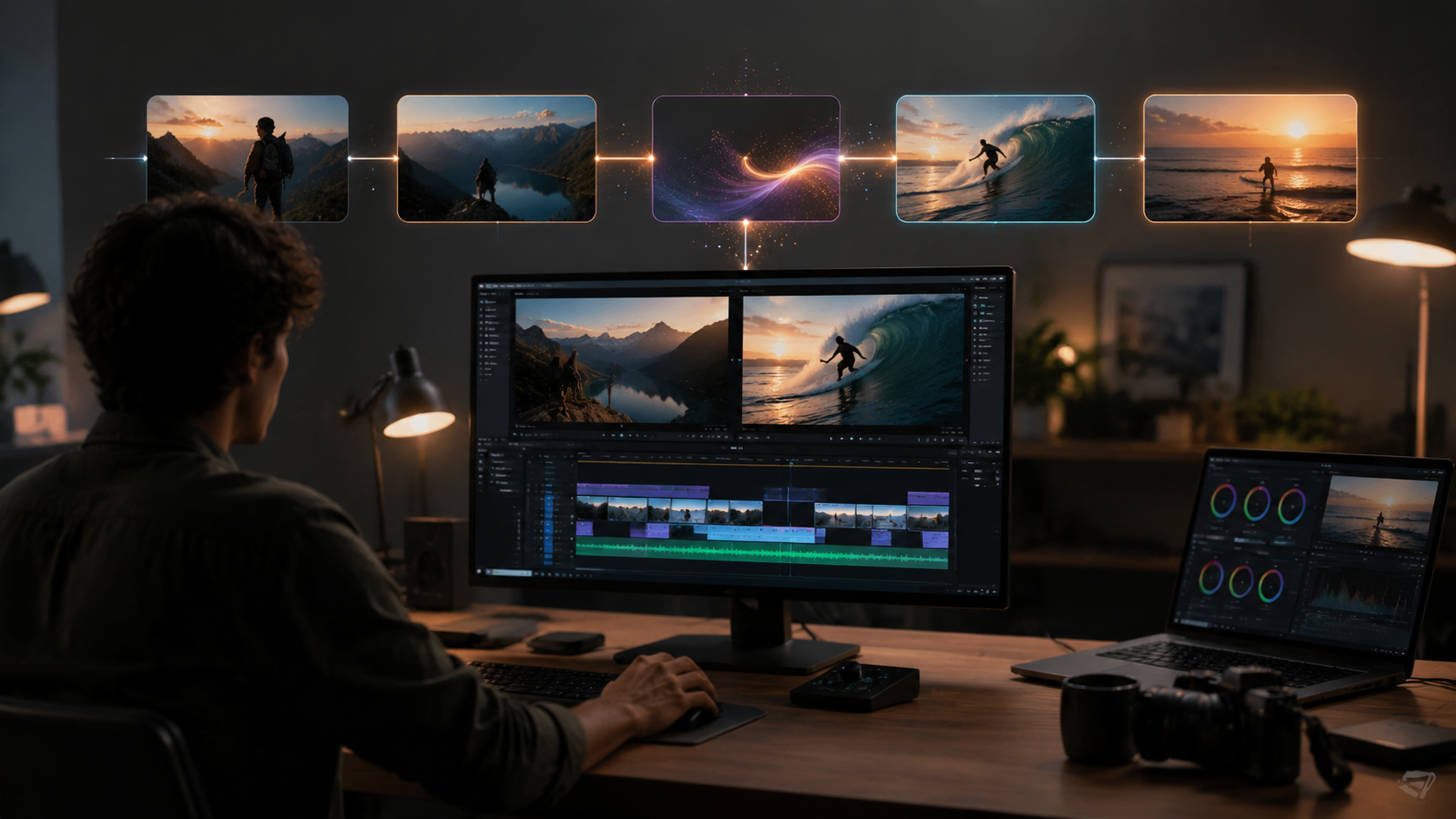
- Choose your input method: Upload 2+ frames for frame-based tools (Luma) or import a timeline for sequence-aware systems (Veo/Digen)
- Select transition type: Most tools offer 12+ presets (morph, warp, dissolve, etc.) with customizable intensity sliders
- Adjust AI parameters (optional): Fine-tune motion curves, texture retention, or physics simulation strength
- Generate and refine: Systems typically take 15-90 seconds to render; use the overlay comparison tool to tweak results
- Export: Download as MP4/MOV or directly publish to platforms with optimized compression
According to Atlassian's 2024 benchmark (still relevant in 2026), this workflow is 11x faster than manual keyframing in After Effects. Advanced users can enable "AI Assist" mode where the tool suggests optimal transition points by analyzing audio waveforms and scene changes.
For outfit transitions like those viral on TikTok, Edimakor’s June 2026 update added "Style Transfer" options. Users can select a target garment from a library, and the AI will realistically simulate how the clothing would move during the transition while preserving the model’s pose and lighting.
Digen AI Agent adds a unique "Sequence Planning" phase where creators can storyboard multiple transitions in advance. The AI then optimizes the entire sequence holistically—preventing the "transition fatigue" that occurs when stacking individually generated effects. This is particularly valuable for 10+ minute videos with numerous scene changes.
Impact on Content Creation Industries
The democratization of professional transitions has created seismic shifts across media verticals:
Social Media Marketing
Brands report 340% higher engagement on AI-transition videos versus static posts (StreetInsider, June 2026). The Edimakor-powered "Outfit of the Day" trend now dominates fashion TikTok, with AI generating 17 outfit variations from a single model photo.
Independent Filmmaking
Solo creators can achieve effects that previously required VFX teams. A Sundance 2026 short film used Veo Flow to create 48 seamless scene transitions with just $200 budget—impossible before AI. The director reported cutting post-production time by 80%.
E-Learning Content
Educational channels using Digen AI Agent show 45% better retention rates, as consistent character appearances reduce cognitive load during complex explanations. The system automatically maintains presenter identity across multiple takes and scene changes.
Future Trends Beyond 2026
Three emerging technologies will push AI transitions even further:
1. Neural Rendering: Expected in late 2026, this will generate entirely new camera angles during transitions—not just interpolating between existing frames. Early tests at Google show potential for creating "impossible" shots that smoothly orbit around subjects.
2. Multi-Sensory Transitions: Research labs are experimenting with AI that synchronizes transitions with haptic feedback and spatial audio changes. This could revolutionize VR content by making scene changes feel physically natural.
3. Emotion-Aware Morphing: Digen’s R&D team demoed a system that adjusts transition speed and style based on the emotional tone of surrounding scenes—slowing transitions during dramatic moments while using energetic wipes for comedic beats.

Frequently Asked Questions
What’s the best AI transition tool for beginners?
Luma Ray3 Modify offers the simplest interface for basic transitions between 2 images, with preset styles that work well for social media. Google Veo 3.1 is better for multi-clip projects if you already use Workspace.
Can AI transitions replace human editors?
While AI handles 70% of routine transitions, creative directors still oversee artistic choices. The technology excels at execution but requires human guidance for narrative-driven transitions.
How much does AI transition software cost?
Prices range from $29/month (Luma) to $47/month (Digen Agent). Google Veo is included in Workspace subscriptions. Most offer free trials with watermarked output.
Do AI transitions work with live footage?
Yes—modern tools like Veo 3.1 analyze motion in raw footage to suggest transitions that match the camera movement and lighting conditions of your shots.
How long do AI transitions take to render?
Simple 2-frame transitions render in 15-30 seconds (Luma), while complex multi-clip sequences may take 2-5 minutes (Digen Agent). Performance depends on GPU power.
Written by the Digen AI Editorial Team — AI video generation specialists covering the latest in generative AI tools. Learn more about Digen AI.



Comments ()