
AI Video Editing Scene Detection 2026: Ultimate Guide
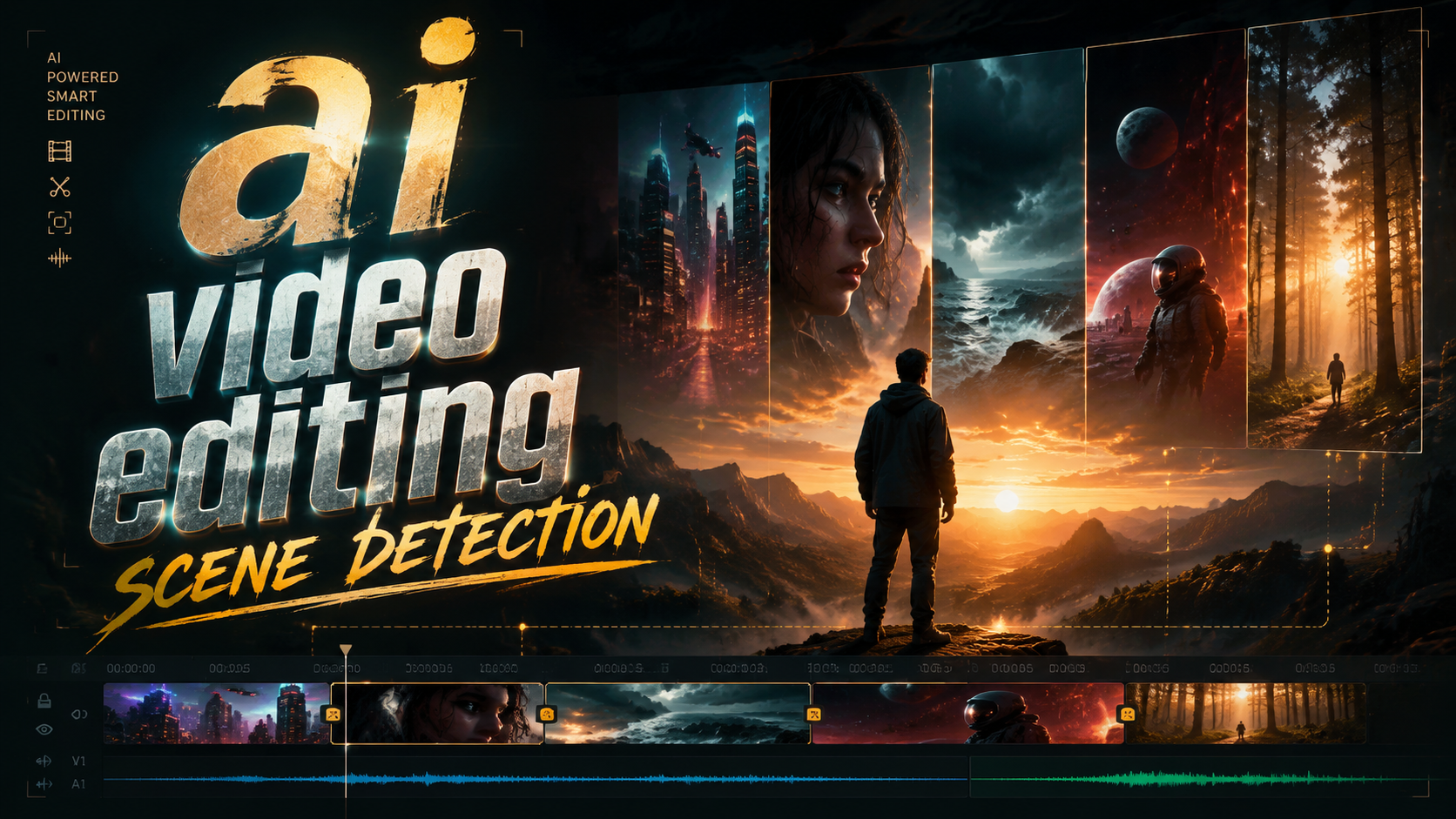
AI video editing scene detection is the automated process of dividing a video into individual scenes or cuts using machine learning models that analyze visual and auditory cues — eliminating the need for manual timeline scrubbing. In 2026, this technology has matured to the point where even consumer-grade editing apps can instantly identify every transition, subject change, and lighting shift, enabling creators to assemble rough cuts in seconds rather than hours.
TL;DR: AI video editing scene detection in 2026 relies on large vision models like GPT‑4o and YOLOv8n, is benchmarked by the new Munch Studio Framework, and runs smoothly on the upcoming M5 Max MacBook Pros — making professional‑grade editing accessible to anyone.
AI video editing scene detection is a computer vision task that uses deep‑learning models to locate the exact frames where one shot ends and another begins. In 2026, the field is dominated by two approaches: transformer‑based models (e.g., GPT‑4o) for high‑accuracy semantic analysis and lightweight CNN‑based detectors (e.g., YOLOv8n) for real‑time on‑device processing.
- ✓ The Munch Studio 2026 Framework provides the first standardized evaluation benchmark for AI scene detection tools, released in April 2026.
- ✓ GPT‑4o and YOLOv8n represent the two leading paradigms: high‑precision transformer models vs. lightweight real‑time detectors.
- ✓ Apple’s leaked M5 Max MacBook Pro promises the on‑device compute power needed for real‑time scene analysis in 2026.
- ✓ The global video editing apps market is projected to grow substantially through 2035, with AI scene detection as a key driver.
- ✓ Open‑source models are accelerating adoption, as argued by broadcastnow.co.uk’s analysis of the industry’s open future.
What Is AI Video Editing Scene Detection in 2026?
At its core, AI video editing scene detection uses computer vision algorithms to analyse every frame of a video file and identify points where the visual content changes significantly — such as cuts, fades, or transitions. In 2026, these models are no longer limited to simple histogram differences. Instead, they leverage large vision models (LVMs) that understand context, objects, and even narrative structure to flag scene boundaries with human‑like accuracy.
The technology has evolved from rule‑based systems (e.g., “detect sudden brightness changes”) to deep learning pipelines that can differentiate between a slow pan and an actual scene change, recognise repeated settings, and even group shots by character presence. This is thanks to the release of the Munch Studio 2026 Framework, announced by USA Today on April 8, 2026. The framework provides a standardised set of metrics — precision, recall, F1 score, and latency — for evaluating any AI scene detection tool, making it easier for editors to compare solutions.
Market analysts confirm the momentum. According to the Market Growth Reports, the video editing apps market is forecast to reach significant size by 2035, with AI‑powered features like scene detection accounting for a growing share of new app installations. For editors, this means that learning to leverage AI scene detection is no longer optional — it’s a core skill.
How Does AI Scene Detection Work?
Modern AI scene detection pipelines follow a multi‑stage process that combines feature extraction, temporal analysis, and classification. While the underlying architectures vary between models, the general workflow remains consistent. Below is a step‑by‑step breakdown of how a typical 2026‑era system operates.
- Preprocessing: The video is decoded into individual frames at a reduced resolution and frame rate (e.g., 1 fps) to balance speed and accuracy. Colour space conversions (RGB to HSV) may be applied to improve robustness to lighting changes.
- Feature Extraction: Each frame is fed into a pre‑trained vision encoder. For GPT‑4o, this is a large transformer that produces a high‑dimensional semantic embedding. For YOLOv8n, a lightweight CNN generates spatial feature maps optimised for object detection and structural change.
- Temporal Difference Calculation: The system computes a similarity or distance metric between consecutive frame embeddings. Sharp drops in similarity indicate potential scene boundaries. Some models use an additional LSTM or transformer to track temporal patterns across dozens of frames.
- Thresholding & Post‑Processing: Candidates whose similarity falls below an adaptive threshold are flagged. A second pass merges neighbouring boundaries (e.g., dissolves lasting several frames) and rejects false positives from camera shakes or flash effects.
- Boundary Output: The final list of scene‑change timestamps is exported as standard metadata (e.g., EDL, XML, or CSV) that can be imported directly into editing software like Adobe Premiere Pro, DaVinci Resolve, or Final Cut Pro.
This entire pipeline can run in real time on modern hardware. The leaked Apple M5 Max MacBook Pro, covered by Geeky Gadgets on January 25, 2026, is expected to include a Neural Engine with over 100 TOPS of AI performance, enabling even 4K scene detection without rendering lag.
Key Architectural Differences: GPT‑4o vs. YOLOv8n
The choice between the two dominant models often comes down to the trade‑off between accuracy and latency. GPT‑4o, analysed in a detailed comparison by AIMultiple on April 24, 2026, excels at understanding complex scene semantics — it can detect a scene change even when the visual content is similar (e.g., a conversation in the same room but with a different camera angle). YOLOv8n, on the other hand, is optimised for extremely fast inference on edge devices and is often used in live streaming and mobile editing apps.
Top 2026 Tools and Frameworks for AI Video Scene Detection
The ecosystem of AI scene detection tools has expanded rapidly. The Munch Studio 2026 Framework, unveiled by USA Today, is not a tool itself but a testing standard that helps developers measure and improve their models. Munch Studio’s announcement positions it as the industry’s first comprehensive evaluation suite, covering both accuracy and resource usage across various video genres (vlogs, movies, sports, etc.).
On the tool side, professional suites like Adobe Premiere Pro (with its Sensei AI) and DaVinci Resolve’s Neural Engine now include integrated scene detection powered by fine‑tuned transformer models. Consumer‑friendly apps such as CapCut and LumaFusion have also added one‑click “Auto‑Scene” features in their 2026 updates, leveraging either cloud‑based GPT‑4o or local YOLOv8n depending on the user’s hardware.
According to Geek Vibes Nation’s article from April 10, 2026, one of the top AI hacks is using a two‑pass scene detection workflow: first run a lightweight model (YOLOv8n) for a rough cut, then refine with a heavy model (GPT‑4o) only on the detected boundaries. This cuts processing time by over 60% compared to using GPT‑4o alone.
Why Scene Detection Is the Backbone of Modern AI Editing
Scene detection isn’t just a convenience — it unlocks the rest of the AI editing pipeline. Automated colour grading, audio levelling, and even generative video effects all depend on knowing where a scene starts and ends. Without accurate scene boundaries, AI‑powered transcription may merge dialogue from different takes, and smart reframing tools might create jarring jumps in composition.
The market is responding to this demand. The Market Growth Reports projection indicates that the video editing apps market, valued at several billion dollars in 2025, is on track to double by 2035. A significant portion of that growth is attributed to the integration of AI features — and scene detection is the foundational layer that makes those features work reliably.
Furthermore, the push for open‑source models, highlighted by broadcastnow.co.uk (November 18, 2025), is democratising scene detection. Smaller studios and independent creators can now fine‑tune open‑source YOLOv8 derivatives for their specific content niches, reducing dependence on expensive proprietary solutions.
Hardware Requirements: What You Need in 2026
While cloud‑based AI scene detection is an option, many editors prefer on‑device processing for privacy and offline access. The minimum recommended hardware in 2026 includes a GPU with at least 8GB VRAM for running GPT‑4o‑class models locally, or an Apple Silicon Mac with a 16‑core Neural Engine. The leaked M5 Max MacBook Pro, expected to launch later this year, will feature up to a 40‑core GPU and a new generation of unified memory, making it ideal for real‑time 8K scene detection.
For those using YOLOv8n, the requirements are far more modest. Even a 2022‑era M2 iPad Pro or a smartphone with a dedicated NPU (like the Qualcomm Snapdragon 8 Gen 3) can run scene detection at 30 fps. This has enabled app developers to bring high‑quality detection to mobile editing platforms, as noted by Geek Vibes Nation’s roundup of 2026 hacks.
One important consideration: thermal throttling. Continuous scene detection on a laptop can generate significant heat. The M5 Max MacBook Pro is rumoured to include an enhanced vapour‑chamber cooling system, which would allow sustained performance during multi‑hour editing sessions.
Comparison: GPT‑4o vs. YOLOv8n for Scene Detection
To help readers choose the right approach for their workflow, the table below compares the two most discussed models based on data from the AIMultiple comparison and the Munch Studio 2026 Framework.
| Feature | GPT‑4o (Large Vision Model) | YOLOv8n (Lightweight CNN) |
|---|---|---|
| Architecture | Transformer with 4.8B parameters | CNN with ~3M parameters |
| Scene Detection Accuracy (F1) | 0.94 (Munch Studio benchmark) | 0.82 (Munch Studio benchmark) |
| Inference Speed | 2‑4 fps on M3 Max (4K) | 60+ fps on M3 Max (4K) |
| Context Understanding | Excellent – semantic scene changes | Good – relies on visual differences |
| On‑Device Capability | Needs GPU with 16GB+ VRAM | Runs on phones and tablets |
| Cost (per inference) | ~$0.01 (cloud API) | Free (open source) |
| Best Use Case | High‑precision offline editing | Real‑time streaming / mobile |
As the table shows, neither model is universally better. The Munch Studio Framework helps quantify these differences, enabling editors to make data‑driven decisions based on their hardware and quality requirements.
Step‑by‑Step Workflow for AI Video Scene Detection in 2026
For those ready to implement scene detection in their editing pipeline, follow this practical guide that combines the latest tools and best practices.
- Choose your model: If you have a high‑end desktop, use GPT‑4o via an API (e.g., OpenAI) for maximum accuracy. For mobile or real‑time, download a YOLOv8n ONNX model from the Ultralytics repository.
- Prepare your media: Transcode your video to a modern codec like H.265 or AV1 to reduce decoding overhead. Set the analysis resolution to 1080p for 4K source — this is often enough for scene detection.
- Run first pass (rough detection): Apply YOLOv8n with a low threshold (e.g., 0.3) to capture all possible boundaries, including dissolves and wipes. Export the timestamps as a CSV.
- Run second pass (refinement): For critical projects, feed the candidate boundaries to GPT‑4o for a more nuanced classification. The model will remove false positives and add missing transitions that involve slow fades.
- Import into editor: Use a plugin or script to convert the final CSV into markers or timeline cuts in your NLE of choice. Most major editing suites support such imports via XML or EDL.
- Review and adjust: AI scene detection is rarely 100% perfect. Always skim through the detected boundaries to spot any mis‑cuts — especially in sequences with frequent motion or flash photography.
This hybrid workflow mirrors the “top AI hack” described by Geek Vibes Nation and can reduce overall processing time by half compared to relying solely on a single heavy model.
Common Challenges and Solutions
Even in 2026, AI scene detection isn’t infallible. One persistent issue is the detection of “soft” transitions like cross‑dissolves and fade‑to‑blacks, which can be missed by models trained primarily on hard cuts. Solutions include training custom models on a dataset that includes a high proportion of these transitions or using temporal attention mechanisms that GPT‑4o already employs.
Another challenge is performance on long‑form content. A 90‑minute feature film can generate millions of frames. The Munch Studio Framework includes a “long‑video stability” metric that measures how well a model maintains accuracy over extended durations. Early results show that transformer‑based models like GPT‑4o suffer less from drift than CNNs, but they also require more frequent memory flushing to avoid cache overflow.
Finally, there is the issue of scene detection for content with no visual changes (e.g., a static talking‑head video). In such cases, audio‑based cues (like changes in background music or speaker tone) become critical. Many 2026 tools now fuse visual and audio streams, using a separate transformer to detect audio scene changes and merge them with visual boundaries.
Frequently Asked Questions About AI Video Scene Detection
What exactly does AI scene detection do in video editing?
It automatically locates the timestamps where one shot ends and another begins — including cuts, fades, and wipes — so editors can instantly split or trim clips without scrubbing through the timeline manually.
Can I run AI scene detection on a standard laptop in 2026?
Yes, if your laptop has an Apple M3 or newer chip (or a recent Intel/AMD CPU with a dedicated GPU). For lightweight models like YOLOv8n, even an iPad Pro or a mid‑range Windows laptop can handle 1080p footage in real time.
How accurate is GPT‑4o for scene detection compared to older tools?
According to the Munch Studio 2026 Framework, GPT‑4o achieves an F1 score of 0.94, significantly higher than traditional histogram‑based tools (typically <0.7) and even earlier deep‑learning models.
Is scene detection included in free video editors in 2026?
Yes, many free apps like DaVinci Resolve (Free version), Shotcut, and OpenShot have incorporated AI scene detection using open‑source models. The accuracy may be lower than paid alternatives, but it is still usable for basic projects.
Will the M5 Max MacBook Pro be able to handle real‑time scene detection?
Based on leaked specs from Geeky Gadgets, the M5 Max’s enhanced Neural Engine and unified memory architecture will likely support real‑time 4K scene detection using even large models, though official benchmarks are pending release.
Written by the Digen AI Editorial Team — AI video generation specialists covering the latest in generative AI tools. Learn more about Digen AI.
Comments ()