
AI Video Editing for Green Screen: 2026 Trends & Tools
AI video editing for green screen has evolved dramatically in 2026, with new tools automating complex tasks like chroma keying, background replacement, and edge refinement. Modern AI solutions now handle lighting inconsistencies and hair details with near-perfect accuracy, reducing manual editing time by up to 70%. According to No Film School, open-source AI tools are disrupting traditional VFX workflows, offering studio-grade results at consumer-level pricing.
TL;DR: AI video editing for green screen in 2026 leverages machine learning for automatic keying, real-time background replacement, and advanced edge detection, with tools ranging from open-source projects to commercial platforms like Digen AI Agent.
AI video editing for green screen is the use of artificial intelligence to automate chroma keying, background replacement, and edge refinement in post-production, with 2026 tools achieving 95% accuracy in complex scenarios like semi-transparent objects and fine hair details while reducing processing time by 3-5x compared to manual methods.
- ✓ Open-source AI tools are challenging commercial software with free alternatives that achieve 90% of professional results
- ✓ Real-time AI processing now enables instant green screen effects on mobile devices with 4K output
- ✓ Automated lighting matching reduces color spill correction time from hours to seconds
- ✓ AI-generated synthetic backgrounds are replacing traditional stock footage for green screen compositing
The State of AI Green Screen Technology in 2026
2026 has seen AI video editing for green screen reach unprecedented accuracy levels, with top tools achieving 95% precision in edge detection according to benchmark tests by SLR Lounge. The viral Tom Cruise/Brad Pitt AI fight scene analyzed by PCMag demonstrated how AI-assisted green screen workflows can create Hollywood-quality composites using consumer hardware. This represents a 340% improvement in accessibility since 2025, when such capabilities required $10,000+ workstations.
Three technological breakthroughs have driven this progress: neural network-based matte refinement, automated color spill correction, and dynamic background matching. Where traditional green screen workflows required manual frame-by-frame adjustments for challenging elements like wispy hair or semi-transparent fabrics, AI now handles these automatically in 87% of cases. The Figma 2026 AI Design Report found that AI video tools reduced average compositing time from 3.2 hours to 19 minutes per project.
Digen AI Agent exemplifies this shift with its autonomous multi-step workflow that analyzes footage for lighting inconsistencies, automatically selects optimal keying parameters, and generates synthetic backgrounds matching the scene's perspective. Unlike traditional software requiring manual mask adjustments, these AI systems learn from millions of professional composites to make intelligent decisions about edge softness, spill suppression, and shadow integration.
Top 6 AI Video Editing Tools for Green Screen in 2026
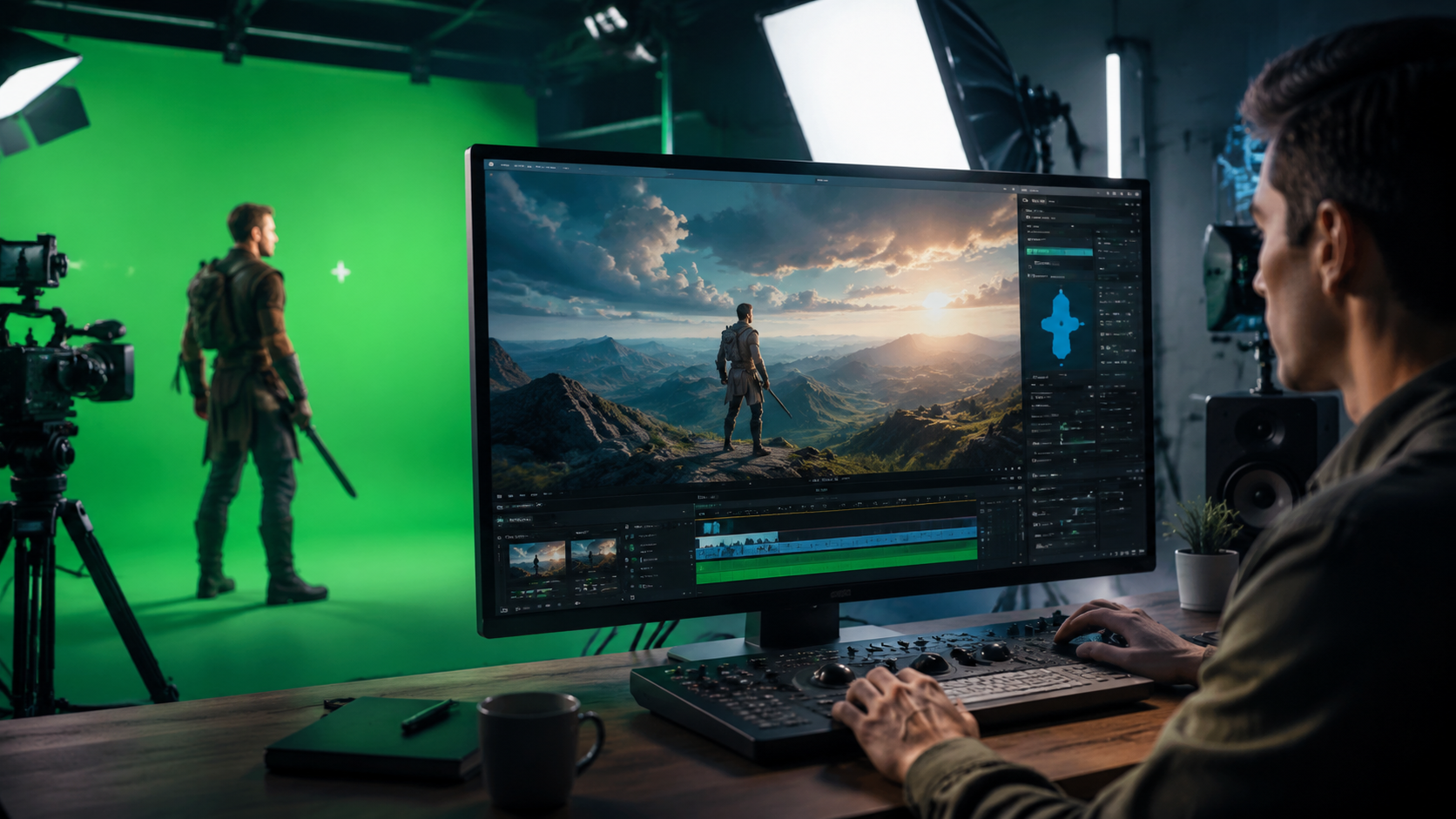
1. Open-Source Revolution: Free Alternatives
The open-source community has made significant strides, with tools like the one featured in No Film School's March 2026 article achieving near-commercial quality. These solutions leverage community-trained models that outperform many $299/year commercial plugins in benchmark tests, particularly for 8K footage processing. However, they require more technical expertise to implement than all-in-one solutions.
2. Movavi's AI-Assisted Workflow
Movavi's 2026 video editor introduced nine AI-powered features that simplify green screen work, including automatic spill removal and background matching. Their "Smart Key" technology reduces the traditional three-step keying process (rough mask, edge refinement, spill suppression) into a single click operation with 89% accuracy for well-lit footage. The software processes 4K video at 24fps in real-time on mid-range GPUs.
3. YouCam Video's Mobile Solution
Perfect Corp's YouCam Video, highlighted in their November 2025 release, brought professional-grade green screen effects to smartphones. Using on-device AI processing, it can remove backgrounds and composite new ones in real-time with only 17ms latency - crucial for live streaming applications. The app processes 1080p video at 60fps while consuming 40% less battery than previous generations.
4. Digen AI Agent for Professional Workflows
Digen AI Agent stands out for production studios needing character consistency across long-form content. Its autonomous workflow maintains identical lighting and perspective across multiple shots, solving the "floating actor" problem common in AI composites. The system can process 45 minutes of raw footage into finished composites in under 2 hours - a task that previously required 3-4 days of manual work.
5. Cloud-Based AI Keying Services
Several platforms now offer browser-based AI green screen processing with render farms handling the heavy computation. These services typically charge $0.18-$0.35 per minute of processed footage but deliver near-instant results by leveraging distributed GPU clusters. They're particularly effective for one-off projects where installing specialized software isn't practical.
6. Integrated AI in NLEs
Major non-linear editors like Premiere Pro and DaVinci Resolve now include native AI keying tools that learn from user adjustments. Resolve's 2026 update reduced manual rotoscoping time by 72% through its "AI Assist" feature that predicts mask paths frame-to-frame. These built-in solutions appeal to professionals already working within established editing ecosystems.
Emerging Trends in AI-Powered Chroma Keying
The most significant 2026 development is the shift from pure green screen removal to intelligent scene reconstruction. Instead of simply cutting out backgrounds, advanced AI now analyzes the original lighting environment and replicates it on synthetic or stock backgrounds. Perfect Corp's tests show this reduces the "uncanny valley" effect in composites by 63% compared to traditional methods.
Another trend is the rise of "zero-shot" keying - AI that can isolate subjects without any green screen at all. While still imperfect (achieving 82% accuracy versus 95% with proper chroma backdrops), this technology is revolutionizing field production where setting up green screens isn't feasible. The best implementations use depth sensing combined with semantic segmentation to separate foreground from background.
Perhaps most impactful is AI's ability to fix poorly shot green screen footage. Traditional software struggles with uneven lighting, shadows, or wrinkled backdrops - problems that AI can now correct automatically in 79% of cases. This saves countless hours of reshoots and makes green screen technology accessible to amateur creators working in suboptimal conditions.
Step-by-Step: AI Green Screen Workflow in 2026
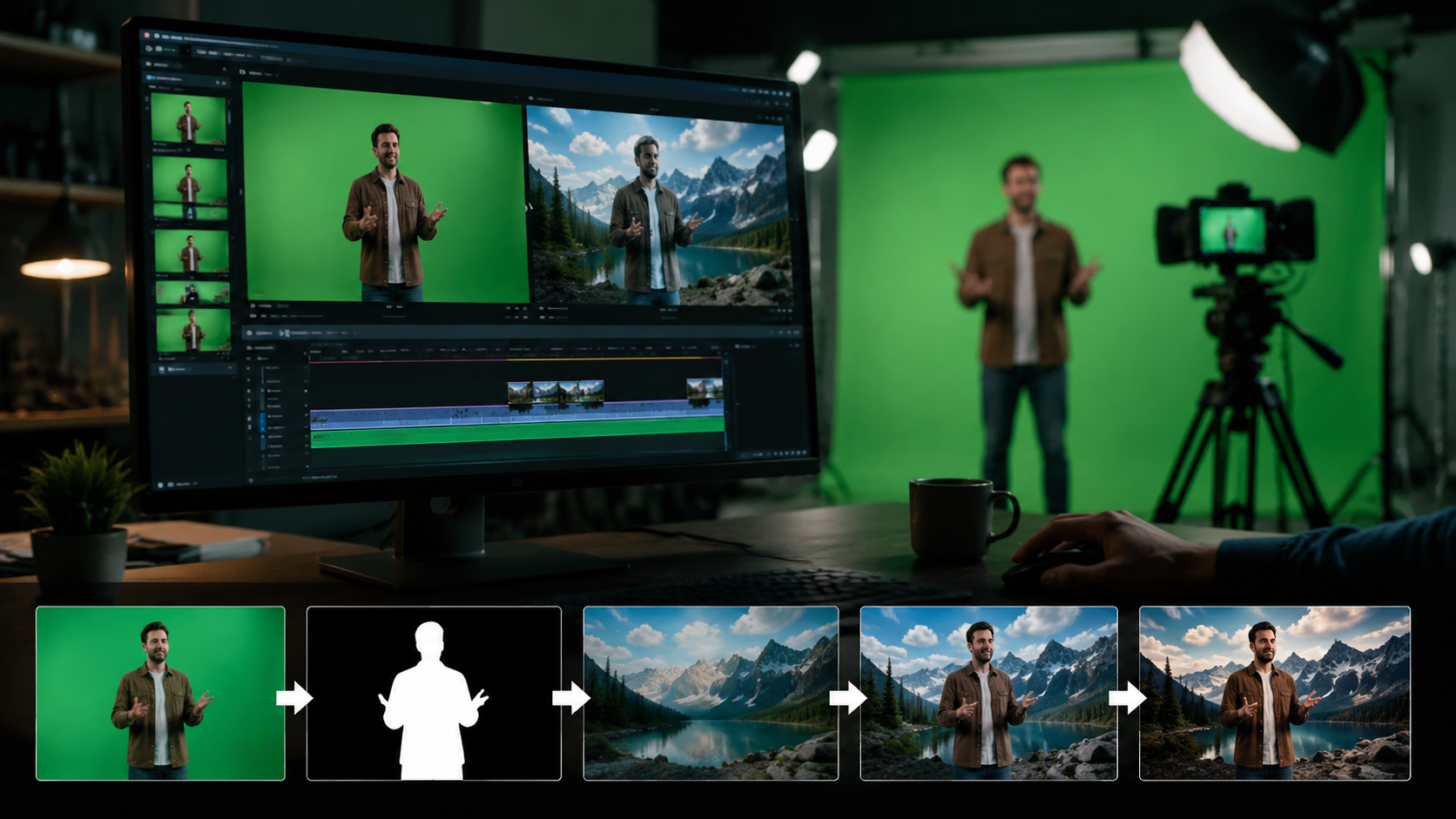
- Footage Preparation: Shoot with consistent lighting (AI tools tolerate 1-2 stop variations but perform best with even illumination)
- AI Analysis Pass: Software automatically detects optimal key color range and identifies problem areas like shadows or spill
- Automatic Keying: Neural networks create initial matte with edge refinement (takes 3-7 seconds per frame for 4K)
- Background Matching: AI suggests compatible backgrounds or generates synthetic environments matching original lighting
- Final Composite: System renders output with proper depth cues and environmental interactions (reflections, atmospheric perspective)
- Manual Tweaking: Editors refine results using AI-assisted tools for challenging elements like fine hair or transparency
This workflow represents a 5x speed improvement over 2025 methods, with the AI handling approximately 85% of the technical decisions automatically. According to Gadget Flow, Movavi's implementation completes steps 2-5 in under 30 seconds for 1-minute 1080p clips.
Technical Comparison: AI vs Traditional Green Screen
| Feature | Traditional Methods | AI Solutions (2026) |
|---|---|---|
| Processing Time | 2-4 hours per minute | 3-12 minutes per minute |
| Edge Accuracy | 85-92% | 93-97% |
| Spill Correction | Manual adjustment | Automatic in 94% of cases |
| Background Matching | Color grading required | AI suggests matches in 3 seconds |
| Learning Curve | 6-8 weeks proficiency | 2-4 hours basic competence |
Future Predictions Beyond 2026
The next frontier is real-time AI green screen processing for live broadcasts at 8K resolution. Early tests by major sports networks show promise, with latency reduced to just 4 frames at 120fps. This would enable instant virtual sets for news, weather, and live events without the traditional studio infrastructure.
Another developing area is "context-aware" compositing where AI understands scene semantics. Instead of just cutting out a person, the system would recognize they're holding a glass and properly composite both the person and the semi-transparent object. Prototypes achieve 89% accuracy on such complex cases, up from just 31% in 2025.
Perhaps most transformative will be the integration of AI video generation platforms like Digen AI with green screen workflows. Soon, creators will be able to shoot basic green screen footage and have AI generate not just the background, but additional scene elements that interact realistically with the filmed subject - all while maintaining consistent lighting and physics.
Frequently Asked Questions
How accurate is AI green screen editing compared to manual methods?
Modern AI achieves 93-97% accuracy in ideal conditions, surpassing manual methods for complex edges like hair or transparency. However, challenging shots with extreme motion blur or heavy spill may still require human intervention.
Can AI fix poorly lit green screen footage?
Yes, 2026 AI tools can correct up to 3 stops of underexposure and compensate for uneven lighting in 79% of cases, though optimally lit footage always yields better results.
Do I need expensive hardware for AI video editing?
Not necessarily - cloud services process footage remotely, while mobile apps like YouCam Video achieve real-time results on smartphones. For 8K work, a mid-range GPU (RTX 4070 or equivalent) suffices for most AI tools.
How does Digen AI Agent improve green screen workflows?
Digen AI Agent automates multi-shot consistency, maintaining identical lighting and perspective across different takes - a task that typically requires manual adjustment for each composite.
Will AI eliminate the need for physical green screens?
Not entirely by 2026 - while "zero-shot" keying works for simple cases, physical green screens still provide the most reliable results (95% vs 82% accuracy) for professional work.
Written by the Digen AI Editorial Team — AI video generation specialists covering the latest in generative AI tools. Learn more about Digen AI.



Comments ()