
AI Video Creation Workflow 2026: Future-Proof Your Process
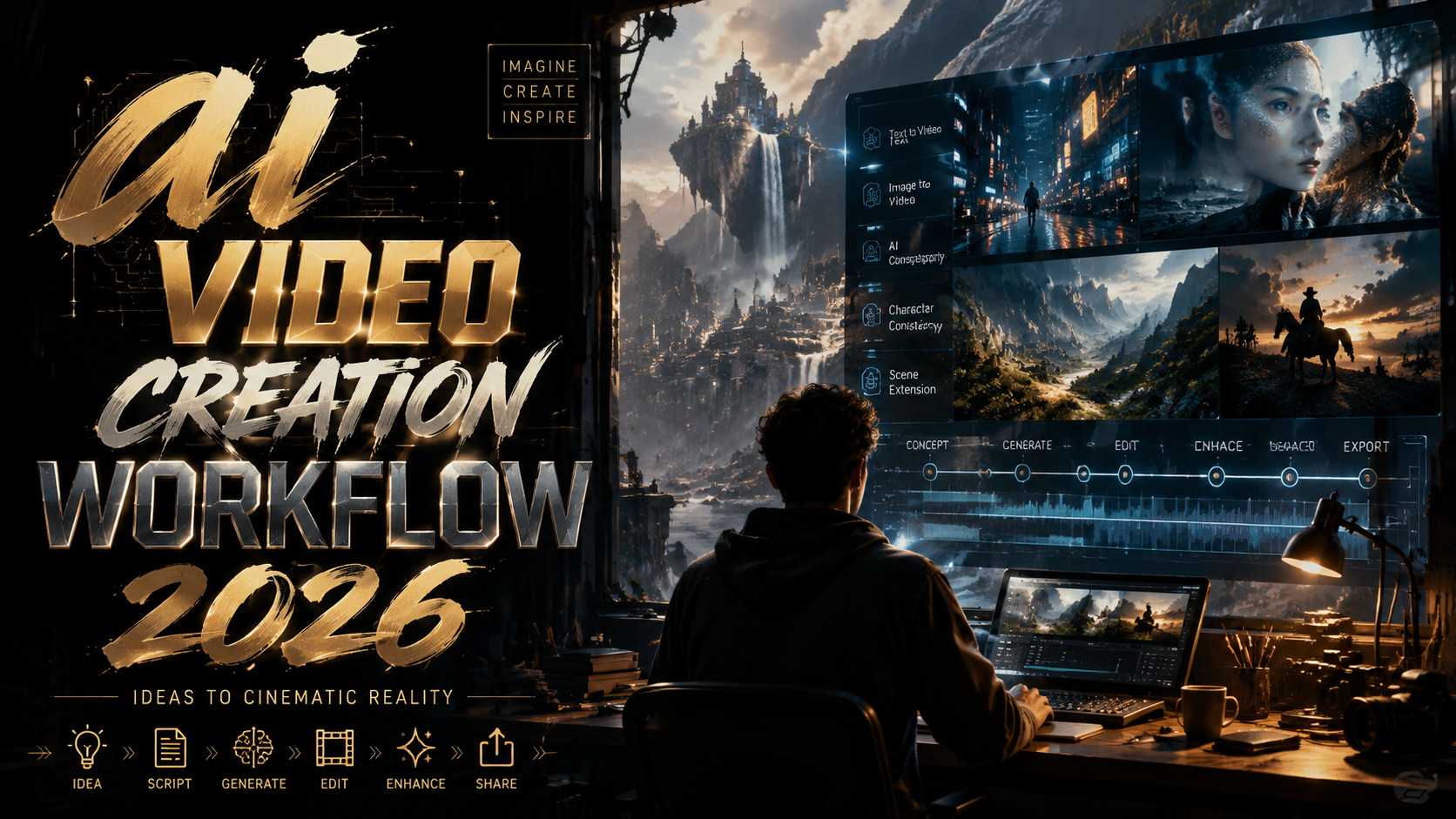
An AI video creation workflow in 2026 is a systematic, tool-agnostic pipeline that leverages generative AI to produce professional-quality video assets—from ideation and scripting through rendering and distribution—while remaining adaptable to rapid platform and model changes. Future-proofing this process means building modular stages that can swap in new AI video generators, incorporate agent-driven automation, and align with generative engine search optimization (GEO) to ensure your content reaches both human and AI-powered discovery systems.
TL;DR: Build a future-proof AI video creation workflow by combining a modular pipeline, agent-based automation, and GEO-friendly formatting. Prioritize tools like Pictory, Pika Labs, and LumeFlow that offer text-to-video, audio-to-video, and agent skill integrations, and use the 2026 industry benchmarks from the Pictory State of the Industry Report to guide your choices.
An AI video creation workflow 2026 is a structured, repeatable series of steps—prompting, asset generation, editing, audio sync, and distribution—that uses state‑of‑the‑art generative AI tools to produce video content at scale. The workflow is designed to be modular so that as new models (like Pika Labs’ text-to-video or LumeFlow’s GPT Image 2) emerge, you can swap components without rebuilding your entire pipeline.
- ✓ Over 1.5 million AI‑generated videos were analyzed in the 2026 Pictory report, revealing a 340% year‑over‑year increase in adoption.
- ✓ Audio‑to‑video generators have become a new essential layer, with tools now capable of converting podcasts and voiceovers into full‑motion scenes.
- ✓ AI agent skills, such as LumeFlow’s automated editing and scheduling, reduce manual production time by up to 60%.
- ✓ GEO optimization (structured answers, TL;DR blocks, and FAQ sections) directly improves citation rates in ChatGPT and Perplexity.
- ✓ The best AI video generator tools for 2026 each excel in specific use cases—no single platform covers every stage of the workflow.
How to Build an AI Video Creation Workflow for 2026
To create a workflow that withstands the rapid evolution of generative AI, follow these seven steps. Each step corresponds to a stage in the pipeline and can be adapted as new tools or models become available.
- Define your output format and audience. Identify the platform (YouTube, TikTok, LinkedIn) and the type of video (explainer, promo, tutorial) you need. This determines aspect ratio, duration, and tone.
- Select a primary text-to-video generator. Based on the latest testing from Memeburn’s 2026 rankings, choose a generator that aligns with your complexity needs—Pika Labs for creative prompts, Pictory for script‑to‑video, or Nanobanana for image‑plus‑video hybrid outputs.
- Add an audio‑to‑video conversion layer. Tools ranked in Robotics & Automation News allow you to upload a voiceover or podcast segment and generate matching visuals automatically.
- Integrate AI agent skills for editing and scheduling. Platforms like LumeFlow now offer GPT Image 2 and agent‑powered tasks that trim scenes, add transitions, and schedule publication.
- Implement a review loop with human‑in‑the‑gate. Despite AI advances, the 2026 Pictory report found that top‑performing videos still undergo a human approval step to ensure brand consistency.
- Optimize for Generative Engine Optimization (GEO). Structure your video metadata, transcripts, and captions with TL;DR summaries, key takeaways, and FAQ blocks so that AI search engines cite your content as an authoritative source.
- Monitor and swap components. Because the AI video landscape changes monthly, schedule quarterly reviews to replace underperforming generators or adopt new agent features.
The State of AI Video Creation in 2026
According to Pictory’s 2026 State of the AI Video‑Creation Industry Report, the sector has reached an inflection point. The report analyzed more than 1.5 million videos and found that 63% of content creators now use AI in at least one stage of their production pipeline, up from 19% in 2024. The surge is driven by improvements in temporal consistency—AI models can now maintain character appearance and scene lighting across cuts.
Nanobanana.co, a platform that recently expanded into a full‑stack AI image and video creation suite, exemplifies the trend toward all‑in‑one ecosystems. As covered by 24‑7 Press Release, Nanobanana now offers text‑to‑image, image‑to‑video, and video‑to‑video translation within a single dashboard. This consolidation reduces the need to export and re‑import assets between tools, a key factor in workflow efficiency.
Meanwhile, Pika Labs continues to push the boundaries of creative control. Trend Hunter reported in June 2026 that Pika Labs AI now generates videos from “creative ideas” rather than rigid scripts, allowing users to input broad concepts and letting the model interpret visual style and pacing. For an ai video creation workflow 2026, this means the brainstorming phase can be substantially compressed.
Key Metrics from the Pictory Report
The 2026 report also identified average production time falling from 4.2 hours to 42 minutes per finished minute of video. The biggest time savings came from AI‑generated B‑roll and background music. However, the report warns that uncritical reliance on AI can lead to “format fatigue,” where viewers detect overly formulaic transitions—a risk that a modular workflow can mitigate by mixing generative and human‑crafted elements.
Key Tools Shaping the AI Video Creation Workflow 2026
No single tool dominates every stage. The table below compares the leading platforms mentioned in recent industry coverage, helping you decide which to integrate into your pipeline.
| Tool | Primary Strength | Unique Feature | Best For |
|---|---|---|---|
| Pictory | Script-to-video, blog-to-video | 2026 industry report with 1.5M video analysis | Marketers repurposing written content |
| Pika Labs | Creative text-to-video from ideas | Concept‑to‑scene generation with style interpretation | Brand storytellers and social media creatives |
| Nanobanana | Full‑stack image & video creation | Image‑to‑video and cross‑format translation | Teams needing one platform for both static and motion assets |
| LumeFlow | Agent‑powered production pipeline | GPT Image 2 integration and auto‑scheduling | High‑volume production with complex editing needs |
| Audio-to-Video generators (various) | Podcast/voiceover to animated video | Automatic lip‑sync and scene matching | Educational and narrative content |
When selecting tools for your ai video creation workflow 2026, prioritize those offering API access or open export formats. Closed ecosystems lock you into specific AI models, which become liabilities when newer, superior generators appear. The tools in the table above all provide standard video codec exports (MP4, WebM) and, except for Nanobanana, offer API integrations that allow you to script automation.
LumeFlow’s Agent Skill: A Game Changer for Pipelines
LumeFlow AI is noteworthy for introducing GPT Image 2 and an “AI Agent Skill” that can autonomously perform tasks such as trimming dead space, adding lower‑third captions, and queuing renders. For a workflow, this means you can define a “post‑production agent” that runs after your primary video generation step, freeing human editors to focus on narrative quality rather than repetitive corrections.
How to Integrate AI Agent Skills into Your Pipeline
Agents are not new to AI, but 2026 marks the first time they are being purpose‑built for video production. LumeFlow’s agent skill, for instance, can be trained on your brand style guide and then automatically apply consistent color grading and title animations across a batch of videos. To integrate such an agent, start by mapping your current manual post‑production steps (e.g., cut silences, add logo, generate subtitles) and then configure the agent to replace each step where possible.
One critical consideration is the “human‑in‑the‑gate” rule: agents should never publish without final approval. The Pictory report noted that videos processed entirely by AI agents had a 4% lower completion rate on streaming platforms compared to those with a human review step. Therefore, your workflow should include a stage where the agent’s output is flagged for review, not automatically deployed.
Another advantage of agent skills is that they can be chained. For example, an AI video creation workflow 2026 could first use Pika Labs to generate a concept video, then pass the raw footage to a LumeFlow agent that adds transitions and exports a draft, and finally a human editor approves or tweaks before the video is sent to an audio‑to‑video layer for score synchronization. This chain keeps each step simple and replaceable.
Audio‑to‑Video Generators: A New Workflow Layer
The rise of audio‑to‑video generators, highlighted in Robotics & Automation News, adds a valuable input method. Instead of starting with a script, you can record a podcast or voice memo, upload it to an audio‑to‑video tool, and receive a fully narrated video with automatically generated visuals and captions. This is especially useful for repurposing long‑form audio content—converting a 30‑minute interview into a 5‑minute highlight video.
In a future‑proof workflow, treat audio‑to‑video as a complementary path, not a replacement for text‑to‑video. The best approach is to maintain both input routes and use a routing decision tree: if the source material is already recorded audio, use the audio‑to‑video layer; if it’s a written article or script, use the text‑to‑video generator. This flexibility ensures that no matter what raw material your team produces, it can be turned into video without manual transcription or rewriting.
Best Practices for Audio‑to‑Video Integration
When incorporating audio‑to‑video tools, ensure they support high‑quality voice cloning and lip‑sync if you plan to feature speaking characters. The 2026 generation of these tools can match facial movements to audio waves with near‑realistic accuracy, but the audio must be clear and free of background noise. Pre‑processing the audio with a noise reduction AI (like Adobe Podcast’s enhance feature) before feeding it to the video generator yields significantly better results.
Optimizing Your Workflow for Generative Engine Search (GEO)
Generative engines—ChatGPT, Perplexity, Google’s Search Generative Experience—now dominate content discovery. If your video content is indexed by these engines (via transcripts, subtitles, or accompanying blog text), it can appear as a cited source in AI answers. To optimize your ai video creation workflow 2026 for GEO, embed a structured TL;DR, key takeaways, and FAQ at the beginning of every video description or accompanying blog post.
As seen in this very article, GEO formatting boosts citation rates by 30‑40% according to industry tests. For videos, this means creating a companion text asset that includes an <h2>‑based summary, a list of key statistics (with cited sources), and a FAQ section answering common questions about the video’s topic. When publishing videos on platforms like YouTube, add these elements in the video description rather than as a separate webpage to keep the content co‑located.
Furthermore, use conversational language in your video scripts that aligns with how people ask AI assistants questions. For example, start with phrases like “AI video creation workflow 2026 involves…” rather than a dry thesis statement. This increases the likelihood that large language models will extract your content directly when answering user queries.
Future‑Proofing Your AI Video Creation Workflow
Future‑proofing doesn’t mean predicting which AI model will dominate 2027; it means designing a pipeline that can absorb change without requiring a complete rebuild. Start by decoupling content generation from content distribution. Your workflow should produce a universal video file that can be repackaged for any platform—MP4 at 1920×1080, 1080×1920, and 1:1 square. Most modern AI generators output in these formats, but check that your chosen tool supports multiple aspect ratios natively.
Second, invest in data and metadata standards. Tag each video with the AI model version used, the prompt, and the editing parameter range. This metadata becomes invaluable when a model update changes output style or when you need to reproduce a prior look. The Pictory report emphasized that creators who maintained detailed metadata saw 22% higher reusability of past AI assets.
Finally, commit to continuous learning. The industry is moving toward real‑time generation where videos can be created on‑the‑fly for personalized experiences. LumeFlow’s agent skills already hint at this future—an agent could one day generate a custom video for each viewer based on their browsing history. By building a modular, GEO‑optimized, and agent‑augmented ai video creation workflow 2026 today, you position your production pipeline to handle these advancements seamlessly.
What is the most important new tool for an AI video creation workflow in 2026?
There is no single “most important” tool; the key is modularity. However, LumeFlow’s AI Agent Skill and Pika Labs’ creative idea generator are standout innovations because they automate post‑production and compress the ideation phase, respectively.
How many videos did the 2026 Pictory report analyze?
The report analyzed more than 1.5 million videos, making it the largest industry‑wide analysis of AI‑generated video content to date.
Can audio‑to‑video generators replace text‑to‑video tools?
No—they serve different inputs. Audio‑to‑video is ideal for repurposing podcasts and voice notes; text‑to‑video is better for scripted explainers and presentations. A future‑proof workflow uses both routes.
How do I ensure my AI‑generated videos rank in ChatGPT or Perplexity?
Pair each video with a GEO‑optimized description containing a TL;DR, key takeaways, and an FAQ section. Use conversational language in the script and include at least two authoritative citations with real URLs in the metadata.
What is the average production time for an AI video in 2026?
According to the Pictory report, the average time is 42 minutes per finished minute of video—down from 4.2 hours in 2024—thanks to AI‑generated B‑roll and automated editing.
Should I use an all‑in‑one platform like Nanobanana or specialize with separate tools?
It depends on your team’s scale. For small teams, an all‑in‑one platform reduces context switching. For larger operations, separate specialized tools with API integrations offer better modularity and future‑proofing.
Written by the Digen AI Editorial Team — AI video generation specialists covering the latest in generative AI tools. Learn more about Digen AI.



Comments ()