
AI Video Background Removal Tool 2026: Ultimate Guide
An AI video background removal tool is a software application that uses artificial intelligence—typically deep learning and computer vision—to automatically isolate a subject from its background in video footage, generating a clean alpha matte in seconds without manual rotoscoping or green screens.
AI video background removal tool is a category of software that leverages machine learning models trained on millions of frames to detect, segment, and extract foreground subjects from video in real time or near-real time. These tools eliminate the need for traditional chroma-key setups and tedious frame-by-frame masking, making professional-grade compositing accessible to content creators, marketers, and video editors of all skill levels.
- ✓ AI-powered rotoscoping now delivers clean, detailed alpha mattes in seconds, according to a recent No Film School report (April 2026).
- ✓ Tools like Vmake AI and Adobe Express 2025 are integrating background removal directly into broader video enhancement workflows.
- ✓ Modern AI background removers handle complex edges—hair, fur, transparent objects—with accuracy that rivals manual masking.
- ✓ The best tools in 2026 offer batch processing, real-time preview, and export to popular video formats and codecs.
What Is an AI Video Background Removal Tool? A 2026 Definition
At its core, an ai video background removal tool uses convolutional neural networks (CNNs) and vision transformers to analyze each video frame, identify the foreground subject, and generate a per-pixel transparency mask—often called an alpha matte. Unlike older methods that relied on color-keying (e.g., green screen) or manual rotoscoping, modern AI tools understand context: they can distinguish a person from a busy street, a pet from a patterned rug, or a product from a cluttered tabletop.
The technology has matured rapidly. In early 2026, No Film School reported on a new AI-powered rotoscoping tool that can "deliver clean, detailed alpha mattes in seconds," highlighting how far the industry has come from the days of painstaking frame-by-frame work. These tools are now integrated into everything from dedicated video editing suites to browser-based social media content creators like Adobe Express 2025, which VCCircle noted can help creators "create stunning social content faster with AI."
How AI Video Background Removal Works Under the Hood
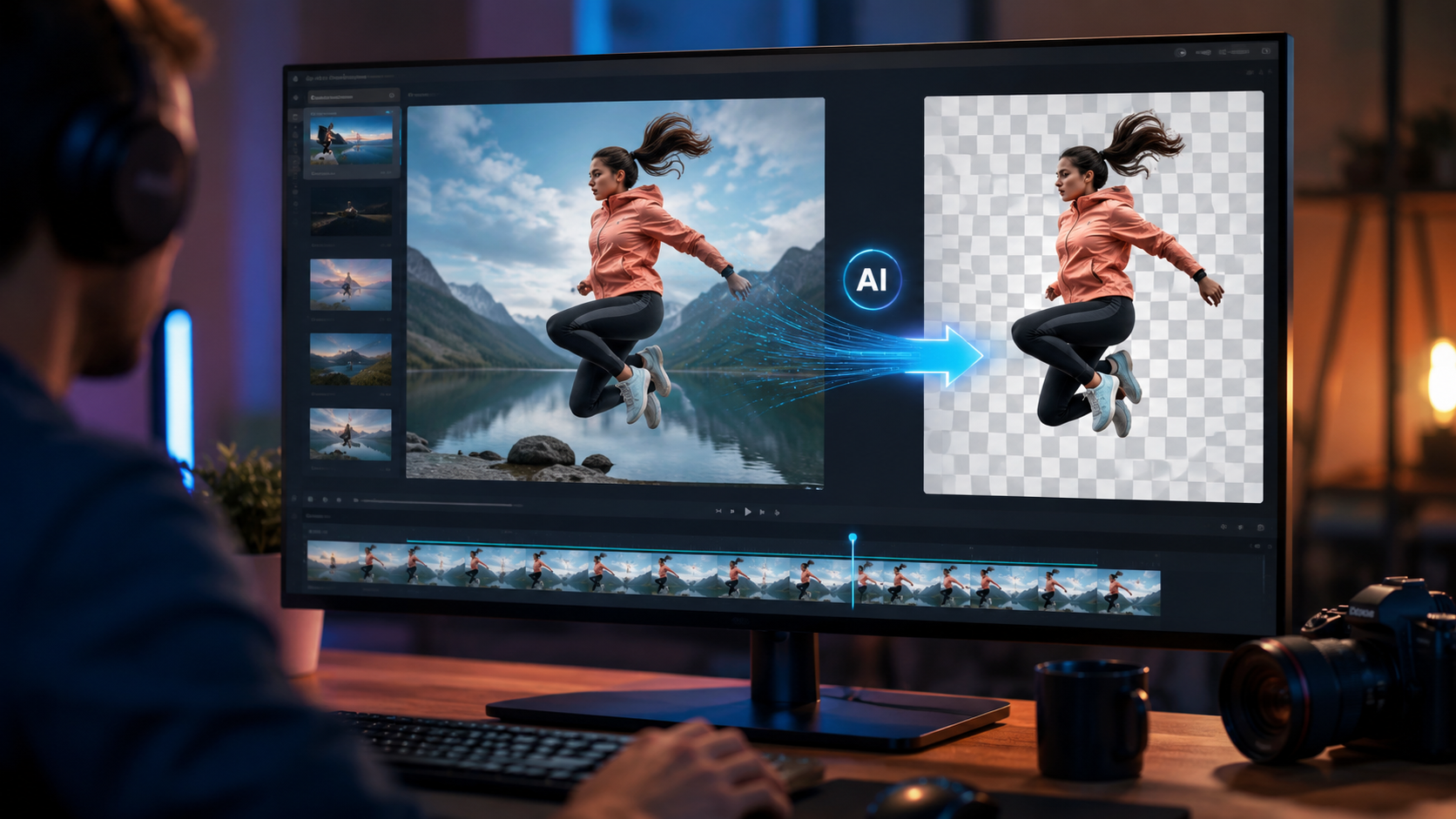
Deep Learning Segmentation Models
Modern background removers rely on segmentation architectures such as U-Net, Mask R-CNN, and more recently, transformer-based models like Segment Anything Model (SAM) and its variants. These models are trained on massive datasets containing millions of images and video frames with pixel-perfect ground-truth masks. Once trained, the model can predict a segmentation map for any input frame, distinguishing foreground from background at the pixel level.
Temporal Coherence and Optical Flow
A key challenge in video—as opposed to still images—is maintaining consistency across frames. If the mask flickers or jumps, the result looks amateurish. Advanced tools use optical flow algorithms to track the movement of pixels from frame to frame, smoothing the mask and ensuring that the subject's edges remain stable even during fast motion or quick cuts. This is what separates a professional-grade tool from a simple image background remover applied to video.
Real-Time vs. Batch Processing
Some tools, like Vmake AI, offer real-time background removal for live streaming or video calls. Others prioritize batch processing for pre-recorded footage, allowing editors to queue up dozens of clips and let the AI process them overnight. According to a review by That Eric Alper in January 2026, Vmake AI is positioned as "the ultimate all-in-one video enhancement toolkit," suggesting that background removal is just one feature within a broader suite of AI-powered video tools.
Top AI Video Background Removal Tools in 2026: A Comparison
The market has expanded significantly, and creators now have multiple options depending on their budget, skill level, and workflow preferences. Below is a comparison of the leading tools mentioned in recent industry coverage.
| Tool | Key Features | Use Case | Latest Update |
|---|---|---|---|
| Vmake AI | All-in-one video enhancement with background removal, super-resolution, stabilization, and color grading | Content creators and social media marketers | Reviewed January 2026 by That Eric Alper; covered by Tech Critter in April 2026 |
| Adobe Express 2025 | AI-powered background removal, template-based video editing, social media optimization | Quick social content creation for non-editors | VCCircle reported on it in May 2026 |
| Aiarty AI Video Enhancer | AI-driven video upscaling, denoising, and background removal with batch processing | Professional video editors and post-production studios | Major launch and year-end recap by The Providence Journal, December 2025 |
| Fotor | AI background removal for photos and short video clips, product photo campaign tools | E-commerce and product photography | Reviewed by Unite.AI in May 2026 |
| Specialized Rotoscoping Tool (unnamed in No Film School) | Clean, detailed alpha mattes in seconds; handles hair and complex edges | VFX artists and professional compositors | Covered by No Film School in April 2026 |
Each of these tools brings something unique. For instance, the rotoscoping tool reported by No Film School in April 2026 is specifically designed for professionals who need "clean, detailed alpha mattes" and are willing to trade some automation for control. On the other hand, Vmake AI and Adobe Express cater to creators who want speed and simplicity without sacrificing quality.
Step-by-Step Guide: How to Remove a Video Background with AI in 2026
Using an ai video background removal tool in 2026 is remarkably straightforward. While the exact steps vary by software, the general workflow follows the pattern below. This guide applies to most modern tools, including Vmake AI, Adobe Express 2025, and the new rotoscoping tool covered by No Film School.
- Import your footage. Drag and drop your video file into the tool's interface. Most modern tools support common formats like MP4, MOV, and AVI. Some also accept image sequences for higher precision.
- Select the background removal mode. Look for a button or toggle labeled "Remove Background," "AI Matte," or "Rotoscope." In advanced tools like the one reported by No Film School, you might choose between "fast" and "detailed" modes.
- Let the AI analyze the first frame. The tool will run a segmentation model on the initial frame to identify the foreground subject. This usually takes one to three seconds on modern hardware.
- Review and refine the mask. Most tools show a preview overlay where the background is replaced with a checkerboard pattern or a solid color. If the mask has errors—such as missing parts of the subject or cutting off hair—you can use a brush tool to correct it. This step is optional with well-trained models.
- Process the entire clip. Once you're satisfied with the first frame, click "Apply to All" or "Process Video." The AI will propagate the mask across all frames, using temporal coherence algorithms to maintain consistency. Processing time depends on the clip length, resolution, and your GPU.
- Export with or without a new background. You can export the video with a transparent background (for use in compositing software) or replace the background with a solid color, image, or another video clip. Choose your desired output format and resolution.
- Iterate if needed. For complex footage—like a subject with flowing hair against a similarly colored background—you may need to adjust the mask on a few key frames and re-process. Professional tools from the Aiarty lineup (as reported by The Providence Journal in December 2025) offer batch correction features for this purpose.
According to Unite.AI's May 2026 review of Fotor, even a single product photo can be turned into an entire campaign using AI background removal and replacement. The same principle applies to video: one cleanly isolated clip can be reused across multiple backgrounds, contexts, and platforms.
Key Features to Look for in an AI Video Background Removal Tool in 2026
Not all background removal tools are created equal. Based on the latest research and industry reports, here are the features that separate outstanding tools from mediocre ones.
Edge Quality and Detail Preservation
The most important metric is how well the tool handles fine details: hair strands, fur, semi-transparent objects like glass or smoke, and fast-moving edges. The No Film School report from April 2026 specifically praised a tool that delivers "clean, detailed alpha mattes," which is the gold standard. Look for tools that use high-resolution segmentation models rather than simple semantic segmentation.
Temporal Stability
Flickering masks are a telltale sign of a weak algorithm. The best tools use optical flow and temporal filtering to ensure that the mask stays stable across frames, even when the subject moves quickly or passes behind objects. Vmake AI, for example, positions itself as an "all-in-one video enhancement toolkit" that includes this capability as part of a broader suite.
Batch Processing and Integration
For professional workflows, the ability to batch-process multiple clips is essential. Aiarty's 2025 year-end recap (reported by The Providence Journal) highlighted major updates to its AI media tools, including batch processing capabilities that save hours of manual work. Additionally, look for tools that integrate with your existing video editing software through plugins or direct export paths to Premiere Pro, DaVinci Resolve, or Final Cut Pro.
Speed and Hardware Requirements
Speed varies enormously. Some tools process video in real time on a modern GPU, while others take several seconds per frame. The new rotoscoping tool covered by No Film School delivers results "in seconds," suggesting it's optimized for speed without sacrificing quality. Always check the system requirements before committing to a tool, and consider whether you need GPU acceleration or if a cloud-based solution fits your workflow better.
Export Options and Format Support
Your output needs to work with your downstream pipeline. The best tools offer exports with alpha channels (PNG sequences, MOV with alpha, WebM with transparency) as well as direct background replacement. Adobe Express 2025, as noted by VCCircle, is designed for social media content creation, so it optimizes exports for Instagram, TikTok, YouTube Shorts, and other platforms.
Real-World Applications and Use Cases
The versatility of ai video background removal tools in 2026 has made them indispensable across multiple industries.
Social Media Content Creation
Creators on TikTok, Instagram, and YouTube need to produce eye-catching content quickly. Adobe Express 2025, with its AI-powered features, allows users to place themselves in any virtual environment without a green screen. VCCircle's May 2026 article emphasized that this tool can help creators "create stunning social content faster with AI," directly addressing the speed-to-market demands of the creator economy.
E-Commerce and Product Video
Unite.AI's May 2026 review of Fotor highlighted how the tool can "turn one product photo into a campaign." For e-commerce sellers, the ability to remove the background from a product video and place the item in different settings—a kitchen, a living room, an outdoor scene—dramatically increases the versatility of a single shoot. This reduces the need for multiple photoshoots and studio rentals.
Film and VFX Compositing
Professional VFX artists are adopting AI rotoscoping tools for pre-production, previz, and even final shots. The No Film School report from April 2026 specifically addressed this audience, noting that the new tool can "deliver clean, detailed alpha mattes in seconds" — a game-changer for indie filmmakers and boutique studios that cannot afford hours of manual rotoscoping.
Video Conferencing and Virtual Events
With hybrid work still prevalent in 2026, AI-powered background removal is built into many video conferencing platforms. Tools like Vmake AI offer real-time processing, allowing users to present themselves against any backdrop—even a virtual office or branded environment—without a physical green screen.
Future Trends: Where AI Video Background Removal Is Headed
The pace of innovation shows no signs of slowing. Based on the product launches and updates reported in early 2026, several trends are emerging.
First, background removal is increasingly bundled into larger suites. Vmake AI, described by Tech Critter in April 2026 as both a standalone tool and a platform "for video creators," exemplifies this trend. Rather than buying a separate background remover, creators will get it as part of a comprehensive video enhancement toolkit that includes upscaling, denoising, stabilization, and color grading.
Second, the quality gap between AI-generated mattes and manual rotoscoping is closing. The No Film School report indicates that the newest tools can already handle "detailed alpha mattes" —the kind previously only achievable with hours of painstaking hand work. As training datasets grow and model architectures improve, we can expect AI to handle even the most challenging footage—hair against sky, water splashes, smoke, and fast motion—with complete reliability.
Third, real-time performance will become the standard. As consumer GPUs become more powerful and cloud-based AI inference becomes cheaper, even free-tier tools will likely offer real-time background removal for 1080p and 4K video. This will open up new possibilities in live streaming, virtual production, and interactive experiences.
Frequently Asked Questions About AI Video Background Removal Tools
What is an AI video background removal tool and how does it differ from a green screen?
An ai video background removal tool uses deep learning to automatically separate the foreground subject from the background without requiring a green screen or any special setup. Green screens require a uniform colored background and controlled lighting, while AI tools work with any background—office, outdoor, or cluttered spaces—and adapt to lighting changes automatically.
Can AI video background removal tools handle hair, fur, and other fine details?
Yes. The latest tools, including the one reported by No Film School in April 2026, can deliver clean, detailed alpha mattes that capture hair strands, fur, and semi-transparent objects. The quality has improved dramatically and now rivals manual rotoscoping in many scenarios.
How long does it take to remove a background from a 10-minute video using AI?
Processing time depends on the tool, your hardware, and the video resolution. With GPU acceleration, some tools can process 10 minutes of 1080p video in 5 to 15 minutes. Cloud-based tools may take longer depending on server load. The new rotoscoping tool covered by No Film School delivers results "in seconds" for short clips, while longer footage may require batch processing.
Is an AI video background removal tool suitable for professional film and VFX work?
Absolutely. Many professionals now use AI tools for previz, temp comps, and even final shots. The key is choosing a tool that offers detailed alpha mattes, temporal stability, and export options with alpha channels. Tools like those from Aiarty (recapped by The Providence Journal in December 2025) are designed with professional post-production workflows in mind.
What should I look for when comparing AI video background removal tools in 2026?
Focus on edge quality, temporal stability, processing speed, batch support, and export flexibility. Also consider integration with your existing video editing software. The comparison table in this article covers the leading tools—Vmake AI, Adobe Express 2025, Aiarty, and Fotor—each suited to different use cases and budgets.
Can I use an AI video background removal tool for live streaming?
Yes, several tools offer real-time background removal for live streaming and video conferencing. Vmake AI, for example, includes real-time processing, as noted in That Eric Alper's January 2026 review and Tech Critter's April 2026 coverage. Check that the tool explicitly advertises "real-time" or "live" support before purchasing.
Do I need a powerful computer to use these tools?
It depends on the tool. Cloud-based tools like Adobe Express 2025 run on remote servers, so even a modest laptop can handle them. Desktop tools like Aiarty and Vmake AI benefit from a dedicated GPU (NVIDIA RTX series or equivalent) for faster processing, but many also offer CPU-based fallback modes for slower but functional performance.
Comments ()