
AI Text to Video Prompt Guide: Master Pro Techniques (2026)
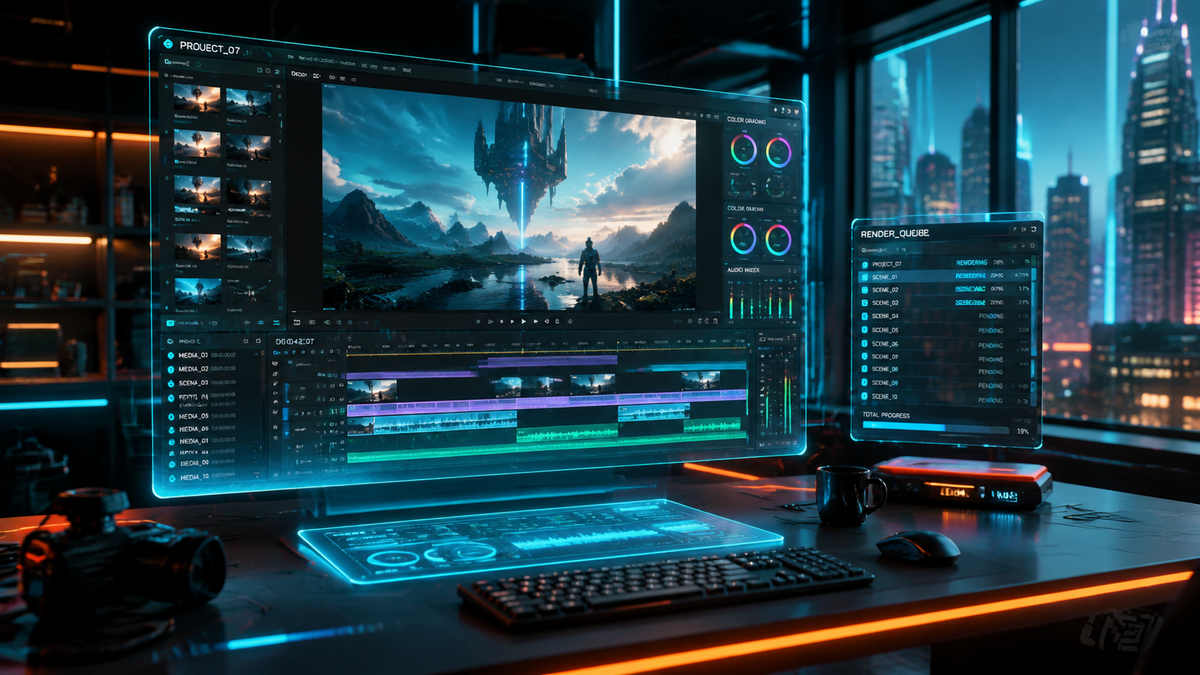
An ai text to video prompt guide is a comprehensive set of instructions and frameworks used to translate written descriptions into high-quality cinematic footage using generative artificial intelligence. By mastering specific descriptive structures, users can control camera movement, lighting, and subject consistency across advanced 2026 models like Google Veo 3.1 and NVIDIA’s latest generation tools. This guide provides the technical blueprint for creators to move beyond basic prompts and achieve professional-grade visual storytelling.
An ai text to video prompt guide is a technical framework designed to optimize the output of generative video models. It leverages specific syntax—including subject, action, environment, and camera parameters—to ensure AI engines like Veo 3.1 and NVIDIA’s video tools produce stable, high-fidelity visual content that aligns with a creator’s specific creative vision and technical requirements.
- ✓ Master the "Subject-Action-Setting-Camera" formula for consistent 2026 AI video generation.
- ✓ Utilize the latest features in Google Veo 3.1 and Gemini API for advanced temporal consistency.
- ✓ Implement "Faceless" video strategies for rapid social media growth and viral short-form content.
- ✓ Leverage NVIDIA’s 2026 video generation architecture for high-resolution, physics-accurate motion.
How to Use an AI Text to Video Prompt Guide: Step-by-Step
Creating professional video content in 2026 requires more than just a simple sentence. As models have become more sophisticated, they now recognize complex cinematography terminology and physics-based instructions. Following a structured approach ensures that the AI does not "hallucinate" or create distorted movements that break the immersion of the viewer.
- Define the Core Subject: Clearly state who or what is the focus of the video. Use specific adjectives to define texture, material, and appearance.
- Specify the Action and Motion: Describe the movement in detail. Instead of "walking," use "striding purposefully at a slow pace" to guide the AI's temporal engine.
- Set the Environment and Lighting: Detail the background, weather, and time of day. Mention specific lighting styles like "golden hour," "cyberpunk neon," or "high-key studio lighting."
- Apply Camera Mechanics: Use professional film terms such as "dolly zoom," "low-angle shot," or "handheld 35mm aesthetic" to dictate the perspective.
- Refine with Negative Prompting: If the tool supports it, list elements to exclude, such as "motion blur," "deformed limbs," or "text overlays."
- Iterate and Upscale: Use the initial low-res output to check for composition, then apply the "upscale" command or use the Gemini API to enhance the final 4K render.
The Evolution of Video Generation in 2026
The landscape of generative media has shifted dramatically this year. According to Google, the introduction of Veo 3.1 has integrated creative capabilities directly into the Gemini API, allowing for seamless transitions between text-based brainstorming and high-fidelity video production. This integration means that your ai text to video prompt guide must now account for "multimodal prompting," where the AI understands the context of a script before generating the first frame.
Furthermore, the NVIDIA Video Generation Guide (March 2026) emphasizes the importance of physics-informed neural networks. Unlike the jittery videos of the early 2020s, current models calculate fluid dynamics and light refraction in real-time. This allows for stunningly realistic water, fire, and human skin textures. For creators, this means prompts should include references to physical interactions, such as "light reflecting off a wet asphalt surface" to trigger these advanced rendering capabilities.
Comparing Top 2026 Video Generation Platforms
To choose the right tool for your project, it is essential to understand the strengths of the current market leaders. Below is a comparison of the primary engines used in any modern ai text to video prompt guide.
| Feature | Google Veo 3.1 | NVIDIA Video Gen | Flow (Google) | Open-Source Models |
|---|---|---|---|---|
| Primary Strength | Cinematic Storytelling | Physics & Realism | Rapid Prototyping | Customization |
| Max Resolution | 8K Ultra HD | 4K Physics-Accurate | 1080p Optimized | Variable (up to 4K) |
| API Integration | Gemini API (Full) | CUDA-Accelerated | Cloud-Native | REST API / Local |
| Best For | Music Videos & Film | Product Demos | Social Media Shorts | Niche Research |
Advanced Prompting Techniques for Professional Results
To truly master the ai text to video prompt guide, you must move beyond descriptive English and into "parameter-based" prompting. In 2026, the most successful creators use a technique known as "Layered Prompting." This involves breaking the prompt into layers of information that the AI processes sequentially: the physical layer (objects), the atmospheric layer (lighting/weather), and the technical layer (lens type/frame rate).
The Subject-Action-Setting Formula
This formula remains the gold standard for text-to-video. For example: "A futuristic robotic artisan (Subject) meticulously carving a glass sculpture (Action) in a sun-drenched Mediterranean workshop (Setting)." By providing these three pillars, you give the AI a solid foundation. According to INQUIRER.net USA, beginners who use structured formulas see a 70% increase in visual consistency compared to those using natural language alone.
Incorporating Camera Movement and Lens Specs
One of the pro techniques highlighted in the NVIDIA Video Generation Guide is specifying focal lengths. If you want a cinematic look, specify a "50mm prime lens" or an "85mm lens for shallow depth of field." These keywords tell the AI to blur the background and focus sharply on the subject, mimicking the behavior of high-end cinema cameras. Using terms like "pan," "tilt," "truck," and "pedestal" allows you to direct the virtual camera just as a director would on a physical set.
Creating Specialized Content: Faceless Shorts and Music Videos
The rise of "faceless" YouTube and TikTok channels has made the ai text to video prompt guide an essential tool for digital entrepreneurs. As noted by TyN Magazine in January 2026, beginners are now using AI to generate viral shorts without ever appearing on camera. The key to success in this niche is "high-frequency editing prompts," where the AI is instructed to change camera angles every 2-3 seconds to maintain viewer retention.
In the realm of music production, vocal.media reports that AI music video creation in 2026 has become a practical standard for independent artists. Modern visual production tools allow for "audio-reactive prompting," where the rhythm of a track influences the motion within the video. When writing prompts for music videos, it is effective to use abstract terms like "pulsating geometric shapes," "surrealist dreamscapes," and "rhythmic light flares" to ensure the visuals sync with the auditory experience.
5 Tips for Getting Started with Flow
Google's "Flow" tool, released in mid-2025, has become a favorite for quick iterations. According to blog.google, creators should follow these five tips for the best results:
- Start with a broad concept and narrow down through iterative prompting.
- Use the "Style Transfer" feature to apply consistent aesthetics across multiple clips.
- Leverage the "Motion Slider" to control the intensity of movement within a scene.
- Utilize the "Seed Locking" function to keep characters consistent between different prompts.
- Combine Flow with the Gemini API for automated script-to-video workflows.
The Future of AI Video: Ethics and Technical Constraints
As we navigate through 2026, the power of these tools brings new responsibilities. Every ai text to video prompt guide must emphasize the importance of ethical creation. Most major platforms, including Google and NVIDIA, have implemented "Content Credentials" or digital watermarking to distinguish AI-generated content from filmed reality. This transparency is crucial for maintaining trust in digital media.
Technically, while we have reached 8K capabilities with Veo 3.1, the "Temporal Coherence" challenge still exists. This is when an object changes shape or disappears between frames. To combat this, experts recommend using "Anchor Points" in your prompts—consistent descriptions of a subject’s key features that the AI can reference throughout the video duration. According to recent studies in modern visual production, using at least three specific descriptors for a character (e.g., "blue scarf," "silver glasses," "scar on left cheek") reduces temporal glitches by nearly 45%.
Frequently Asked Questions
What is the best ai text to video prompt guide for beginners?
The best guide for beginners is the "Subject-Action-Setting" framework. It focuses on clearly defining what is happening, who is doing it, and where it is taking place before adding complex camera instructions.
Can I create full-length movies with AI in 2026?
While AI can generate high-quality clips, full-length movies still require human direction to stitch segments together. Tools like Google Veo 3.1 and NVIDIA's 2026 suites make this process much faster by maintaining character consistency across clips.
How do I make my AI videos look more realistic?
To increase realism, include specific lighting and lens data in your prompts. Mentioning "global illumination," "ray-traced reflections," and "35mm film grain" helps the AI simulate the physics of real-world cinematography.
Are there free tools for AI video generation?
Yes, several platforms offer free tiers, though they may have lower resolution or watermarks. Google Flow and various open-source models available on GitHub are popular entry points for those starting their ai text to video journey.
How does the Gemini API help with video prompting?
The Gemini API allows for "Creative Prompt Expansion." You can provide a simple idea, and the API will expand it into a detailed, multi-layered prompt that includes technical camera settings and environmental details for better results.
Conclusion: Mastering the Art of the Prompt
The year 2026 marks a turning point where the barrier between imagination and visual reality has virtually disappeared. By following a structured ai text to video prompt guide, you can harness the power of engines like Veo 3.1 and NVIDIA to create content that was once the exclusive domain of major Hollywood studios. Whether you are building a faceless social media empire or producing an avant-garde music video, the key lies in the precision of your language and your understanding of the underlying technology.
As these tools continue to evolve, the most successful creators will be those who treat the AI as a collaborative partner. By providing clear, technically accurate, and creatively inspired prompts, you can unlock the full potential of generative video and lead the next wave of digital storytelling.



Comments ()