
Best AI Background Remover for Video: 2026 Pro Guide
The best ai background remover for video in 2026 is a tool that leverages advanced neural networks to eliminate backgrounds without the need for a physical green screen. Leading solutions like Beeble’s Canvas and HitPaw VikPea V5.3.0 now offer node-based compositing and generative AI fillers to ensure professional-grade edges and seamless subject isolation in seconds. These tools have revolutionized content creation by automating the tedious process of rotoscoping through sophisticated machine learning algorithms.
An AI background remover for video is a software application that uses computer vision to distinguish between foreground subjects and background elements, allowing users to swap or remove environments instantly. In 2026, the industry has shifted toward "AI Roto" services and node-based systems that provide frame-accurate transparency for complex movements, hair, and transparent objects without manual masking.
- ✓ Beeble’s Canvas node-based system and Vmake’s "People Remover" mode represent the 2026 gold standard for AI video isolation.
- ✓ Modern AI background removers no longer require green screens, functioning effectively in diverse lighting and cluttered environments.
- ✓ Real-time generative filling is now integrated into premium tools like HitPaw VikPea V5.3.0 to replace removed backgrounds with AI-generated scenes.
- ✓ Web-based tools have become powerful enough for 4K processing, making professional video editing accessible on standard hardware.
How to Use an AI Background Remover for Video
Removing a background from a video has evolved from a multi-hour manual task into a simple automated workflow. The key to success in 2026 is selecting a tool that supports high-bitrate exports and maintains the integrity of the subject’s edges. Most modern platforms follow a streamlined process that allows even beginners to achieve professional results.
According to OCNJ Daily, free online video background removers have become a staple for creators who need quick turnarounds without the overhead of expensive studio equipment. These tools utilize cloud computing to handle the heavy processing required for frame-by-frame analysis.
- Upload Your Footage: Select a high-quality video file (MP4, MOV, or WebM). For the best results, ensure there is a clear distinction between the subject and the background.
- Select the Removal Mode: Choose between "Portrait Mode" (for people) or "Object Mode." Tools like Vmake now offer specific "AI People Remover" modes to clean up distracting elements or entire backgrounds in one click.
- Refine the Mask: Use the AI's refinement tools to fix any "bleeding" around hair or moving parts. Node-based systems like Beeble Canvas allow for more granular control if the automatic pass misses a detail.
- Choose a New Background: You can leave the background transparent (alpha channel), upload a custom image/video, or use a generative AI model to create a brand-new environment.
- Export and Download: Select your desired resolution. In 2026, most pro-sumer tools support up to 4K resolution at 60fps for seamless integration into larger projects.
Top Features of the Best AI Background Remover for Video in 2026
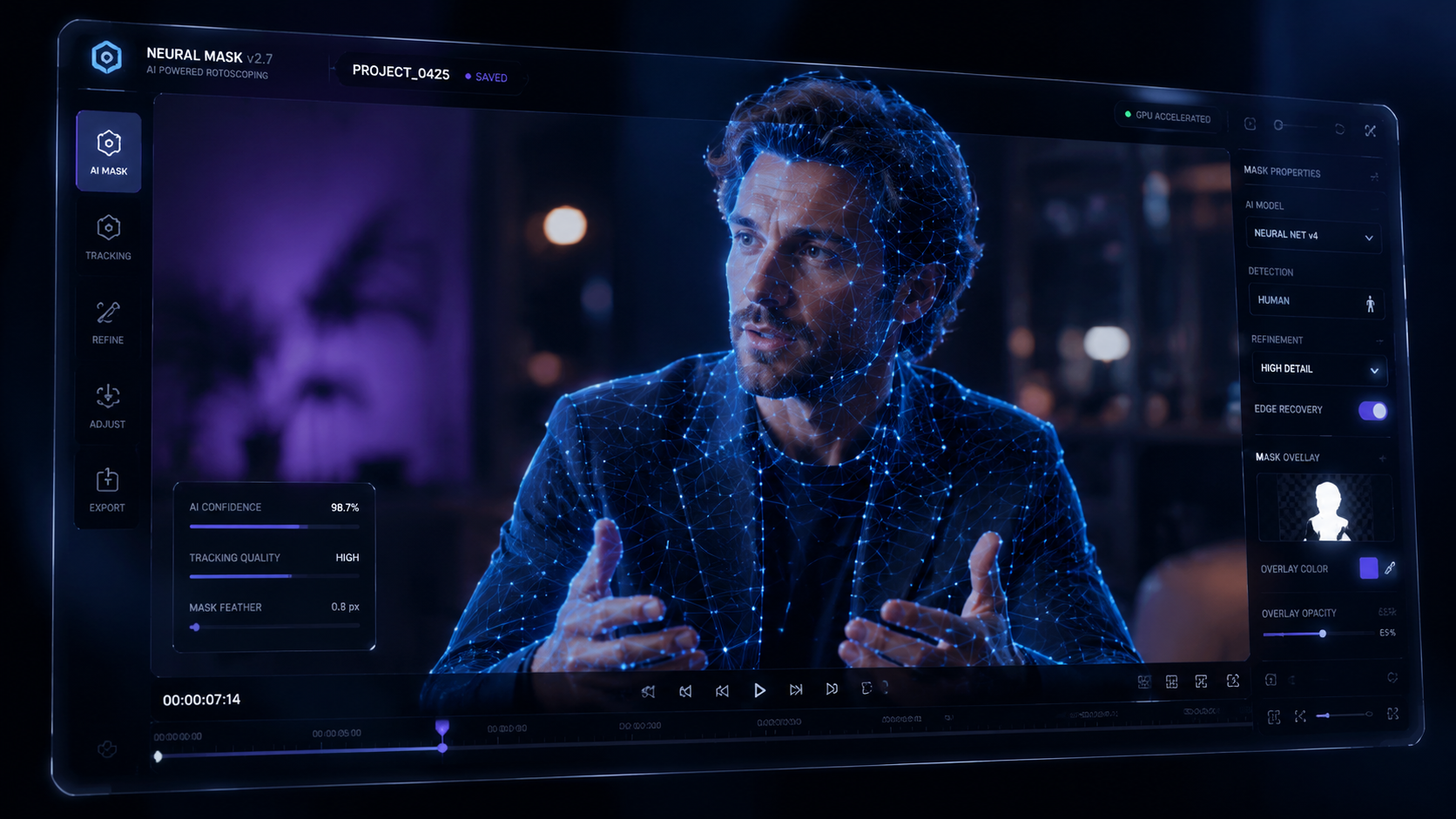
The landscape of video editing changed significantly in early 2026 with the release of specialized AI rotoscoping services. No longer are editors limited to simple "cut-outs." The current generation of tools features temporal consistency, which ensures that the mask does not flicker between frames, a common issue in earlier AI iterations.
Advanced Node-Based Compositing
One of the most significant breakthroughs this year was the launch of the Beeble Canvas node-based AI compositing system in May 2026. Unlike traditional linear editors, a node-based approach allows editors to link different AI effects together. For example, you can remove a background, run a "Video Beauty" filter via HitPaw VikPea, and then apply a generative background—all within a single visual map. This provides unparalleled flexibility for professional VFX artists and high-end content creators.
Generative Background Filling
The latest update to HitPaw VikPea (V5.3.0), released in May 2026, introduced next-gen video generators. This means that when you remove a background, the AI doesn't just leave a hole; it can intelligently "hallucinate" what should be behind the subject or generate an entirely new, photorealistic 3D environment. This integration of background removal and generative art is the defining trend of 2026.
| Tool Name | Key Feature (2026 Update) | Best For | Platform |
|---|---|---|---|
| Beeble Canvas | Node-Based AI Roto Service | Professional VFX & Compositing | Desktop / Cloud |
| HitPaw VikPea V5.3.0 | Next-Gen Generative Models | Social Media & Beauty Vlogs | Desktop / Windows / Mac |
| Vmake AI | Advanced People Remover Mode | Quick Clean-ups & E-commerce | Web-Based |
| Gearbrain Recommended | Video Enhancer Integration | Upscaling & Background Removal | Multi-Platform |
Why AI Roto is Replacing the Traditional Green Screen
For decades, the green screen was the only way to achieve a clean background swap. However, as noted by CG Channel regarding the Beeble AI roto service launch in April 2026, "AI Roto" has reached a level of precision that rivals manual masking. This shift is driven by the ability of AI to understand depth and lighting, allowing it to separate a subject from a background even if they share similar colors.
According to research from Gearbrain's 2026 comparison of video enhancers, the integration of background removal into broader "enhancement" suites has made it easier for users to improve video quality while simultaneously changing the setting. This holistic approach saves time and reduces the artifacts typically seen in low-budget chroma keying.
Furthermore, the "People Remover" technology launched by Vmake in April 2026 demonstrates the power of one-click solutions. By focusing specifically on the human form, these AI models are trained on millions of variations of movement, ensuring that even complex actions like dancing or running are captured with high fidelity without the need for a physical backdrop.
Choosing the Right AI Background Remover for Video for Your Project
When selecting an ai background remover for video, you must consider the final output's intent. A creator making a quick TikTok might prioritize speed and mobile accessibility, whereas a filmmaker will require the node-based precision offered by systems like Beeble. The "one-click" era has arrived, but the level of control varies significantly between platforms.
Web-Based vs. Desktop Software
Web-based tools like those mentioned by OCNJ Daily are excellent for accessibility. They require no high-end GPU because the processing happens on remote servers. However, for those working with 8K footage or sensitive data, desktop applications like HitPaw VikPea V5.3.0 offer more robust local processing features, including the new "Video Beauty" and generative models that benefit from local hardware acceleration.
The Role of AI Beauty and Enhancement
In 2026, background removal is rarely a standalone feature. As seen in the May 2026 release of HitPaw VikPea V5.3.0, background removal is now bundled with "Video Beauty" filters and AI generative models. This allows users to not only change their location but also enhance their appearance and the overall cinematic quality of the video in a single pass. This convergence of features is what defines a "Pro Guide" level tool in the current market.
The Future of Video Isolation: What’s Next After 2026?
The rapid pace of development in early 2026 suggests that we are moving toward real-time, zero-latency background removal for live broadcasts. With Beeble’s node-based system setting the stage for complex workflows and Vmake simplifying the "cleaning" of videos, the line between amateur and professional video production continues to blur.
Industry experts suggest that by the end of 2026, we will see even deeper integration of "semantic understanding," where the AI doesn't just see pixels, but understands the context of the scene. This would allow an ai background remover for video to automatically suggest the most appropriate replacement background based on the subject's actions or clothing, further automating the creative process.
As reported by Animation World Network, the launch of systems like Beeble Canvas is just the beginning of a move toward fully AI-driven compositing environments where the "background" is no longer a static image, but a dynamic, AI-generated world that reacts to the subject's lighting and movement in real-time.
Frequently Asked Questions
Is a green screen still necessary in 2026?
No, a green screen is no longer required for most professional and casual applications. Modern AI background removers use advanced computer vision to isolate subjects based on depth and shape, regardless of the background color or complexity.
Which AI tool is best for removing people from video backgrounds?
Vmake’s Advanced AI People Remover, launched in April 2026, is specifically designed for this task. It allows users to clean up distracting individuals or crowds from the background of a video with a single click.
Can I remove video backgrounds for free?
Yes, several online platforms offer free video background removal services. According to reports from OCNJ Daily in early 2026, these tools provide high-quality results without the need for expensive software, though they may have limits on video length or resolution.
What is node-based AI compositing?
Node-based compositing, such as the Beeble Canvas system released in May 2026, is a visual way of connecting different video processing tasks. It allows for more complex background removal and layering than traditional "layer-based" editing software.
What is the latest version of HitPaw VikPea?
As of May 2026, the latest version is HitPaw VikPea V5.3.0. This version includes new features such as Video Beauty filters, next-gen AI generative models, and enhanced background removal capabilities.



Comments ()