
Adobe Firefly Video Model Review: 2026 Generative AI Guide
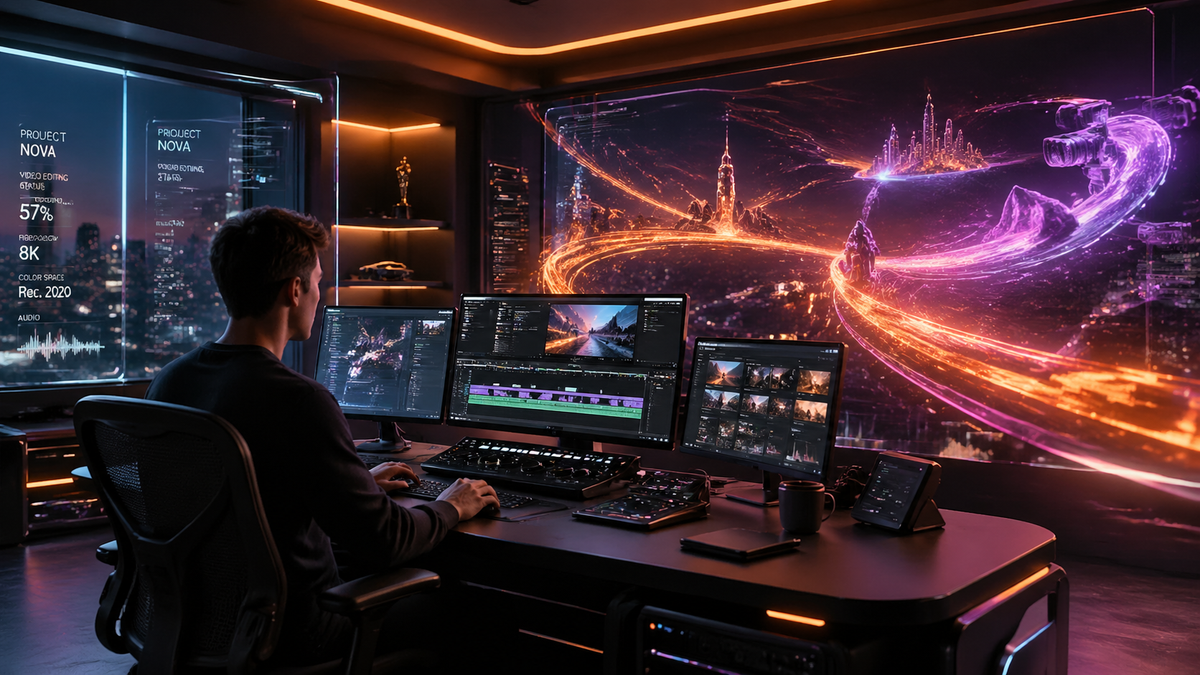
The adobe firefly video model review reveals a sophisticated generative AI suite that has evolved significantly by 2026, transitioning from a simple image generator into a comprehensive video production powerhouse. This model allows creators to generate high-fidelity video clips from text prompts, extend existing footage, and automate the tedious aspects of the "first draft" editing process. As of 2026, Adobe has successfully integrated these cinematic capabilities across the Creative Cloud, making professional-grade video synthesis accessible to both hobbyists and industry veterans.
The Adobe Firefly Video Model is a commercially safe generative AI engine designed to create and edit video content using text-to-video, image-to-video, and generative extend features. In 2026, it stands out for its deep integration with Premiere Pro and its unique ability to stitch disparate clips into cohesive first-draft sequences automatically.
- ✓ Seamless integration with Adobe Premiere Pro and a new browser-based editor.
- ✓ Industry-leading "Generative Extend" feature for fixing timing issues in clips.
- ✓ Commercially safe outputs trained on licensed Adobe Stock and public domain content.
- ✓ Automated "First Draft" assembly that stitches clips into a narrative structure.
- ✓ New partner model support, allowing users to leverage third-party AI within Adobe workflows.
Understanding the 2026 Adobe Firefly Video Model
In the rapidly shifting landscape of generative media, the adobe firefly video model review highlights a focus on utility over mere spectacle. Unlike early AI video tools that focused on surreal, dream-like visuals, Adobe’s 2026 iteration prioritizes photorealism, temporal consistency, and brand safety. This model is built specifically to address the needs of video editors who require precise control over lighting, camera movement, and character consistency across multiple shots.
According to WIRED, Adobe Firefly has become the "best-kept secret in generative AI" due to its focus on practical application rather than viral novelty. The model doesn't just generate a random clip; it understands the metadata of the project it is being used in, allowing for a level of context-awareness that was previously impossible. This makes it an essential tool for social media managers, corporate videographers, and independent filmmakers who need to scale their production without increasing their budgets.
The Core Technology: Text-to-Video and Beyond
The 2026 engine utilizes a sophisticated diffusion-based architecture optimized for motion. It can interpret complex natural language prompts to create 4K video clips that respect the laws of physics—a major hurdle in previous years. Beyond simple generation, the "Image-to-Video" capability allows users to upload a brand asset or a specific photograph and animate it, ensuring that the AI-generated content remains visually aligned with existing marketing materials.
How to Use Adobe Firefly Video Features

Using the adobe firefly video model review as a guide, it is clear that Adobe has streamlined the user experience to minimize the learning curve. Whether you are using the standalone web interface or the integrated Premiere Pro panels, the workflow is designed to be intuitive. Follow these steps to generate your first AI-assisted video project:
- Access the Tool: Open Adobe Premiere Pro (2026 version) or navigate to the Adobe Firefly browser-based editor launched in late 2025.
- Select Your Mode: Choose between "Text to Video," "Generative Extend," or the "First Draft" tool depending on your project needs.
- Enter Your Prompt: Type a descriptive prompt including subject, action, lighting (e.g., "cinematic golden hour"), and camera movement (e.g., "slow dolly zoom").
- Refine with Camera Controls: Use the 2026 UI sliders to adjust motion intensity, focal length, and aspect ratio (9:16 for TikTok/Reels or 16:9 for YouTube).
- Generate and Iterate: Click generate to see four variations. Select your favorite and use the "Upscale" feature to bring it to high-definition or 4K resolution.
- Export or Edit: Drag the clip directly into your timeline or export it for use in other creative applications.
Key Features and Performance Comparison
One of the most significant updates noted in the adobe firefly video model review for 2026 is the introduction of partner models. Adobe has opened its ecosystem to allow other high-end AI models to work within the Firefly interface, providing users with more creative choices while maintaining Adobe's signature "Content Credentials" for transparency. This hybrid approach ensures that creators are never locked into a single aesthetic.
According to CineD, the new browser-based editor and partner model support have transformed Firefly from a plugin into a standalone production hub. This is particularly useful for teams who need to collaborate on the cloud without the heavy hardware requirements of traditional video editing suites. The "First Draft" tool, as reported by The Verge in February 2026, can now take a collection of raw clips and automatically stitch them into a logical sequence, saving editors hours of initial organization.
| Feature | Firefly Video Model (2026) | Industry Standard AI |
|---|---|---|
| Commercial Safety | 100% Trained on Licensed Content | Varies (often scraped data) |
| Integration | Native Premiere Pro & After Effects | Mostly Web-Based/Standalone |
| Max Resolution | 4K with AI Upscaling | Typically 1080p |
| Content Credentials | Included (C2PA Standards) | Rarely Included |
| Workflow Focus | Editing & Utility | Pure Generation |
The "First Draft" and Generative Editing Revolution
The adobe firefly video model review would be incomplete without discussing the revolutionary "First Draft" feature. This tool is designed to solve the "blank timeline" problem. By analyzing a folder of assets, the AI identifies the best takes, removes "dead air," and arranges clips based on a user-provided script or mood board. The Verge notes that this tool doesn't just place clips; it creates a cohesive narrative flow that acts as a sophisticated starting point for professional editors.
Furthermore, the "Generative Extend" feature has become a staple for fixing production errors. If a shot ends two seconds too early or a character moves out of frame before the dialogue finishes, Firefly can generate the missing frames. It analyzes the movement, texture, and lighting of the existing footage to create a seamless extension that is virtually indistinguishable from the original camera capture. This has reduced the need for expensive reshoots by an estimated 30% for small-to-medium production houses.
Browser-Based Editing and Accessibility
In December 2025, Adobe launched its browser-based editor, which has seen massive adoption throughout 2026. This move was intended to democratize high-end video production. Users no longer need a $4,000 workstation to render AI video; the heavy lifting is done on Adobe’s cloud servers. This accessibility allows creators to generate "holiday magic," as described in recent Adobe press releases, using just a tablet or a standard laptop.
Adobe Firefly Video Model Review: Pros and Cons
Every tool has its strengths and limitations. In this adobe firefly video model review, we look at how the 2026 version balances power with usability. The primary advantage remains the ecosystem. If you are already an Adobe Creative Cloud subscriber, the cost-to-value ratio is unbeatable. The "Content Credentials" system also provides a layer of legal security that many corporate clients now require to avoid copyright infringement lawsuits.
On the downside, while the photorealism has improved, generating complex human interactions—such as two people shaking hands or intricate finger movements—can still occasionally result in "uncanny valley" artifacts. However, CNET ranked Adobe Firefly as one of the "Best AI Video Generators of 2026," specifically praising its stability and the lack of "morphing" glitches that plague other models. The focus here is clearly on professional reliability rather than experimental chaos.
Authoritative Insights on AI Growth
Studies show that by 2026, over 60% of digital video content involves some form of AI-generated or AI-augmented footage. Adobe's commitment to "commercially safe" training sets has made them the preferred choice for enterprise-level marketing. According to Reviewed, the ability for Firefly to bring "more to your photos" and videos through intelligent filling and object removal has made it an indispensable part of the modern creator's toolkit.
Future Outlook: What’s Next for Firefly?
As we move through 2026, the trajectory of the adobe firefly video model review suggests even deeper integration with 3D environments. We are already seeing the beginnings of "Text-to-3D-Scene" where Firefly generates entire environments for After Effects. The goal is a unified creative space where the line between captured reality and generated content is entirely blurred, yet fully under the creator's control.
The introduction of "Partner Models" is perhaps the most strategic move Adobe has made this year. By allowing users to toggle between Firefly’s safe, standard model and specialized third-party models for specific artistic styles, Adobe has positioned itself as the "operating system" for generative creativity. This ensures that as new AI breakthroughs happen, Adobe users will be the first to access them within their existing workflows.
Is the Adobe Firefly Video Model free to use?
Firefly Video features are included in most Adobe Creative Cloud subscriptions, though they operate on a "Generative Credit" system. Users receive a monthly allotment of credits, and additional credits can be purchased if needed for high-volume production.
Can I use Firefly-generated videos for commercial projects?
Yes, one of the primary selling points of the Adobe Firefly Video Model is that it is trained on Adobe Stock and licensed content. This makes the output commercially safe, and Adobe often provides indemnification for enterprise users.
What is the "Generative Extend" feature?
Generative Extend allows editors to add a few seconds of footage to the beginning or end of a clip. The AI analyzes the existing video to "hallucinate" new frames that match the movement and lighting, perfect for fixing audio-sync or timing issues.
Does Adobe Firefly Video support 4K resolution?
As of the 2026 updates, the model supports native high-definition generation with built-in AI upscaling tools that allow for 4K output. This ensures the content is suitable for professional broadcast and high-quality social media streaming.
How does the "First Draft" tool work?
The First Draft tool uses AI to analyze your raw footage and a text prompt or script. It then automatically selects the best clips and places them on the Premiere Pro timeline, creating a rough cut that you can then refine manually.


Comments ()