
Adobe Firefly AI Video 2026: Next-Gen Video Creation
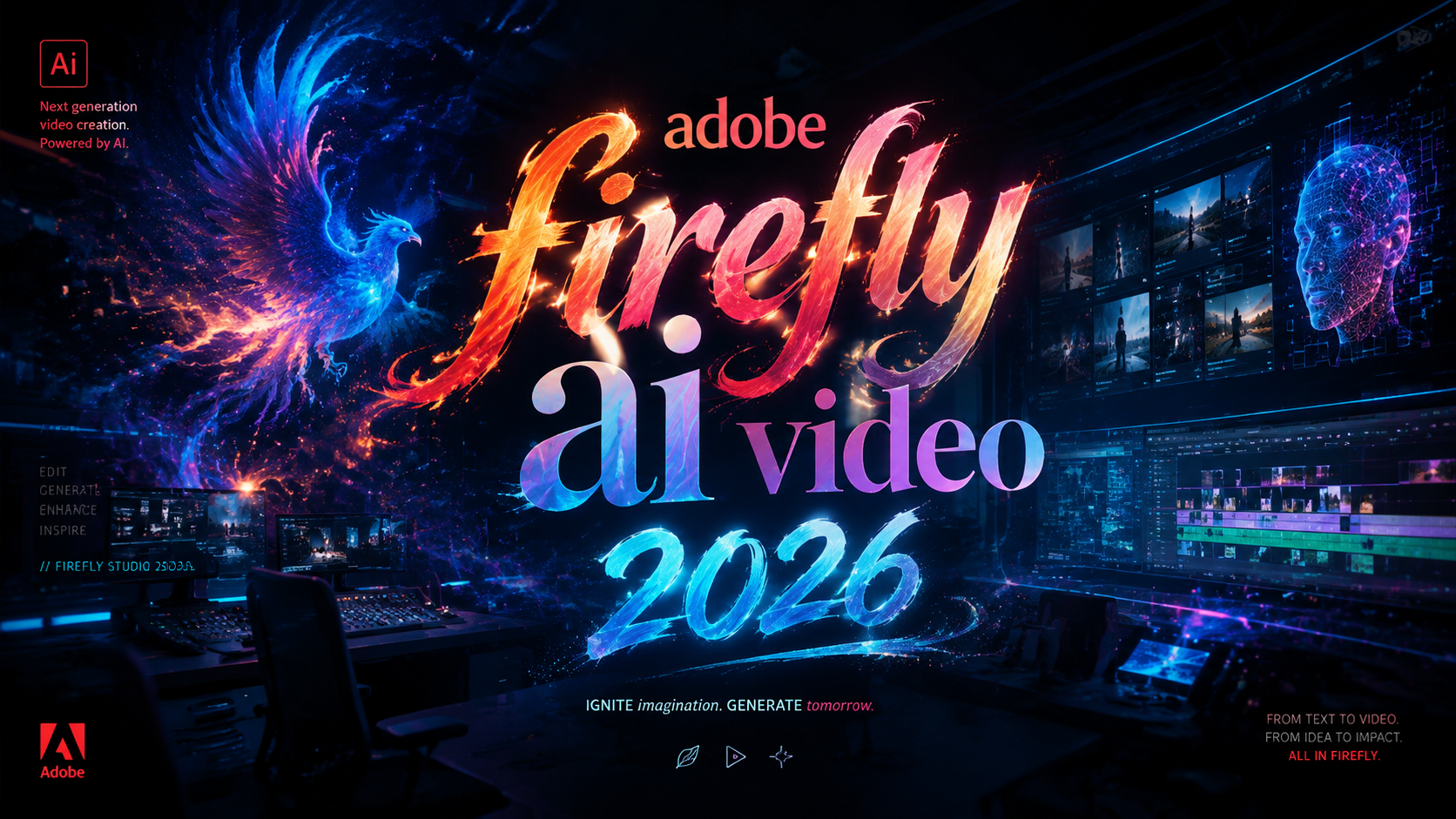
Adobe Firefly AI Video is a generative artificial intelligence system integrated into Adobe's creative ecosystem that enables users to create, edit, and enhance video content using natural language prompts, automated scene generation, and intelligent editing assistants. As of 2026, this technology has evolved into a comprehensive video creation platform that combines text-to-video generation, agentic AI assistance, and advanced color tools, fundamentally changing how video content is produced from concept to final cut.
Adobe Firefly AI Video is a generative AI video creation and editing suite within Adobe's Firefly platform that allows creators to generate footage from text prompts, automate complex editing tasks through an agentic AI assistant, and apply intelligent color grading — all while maintaining commercial safety through training on licensed content. It was significantly expanded in early 2026 with custom model support and a new AI Assistant focused on outcomes rather than tools.
- ✓ Adobe launched a new agentic AI assistant for Firefly Video Editor in April 2026 that reframes creative work around outcomes, not individual tools
- ✓ Custom model training capabilities were added in March 2026, allowing organizations to tailor Firefly to their specific visual styles and branding
- ✓ The platform integrates with Premiere Pro to reinvent color grading workflows for professional editors using AI-powered suggestions
- ✓ Early reviews note powerful capabilities but also areas for improvement, particularly around consistency and control
- ✓ Firefly Video AI is designed to be commercially safe, trained on licensed content for worry-free professional use
What Is Adobe Firefly AI Video? A 2026 Perspective
Adobe Firefly AI Video represents the next generation of generative video technology from Adobe, first previewed in 2024 and now reaching maturity in 2026. Unlike earlier AI video tools that focused solely on text-to-video generation, the current Firefly Video platform is a full-spectrum creative companion. It includes capabilities for generating original video clips from textual descriptions, intelligently extending or editing existing footage, and automating repetitive editing tasks through an agentic AI assistant that understands creative intent.
According to Adobe's February 2026 announcement titled "Putting ideas in motion: Redefining AI video with Adobe Firefly," the platform has been fundamentally rearchitected to prioritize motion coherence, temporal consistency, and stylistic control. This means that generated videos maintain logical progression across frames, objects remain stable throughout scenes, and creators can specify mood, lighting, and camera movement with precision. The system is built on Adobe's proprietary generative models trained exclusively on licensed and public domain content, addressing the copyright concerns that have plagued competing AI video tools.
As of April 2026, Adobe Firefly AI Video is accessible through the Firefly web interface, as a plugin within Premiere Pro, and through the standalone Firefly Video Editor. The March 2026 expansion introduced custom model training, enabling enterprises and individual creators to fine-tune Firefly on their own visual assets, creating consistent brand-aligned video content at scale.
Key Features of Adobe Firefly AI Video in 2026
Agentic AI Assistant: From Tools to Outcomes
Perhaps the most significant update in 2026 is the introduction of the agentic AI assistant for Firefly Video Editor, announced on April 16, 2026, by Red Shark News and confirmed by Adobe's own press release. Rather than requiring users to navigate complex menus and manually execute each step, the AI assistant understands the desired outcome — for example, "create a 30-second product demo with a cinematic look" — and autonomously handles the workflow: generating appropriate footage, applying color grading, adding transitions, and exporting in the correct format.
According to Ken Yeung writing for The AI Economy on April 15, 2026, "Adobe's Firefly AI Assistant Reframes Creative Work Around Outcomes, Not Tools." This shift represents a fundamental redesign of the creative interface, where the conversation moves from "which filter should I use?" to "what story do I want to tell?" The assistant asks clarifying questions, offers suggestions, and learns from user preferences over time. However, an AppleInsider review published on April 28, 2026, noted that while the concept is ambitious, the execution still has room to grow, particularly in understanding nuanced creative direction and handling complex multi-scene projects.
Custom Models and Brand Consistency
The March 19, 2026, expansion of Adobe Firefly introduced the ability for users to create custom models. This means a marketing team can train Firefly on their brand's existing video assets, color palettes, product imagery, and typography. When generating new video content, the AI will automatically adhere to these brand guidelines, ensuring consistency across all output. According to Adobe's announcement, "Adobe Firefly expands video and image creation with new AI capabilities and custom models," positioning this feature as a game-changer for enterprise content production.
Custom models are trained using Adobe's secure infrastructure, with the company emphasizing that uploaded content remains private and is not used to train public models. This addresses a major concern for brands that have been hesitant to adopt generative AI for commercial video production due to intellectual property and data privacy risks.
Reinventing Color in Premiere Pro
Adobe's April 15, 2026, announcement highlighted the integration of Firefly AI into Premiere Pro's color workflows. The new AI-powered color tools can analyze a video's content and suggest color grading that matches the desired mood, genre, or reference material. For example, a user can upload a still image or describe a "warm sunset documentary look," and Firefly will automatically generate color correction settings that can be applied across the entire timeline.
This capability extends to intelligent color matching across different clips, solving the perennial problem of inconsistent footage from multiple cameras or lighting conditions. The AI analyzes skin tones, exposure levels, and color temperature, then automatically harmonizes all clips to create a seamless visual experience. For professional editors working on tight deadlines, this represents a significant reduction in manual color correction time.
How Adobe Firefly AI Video Is Changing Creative Workflows
The agentic nature of the 2026 Firefly AI Assistant means that creative workflows are being fundamentally restructured. Instead of starting with a blank timeline and building up from individual clips, editors now begin with a conversation. They describe the video they want, the audience, the key message, and the desired tone. The AI then generates a rough cut, complete with placeholder footage, music suggestions, and a narrative structure.
This outcome-focused approach has implications for both professional studios and solo creators. For large teams, it means that junior editors can produce rough cuts that senior editors then refine, dramatically reducing the time from concept to first draft. For independent creators, it lowers the technical barrier to producing high-quality video content. A small business owner, for example, can generate a professional-looking product video without hiring a production crew or learning complex editing software.
However, the AppleInsider review from late April 2026 serves as an important counterpoint. The reviewer noted that while the AI Assistant is impressive in demonstration, practical use revealed limitations in understanding complex instructions and maintaining creative intent across longer projects. The assistant sometimes generated generic results that lacked the specific artistic vision a human editor would bring. Adobe has acknowledged this feedback and has committed to continuous improvement of the underlying models.
Adobe Firefly AI Video vs. Traditional Video Editing
| Capability | Firefly AI Video (2026) | Traditional Video Editing |
|---|---|---|
| Content Generation | Text-to-video: generate footage from prompts | Requires existing footage or manual filming |
| Workflow Initiation | Describe outcome; AI builds rough cut | Manual timeline assembly from clips |
| Color Grading | AI-powered automatic color matching and mood-based grading | Manual color wheels, curves, and LUTs |
| Customization | Custom model training for brand consistency | Manual reference matching and template reuse |
| Learning Curve | Conversational; lower technical barrier | Steep; requires specialized skills |
| Creative Control | High-level direction; AI handles details | Pixel-level manual control |
| Speed for First Draft | Minutes for complex projects | Hours to days |
This comparison illustrates that Adobe Firefly AI Video is not positioned as a replacement for traditional editing but as a complementary tool that handles the heavy lifting of generation, organization, and initial assembly. Professional editors still have full access to Premiere Pro's manual controls for fine-tuning and creative expression. The AI handles the repetitive and time-consuming aspects, freeing human creators to focus on artistic decisions and storytelling.
Early Impressions and Real-World Feedback
The reception to Adobe Firefly AI Video in 2026 has been a mix of enthusiasm and measured critique. On the positive side, users have praised the quality of generated video, noting that motion coherence and visual fidelity have improved significantly compared to earlier generative video tools. The commercial safety of Firefly — trained on licensed content — is seen as a major advantage for professional and enterprise users who cannot risk copyright disputes.
According to Adobe's own reports from the February 2026 launch, early adopters reported up to 60% faster turnaround times for first-draft video content when using the AI Assistant for initial assembly. However, the AppleInsider review published on April 28, 2026, titled "I tried Adobe Firefly AI Assistant and wasn't impressed," highlighted that the assistant's understanding of complex creative briefs remains inconsistent. The reviewer noted that while simple requests produced excellent results, multi-layered instructions often led to generic or misaligned output.
This feedback is valuable for understanding where the technology currently stands. Adobe has been transparent about its iterative improvement approach, and the company's rapid release cycle — with major updates in February, March, and April 2026 — demonstrates a commitment to addressing these issues. The agentic AI assistant, in particular, is expected to improve as more users interact with it and Adobe refines its underlying models based on real-world usage patterns.
How to Get Started with Adobe Firefly AI Video
Getting started with Adobe Firefly AI Video in 2026 is straightforward, whether you are a professional editor or a complete beginner. Follow these steps:
- Access the platform: Visit the Adobe Firefly website or open the Firefly Video Editor from within Premiere Pro (2026 version). A Creative Cloud subscription with the Firefly add-on is required, with plans starting at $29.99 per month for individual creators.
- Describe your project: Click the AI Assistant button and describe the video you want. Be specific about the subject, tone, duration, and intended use. For example: "A 30-second social media video showcasing a new eco-friendly water bottle in a bright studio setting with upbeat music."
- Review and refine: The assistant will generate a rough cut with placeholder footage. Review the structure, pacing, and suggested visual elements. Use follow-up prompts to refine: "Make the lighting warmer" or "Use more dynamic camera angles."
- Customize with your own assets: Upload your own footage, logos, or brand assets. If you have an enterprise plan, train a custom model on your brand's visual library for consistent output across all projects.
- Fine-tune manually: Switch to the full editing interface to make manual adjustments. Use Premiere Pro's timeline for precise cuts, transitions, and audio mixing. The AI-generated foundation gives you a head start without limiting your creative control.
- Export and share: Once satisfied, export in your preferred format. Firefly supports all major video formats and resolutions up to 4K, with 8K support available on higher-tier plans.
For teams, Adobe offers collaborative workflows where multiple editors can work on the same project simultaneously, with the AI Assistant helping to merge contributions and resolve conflicts. This makes Firefly Video AI suitable for production teams of all sizes.
Frequently Asked Questions About Adobe Firefly AI Video
Is Adobe Firefly AI Video commercially safe to use?
Yes. Adobe Firefly is trained exclusively on licensed content, public domain material, and Adobe's own stock library. Content generated with Firefly is commercially safe for use in advertising, marketing, publishing, and any other professional context, without copyright infringement risks.
Can I use my own footage with Adobe Firefly AI Video?
Absolutely. You can upload your own video clips, images, and audio to use alongside AI-generated content. The platform is designed to blend user-supplied assets with generative output seamlessly. Custom model training also allows you to fine-tune the AI on your own visual style.
How does the agentic AI Assistant differ from a standard chatbot?
The agentic AI Assistant doesn't just answer questions — it performs actions. When you describe a desired outcome, it autonomously generates footage, edits sequences, applies grading, and exports the project. It actively builds your video rather than simply providing instructions on how to do it yourself.
What video quality can I expect from Adobe Firefly AI Video?
Generated video output supports up to 4K resolution at 30 frames per second in the standard plan, with 8K available on enterprise tiers. Adobe's February 2026 update significantly improved motion coherence and temporal stability, meaning fewer artifacts and more natural movement compared to earlier generative video tools.
Is Adobe Firefly AI Video available as a standalone product or only through Creative Cloud?
It is available both ways. You can access Firefly Video AI through the web-based Firefly Video Editor with a standalone subscription, or as an integrated feature within Premiere Pro for existing Creative Cloud subscribers. The standalone plan starts at $29.99 per month for individuals.
Can I train a custom model on my brand's video assets?
Yes. The March 2026 expansion introduced custom model training for enterprise and professional users. You can upload your brand's existing video content, and Firefly will learn your visual style, color palette, and compositional preferences, ensuring all generated content aligns with your brand identity.
What are the system requirements for using Adobe Firefly AI Video?
For the web-based version, you need an internet connection and a modern browser (Chrome, Edge, or Safari latest versions). For the Premiere Pro integration, you need a Windows 10/11 or macOS 13+ system with at least 16GB RAM and a compatible GPU. Cloud processing handles most of the AI workload, so local hardware requirements are modest.



Comments ()